

Is this your AI tool? Claim it today.
Verify ownership, manage your profile, and unlock growth features.
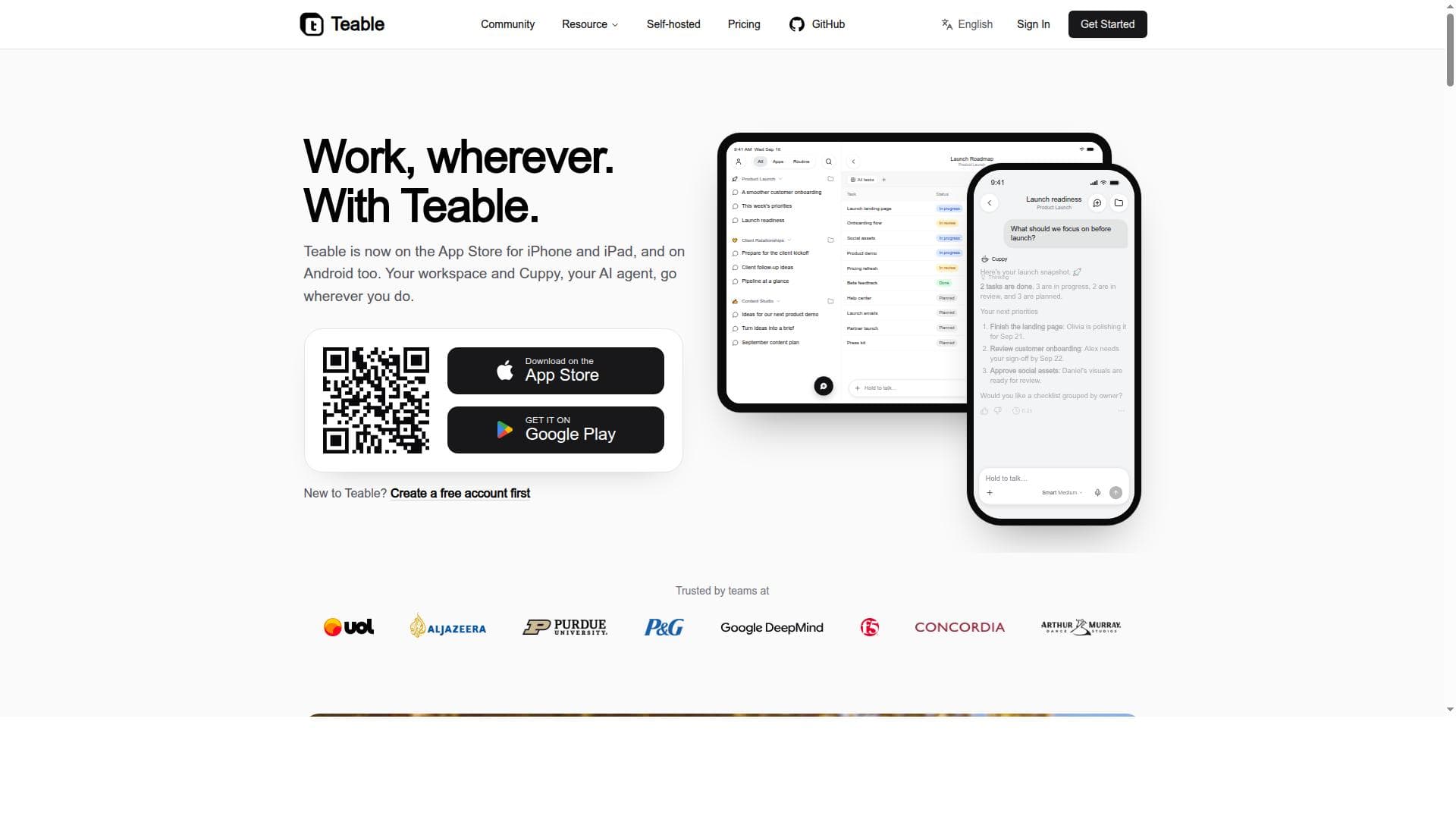
Teable Mobile App revolutionizes business workflow management by combining AI-powered spreadsheets, no-code app building, and an intelligent assistant into a seamless mobile experience for iPhone, iPad, and Android users. It’s perfect for professionals and teams who need to manage data, automate tasks, and collaborate effectively while on the move.

Description
Explain your process like you would to a new hire. Teable builds the database, the app and the automations, so the work stops living in your head. Now you can do it from your phone: hold to talk, publish to your team, and get notified when it's done.
Detailed Description
Teable Mobile App is a powerful AI-driven platform designed to bring the full capabilities of AI-powered spreadsheet and business workflow management directly to your mobile device. Available for iPhone, iPad, and Android, Teable allows users to manage complex data, automate workflows, and collaborate seamlessly while on the go. Its core purpose is to enable professionals and teams to maintain productivity and operational control outside the traditional desktop environment by leveraging AI-enhanced tools tailored for mobile use. At its heart, Teable Mobile App combines the flexibility of spreadsheet and database management with advanced AI functionalities. Users can create, edit, and organize data in AI-powered spreadsheets that intelligently assist with data entry, validation, and updates. The app features a no-code custom app builder, enabling users to design bespoke business applications and workflows directly from their mobile devices without any programming knowledge. This empowers businesses to tailor solutions to their specific needs quickly and efficiently. One of the standout features of Teable Mobile App is its AI assistant, Cuppy, which facilitates effortless record updates through natural language commands. This assistant streamlines data management by allowing users to ask Cuppy to modify records, generate reports, or trigger workflow automations, all via chat-like interactions. The app also integrates collaboration features, including chat functionality, enabling teams to communicate and coordinate tasks within the same platform. Cross-device support ensures that users can pick up conversations and workflows started on their desktop computers and continue them seamlessly on their mobile devices. Teable Mobile App is ideal for business professionals, project managers, data analysts, and teams who require flexible, real-time access to their data and workflows. It suits organizations looking for an alternative to traditional spreadsheet tools and database platforms by offering AI-enhanced automation and customization. Use cases range from managing sales pipelines, inventory tracking, and customer relationship management to automating approval processes and building custom business apps that adapt to evolving operational requirements. Regarding pricing, Teable offers various plans tailored to different user needs, including free tiers with basic features and premium subscriptions that unlock advanced AI capabilities, increased data limits, and enhanced collaboration tools. While specific pricing details may vary, the app’s website provides transparent information and options to upgrade based on organizational scale and feature requirements. Compared to alternatives like Airtable or traditional spreadsheet apps, Teable Mobile App distinguishes itself with its integrated AI assistant and mobile-first custom app building capabilities. Unlike many competitors that focus primarily on desktop environments, Teable emphasizes seamless mobile workflow management and AI-driven data interaction, making it a unique choice for users prioritizing mobility and intelligent automation. However, users should consider that, as a relatively new platform, some advanced integrations or niche features found in more established competitors might still be under development. Additionally, while the AI assistant Cuppy enhances productivity, users may experience a learning curve in mastering natural language commands and custom app configurations. Overall, Teable Mobile App presents a compelling solution for dynamic businesses seeking to leverage AI and mobile technology to transform their data management and workflow automation.
Tool Features
- AI-powered spreadsheet and database management
- No-code custom app building on mobile
- Workflow automation and data management
- AI assistant Cuppy for updating records
- Collaboration and chat integration
- Cross-device support for iPhone, iPad, and Android
Description
Teable Mobile App revolutionizes business workflow management by combining AI-powered spreadsheets, no-code app building, and an intelligent assistant into a seamless mobile experience for iPhone, iPad, and Android users. It’s perfect for professionals and teams who need to manage data, automate tasks, and collaborate effectively while on the move.
Explain your process like you would to a new hire. Teable builds the database, the app and the automations, so the work stops living in your head. Now you can do it from your phone: hold to talk, publish to your team, and get notified when it's done.
Detailed Description
Teable Mobile App is a powerful AI-driven platform designed to bring the full capabilities of AI-powered spreadsheet and business workflow management directly to your mobile device. Available for iPhone, iPad, and Android, Teable allows users to manage complex data, automate workflows, and collaborate seamlessly while on the go. Its core purpose is to enable professionals and teams to maintain productivity and operational control outside the traditional desktop environment by leveraging AI-enhanced tools tailored for mobile use. At its heart, Teable Mobile App combines the flexibility of spreadsheet and database management with advanced AI functionalities. Users can create, edit, and organize data in AI-powered spreadsheets that intelligently assist with data entry, validation, and updates. The app features a no-code custom app builder, enabling users to design bespoke business applications and workflows directly from their mobile devices without any programming knowledge. This empowers businesses to tailor solutions to their specific needs quickly and efficiently. One of the standout features of Teable Mobile App is its AI assistant, Cuppy, which facilitates effortless record updates through natural language commands. This assistant streamlines data management by allowing users to ask Cuppy to modify records, generate reports, or trigger workflow automations, all via chat-like interactions. The app also integrates collaboration features, including chat functionality, enabling teams to communicate and coordinate tasks within the same platform. Cross-device support ensures that users can pick up conversations and workflows started on their desktop computers and continue them seamlessly on their mobile devices. Teable Mobile App is ideal for business professionals, project managers, data analysts, and teams who require flexible, real-time access to their data and workflows. It suits organizations looking for an alternative to traditional spreadsheet tools and database platforms by offering AI-enhanced automation and customization. Use cases range from managing sales pipelines, inventory tracking, and customer relationship management to automating approval processes and building custom business apps that adapt to evolving operational requirements. Regarding pricing, Teable offers various plans tailored to different user needs, including free tiers with basic features and premium subscriptions that unlock advanced AI capabilities, increased data limits, and enhanced collaboration tools. While specific pricing details may vary, the app’s website provides transparent information and options to upgrade based on organizational scale and feature requirements. Compared to alternatives like Airtable or traditional spreadsheet apps, Teable Mobile App distinguishes itself with its integrated AI assistant and mobile-first custom app building capabilities. Unlike many competitors that focus primarily on desktop environments, Teable emphasizes seamless mobile workflow management and AI-driven data interaction, making it a unique choice for users prioritizing mobility and intelligent automation. However, users should consider that, as a relatively new platform, some advanced integrations or niche features found in more established competitors might still be under development. Additionally, while the AI assistant Cuppy enhances productivity, users may experience a learning curve in mastering natural language commands and custom app configurations. Overall, Teable Mobile App presents a compelling solution for dynamic businesses seeking to leverage AI and mobile technology to transform their data management and workflow automation.
Frequently Asked Questions
What is Teable Mobile App?
Teable Mobile App is an AI-powered platform for managing spreadsheets, databases, and business workflows on mobile devices. It offers tools for no-code app building, workflow automation, and collaboration, all accessible via iPhone, iPad, and Android.
How much does Teable Mobile App cost?
Teable offers multiple pricing plans including a free tier with basic features and premium subscriptions that provide advanced AI capabilities, higher data limits, and enhanced collaboration options. Detailed pricing information is available on their website.
Who is Teable Mobile App best for?
The app is ideal for business professionals, project managers, data analysts, and teams who need flexible, AI-enhanced data and workflow management on the go, especially those seeking a mobile-first solution with no-code customization.
What are the main features of Teable Mobile App?
Key features include AI-powered spreadsheet and database management, no-code custom app building, workflow automation, the AI assistant Cuppy for updating records, integrated collaboration and chat, and cross-device support for iPhone, iPad, and Android.
Does Teable Mobile App offer a free trial?
Yes, Teable provides a free tier that allows users to explore core features and evaluate the platform before committing to a paid plan.
What integrations does Teable Mobile App support?
Teable supports integrations with popular collaboration and communication tools such as Gmail, Slack, and Outlook, enabling streamlined workflow and chat-based interactions within the app.
How does Teable Mobile App work?
Users manage and automate their business data and workflows through AI-powered spreadsheets and databases. They can build custom apps without coding, update records via the AI assistant Cuppy using natural language, and collaborate with team members through integrated chat, all from their mobile devices.
Socials
Use ToolReviews
No reviews yet. Be the first to share your experience.