Featured in:Best AI Audio Tools
Get featured →🚀 Zaprep: Your Socials on Steroids. Start free — automate 1,000 DMs/month & turn engagement into leads. with 1,000 automated DMs/month.


Is this your AI tool? Claim it today.
Verify ownership, manage your profile, and unlock growth features.
✦
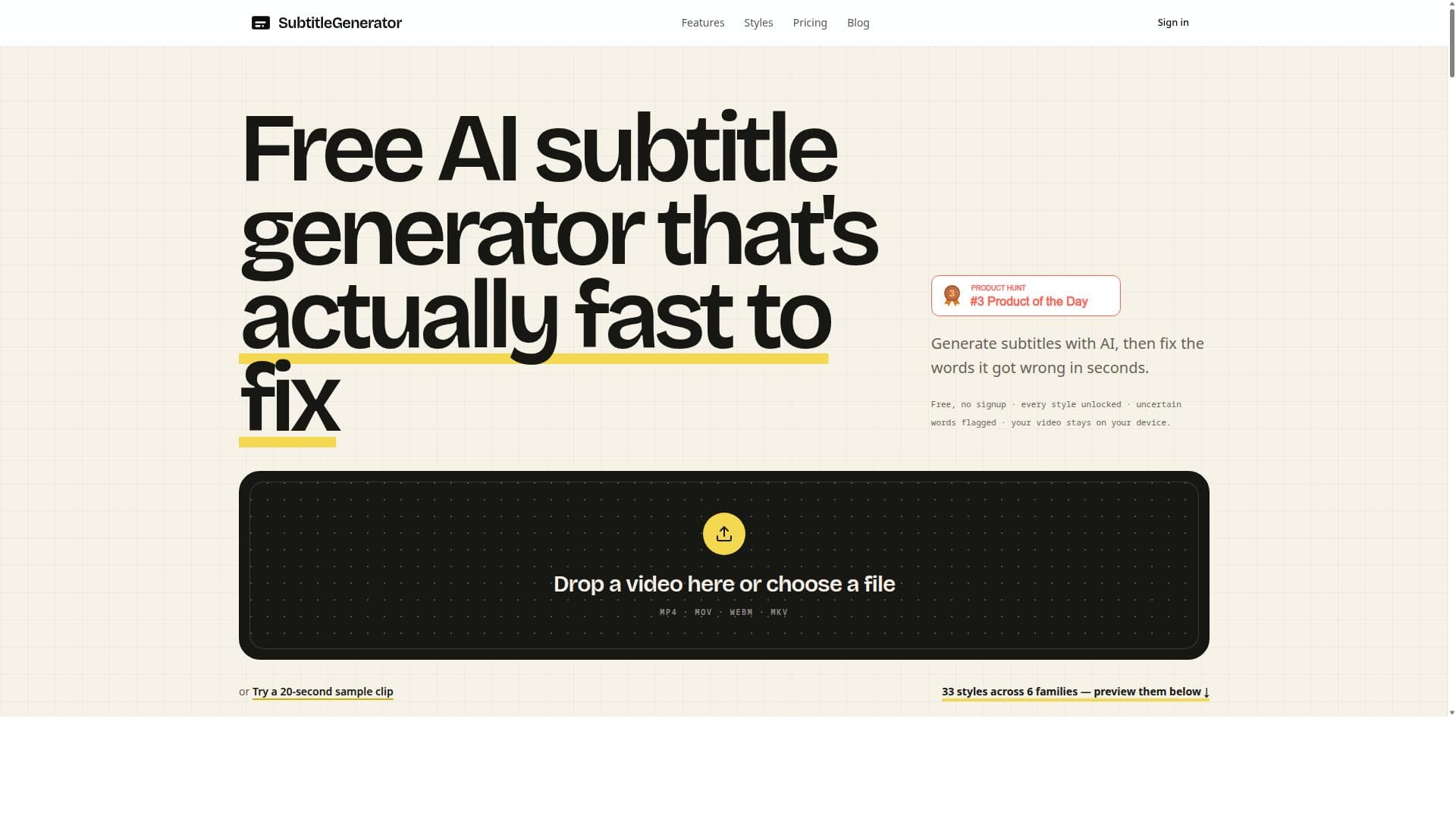
Subtitle Generator is a free, AI-driven subtitle creation tool that lets users generate, edit, and export video subtitles directly in their browser without signing up. With 33 customizable subtitle styles and an intuitive interface highlighting uncertain words for easy correction, it’s perfect for content creators seeking fast, accurate, and stylish subtitles.

Description
Free: 60 one-minute videos a month, no signup. Drop in a video and generate, fix, translate, style and export subtitles in one editor. All 30 styles are included free. Most tools leave you hunting line by line—Fix flags uncertain words and counts down to “All clear,” a real finish line. Pro and Max add full-track translation, HD without a watermark, eight subtitle formats, custom fonts and saved brand styles. Your video stays in your browser.
Detailed Description
Subtitle Generator is a powerful, free AI-powered web application designed to simplify the process of creating and editing subtitles for videos. Its core purpose is to enable users to generate accurate subtitles quickly and efficiently directly within their browser, without the need for complex software installations or account registrations. By leveraging advanced AI technology, Subtitle Generator automatically transcribes spoken content from video files and generates subtitle text that can be reviewed and refined in real time. This makes it an invaluable tool for content creators, educators, marketers, and anyone needing accessible video captions. One of the standout features of Subtitle Generator is its ability to highlight uncertain words in the transcription, allowing users to easily identify and correct any inaccuracies. This interactive editing capability ensures that subtitles are precise and polished before export. Users can also choose from an impressive selection of 33 different subtitle styles, enabling customization to match the tone and branding of their video content. The tool supports direct export of subtitles in popular formats, all within the browser, streamlining the workflow and eliminating the need for additional software or signups. Subtitle Generator is particularly well-suited for video creators who want to enhance accessibility and engagement by adding subtitles to their content. It benefits YouTubers, educators creating instructional videos, social media marketers aiming for higher viewer retention, and businesses producing training or promotional videos. The ability to generate subtitles without signing up lowers the barrier to entry, making it ideal for users who need a quick, hassle-free solution. Additionally, the variety of subtitle styles caters to users seeking both functional and aesthetic subtitle presentations. The tool is completely free to use, with no hidden costs or subscription plans, making it accessible to individuals and small businesses alike. This contrasts with many subtitle services that require payment or account creation. Because it operates fully in-browser, there are no downloads or installations required, and users can start generating subtitles immediately upon visiting the website. Compared to alternatives, Subtitle Generator stands out due to its combination of AI accuracy, ease of use, and extensive subtitle styling options. While some competitors may offer AI transcription, they often require signups, have limited styling choices, or impose export restrictions. Subtitle Generator’s no-signup policy and direct export capabilities provide a seamless experience. However, it may not offer advanced integrations or batch processing features found in enterprise-grade subtitle software, which could be a consideration for high-volume professional users. One limitation to note is that since the tool runs entirely in-browser, performance may depend on the user’s device and internet connection. Also, while the AI transcription is highly accurate, complex audio with heavy accents or background noise might require more manual corrections. Users should review subtitles carefully to ensure quality. Despite these minor considerations, Subtitle Generator remains a highly effective and accessible tool for anyone needing to add subtitles to videos quickly and professionally.
Tool Features
- Generate subtitles with AI
- Edit subtitles and fix uncertain words
- Choose from 33 subtitle styles
- Export subtitles directly in browser
- No signup required to start
Description
✦
Subtitle Generator is a free, AI-driven subtitle creation tool that lets users generate, edit, and export video subtitles directly in their browser without signing up. With 33 customizable subtitle styles and an intuitive interface highlighting uncertain words for easy correction, it’s perfect for content creators seeking fast, accurate, and stylish subtitles.
Free: 60 one-minute videos a month, no signup. Drop in a video and generate, fix, translate, style and export subtitles in one editor. All 30 styles are included free. Most tools leave you hunting line by line—Fix flags uncertain words and counts down to “All clear,” a real finish line. Pro and Max add full-track translation, HD without a watermark, eight subtitle formats, custom fonts and saved brand styles. Your video stays in your browser.
Detailed Description
Subtitle Generator is a powerful, free AI-powered web application designed to simplify the process of creating and editing subtitles for videos. Its core purpose is to enable users to generate accurate subtitles quickly and efficiently directly within their browser, without the need for complex software installations or account registrations. By leveraging advanced AI technology, Subtitle Generator automatically transcribes spoken content from video files and generates subtitle text that can be reviewed and refined in real time. This makes it an invaluable tool for content creators, educators, marketers, and anyone needing accessible video captions. One of the standout features of Subtitle Generator is its ability to highlight uncertain words in the transcription, allowing users to easily identify and correct any inaccuracies. This interactive editing capability ensures that subtitles are precise and polished before export. Users can also choose from an impressive selection of 33 different subtitle styles, enabling customization to match the tone and branding of their video content. The tool supports direct export of subtitles in popular formats, all within the browser, streamlining the workflow and eliminating the need for additional software or signups. Subtitle Generator is particularly well-suited for video creators who want to enhance accessibility and engagement by adding subtitles to their content. It benefits YouTubers, educators creating instructional videos, social media marketers aiming for higher viewer retention, and businesses producing training or promotional videos. The ability to generate subtitles without signing up lowers the barrier to entry, making it ideal for users who need a quick, hassle-free solution. Additionally, the variety of subtitle styles caters to users seeking both functional and aesthetic subtitle presentations. The tool is completely free to use, with no hidden costs or subscription plans, making it accessible to individuals and small businesses alike. This contrasts with many subtitle services that require payment or account creation. Because it operates fully in-browser, there are no downloads or installations required, and users can start generating subtitles immediately upon visiting the website. Compared to alternatives, Subtitle Generator stands out due to its combination of AI accuracy, ease of use, and extensive subtitle styling options. While some competitors may offer AI transcription, they often require signups, have limited styling choices, or impose export restrictions. Subtitle Generator’s no-signup policy and direct export capabilities provide a seamless experience. However, it may not offer advanced integrations or batch processing features found in enterprise-grade subtitle software, which could be a consideration for high-volume professional users. One limitation to note is that since the tool runs entirely in-browser, performance may depend on the user’s device and internet connection. Also, while the AI transcription is highly accurate, complex audio with heavy accents or background noise might require more manual corrections. Users should review subtitles carefully to ensure quality. Despite these minor considerations, Subtitle Generator remains a highly effective and accessible tool for anyone needing to add subtitles to videos quickly and professionally.
Frequently Asked Questions
What is Subtitle Generator?
Subtitle Generator is a free AI-powered web tool that allows users to generate, edit, and export subtitles for videos directly in their browser without requiring any signup.
How much does Subtitle Generator cost?
Subtitle Generator is completely free to use with no subscription fees or hidden costs.
Who is Subtitle Generator best for?
It is ideal for video creators, educators, marketers, and anyone who needs to quickly add accurate and customizable subtitles to their videos.
What are the main features of Subtitle Generator?
Key features include AI-powered subtitle generation, editing with highlighted uncertain words for easy correction, 33 subtitle style options, direct export in-browser, and no signup required.
Does Subtitle Generator offer a free trial?
Since the tool is free to use with no signup required, there is no need for a free trial.
What integrations does Subtitle Generator support?
Subtitle Generator operates entirely in-browser and does not currently offer integrations with other platforms or software.
How does Subtitle Generator work?
Users upload their video or audio files to the web app, where AI transcribes the spoken content into subtitles. The tool highlights uncertain words for user review and correction, allows style customization, and then enables direct export of the finalized subtitles.
Socials
Use ToolReviews
0 reviews
No reviews yet. Be the first to share your experience.
Sponsored Tools











































Recommended Tools
Stay updated on latest Ai tools
Get the latest insights, Join our newsletter
Read and trusted by 50,000+ readers
Join the biggest AI Community
Our community and staff are here to help!
Your feedback will help Alice AI improve in future versions.








Submit your Tool


PoweredByAI.app is an AI Tools Directory helping individuals, businesses, and creators discover the best AI tools for writing, coding, design, productivity, and more.
© 2026 , Product of011BQ. All rights reserved.