🚀 Zaprep: Your Socials on Steroids. Start free — automate 1,000 DMs/month & turn engagement into leads. with 1,000 automated DMs/month.
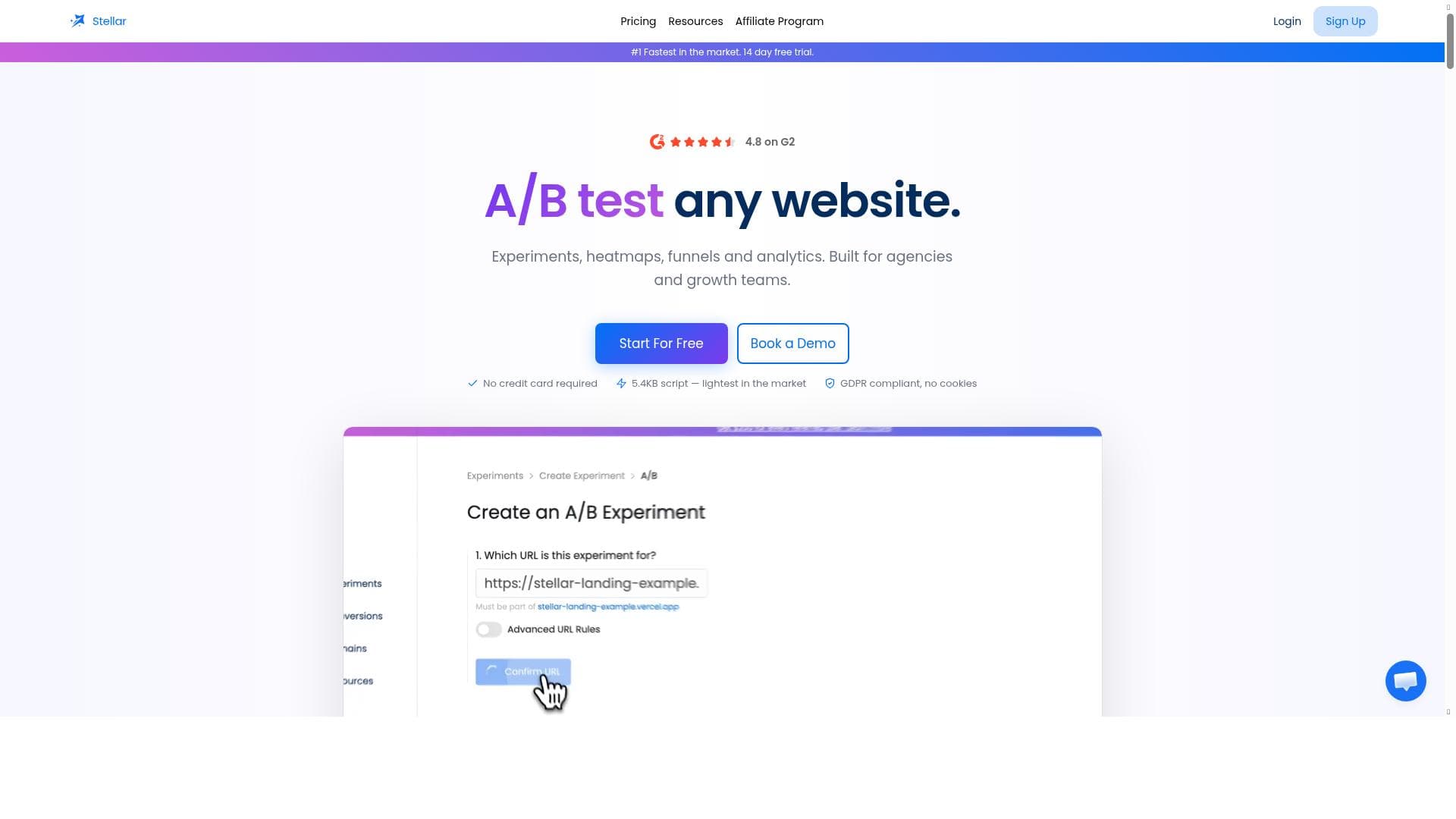


Stellar is a lightweight, no-code A/B testing tool that enables marketers and business owners to launch website experiments in minutes without developer help. Its ultra-small script and real-time analytics make it perfect for those seeking fast, easy, and efficient website optimization.

Description
A lightweight, no-code A/B testing tool for websites, free.
Detailed Description
Stellar is a cutting-edge, lightweight A/B testing tool designed specifically for website optimization without requiring any coding knowledge. Its core purpose is to empower marketers, business owners, and product teams to quickly launch and manage A/B tests that help improve user experience and conversion rates. By providing a no-code visual editor and a minimal 5.4KB script, Stellar ensures that users can implement tests seamlessly without the need for developer intervention, making it accessible to a broad audience. The tool’s real-time analytics allow users to monitor test performance instantly, enabling data-driven decisions that can significantly enhance website effectiveness. One of Stellar’s standout features is its ability to launch A/B tests in minutes. Unlike traditional testing tools that often require complex setups or coding expertise, Stellar’s intuitive visual editor allows users to create variations of web pages through a drag-and-drop interface. This no-code approach drastically reduces the time and technical barriers associated with A/B testing. The lightweight 5.4KB script ensures that the tool does not slow down website load times, which is critical for maintaining a positive user experience and SEO performance. Additionally, Stellar provides real-time analytics that display key metrics such as conversion rates and user engagement, allowing users to track the success of their experiments as they happen. Stellar is best suited for small to medium-sized businesses, digital marketers, product managers, and startups looking to optimize their websites without investing heavily in developer resources. E-commerce sites can use Stellar to test different product page layouts or call-to-action buttons, while content-driven websites might experiment with headlines or images to increase engagement. The tool’s ease of use and quick setup make it ideal for teams that need to iterate rapidly and make data-backed decisions without waiting for technical support. Regarding pricing, Stellar operates on a paid model, though the exact pricing tiers are not detailed in the provided information. Given its feature set and target audience, it is likely that Stellar offers scalable plans based on usage or the number of tests run. Potential users should visit the official website to explore detailed pricing options and any available trials or demos. Compared to alternatives like Optimizely, VWO, or Google Optimize, Stellar distinguishes itself through its ultra-lightweight script and truly no-code visual editor. While many A/B testing platforms require some level of technical setup or have heavier scripts that can impact site speed, Stellar’s focus on simplicity and performance makes it an excellent choice for users who prioritize ease of use and minimal site impact. However, it may lack some advanced targeting or personalization features found in more comprehensive platforms, which could be a consideration for enterprises with complex testing needs. Potential limitations of Stellar include the absence of detailed information about integrations with other marketing or analytics tools, which could be important for users looking to incorporate A/B testing data into broader workflows. Additionally, since the pricing is paid and not explicitly free despite the initial description, users should verify cost-effectiveness relative to their budget. Finally, while the no-code editor is a major advantage, users with highly customized or dynamic websites might encounter constraints in test design flexibility. In summary, Stellar is a powerful, user-friendly A/B testing tool that excels in delivering fast, code-free experimentation with minimal impact on website performance. It is ideal for marketers and small businesses seeking to optimize their websites efficiently and effectively, though users with advanced needs should evaluate its capabilities in the context of their specific requirements.
Tool Features
- Launch A/B tests in minutes
- 5.4KB lightweight script
- No-code visual editor
- Real-time analytics
- No developers required
Description
Stellar is a lightweight, no-code A/B testing tool that enables marketers and business owners to launch website experiments in minutes without developer help. Its ultra-small script and real-time analytics make it perfect for those seeking fast, easy, and efficient website optimization.
A lightweight, no-code A/B testing tool for websites, free.
Detailed Description
Stellar is a cutting-edge, lightweight A/B testing tool designed specifically for website optimization without requiring any coding knowledge. Its core purpose is to empower marketers, business owners, and product teams to quickly launch and manage A/B tests that help improve user experience and conversion rates. By providing a no-code visual editor and a minimal 5.4KB script, Stellar ensures that users can implement tests seamlessly without the need for developer intervention, making it accessible to a broad audience. The tool’s real-time analytics allow users to monitor test performance instantly, enabling data-driven decisions that can significantly enhance website effectiveness. One of Stellar’s standout features is its ability to launch A/B tests in minutes. Unlike traditional testing tools that often require complex setups or coding expertise, Stellar’s intuitive visual editor allows users to create variations of web pages through a drag-and-drop interface. This no-code approach drastically reduces the time and technical barriers associated with A/B testing. The lightweight 5.4KB script ensures that the tool does not slow down website load times, which is critical for maintaining a positive user experience and SEO performance. Additionally, Stellar provides real-time analytics that display key metrics such as conversion rates and user engagement, allowing users to track the success of their experiments as they happen. Stellar is best suited for small to medium-sized businesses, digital marketers, product managers, and startups looking to optimize their websites without investing heavily in developer resources. E-commerce sites can use Stellar to test different product page layouts or call-to-action buttons, while content-driven websites might experiment with headlines or images to increase engagement. The tool’s ease of use and quick setup make it ideal for teams that need to iterate rapidly and make data-backed decisions without waiting for technical support. Regarding pricing, Stellar operates on a paid model, though the exact pricing tiers are not detailed in the provided information. Given its feature set and target audience, it is likely that Stellar offers scalable plans based on usage or the number of tests run. Potential users should visit the official website to explore detailed pricing options and any available trials or demos. Compared to alternatives like Optimizely, VWO, or Google Optimize, Stellar distinguishes itself through its ultra-lightweight script and truly no-code visual editor. While many A/B testing platforms require some level of technical setup or have heavier scripts that can impact site speed, Stellar’s focus on simplicity and performance makes it an excellent choice for users who prioritize ease of use and minimal site impact. However, it may lack some advanced targeting or personalization features found in more comprehensive platforms, which could be a consideration for enterprises with complex testing needs. Potential limitations of Stellar include the absence of detailed information about integrations with other marketing or analytics tools, which could be important for users looking to incorporate A/B testing data into broader workflows. Additionally, since the pricing is paid and not explicitly free despite the initial description, users should verify cost-effectiveness relative to their budget. Finally, while the no-code editor is a major advantage, users with highly customized or dynamic websites might encounter constraints in test design flexibility. In summary, Stellar is a powerful, user-friendly A/B testing tool that excels in delivering fast, code-free experimentation with minimal impact on website performance. It is ideal for marketers and small businesses seeking to optimize their websites efficiently and effectively, though users with advanced needs should evaluate its capabilities in the context of their specific requirements.
Frequently Asked Questions
What is Stellar?
Stellar is a lightweight, no-code A/B testing tool designed to help users quickly launch and manage website experiments to optimize user experience and conversions without requiring any coding skills.
How much does Stellar cost?
Stellar operates on a paid pricing model, though specific pricing details are not provided here. Interested users should visit the official website to learn about available plans and pricing.
Who is Stellar best for?
Stellar is ideal for small to medium-sized businesses, digital marketers, product managers, and startups who want to run A/B tests quickly and easily without relying on developers.
What are the main features of Stellar?
Key features include launching A/B tests in minutes, a 5.4KB lightweight script that minimizes site impact, a no-code visual editor for easy test creation, real-time analytics to monitor performance, and no developer involvement required.
Does Stellar offer a free trial?
The provided information does not specify if Stellar offers a free trial. Users should check the official website for the most current trial or demo options.
What integrations does Stellar support?
Details about integrations with other marketing or analytics tools are not specified. Users may need to consult Stellar’s website or support for information on available integrations.
How does Stellar work?
Stellar works by embedding a lightweight 5.4KB script on your website, allowing you to use a no-code visual editor to create different variations of your web pages. It then runs A/B tests and provides real-time analytics so you can monitor and optimize your website performance without needing developer assistance.
Socials
Use ToolReviews
No reviews yet. Be the first to share your experience.
Sponsored Tools







































Recommended Tools
Stay updated on latest Ai tools
Get the latest insights, Join our newsletter
Read and trusted by 50,000+ readers
Join the biggest AI Community
Our community and staff are here to help!
Your feedback will help Alice AI improve in future versions.







Submit your Tool


PoweredByAI.app is an AI Tools Directory helping individuals, businesses, and creators discover the best AI tools for writing, coding, design, productivity, and more.
© 2026 , Product of011BQ. All rights reserved.