

Is this your AI tool? Claim it today.
Verify ownership, manage your profile, and unlock growth features.
Spredly revolutionizes spreadsheets by embedding AI directly into the familiar rows and columns interface, enabling users to analyze data, create charts, and build dashboards using plain English commands. Ideal for professionals seeking fast, intuitive data insights without sacrificing traditional spreadsheet functionality, Spredly streamlines workflows with local AI inference and seamless data imports.

Description
Spredly is a modern spreadsheet experience built for people who want the speed of AI without giving up the familiarity of rows, columns, formulas, and exports. You can import data, chat with your spreadsheet in plain English, generate charts, and turn raw tables into useful dashboards in minutes. Unlike generic AI assistants that sit outside your workflow, Spredly works directly inside the spreadsheet experience.
Detailed Description
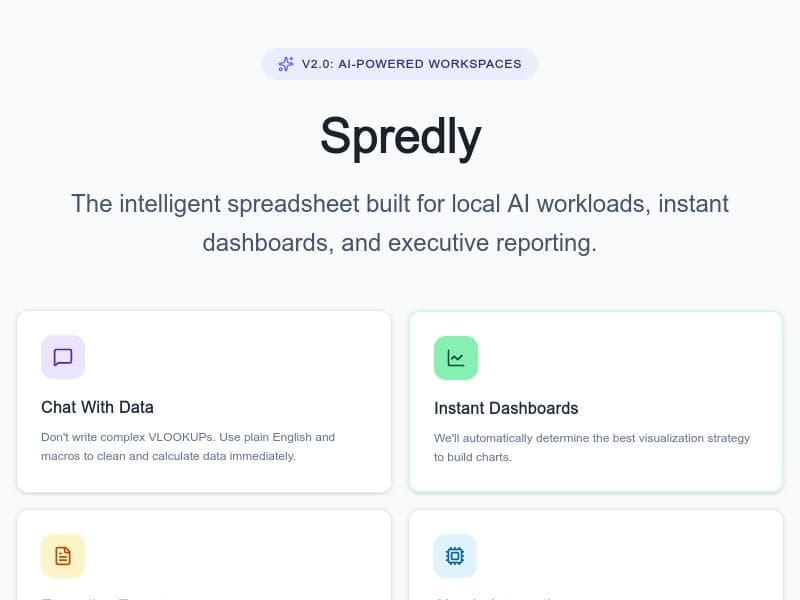
Spredly is an innovative AI-powered spreadsheet tool designed to blend the traditional spreadsheet interface with the advanced capabilities of artificial intelligence. Its core purpose is to provide users with the familiar environment of rows, columns, formulas, and exports while significantly enhancing productivity through AI-driven features. Unlike conventional spreadsheet software that relies solely on manual input and formula management, Spredly integrates AI directly into the workflow, allowing users to interact with their data conversationally and generate insights quickly. This modern approach helps users save time and make data-driven decisions more efficiently without sacrificing the comfort of a classic spreadsheet layout. One of Spredly's standout features is its ability to analyze spreadsheets using AI. Users can ask questions or request analyses in plain English, and the tool interprets these queries to provide meaningful answers or perform complex calculations. This natural language interaction removes the need for advanced formula knowledge, making data analysis accessible to a broader audience. Additionally, Spredly supports adding calculated columns, enabling users to create dynamic data fields that update automatically based on other data points. The tool also excels in data visualization, offering chart creation capabilities that transform raw data into clear, insightful graphics. Beyond charts, Spredly allows users to build instant dashboards that consolidate key metrics and visualizations into a single view. These dashboards are ideal for executive reporting, helping stakeholders quickly grasp performance indicators and trends. The platform supports data import from CSV and Excel files, ensuring seamless integration with existing datasets. Another notable feature is local AI inference, which means AI computations can be performed on the user's device, enhancing data privacy and reducing dependency on cloud services. Users can also export their work as images, facilitating easy sharing of charts and dashboards in presentations or reports. Spredly is best suited for professionals who regularly work with data but want to leverage AI to streamline their processes. This includes business analysts, project managers, marketers, financial planners, and executives who need fast insights without deep technical expertise. Use cases range from generating quick reports and visualizations to performing complex data analyses and creating interactive dashboards for team collaboration. Its intuitive interface and AI chat functionality make it accessible to users who may find traditional spreadsheet formulas challenging. Regarding pricing, Spredly is a paid tool, though specific plan details are not publicly disclosed on the website. Potential users should visit the official site to inquire about subscription options and enterprise packages. Compared to traditional spreadsheet software like Microsoft Excel or Google Sheets, Spredly stands out by embedding AI directly into the spreadsheet experience rather than relying on external add-ons or separate AI assistants. This integration creates a smoother workflow and reduces context switching. However, unlike some free or open-source spreadsheet tools, Spredly requires a paid subscription, which may be a consideration for budget-conscious users. While Spredly offers powerful AI-driven features, users should consider that its local AI inference capabilities might require sufficient device resources to run smoothly. Additionally, as a relatively new tool, it may not yet support the extensive ecosystem of plugins and integrations available in more established spreadsheet platforms. Users with highly specialized or complex spreadsheet needs might find some limitations compared to traditional software. Nonetheless, for those seeking a modern, AI-enhanced spreadsheet experience that balances familiarity with innovation, Spredly presents a compelling option.
Tool Features
- Analyze spreadsheets with AI
- Add calculated columns
- Create charts
- Instant dashboards
- Executive reporting
- Local AI inference
- Data import from CSV and Excel
- Image export
Description
Spredly revolutionizes spreadsheets by embedding AI directly into the familiar rows and columns interface, enabling users to analyze data, create charts, and build dashboards using plain English commands. Ideal for professionals seeking fast, intuitive data insights without sacrificing traditional spreadsheet functionality, Spredly streamlines workflows with local AI inference and seamless data imports.
Spredly is a modern spreadsheet experience built for people who want the speed of AI without giving up the familiarity of rows, columns, formulas, and exports. You can import data, chat with your spreadsheet in plain English, generate charts, and turn raw tables into useful dashboards in minutes. Unlike generic AI assistants that sit outside your workflow, Spredly works directly inside the spreadsheet experience.
Detailed Description
Spredly is an innovative AI-powered spreadsheet tool designed to blend the traditional spreadsheet interface with the advanced capabilities of artificial intelligence. Its core purpose is to provide users with the familiar environment of rows, columns, formulas, and exports while significantly enhancing productivity through AI-driven features. Unlike conventional spreadsheet software that relies solely on manual input and formula management, Spredly integrates AI directly into the workflow, allowing users to interact with their data conversationally and generate insights quickly. This modern approach helps users save time and make data-driven decisions more efficiently without sacrificing the comfort of a classic spreadsheet layout. One of Spredly's standout features is its ability to analyze spreadsheets using AI. Users can ask questions or request analyses in plain English, and the tool interprets these queries to provide meaningful answers or perform complex calculations. This natural language interaction removes the need for advanced formula knowledge, making data analysis accessible to a broader audience. Additionally, Spredly supports adding calculated columns, enabling users to create dynamic data fields that update automatically based on other data points. The tool also excels in data visualization, offering chart creation capabilities that transform raw data into clear, insightful graphics. Beyond charts, Spredly allows users to build instant dashboards that consolidate key metrics and visualizations into a single view. These dashboards are ideal for executive reporting, helping stakeholders quickly grasp performance indicators and trends. The platform supports data import from CSV and Excel files, ensuring seamless integration with existing datasets. Another notable feature is local AI inference, which means AI computations can be performed on the user's device, enhancing data privacy and reducing dependency on cloud services. Users can also export their work as images, facilitating easy sharing of charts and dashboards in presentations or reports. Spredly is best suited for professionals who regularly work with data but want to leverage AI to streamline their processes. This includes business analysts, project managers, marketers, financial planners, and executives who need fast insights without deep technical expertise. Use cases range from generating quick reports and visualizations to performing complex data analyses and creating interactive dashboards for team collaboration. Its intuitive interface and AI chat functionality make it accessible to users who may find traditional spreadsheet formulas challenging. Regarding pricing, Spredly is a paid tool, though specific plan details are not publicly disclosed on the website. Potential users should visit the official site to inquire about subscription options and enterprise packages. Compared to traditional spreadsheet software like Microsoft Excel or Google Sheets, Spredly stands out by embedding AI directly into the spreadsheet experience rather than relying on external add-ons or separate AI assistants. This integration creates a smoother workflow and reduces context switching. However, unlike some free or open-source spreadsheet tools, Spredly requires a paid subscription, which may be a consideration for budget-conscious users. While Spredly offers powerful AI-driven features, users should consider that its local AI inference capabilities might require sufficient device resources to run smoothly. Additionally, as a relatively new tool, it may not yet support the extensive ecosystem of plugins and integrations available in more established spreadsheet platforms. Users with highly specialized or complex spreadsheet needs might find some limitations compared to traditional software. Nonetheless, for those seeking a modern, AI-enhanced spreadsheet experience that balances familiarity with innovation, Spredly presents a compelling option.
Frequently Asked Questions
What is Spredly?
Spredly is a modern AI-powered spreadsheet tool that combines the traditional spreadsheet interface with advanced AI features, allowing users to analyze data, generate charts, and create dashboards through natural language interaction and familiar spreadsheet functions.
How much does Spredly cost?
Spredly is a paid tool, but specific pricing details are not publicly listed. Interested users should visit the official website to learn about subscription plans and pricing options.
Who is Spredly best for?
Spredly is ideal for business analysts, project managers, marketers, financial planners, and executives who want to leverage AI for faster data analysis and reporting without losing the familiar spreadsheet experience.
What are the main features of Spredly?
Key features include AI-powered spreadsheet analysis, adding calculated columns, creating charts, instant dashboards, executive reporting, local AI inference, data import from CSV and Excel files, and image export capabilities.
Does Spredly offer a free trial?
There is no information publicly available about a free trial. Potential users should check the official website or contact Spredly directly for trial availability.
What integrations does Spredly support?
Spredly supports data import from CSV and Excel files. Additional integrations are not specified, but its focus is on working directly within the spreadsheet environment enhanced by AI.
How does Spredly work?
Spredly works by embedding AI capabilities directly into the spreadsheet interface, allowing users to interact with their data using plain English commands, create calculated fields, generate charts, and build dashboards, all while maintaining the traditional spreadsheet layout.
Socials
Use ToolReviews
No reviews yet. Be the first to share your experience.















































