

Is this your AI tool? Claim it today.
Verify ownership, manage your profile, and unlock growth features.
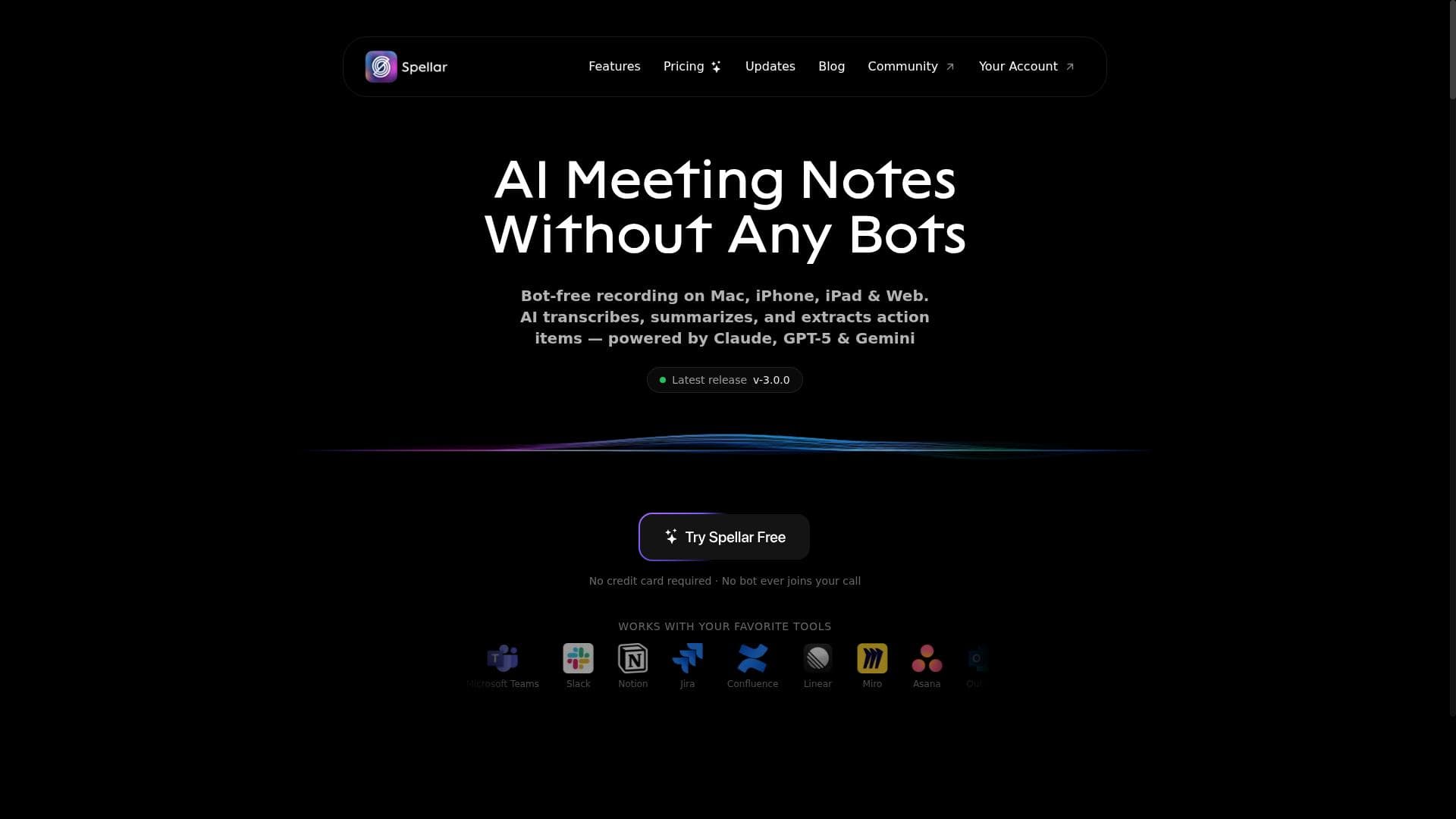
Spellar AI is a bot-free meeting assistant that transforms how professionals capture and manage meeting notes with smart summaries, an AI copilot, and support for over 100 languages. Ideal for teams using tools like Notion, Jira, and Google, Spellar streamlines meetings across Mac, iPhone, iPad, and Web platforms, making it a must-have for efficient, distraction-free collaboration.

Description
Most meeting tools give you notes. Spellar AI gives you memory. It joins your calls, captures every word, and builds context across all your meetings. Ask what a client said three calls ago. Find decisions from last week. See what’s still open. Organize by client, use templates, and choose the AI you trust — OpenAI, Anthropic, Perplexity, Gemini and more!
Detailed Description
Spellar AI is a sophisticated meeting assistant designed to streamline the process of capturing, summarizing, and managing meeting notes across multiple platforms including Mac, iPhone, iPad, and Web. Its core purpose is to eliminate the need for traditional meeting bots, offering a bot-free experience that leverages advanced AI to provide smart summaries and an AI copilot that actively assists users during meetings. By supporting over 100 languages and integrating with more than 18 popular productivity tools such as Notion, Jira, Linear, and Google, Spellar positions itself as a versatile and inclusive solution for global teams and professionals seeking to enhance meeting productivity and collaboration. One of the standout features of Spellar is its bot-free meeting assistant approach, which means it does not rely on intrusive bots that can disrupt meetings or require complex setup. Instead, it seamlessly captures meeting content and transforms it into concise, actionable summaries. The AI copilot feature acts as a real-time assistant, helping users highlight key points, generate follow-up tasks, and organize notes efficiently. This intelligent summarization reduces cognitive load and saves time by distilling lengthy discussions into digestible insights. Additionally, Spellar’s support for over 100 languages makes it accessible to diverse teams operating in multilingual environments, ensuring that language barriers do not hinder effective communication. Spellar’s extensive integration ecosystem is another critical capability. By connecting with widely used tools like Notion for note-taking, Jira and Linear for project management, and Google’s suite of apps, it allows users to automatically sync meeting notes and action items into their existing workflows. This interoperability enhances productivity by reducing manual data entry and ensuring that meeting outcomes are immediately actionable within the tools teams already rely on. The availability of Spellar on Mac, iPhone, iPad, and Web platforms ensures that users can access their meeting notes and AI assistance anytime, anywhere, whether they are in the office, remote, or on the go. Spellar is best suited for professionals and teams who regularly conduct meetings and need an efficient way to capture and manage meeting content without distractions. This includes project managers, product teams, executives, and remote workers who benefit from clear, concise meeting summaries and actionable insights. It is particularly valuable for multilingual teams and organizations that use multiple productivity tools, as Spellar’s language support and integrations help bridge communication gaps and streamline workflows. Regarding pricing, Spellar offers various plans tailored to individual users and teams, though specific pricing details should be confirmed on their official website. Typically, AI meeting assistants like Spellar provide tiered subscriptions that range from free or trial versions with limited features to premium plans that unlock full AI capabilities, integrations, and priority support. Users interested in evaluating the tool can often start with a free trial or a basic plan to experience the core functionalities before committing to a paid subscription. When compared to alternatives, Spellar’s bot-free approach and AI copilot functionality set it apart from many meeting assistants that rely heavily on bots or manual note-taking. Its broad language support and deep integration options provide a competitive edge for global teams and those embedded in complex tool ecosystems. However, some alternatives may offer more specialized features such as advanced transcription accuracy, video meeting recording, or deeper CRM integrations, depending on user needs. Users should consider their specific workflow requirements and integration preferences when choosing between Spellar and other AI meeting assistants. Notable limitations of Spellar may include the dependency on internet connectivity for AI processing and integration syncing, as well as potential learning curves for users unfamiliar with AI-powered meeting tools. Additionally, while Spellar supports many languages, the quality of AI-generated summaries may vary depending on the language and meeting context. Privacy-conscious users should review Spellar’s data handling policies to ensure compliance with organizational standards. Overall, Spellar offers a powerful, user-friendly solution for enhancing meeting productivity, especially for teams seeking a bot-free, AI-driven assistant that integrates seamlessly into their existing workflows.
Tool Features
- Bot-free meeting assistant
- Smart summaries
- AI copilot
- Supports 100+ languages
- 18+ integrations including Notion, Jira, Linear, Google
- Available on Mac, iPhone, iPad, and Web
Description
Spellar AI is a bot-free meeting assistant that transforms how professionals capture and manage meeting notes with smart summaries, an AI copilot, and support for over 100 languages. Ideal for teams using tools like Notion, Jira, and Google, Spellar streamlines meetings across Mac, iPhone, iPad, and Web platforms, making it a must-have for efficient, distraction-free collaboration.
Most meeting tools give you notes. Spellar AI gives you memory. It joins your calls, captures every word, and builds context across all your meetings. Ask what a client said three calls ago. Find decisions from last week. See what’s still open. Organize by client, use templates, and choose the AI you trust — OpenAI, Anthropic, Perplexity, Gemini and more!
Detailed Description
Spellar AI is a sophisticated meeting assistant designed to streamline the process of capturing, summarizing, and managing meeting notes across multiple platforms including Mac, iPhone, iPad, and Web. Its core purpose is to eliminate the need for traditional meeting bots, offering a bot-free experience that leverages advanced AI to provide smart summaries and an AI copilot that actively assists users during meetings. By supporting over 100 languages and integrating with more than 18 popular productivity tools such as Notion, Jira, Linear, and Google, Spellar positions itself as a versatile and inclusive solution for global teams and professionals seeking to enhance meeting productivity and collaboration. One of the standout features of Spellar is its bot-free meeting assistant approach, which means it does not rely on intrusive bots that can disrupt meetings or require complex setup. Instead, it seamlessly captures meeting content and transforms it into concise, actionable summaries. The AI copilot feature acts as a real-time assistant, helping users highlight key points, generate follow-up tasks, and organize notes efficiently. This intelligent summarization reduces cognitive load and saves time by distilling lengthy discussions into digestible insights. Additionally, Spellar’s support for over 100 languages makes it accessible to diverse teams operating in multilingual environments, ensuring that language barriers do not hinder effective communication. Spellar’s extensive integration ecosystem is another critical capability. By connecting with widely used tools like Notion for note-taking, Jira and Linear for project management, and Google’s suite of apps, it allows users to automatically sync meeting notes and action items into their existing workflows. This interoperability enhances productivity by reducing manual data entry and ensuring that meeting outcomes are immediately actionable within the tools teams already rely on. The availability of Spellar on Mac, iPhone, iPad, and Web platforms ensures that users can access their meeting notes and AI assistance anytime, anywhere, whether they are in the office, remote, or on the go. Spellar is best suited for professionals and teams who regularly conduct meetings and need an efficient way to capture and manage meeting content without distractions. This includes project managers, product teams, executives, and remote workers who benefit from clear, concise meeting summaries and actionable insights. It is particularly valuable for multilingual teams and organizations that use multiple productivity tools, as Spellar’s language support and integrations help bridge communication gaps and streamline workflows. Regarding pricing, Spellar offers various plans tailored to individual users and teams, though specific pricing details should be confirmed on their official website. Typically, AI meeting assistants like Spellar provide tiered subscriptions that range from free or trial versions with limited features to premium plans that unlock full AI capabilities, integrations, and priority support. Users interested in evaluating the tool can often start with a free trial or a basic plan to experience the core functionalities before committing to a paid subscription. When compared to alternatives, Spellar’s bot-free approach and AI copilot functionality set it apart from many meeting assistants that rely heavily on bots or manual note-taking. Its broad language support and deep integration options provide a competitive edge for global teams and those embedded in complex tool ecosystems. However, some alternatives may offer more specialized features such as advanced transcription accuracy, video meeting recording, or deeper CRM integrations, depending on user needs. Users should consider their specific workflow requirements and integration preferences when choosing between Spellar and other AI meeting assistants. Notable limitations of Spellar may include the dependency on internet connectivity for AI processing and integration syncing, as well as potential learning curves for users unfamiliar with AI-powered meeting tools. Additionally, while Spellar supports many languages, the quality of AI-generated summaries may vary depending on the language and meeting context. Privacy-conscious users should review Spellar’s data handling policies to ensure compliance with organizational standards. Overall, Spellar offers a powerful, user-friendly solution for enhancing meeting productivity, especially for teams seeking a bot-free, AI-driven assistant that integrates seamlessly into their existing workflows.
Frequently Asked Questions
What is Spellar?
Spellar is an AI-powered meeting assistant designed to capture, summarize, and manage meeting notes without using bots. It offers smart summaries, an AI copilot, supports over 100 languages, and integrates with popular productivity tools to enhance meeting efficiency.
How much does Spellar cost?
Spellar offers multiple pricing plans tailored for individuals and teams. While specific pricing details vary, users can typically access a free trial or basic plan with limited features before upgrading to premium subscriptions that unlock full capabilities and integrations.
Who is Spellar best for?
Spellar is ideal for professionals and teams who frequently hold meetings and need efficient note-taking and summarization tools. It is especially beneficial for multilingual teams and users who rely on integrations with tools like Notion, Jira, Linear, and Google.
What are the main features of Spellar?
Key features include a bot-free meeting assistant, AI-powered smart summaries, an AI copilot for real-time assistance, support for over 100 languages, and integrations with more than 18 popular tools such as Notion, Jira, Linear, and Google. It is available on Mac, iPhone, iPad, and Web platforms.
Does Spellar offer a free trial?
Yes, Spellar typically offers a free trial or a basic plan that allows users to explore core features before committing to a paid subscription. Details can be found on their official website.
What integrations does Spellar support?
Spellar supports integrations with over 18 popular productivity tools including Notion, Jira, Linear, Google Workspace, and others, enabling seamless syncing of meeting notes and action items into existing workflows.
How does Spellar work?
Spellar works by capturing meeting audio and content across supported devices without intrusive bots, then uses AI to generate smart summaries and actionable notes. Its AI copilot assists users in real-time, while integrations allow automatic syncing with other productivity tools.
Reviews
No reviews yet. Be the first to share your experience.




















































