Featured in:Best AI Transcription Tools
Get featured →



✦
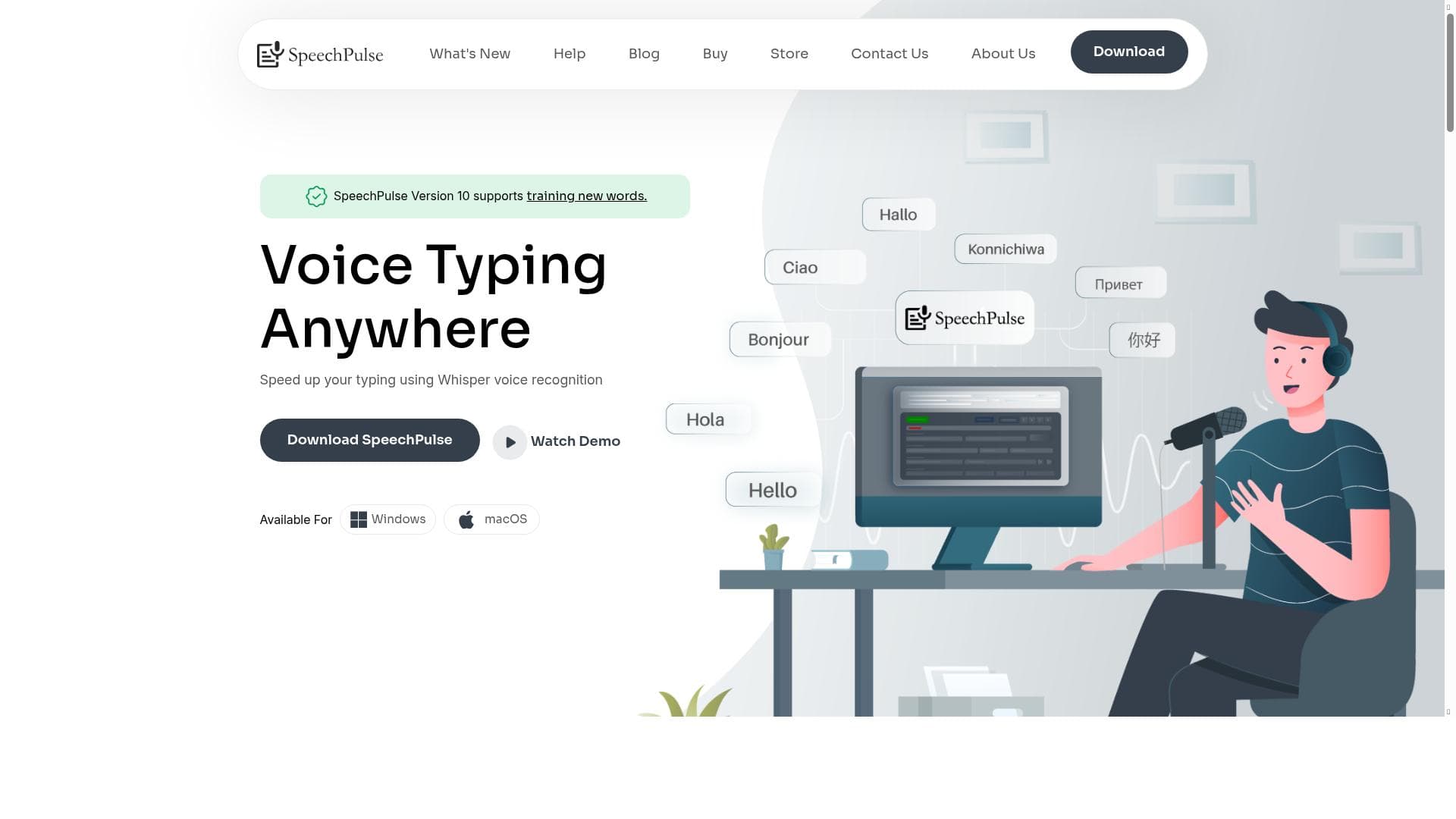
SpeechPulse is a powerful offline voice-to-text software for Windows 10/11 that supports live and batch transcription in over 100 languages, including subtitle generation and GPU acceleration. Ideal for professionals and creators seeking fast, private, and versatile speech recognition without internet dependency.

Views95
Impression84
Tool Pricingfree trial • $19.95/one-time payment
Description
SpeechPulse is a voice-to-text software for Windows 10/11. It can type into any text input, including text editors, web browsers, and office applications. SpeechPulse works fully offline and doesn’t require any internet connectivity. In addition to live transcription, SpeechPulse also supports batch file transcription and subtitle generation. It also supports setting the maximum character count for a subtitle line. SpeechPulse also supports speech recognition in multiple languages, including English, French, Spanish, Italian, German, Japanese, Chinese, and Russian (a total of 100 languages). You can also use an NVIDIA GPU with SpeechPulse to speed up the transcription.
Detailed Description
SpeechPulse is a robust voice-to-text software designed specifically for Windows 10 and 11 users, offering a seamless and efficient way to convert spoken language into written text. Its core purpose is to facilitate transcription by typing directly into any text input field across various applications, including text editors, web browsers, and office suites. Unlike many voice recognition tools that rely on cloud connectivity, SpeechPulse operates fully offline, ensuring user privacy and uninterrupted functionality without the need for an internet connection. This makes it an ideal solution for environments with limited or no internet access, as well as for users concerned about data security. One of the standout features of SpeechPulse is its versatility in transcription modes. It supports live transcription, allowing users to dictate in real-time, as well as batch file transcription, which enables the processing of pre-recorded audio files. Additionally, SpeechPulse offers subtitle generation capabilities, a valuable tool for content creators and video editors who need accurate captions. Users can customize subtitle output by setting the maximum character count per subtitle line, enhancing readability and compliance with subtitle standards. Another significant advantage is its extensive multilingual support, covering over 100 languages, including widely spoken ones such as English, French, Spanish, Italian, German, Japanese, Chinese, and Russian. This broad language coverage makes SpeechPulse suitable for global users and multilingual transcription needs. Performance-wise, SpeechPulse can leverage NVIDIA GPUs to accelerate transcription speed, providing faster results for users with compatible hardware. This GPU support is particularly beneficial for professionals handling large volumes of audio or requiring quick turnaround times. The software also includes translation features, enabling users to convert transcribed text into different languages, further expanding its utility in international and cross-lingual contexts. SpeechPulse is best suited for a diverse range of users, including students, journalists, writers, content creators, and business professionals who need reliable and accurate speech-to-text conversion. Its offline functionality is especially advantageous for those working in sensitive or secure environments where cloud-based solutions are not feasible. Additionally, video editors and media producers can benefit from its subtitle generation and customization options. The multi-language support also makes it a valuable tool for translators and multilingual teams. Regarding pricing, SpeechPulse follows a freemium model, allowing users to access basic features at no cost while offering premium capabilities through paid plans. This approach enables users to try the software and evaluate its performance before committing financially. Detailed pricing tiers and feature distinctions are available on the official website, providing transparency and flexibility for different user needs. When compared to alternatives, SpeechPulse stands out due to its offline operation, extensive language support, and GPU acceleration. Many competing tools require constant internet connectivity or offer limited language options. However, some alternatives may provide more advanced AI-driven features or cloud-based collaboration tools. Users should consider their specific requirements, such as offline use, language diversity, and hardware capabilities, when choosing between SpeechPulse and other solutions. Potential limitations include the dependency on Windows 10/11 platforms, which excludes users on macOS or Linux. While offline functionality is a strength, it may limit access to cloud-based AI enhancements that some competitors offer. Additionally, GPU acceleration requires compatible NVIDIA hardware, which may not be available to all users. Despite these considerations, SpeechPulse delivers a comprehensive and privacy-conscious transcription experience suitable for a wide audience.
Tool Features
- Speech recognition
- Translation
- Multi-language support
Description
✦
SpeechPulse is a powerful offline voice-to-text software for Windows 10/11 that supports live and batch transcription in over 100 languages, including subtitle generation and GPU acceleration. Ideal for professionals and creators seeking fast, private, and versatile speech recognition without internet dependency.
SpeechPulse is a voice-to-text software for Windows 10/11. It can type into any text input, including text editors, web browsers, and office applications. SpeechPulse works fully offline and doesn’t require any internet connectivity. In addition to live transcription, SpeechPulse also supports batch file transcription and subtitle generation. It also supports setting the maximum character count for a subtitle line. SpeechPulse also supports speech recognition in multiple languages, including English, French, Spanish, Italian, German, Japanese, Chinese, and Russian (a total of 100 languages). You can also use an NVIDIA GPU with SpeechPulse to speed up the transcription.
Detailed Description
SpeechPulse is a robust voice-to-text software designed specifically for Windows 10 and 11 users, offering a seamless and efficient way to convert spoken language into written text. Its core purpose is to facilitate transcription by typing directly into any text input field across various applications, including text editors, web browsers, and office suites. Unlike many voice recognition tools that rely on cloud connectivity, SpeechPulse operates fully offline, ensuring user privacy and uninterrupted functionality without the need for an internet connection. This makes it an ideal solution for environments with limited or no internet access, as well as for users concerned about data security. One of the standout features of SpeechPulse is its versatility in transcription modes. It supports live transcription, allowing users to dictate in real-time, as well as batch file transcription, which enables the processing of pre-recorded audio files. Additionally, SpeechPulse offers subtitle generation capabilities, a valuable tool for content creators and video editors who need accurate captions. Users can customize subtitle output by setting the maximum character count per subtitle line, enhancing readability and compliance with subtitle standards. Another significant advantage is its extensive multilingual support, covering over 100 languages, including widely spoken ones such as English, French, Spanish, Italian, German, Japanese, Chinese, and Russian. This broad language coverage makes SpeechPulse suitable for global users and multilingual transcription needs. Performance-wise, SpeechPulse can leverage NVIDIA GPUs to accelerate transcription speed, providing faster results for users with compatible hardware. This GPU support is particularly beneficial for professionals handling large volumes of audio or requiring quick turnaround times. The software also includes translation features, enabling users to convert transcribed text into different languages, further expanding its utility in international and cross-lingual contexts. SpeechPulse is best suited for a diverse range of users, including students, journalists, writers, content creators, and business professionals who need reliable and accurate speech-to-text conversion. Its offline functionality is especially advantageous for those working in sensitive or secure environments where cloud-based solutions are not feasible. Additionally, video editors and media producers can benefit from its subtitle generation and customization options. The multi-language support also makes it a valuable tool for translators and multilingual teams. Regarding pricing, SpeechPulse follows a freemium model, allowing users to access basic features at no cost while offering premium capabilities through paid plans. This approach enables users to try the software and evaluate its performance before committing financially. Detailed pricing tiers and feature distinctions are available on the official website, providing transparency and flexibility for different user needs. When compared to alternatives, SpeechPulse stands out due to its offline operation, extensive language support, and GPU acceleration. Many competing tools require constant internet connectivity or offer limited language options. However, some alternatives may provide more advanced AI-driven features or cloud-based collaboration tools. Users should consider their specific requirements, such as offline use, language diversity, and hardware capabilities, when choosing between SpeechPulse and other solutions. Potential limitations include the dependency on Windows 10/11 platforms, which excludes users on macOS or Linux. While offline functionality is a strength, it may limit access to cloud-based AI enhancements that some competitors offer. Additionally, GPU acceleration requires compatible NVIDIA hardware, which may not be available to all users. Despite these considerations, SpeechPulse delivers a comprehensive and privacy-conscious transcription experience suitable for a wide audience.
Frequently Asked Questions
What is SpeechPulse?
SpeechPulse is a voice-to-text software designed for Windows 10 and 11 that converts spoken language into written text across any text input field. It operates fully offline, supports multiple languages, and offers features like live transcription, batch file processing, and subtitle generation.
How much does SpeechPulse cost?
SpeechPulse uses a freemium pricing model, providing basic features for free with options to upgrade to premium plans for additional capabilities. Detailed pricing and plan information can be found on the SpeechPulse website.
Who is SpeechPulse best for?
SpeechPulse is ideal for students, journalists, writers, content creators, business professionals, and anyone needing accurate offline speech-to-text transcription, especially those working in multilingual environments or requiring subtitle generation.
What are the main features of SpeechPulse?
Key features include offline speech recognition, support for over 100 languages, live and batch transcription, subtitle generation with customizable character limits, translation capabilities, and NVIDIA GPU acceleration for faster processing.
Does SpeechPulse offer a free trial?
Yes, SpeechPulse offers a freemium version that allows users to access basic features at no cost, enabling them to try the software before opting for premium plans.
What integrations does SpeechPulse support?
SpeechPulse can type directly into any text input field across various applications such as text editors, web browsers, and office software, effectively integrating with any program that accepts keyboard input.
How does SpeechPulse work?
SpeechPulse uses advanced offline speech recognition technology to transcribe spoken words into text in real-time or from audio files. It supports multiple languages and can utilize NVIDIA GPUs to accelerate transcription speed, all without requiring internet connectivity.
Socials


Reviews
0 reviews
No reviews yet. Be the first to share your experience.
Sponsored Tools













































Recommended Tools
Stay updated on latest Ai tools
Get the latest insights, Join our newsletter
Read and trusted by 50,000+ readers
Join the biggest AI Community
Our community and staff are here to help!
Your feedback will help Alice AI improve in future versions.