Featured in:Best AI Writing Tools
Get featured →🚀 Zaprep: Your Socials on Steroids. Start free — automate 1,000 DMs/month & turn engagement into leads. with 1,000 automated DMs/month.




✦
SnapVee is a comprehensive AI content workspace that empowers creators to download, transcribe, summarize, and generate multimedia content all within a single platform. Ideal for digital creators and marketers, it streamlines complex workflows by combining video downloading, AI-powered transcription, summarization, image and video generation, and copywriting tools into one seamless experience.
Description
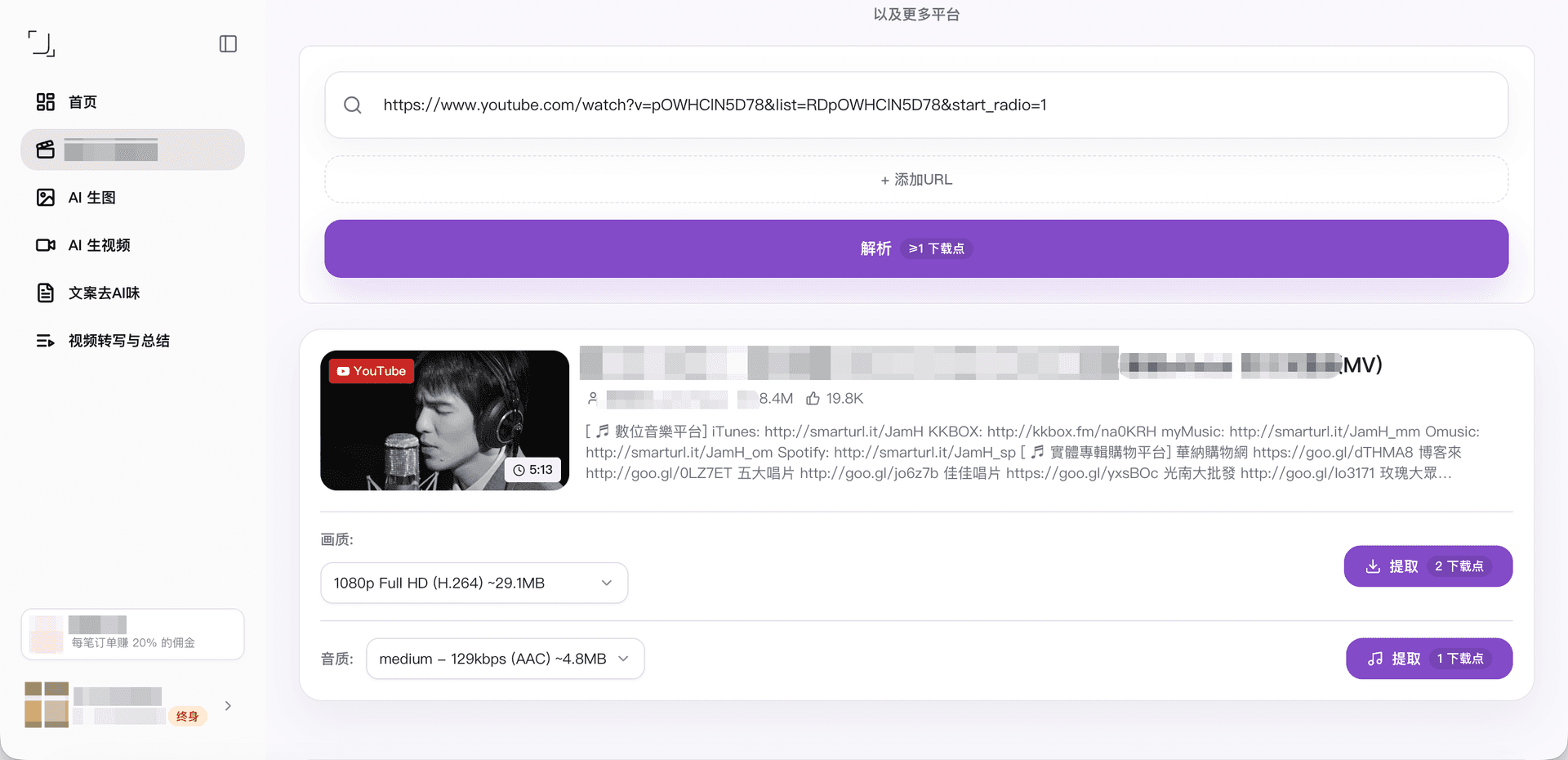
SnapVee is an AI content workspace designed for creators that enables downloading public videos from platforms like YouTube, TikTok, Instagram, X, Facebook, and Bilibili. It also provides tools to transcribe and summarize videos, generate AI images and videos, and create human-sounding copy from brief inputs, all integrated into a single workflow.
Detailed Description
SnapVee is an innovative AI-powered content workspace designed specifically to streamline and enhance the content creation process for digital creators, marketers, and social media managers. Its core purpose is to provide an all-in-one platform where users can effortlessly download public videos from a wide range of popular social media platforms such as YouTube, TikTok, Instagram, X (formerly Twitter), Facebook, and Bilibili. This capability allows creators to gather raw video content quickly without the need to switch between multiple tools or platforms. Beyond simple video downloading, SnapVee integrates advanced AI functionalities that transform how creators interact with video content, making it a comprehensive solution for modern content workflows. One of the standout features of SnapVee is its ability to transcribe video content into text accurately. This transcription feature is invaluable for creators who want to repurpose video content into blog posts, captions, or subtitles, thereby improving accessibility and engagement. Additionally, SnapVee offers video summarization tools that condense lengthy videos into concise summaries, enabling users to quickly grasp key points or create highlight reels. The platform also supports AI-generated images and videos, allowing creators to produce unique visual content without needing external graphic design or video editing software. Complementing these features is an AI copywriting tool that generates human-sounding copy from brief inputs, helping users craft compelling descriptions, social media posts, or marketing copy efficiently. SnapVee’s all-in-one workflow is particularly beneficial for content creators who juggle multiple tasks such as video downloading, transcription, summarization, image and video generation, and copywriting. By consolidating these capabilities into a single platform, SnapVee reduces the friction and time delays associated with using disparate tools. This makes it ideal for YouTubers, social media influencers, digital marketers, and agencies looking to scale content production while maintaining quality and consistency. For example, a creator can download a trending TikTok video, transcribe and summarize it for a blog post, generate related AI images for social media, and write engaging captions—all within SnapVee. Regarding pricing, SnapVee offers various plans tailored to different user needs, typically including a free tier with limited features and paid subscriptions that unlock advanced functionalities and higher usage limits. While exact pricing details may vary, users can expect competitive plans that provide good value given the breadth of features offered. Potential users should check the official SnapVee website for the most current pricing and plan options. Compared to alternatives, SnapVee stands out by combining multiple AI-driven content creation tools into a single seamless workflow. Many competing platforms focus on just one aspect, such as video downloading or transcription, requiring users to piece together multiple services. SnapVee’s integration of video downloading, transcription, summarization, AI image and video generation, and copywriting in one place offers a unique convenience and efficiency advantage. However, some specialized tools might offer deeper customization or higher accuracy in specific areas like transcription or video editing, so users with niche needs might consider supplementing SnapVee with other software. Notable limitations include the dependency on public video availability for downloading, meaning private or restricted content cannot be accessed. Additionally, while AI-generated content is powerful, it may require human review and editing to ensure tone, accuracy, and compliance with platform guidelines. Users should also be mindful of copyright and fair use policies when downloading and repurposing video content. Overall, SnapVee is a robust, versatile tool that significantly simplifies and accelerates the content creation process for creators who work extensively with video and multimedia content.
Tool Features
- Download public videos from multiple platforms including YouTube, TikTok, Instagram, X, Facebook, and Bilibili
- Transcribe videos to text
- Summarize video content
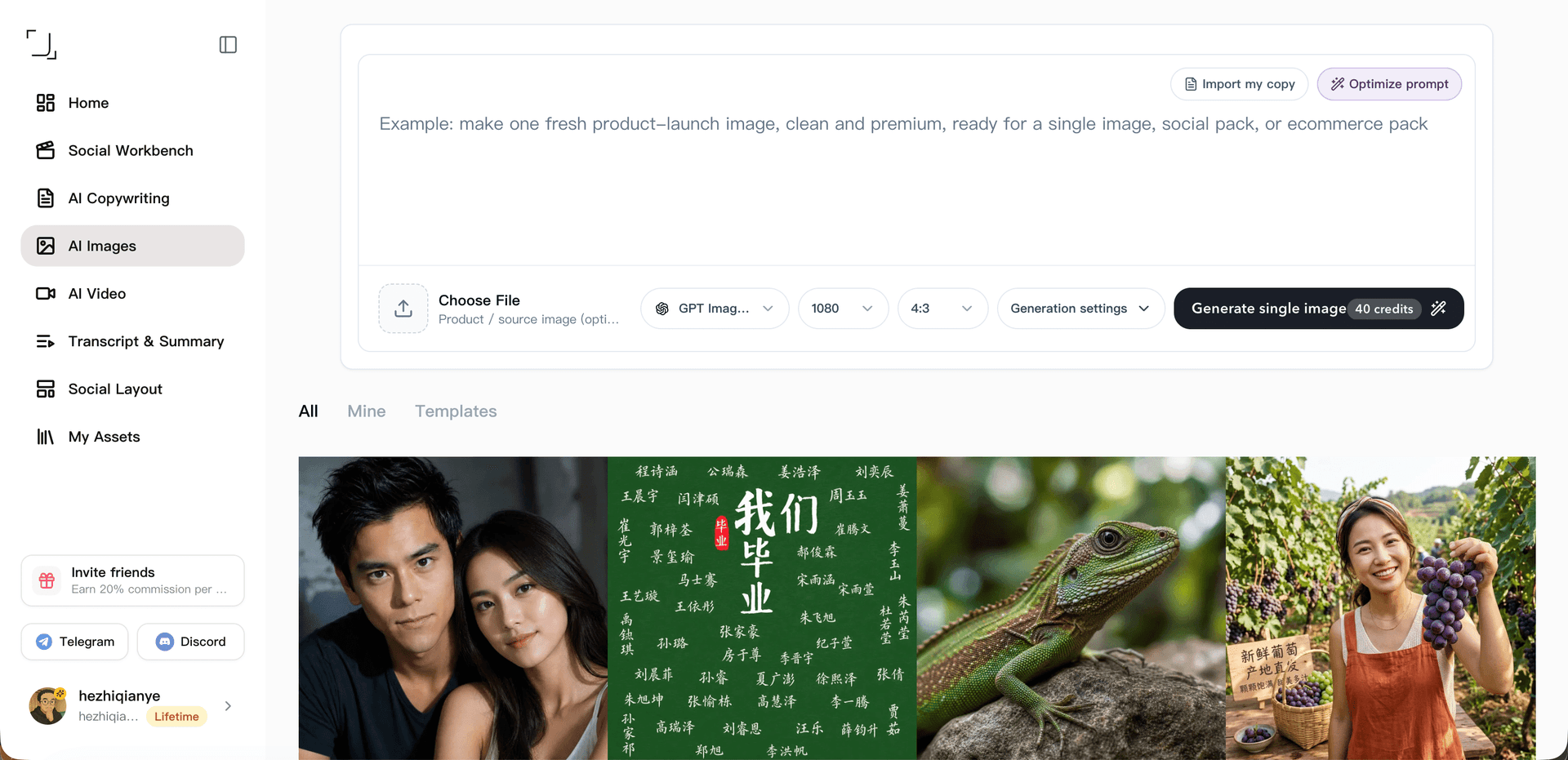
- Generate AI images and videos
- Write human-sounding copy from brief inputs
- All-in-one workflow for content creation
Description
✦
SnapVee is a comprehensive AI content workspace that empowers creators to download, transcribe, summarize, and generate multimedia content all within a single platform. Ideal for digital creators and marketers, it streamlines complex workflows by combining video downloading, AI-powered transcription, summarization, image and video generation, and copywriting tools into one seamless experience.
SnapVee is an AI content workspace designed for creators that enables downloading public videos from platforms like YouTube, TikTok, Instagram, X, Facebook, and Bilibili. It also provides tools to transcribe and summarize videos, generate AI images and videos, and create human-sounding copy from brief inputs, all integrated into a single workflow.
Detailed Description
SnapVee is an innovative AI-powered content workspace designed specifically to streamline and enhance the content creation process for digital creators, marketers, and social media managers. Its core purpose is to provide an all-in-one platform where users can effortlessly download public videos from a wide range of popular social media platforms such as YouTube, TikTok, Instagram, X (formerly Twitter), Facebook, and Bilibili. This capability allows creators to gather raw video content quickly without the need to switch between multiple tools or platforms. Beyond simple video downloading, SnapVee integrates advanced AI functionalities that transform how creators interact with video content, making it a comprehensive solution for modern content workflows. One of the standout features of SnapVee is its ability to transcribe video content into text accurately. This transcription feature is invaluable for creators who want to repurpose video content into blog posts, captions, or subtitles, thereby improving accessibility and engagement. Additionally, SnapVee offers video summarization tools that condense lengthy videos into concise summaries, enabling users to quickly grasp key points or create highlight reels. The platform also supports AI-generated images and videos, allowing creators to produce unique visual content without needing external graphic design or video editing software. Complementing these features is an AI copywriting tool that generates human-sounding copy from brief inputs, helping users craft compelling descriptions, social media posts, or marketing copy efficiently. SnapVee’s all-in-one workflow is particularly beneficial for content creators who juggle multiple tasks such as video downloading, transcription, summarization, image and video generation, and copywriting. By consolidating these capabilities into a single platform, SnapVee reduces the friction and time delays associated with using disparate tools. This makes it ideal for YouTubers, social media influencers, digital marketers, and agencies looking to scale content production while maintaining quality and consistency. For example, a creator can download a trending TikTok video, transcribe and summarize it for a blog post, generate related AI images for social media, and write engaging captions—all within SnapVee. Regarding pricing, SnapVee offers various plans tailored to different user needs, typically including a free tier with limited features and paid subscriptions that unlock advanced functionalities and higher usage limits. While exact pricing details may vary, users can expect competitive plans that provide good value given the breadth of features offered. Potential users should check the official SnapVee website for the most current pricing and plan options. Compared to alternatives, SnapVee stands out by combining multiple AI-driven content creation tools into a single seamless workflow. Many competing platforms focus on just one aspect, such as video downloading or transcription, requiring users to piece together multiple services. SnapVee’s integration of video downloading, transcription, summarization, AI image and video generation, and copywriting in one place offers a unique convenience and efficiency advantage. However, some specialized tools might offer deeper customization or higher accuracy in specific areas like transcription or video editing, so users with niche needs might consider supplementing SnapVee with other software. Notable limitations include the dependency on public video availability for downloading, meaning private or restricted content cannot be accessed. Additionally, while AI-generated content is powerful, it may require human review and editing to ensure tone, accuracy, and compliance with platform guidelines. Users should also be mindful of copyright and fair use policies when downloading and repurposing video content. Overall, SnapVee is a robust, versatile tool that significantly simplifies and accelerates the content creation process for creators who work extensively with video and multimedia content.
Frequently Asked Questions
What is SnapVee?
SnapVee is an AI-powered content workspace designed to help creators streamline their content creation process by enabling them to download public videos, transcribe and summarize them, generate AI images and videos, and create human-sounding copy from brief inputs—all within a single platform.
How much does SnapVee cost?
SnapVee offers multiple pricing plans, including a free tier with limited features and paid subscriptions that unlock advanced capabilities and higher usage limits. For the most accurate and up-to-date pricing information, users should visit the official SnapVee website.
Who is SnapVee best for?
SnapVee is ideal for digital content creators, social media influencers, marketers, and agencies who need to efficiently download, transcribe, summarize, and repurpose video content, as well as generate AI-driven images, videos, and copy within a streamlined workflow.
What are the main features of SnapVee?
The main features include downloading public videos from platforms like YouTube, TikTok, Instagram, X, Facebook, and Bilibili; transcribing videos into text; summarizing video content; generating AI images and videos; and writing human-sounding copy from brief inputs—all integrated into one workflow.
Does SnapVee offer a free trial?
Yes, SnapVee typically offers a free tier or trial period that allows users to explore basic features before committing to a paid plan. Details on trial availability and limitations can be found on their official website.
What integrations does SnapVee support?
SnapVee supports downloading videos from major social media platforms including YouTube, TikTok, Instagram, X, Facebook, and Bilibili. While it offers built-in AI tools for transcription, summarization, image and video generation, and copywriting, specific third-party integrations are not prominently highlighted and should be confirmed on their website.
How does SnapVee work?
Users start by downloading public videos from supported platforms directly within SnapVee. They can then use AI-powered tools to transcribe the video content into text, generate summaries, create AI images and videos related to their content, and produce human-like copy from brief inputs, all within a unified workflow designed to simplify and accelerate content creation.
Socials
Use ToolReviews
0 reviews
No reviews yet. Be the first to share your experience.
Sponsored Tools













































Recommended Tools
Stay updated on latest Ai tools
Get the latest insights, Join our newsletter
Read and trusted by 50,000+ readers
Join the biggest AI Community
Our community and staff are here to help!
Your feedback will help Alice AI improve in future versions.








Submit your Tool


PoweredByAI.app is an AI Tools Directory helping individuals, businesses, and creators discover the best AI tools for writing, coding, design, productivity, and more.
© 2026 , Product of011BQ. All rights reserved.