

Is this your AI tool? Claim it today.
Verify ownership, manage your profile, and unlock growth features.
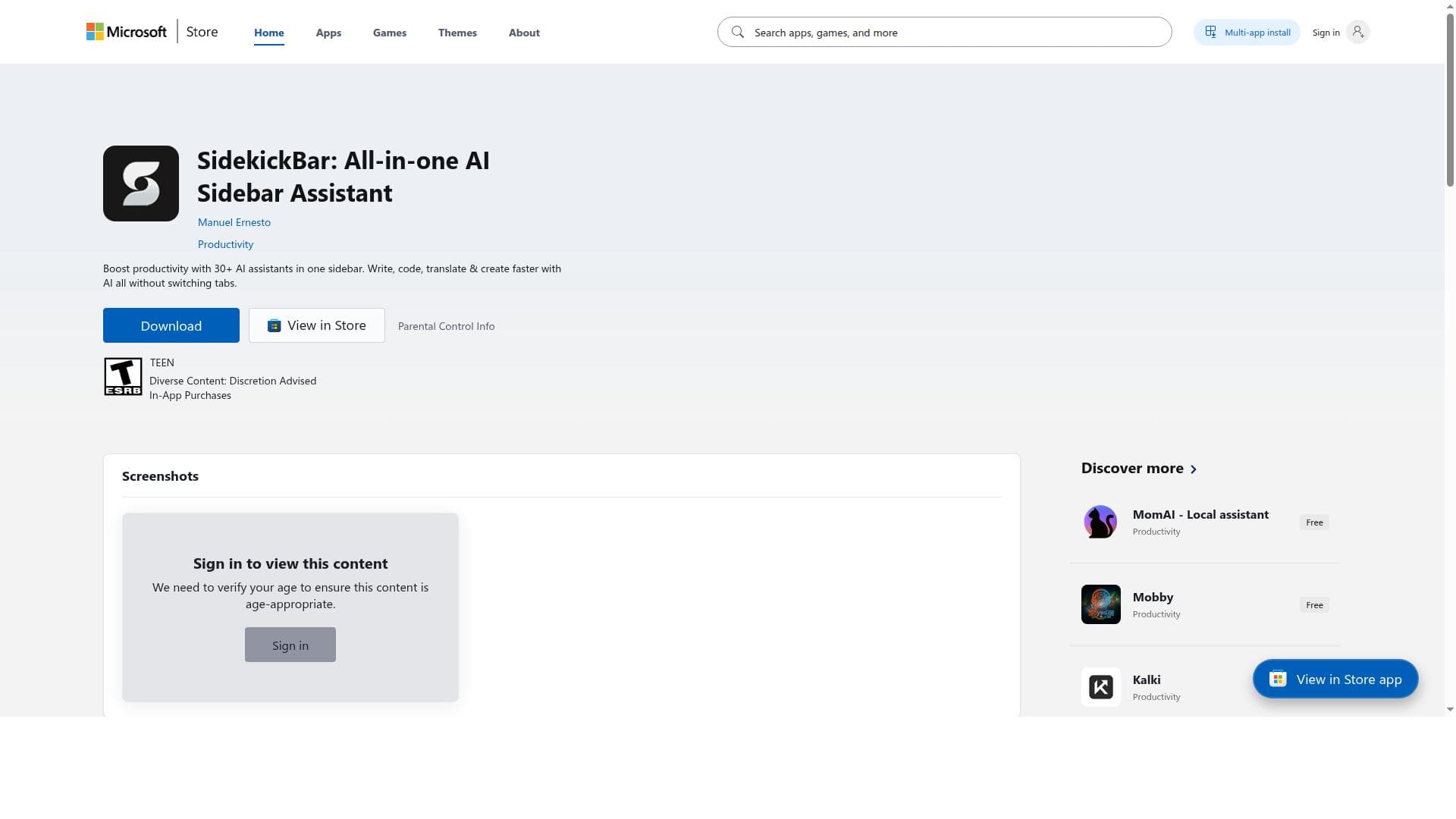
SidekickBar is a versatile desktop sidebar that gives instant access to over 30 AI assistants from top providers, enabling seamless multitasking and custom AI workflows. Ideal for professionals and creators, it boosts productivity by consolidating diverse AI tools into one powerful, cross-platform interface.

Description
Boost your productivity with 30+ AI assistants like ChatGPT, Copilot, Claude & Gemini in one sidebar. Write, code, translate & create faster with AI across Windows, macOS, and Linux.
Detailed Description
SidekickBar is a comprehensive desktop application designed to streamline and enhance productivity by providing instant access to over 30 AI assistants through a sleek and intuitive sidebar interface. Its core purpose is to integrate multiple AI tools into a single, accessible platform that operates seamlessly alongside your operating system. This allows users to interact with various AI models simultaneously, eliminating the need to switch between different apps or browser tabs. SidekickBar supports Windows, macOS, and Linux, offering native builds for each platform to ensure smooth performance and deep system integration. One of the standout features of SidekickBar is its Multi-Agent AI Access, which connects users to a broad range of pre-configured AI assistants from leading providers such as Microsoft, OpenAI, Anthropic, and Google. Users can also add their own local or cloud-based AI assistants, leveraging existing free or premium accounts without hassle. This flexibility enables a highly customizable AI experience tailored to individual needs. The app supports Parallel Task Execution, allowing multiple AI assistants to run simultaneously, which is ideal for multitasking and managing complex workflows efficiently. SidekickBar also offers Custom Actions that simplify common tasks through dedicated commands for writing, replying, translating, grammar checking, and rewriting. These tailored actions speed up interactions and help users get precise results quickly. The tool caters to a wide variety of use cases including research, language translation, multimedia content generation, academic studying, and voice-assisted commands. Its user-friendly interface includes features such as drag-and-drop file uploads, voice command control, customizable hotkeys, and a dark mode option, all designed to enhance usability and accessibility. This tool is particularly well-suited for professionals, students, researchers, content creators, and anyone who regularly interacts with AI tools for diverse tasks. For example, researchers can run multiple AI assistants to gather and synthesize information concurrently, while content creators can use custom actions to streamline writing and editing processes. Language learners and translators benefit from the translation and grammar checking capabilities, and developers or tech enthusiasts can integrate local AI models alongside cloud-based ones. Regarding pricing, SidekickBar offers a free version that allows users to create up to two AI assistants and access 15 AI providers plus one local AI provider. This is a generous offering for casual users or those wanting to test the platform’s capabilities. To unlock unlimited AI assistants, create custom assistants, and gain full access to all AI providers, users must purchase an upgrade license, available as either an annual subscription or a lifetime license. This tiered pricing model provides flexibility depending on the user’s commitment and needs. Compared to alternatives, SidekickBar’s key differentiator is its ability to consolidate numerous AI assistants into a single sidebar interface with native desktop integration across multiple operating systems. Many competing tools focus on a single AI model or require web-based access, limiting multitasking and integration. SidekickBar’s parallel execution and custom commands provide a more efficient and versatile workflow. However, users should note that access to certain AI features depends on the providers’ own terms and may require additional payments. A few considerations include the need to sign in with individual accounts for each AI provider to access their assistants, which might require managing multiple credentials. Also, while the free version is robust, power users will likely need the paid upgrade to fully leverage the platform’s capabilities. Lastly, the performance and feature set of AI assistants vary by provider, so the overall experience can differ depending on the chosen AI models. In summary, SidekickBar is a powerful, multi-agent AI desktop assistant that enhances productivity by integrating a wide array of AI tools into a single, easy-to-use sidebar. Its extensive feature set, cross-platform support, and flexible pricing make it an excellent choice for users seeking to harness the power of multiple AI assistants simultaneously.
Tool Features
- Multi-Agent AI Access: Connect with over 30 pre-configured AI assistants from providers like Microsoft, OpenAI, Anthropic, and Google.
- Parallel Task Execution: Run multiple AI assistants simultaneously for efficient multitasking.
- Custom Actions: Tailored commands for Write, Reply, Translate, Check Grammar, and Rewrite tasks.
- Versatile Use Cases: Supports research, translation, multimedia generation, studying, and voice assistance.
- User-Friendly Interface: Includes drag-and-drop file uploads, voice command control, customizable hotkeys, and dark mode.
- Cross-Platform Compatibility: Native builds for Windows, macOS, and Linux ensure optimal performance.
- Free version allows up to two AI assistants and access to 15 AI providers and 1 local AI provider.
- Upgrade license unlocks unlimited AI assistants, custom assistants, and full access to all AI providers.
Description
SidekickBar is a versatile desktop sidebar that gives instant access to over 30 AI assistants from top providers, enabling seamless multitasking and custom AI workflows. Ideal for professionals and creators, it boosts productivity by consolidating diverse AI tools into one powerful, cross-platform interface.
Boost your productivity with 30+ AI assistants like ChatGPT, Copilot, Claude & Gemini in one sidebar. Write, code, translate & create faster with AI across Windows, macOS, and Linux.
Detailed Description
SidekickBar is a comprehensive desktop application designed to streamline and enhance productivity by providing instant access to over 30 AI assistants through a sleek and intuitive sidebar interface. Its core purpose is to integrate multiple AI tools into a single, accessible platform that operates seamlessly alongside your operating system. This allows users to interact with various AI models simultaneously, eliminating the need to switch between different apps or browser tabs. SidekickBar supports Windows, macOS, and Linux, offering native builds for each platform to ensure smooth performance and deep system integration. One of the standout features of SidekickBar is its Multi-Agent AI Access, which connects users to a broad range of pre-configured AI assistants from leading providers such as Microsoft, OpenAI, Anthropic, and Google. Users can also add their own local or cloud-based AI assistants, leveraging existing free or premium accounts without hassle. This flexibility enables a highly customizable AI experience tailored to individual needs. The app supports Parallel Task Execution, allowing multiple AI assistants to run simultaneously, which is ideal for multitasking and managing complex workflows efficiently. SidekickBar also offers Custom Actions that simplify common tasks through dedicated commands for writing, replying, translating, grammar checking, and rewriting. These tailored actions speed up interactions and help users get precise results quickly. The tool caters to a wide variety of use cases including research, language translation, multimedia content generation, academic studying, and voice-assisted commands. Its user-friendly interface includes features such as drag-and-drop file uploads, voice command control, customizable hotkeys, and a dark mode option, all designed to enhance usability and accessibility. This tool is particularly well-suited for professionals, students, researchers, content creators, and anyone who regularly interacts with AI tools for diverse tasks. For example, researchers can run multiple AI assistants to gather and synthesize information concurrently, while content creators can use custom actions to streamline writing and editing processes. Language learners and translators benefit from the translation and grammar checking capabilities, and developers or tech enthusiasts can integrate local AI models alongside cloud-based ones. Regarding pricing, SidekickBar offers a free version that allows users to create up to two AI assistants and access 15 AI providers plus one local AI provider. This is a generous offering for casual users or those wanting to test the platform’s capabilities. To unlock unlimited AI assistants, create custom assistants, and gain full access to all AI providers, users must purchase an upgrade license, available as either an annual subscription or a lifetime license. This tiered pricing model provides flexibility depending on the user’s commitment and needs. Compared to alternatives, SidekickBar’s key differentiator is its ability to consolidate numerous AI assistants into a single sidebar interface with native desktop integration across multiple operating systems. Many competing tools focus on a single AI model or require web-based access, limiting multitasking and integration. SidekickBar’s parallel execution and custom commands provide a more efficient and versatile workflow. However, users should note that access to certain AI features depends on the providers’ own terms and may require additional payments. A few considerations include the need to sign in with individual accounts for each AI provider to access their assistants, which might require managing multiple credentials. Also, while the free version is robust, power users will likely need the paid upgrade to fully leverage the platform’s capabilities. Lastly, the performance and feature set of AI assistants vary by provider, so the overall experience can differ depending on the chosen AI models. In summary, SidekickBar is a powerful, multi-agent AI desktop assistant that enhances productivity by integrating a wide array of AI tools into a single, easy-to-use sidebar. Its extensive feature set, cross-platform support, and flexible pricing make it an excellent choice for users seeking to harness the power of multiple AI assistants simultaneously.
Frequently Asked Questions
What is SidekickBar?
SidekickBar is a desktop application that provides instant access to over 30 AI assistants through a sidebar interface, allowing users to interact with multiple AI tools simultaneously to enhance productivity.
How much does SidekickBar cost?
SidekickBar offers a free version with access to two AI assistants and 15 AI providers. To unlock unlimited assistants, custom assistants, and full provider access, users can purchase an annual or lifetime upgrade license.
Who is SidekickBar best for?
SidekickBar is ideal for professionals, students, researchers, content creators, and anyone who needs to use multiple AI tools concurrently for tasks like writing, translation, research, and multimedia generation.
What are the main features of SidekickBar?
Key features include multi-agent AI access to over 30 assistants, parallel task execution, custom actions for writing and translation, drag-and-drop uploads, voice command control, customizable hotkeys, dark mode, and cross-platform native builds.
Does SidekickBar offer a free trial?
Yes, SidekickBar provides a free version that allows users to create up to two AI assistants and access 15 AI providers plus one local AI provider, enabling users to try the platform before upgrading.
What integrations does SidekickBar support?
SidekickBar integrates with AI assistants from providers such as Microsoft, OpenAI, Anthropic, and Google, and also supports adding local or cloud-based AI assistants using existing accounts.
How does SidekickBar work?
SidekickBar runs as a sidebar on your desktop, allowing you to launch and interact with multiple AI assistants simultaneously. You sign in with your accounts for each provider, use custom commands for common tasks, and manage AI workflows all within one interface.
Socials
Use ToolReviews
No reviews yet. Be the first to share your experience.