Featured in:Best AI Writing Tools
Get featured →🚀 Zaprep: Your Socials on Steroids. Start free — automate 1,000 DMs/month & turn engagement into leads. with 1,000 automated DMs/month.
Shutterstock AI Image Generator


✦
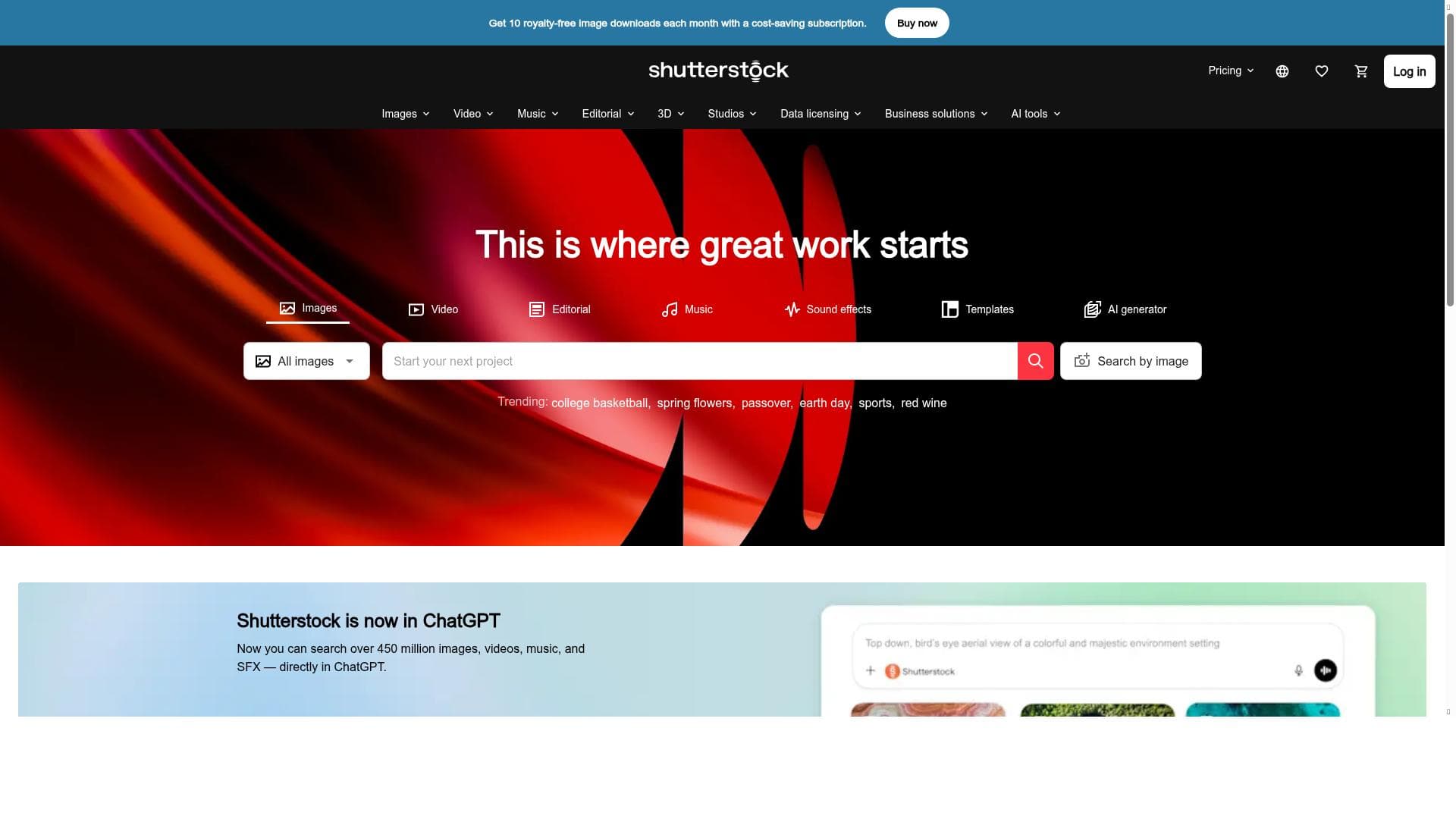
Shutterstock AI Image Generator combines powerful generative AI with a vast library of royalty-free media, enabling creators to instantly produce high-quality images, vectors, videos, and music for any project. Ideal for marketers, designers, and businesses seeking straightforward pricing and simple licensing, it streamlines creative workflows with trusted, handpicked visuals backed by Shutterstock’s industry expertise.
Description
AI Image Generator: Create the best AI images instantly
Detailed Description
Shutterstock AI Image Generator is a cutting-edge tool designed to empower creators by instantly generating high-quality AI images tailored to their specific needs. At its core, this tool leverages advanced generative AI technology to produce royalty-free images that can be seamlessly integrated into a wide range of creative projects. Whether you are a graphic designer, marketer, content creator, or business owner, Shutterstock AI Image Generator offers a streamlined solution to quickly produce visuals without the need for extensive manual design work or costly stock image purchases. Its primary purpose is to simplify and accelerate the creative process by providing instant access to unique, customizable images that maintain professional standards and licensing clarity. One of the standout features of Shutterstock AI Image Generator is its extensive library of royalty-free content that includes not only AI-generated images but also photos, vectors, videos, and music. This comprehensive media offering ensures users can find or create complementary assets for multimedia projects all within one platform. The tool’s straightforward pricing model removes the complexity often associated with stock content licensing, making it easy for users to understand costs upfront and avoid unexpected fees. Additionally, Shutterstock emphasizes simple licensing terms, granting users peace of mind when using generated content commercially or personally. The platform’s handpicked visuals are curated to inspire creativity and maintain high quality, while the integration of generative AI (GenAI) technology allows for dynamic content creation that adapts to user inputs and preferences. Shutterstock AI Image Generator is particularly well-suited for professionals and teams in marketing, advertising, publishing, and digital content creation who require fast turnaround times for visual assets. Small businesses and startups can also benefit from this tool by reducing reliance on expensive design resources and stock image subscriptions. Specific use cases include creating unique social media graphics, enhancing blog posts with custom visuals, producing marketing campaign assets, and generating multimedia content for presentations or websites. The ability to generate vectors and videos alongside images further expands its utility across diverse creative workflows. Regarding pricing, Shutterstock AI Image Generator operates on a paid model with transparent and straightforward plans tailored to different usage levels. While exact pricing details may vary, the platform typically offers subscription options or credit packs that allow users to purchase content as needed. This flexibility supports both occasional users and high-volume creators, ensuring cost-effectiveness regardless of project scale. The simplicity of the pricing structure combined with clear licensing terms makes it easier for users to budget and plan their creative expenditures. When compared to alternative AI image generation tools, Shutterstock AI Image Generator stands out due to its integration with a vast existing media library and its focus on royalty-free, commercially safe content. Unlike some AI generators that produce images with unclear licensing or quality inconsistencies, Shutterstock provides handpicked, vetted visuals backed by a trusted brand in stock media. Its inclusion of vectors, videos, and music alongside AI images offers a more holistic creative resource than many competitors who focus solely on static images. However, users should consider that Shutterstock’s paid model may be less accessible for hobbyists or those seeking free experimentation options. Notable limitations include the absence of a free trial, which may require potential users to commit financially before fully exploring the tool’s capabilities. Additionally, while the AI generation is powerful, creative control may be somewhat limited compared to manual design tools or more specialized AI platforms that offer deeper customization. Integration options may also be more limited compared to standalone AI tools designed for seamless embedding into various software ecosystems. Overall, Shutterstock AI Image Generator excels as a reliable, high-quality solution for professionals needing fast, royalty-free AI-generated visuals but may be less suited for casual users or those requiring highly bespoke creative control.
Tool Features
- Royalty-free images, photos, vectors, videos, and music
- Straightforward pricing
- Simple licensing
- Handpicked visuals for creative projects
- GenAI powered content
Description
✦
Shutterstock AI Image Generator combines powerful generative AI with a vast library of royalty-free media, enabling creators to instantly produce high-quality images, vectors, videos, and music for any project. Ideal for marketers, designers, and businesses seeking straightforward pricing and simple licensing, it streamlines creative workflows with trusted, handpicked visuals backed by Shutterstock’s industry expertise.
AI Image Generator: Create the best AI images instantly
Detailed Description
Shutterstock AI Image Generator is a cutting-edge tool designed to empower creators by instantly generating high-quality AI images tailored to their specific needs. At its core, this tool leverages advanced generative AI technology to produce royalty-free images that can be seamlessly integrated into a wide range of creative projects. Whether you are a graphic designer, marketer, content creator, or business owner, Shutterstock AI Image Generator offers a streamlined solution to quickly produce visuals without the need for extensive manual design work or costly stock image purchases. Its primary purpose is to simplify and accelerate the creative process by providing instant access to unique, customizable images that maintain professional standards and licensing clarity. One of the standout features of Shutterstock AI Image Generator is its extensive library of royalty-free content that includes not only AI-generated images but also photos, vectors, videos, and music. This comprehensive media offering ensures users can find or create complementary assets for multimedia projects all within one platform. The tool’s straightforward pricing model removes the complexity often associated with stock content licensing, making it easy for users to understand costs upfront and avoid unexpected fees. Additionally, Shutterstock emphasizes simple licensing terms, granting users peace of mind when using generated content commercially or personally. The platform’s handpicked visuals are curated to inspire creativity and maintain high quality, while the integration of generative AI (GenAI) technology allows for dynamic content creation that adapts to user inputs and preferences. Shutterstock AI Image Generator is particularly well-suited for professionals and teams in marketing, advertising, publishing, and digital content creation who require fast turnaround times for visual assets. Small businesses and startups can also benefit from this tool by reducing reliance on expensive design resources and stock image subscriptions. Specific use cases include creating unique social media graphics, enhancing blog posts with custom visuals, producing marketing campaign assets, and generating multimedia content for presentations or websites. The ability to generate vectors and videos alongside images further expands its utility across diverse creative workflows. Regarding pricing, Shutterstock AI Image Generator operates on a paid model with transparent and straightforward plans tailored to different usage levels. While exact pricing details may vary, the platform typically offers subscription options or credit packs that allow users to purchase content as needed. This flexibility supports both occasional users and high-volume creators, ensuring cost-effectiveness regardless of project scale. The simplicity of the pricing structure combined with clear licensing terms makes it easier for users to budget and plan their creative expenditures. When compared to alternative AI image generation tools, Shutterstock AI Image Generator stands out due to its integration with a vast existing media library and its focus on royalty-free, commercially safe content. Unlike some AI generators that produce images with unclear licensing or quality inconsistencies, Shutterstock provides handpicked, vetted visuals backed by a trusted brand in stock media. Its inclusion of vectors, videos, and music alongside AI images offers a more holistic creative resource than many competitors who focus solely on static images. However, users should consider that Shutterstock’s paid model may be less accessible for hobbyists or those seeking free experimentation options. Notable limitations include the absence of a free trial, which may require potential users to commit financially before fully exploring the tool’s capabilities. Additionally, while the AI generation is powerful, creative control may be somewhat limited compared to manual design tools or more specialized AI platforms that offer deeper customization. Integration options may also be more limited compared to standalone AI tools designed for seamless embedding into various software ecosystems. Overall, Shutterstock AI Image Generator excels as a reliable, high-quality solution for professionals needing fast, royalty-free AI-generated visuals but may be less suited for casual users or those requiring highly bespoke creative control.
Frequently Asked Questions
What is Shutterstock AI Image Generator?
Shutterstock AI Image Generator is a tool that uses generative AI technology to instantly create high-quality, royalty-free images and other media assets such as vectors, videos, and music, designed to support creative projects across various industries.
How much does Shutterstock AI Image Generator cost?
The tool operates on a paid model with straightforward pricing, typically offering subscription plans or credit packs tailored to different usage needs. Exact pricing details can be found on Shutterstock’s website.
Who is Shutterstock AI Image Generator best for?
It is best suited for marketers, graphic designers, content creators, small businesses, and teams who need quick access to high-quality, royalty-free visuals for marketing campaigns, social media, websites, and multimedia projects.
What are the main features of Shutterstock AI Image Generator?
Key features include royalty-free images, photos, vectors, videos, and music; straightforward pricing; simple licensing; handpicked visuals curated for quality; and generative AI-powered content creation.
Does Shutterstock AI Image Generator offer a free trial?
No, Shutterstock AI Image Generator does not currently offer a free trial, so users need to purchase a plan or credits to access the service.
What integrations does Shutterstock AI Image Generator support?
While specific integrations are not detailed, Shutterstock’s platform typically supports easy download and use of generated content across common creative software and workflows, though direct software integrations may be limited.
How does Shutterstock AI Image Generator work?
Users input their creative requirements or prompts into the AI Image Generator, which then uses generative AI models to produce unique, royalty-free images and other media assets that can be downloaded and used immediately under simple licensing terms.
Reviews
0 reviews
No reviews yet. Be the first to share your experience.
Sponsored Tools











































Recommended Tools
Stay updated on latest Ai tools
Get the latest insights, Join our newsletter
Read and trusted by 50,000+ readers
Join the biggest AI Community
Our community and staff are here to help!
Your feedback will help Alice AI improve in future versions.








Submit your Tool


PoweredByAI.app is an AI Tools Directory helping individuals, businesses, and creators discover the best AI tools for writing, coding, design, productivity, and more.
© 2026 , Product of011BQ. All rights reserved.