

Is this your AI tool? Claim it today.
Verify ownership, manage your profile, and unlock growth features.
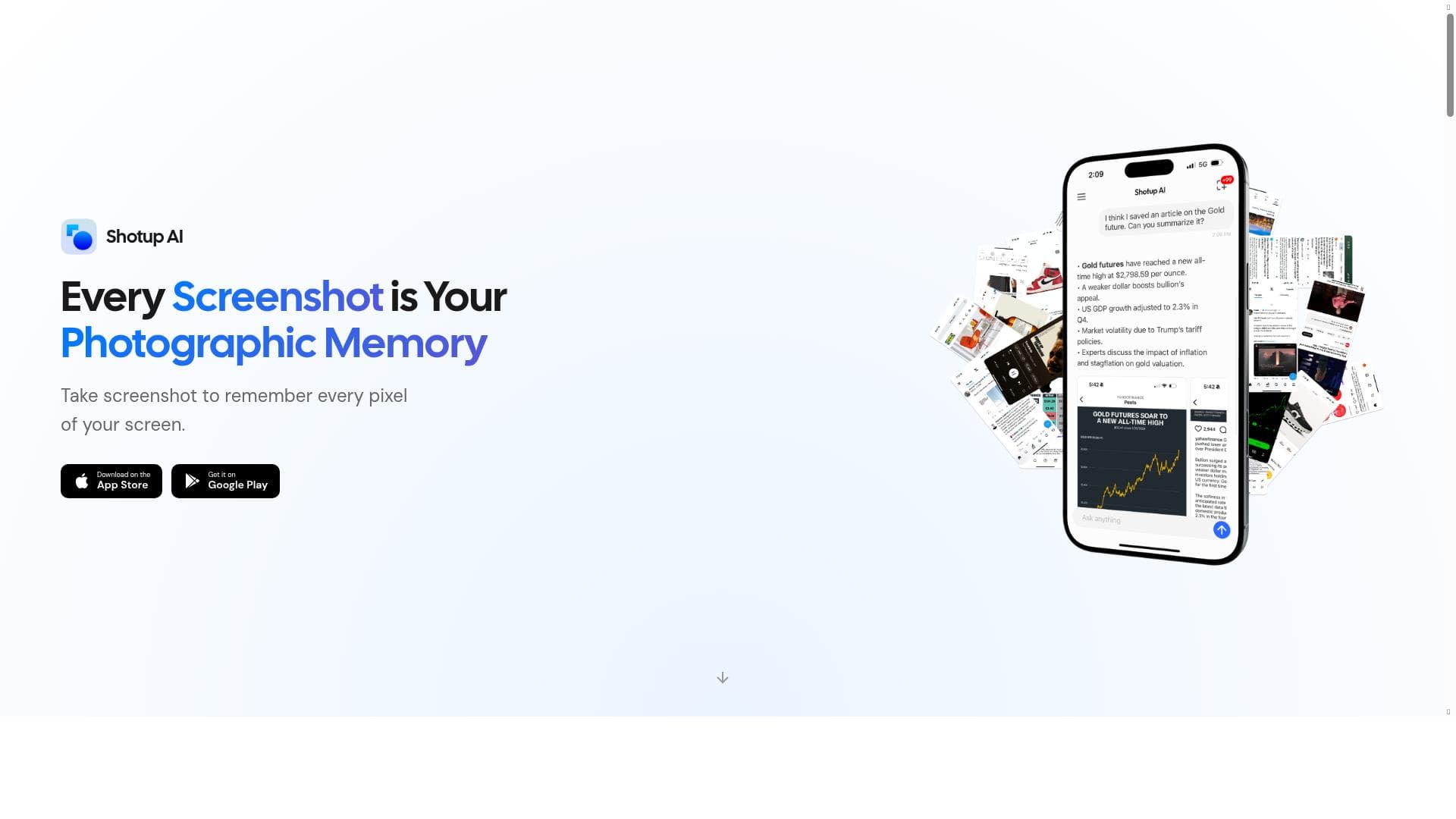
Shotup AI revolutionizes screenshot management by learning and remembering your images, then answering any questions about them with contextual understanding. Ideal for anyone overwhelmed by forgotten screenshots, it acts as a smart photographic memory that organizes and recalls your visual data effortlessly.

Description
Shotup AI learns and remembers your screenshots. Do you have forgotten screenshots buried deep in your photo album? Shotup AI learns and remembers your screenshots. It understands the context—posts, articles, shopping items—and answers anything about them.
Detailed Description
Shotup AI is an innovative AI-powered tool designed to help users manage, organize, and retrieve information from their vast collection of screenshots. In today's digital age, screenshots are frequently used to capture important information such as social media posts, articles, shopping items, or quick notes. However, over time, these screenshots often become buried deep within photo albums or device storage, making it difficult to locate or recall their content. Shotup AI addresses this challenge by learning and remembering your screenshots, effectively acting as a photographic memory that understands the context behind each image and provides intelligent answers to your queries about them. At its core, Shotup AI leverages advanced image recognition and natural language processing technologies to analyze the content of your screenshots. It identifies key elements such as text, images, and contextual clues within each screenshot, enabling it to categorize and store this information in an organized manner. Users can then ask specific questions about their screenshots, and Shotup AI will retrieve relevant details or summarize the content, saving time and effort that would otherwise be spent manually searching through countless images. Key features of Shotup AI include its ability to learn and remember screenshots continuously, ensuring that it builds a comprehensive and evolving database of your captured images. It acts as a personal AI assistant with photographic memory, capable of recalling intricate details from screenshots that users might have forgotten. Additionally, Shotup AI helps organize screenshots by context, such as distinguishing between posts, articles, shopping items, or other categories, making retrieval more intuitive. This contextual understanding allows users to query the AI naturally, asking questions like "What was the price of that jacket I screenshotted last month?" or "Can you remind me about the key points from that article I saved?" Shotup AI is particularly beneficial for individuals who frequently use screenshots as a method of saving information but struggle with managing them effectively. This includes professionals who collect research snippets, shoppers who save product details, social media enthusiasts who archive posts, and students who capture study materials. By transforming a chaotic screenshot library into an accessible knowledge base, Shotup AI enhances productivity and reduces digital clutter. The tool operates on a freemium pricing model, allowing users to access basic features for free while offering premium plans with enhanced capabilities or higher usage limits. This approach makes Shotup AI accessible to casual users while providing value-added options for power users or professionals requiring more extensive functionality. Compared to traditional screenshot management methods or generic photo gallery apps, Shotup AI stands out by combining AI-driven content understanding with interactive querying. Unlike simple tagging or manual organization, Shotup AI's contextual intelligence enables deeper insights and faster retrieval. While some competitors may offer screenshot storage or basic OCR, Shotup AI's emphasis on learning, remembering, and answering questions about screenshots provides a unique and powerful user experience. However, users should consider certain limitations. The accuracy of Shotup AI's understanding depends on the quality and clarity of screenshots, and complex images with poor resolution may pose challenges. Privacy-conscious users should review data handling policies, as the tool processes personal images to extract information. Additionally, while the freemium model is generous, advanced features may require subscription fees. In summary, Shotup AI is a cutting-edge AI assistant that transforms how users interact with their screenshots. By learning, remembering, and intelligently answering questions about captured images, it offers a seamless way to organize and recall valuable information hidden within photo albums. Whether for personal use or professional workflows, Shotup AI enhances digital memory and productivity through its sophisticated AI capabilities.
Tool Features
- Learns and remembers screenshots
- Answers questions about your shots
- Acts as a photographic memory
- Helps organize and recall screenshot information
Description
Shotup AI revolutionizes screenshot management by learning and remembering your images, then answering any questions about them with contextual understanding. Ideal for anyone overwhelmed by forgotten screenshots, it acts as a smart photographic memory that organizes and recalls your visual data effortlessly.
Shotup AI learns and remembers your screenshots. Do you have forgotten screenshots buried deep in your photo album? Shotup AI learns and remembers your screenshots. It understands the context—posts, articles, shopping items—and answers anything about them.
Detailed Description
Shotup AI is an innovative AI-powered tool designed to help users manage, organize, and retrieve information from their vast collection of screenshots. In today's digital age, screenshots are frequently used to capture important information such as social media posts, articles, shopping items, or quick notes. However, over time, these screenshots often become buried deep within photo albums or device storage, making it difficult to locate or recall their content. Shotup AI addresses this challenge by learning and remembering your screenshots, effectively acting as a photographic memory that understands the context behind each image and provides intelligent answers to your queries about them. At its core, Shotup AI leverages advanced image recognition and natural language processing technologies to analyze the content of your screenshots. It identifies key elements such as text, images, and contextual clues within each screenshot, enabling it to categorize and store this information in an organized manner. Users can then ask specific questions about their screenshots, and Shotup AI will retrieve relevant details or summarize the content, saving time and effort that would otherwise be spent manually searching through countless images. Key features of Shotup AI include its ability to learn and remember screenshots continuously, ensuring that it builds a comprehensive and evolving database of your captured images. It acts as a personal AI assistant with photographic memory, capable of recalling intricate details from screenshots that users might have forgotten. Additionally, Shotup AI helps organize screenshots by context, such as distinguishing between posts, articles, shopping items, or other categories, making retrieval more intuitive. This contextual understanding allows users to query the AI naturally, asking questions like "What was the price of that jacket I screenshotted last month?" or "Can you remind me about the key points from that article I saved?" Shotup AI is particularly beneficial for individuals who frequently use screenshots as a method of saving information but struggle with managing them effectively. This includes professionals who collect research snippets, shoppers who save product details, social media enthusiasts who archive posts, and students who capture study materials. By transforming a chaotic screenshot library into an accessible knowledge base, Shotup AI enhances productivity and reduces digital clutter. The tool operates on a freemium pricing model, allowing users to access basic features for free while offering premium plans with enhanced capabilities or higher usage limits. This approach makes Shotup AI accessible to casual users while providing value-added options for power users or professionals requiring more extensive functionality. Compared to traditional screenshot management methods or generic photo gallery apps, Shotup AI stands out by combining AI-driven content understanding with interactive querying. Unlike simple tagging or manual organization, Shotup AI's contextual intelligence enables deeper insights and faster retrieval. While some competitors may offer screenshot storage or basic OCR, Shotup AI's emphasis on learning, remembering, and answering questions about screenshots provides a unique and powerful user experience. However, users should consider certain limitations. The accuracy of Shotup AI's understanding depends on the quality and clarity of screenshots, and complex images with poor resolution may pose challenges. Privacy-conscious users should review data handling policies, as the tool processes personal images to extract information. Additionally, while the freemium model is generous, advanced features may require subscription fees. In summary, Shotup AI is a cutting-edge AI assistant that transforms how users interact with their screenshots. By learning, remembering, and intelligently answering questions about captured images, it offers a seamless way to organize and recall valuable information hidden within photo albums. Whether for personal use or professional workflows, Shotup AI enhances digital memory and productivity through its sophisticated AI capabilities.
Frequently Asked Questions
What is Shotup AI?
Shotup AI is an AI-powered tool that learns and remembers your screenshots, understanding their context to help you organize, recall, and answer questions about the content within your images.
How much does Shotup AI cost?
Shotup AI offers a freemium pricing model, allowing free access to basic features with optional premium plans for enhanced capabilities and higher usage limits.
Who is Shotup AI best for?
Shotup AI is ideal for individuals who frequently take screenshots—such as professionals, shoppers, students, and social media users—who need an efficient way to organize and retrieve information from their image collections.
What are the main features of Shotup AI?
Its main features include learning and remembering screenshots, answering questions about them, acting as a photographic memory, and helping to organize and recall screenshot information based on context.
Does Shotup AI offer a free trial?
Yes, Shotup AI operates on a freemium model, providing free access to core features so users can try the tool before opting for any premium plans.
What integrations does Shotup AI support?
Currently, Shotup AI focuses on managing screenshots stored on your device or photo album. Specific third-party integrations are not detailed, but it works seamlessly with your existing screenshot libraries.
How does Shotup AI work?
Shotup AI uses AI technologies like image recognition and natural language processing to analyze the content and context of your screenshots, storing this information to answer questions and help you recall details whenever needed.
Socials
Use ToolReviews
No reviews yet. Be the first to share your experience.




















































