

Is this your AI tool? Claim it today.
Verify ownership, manage your profile, and unlock growth features.
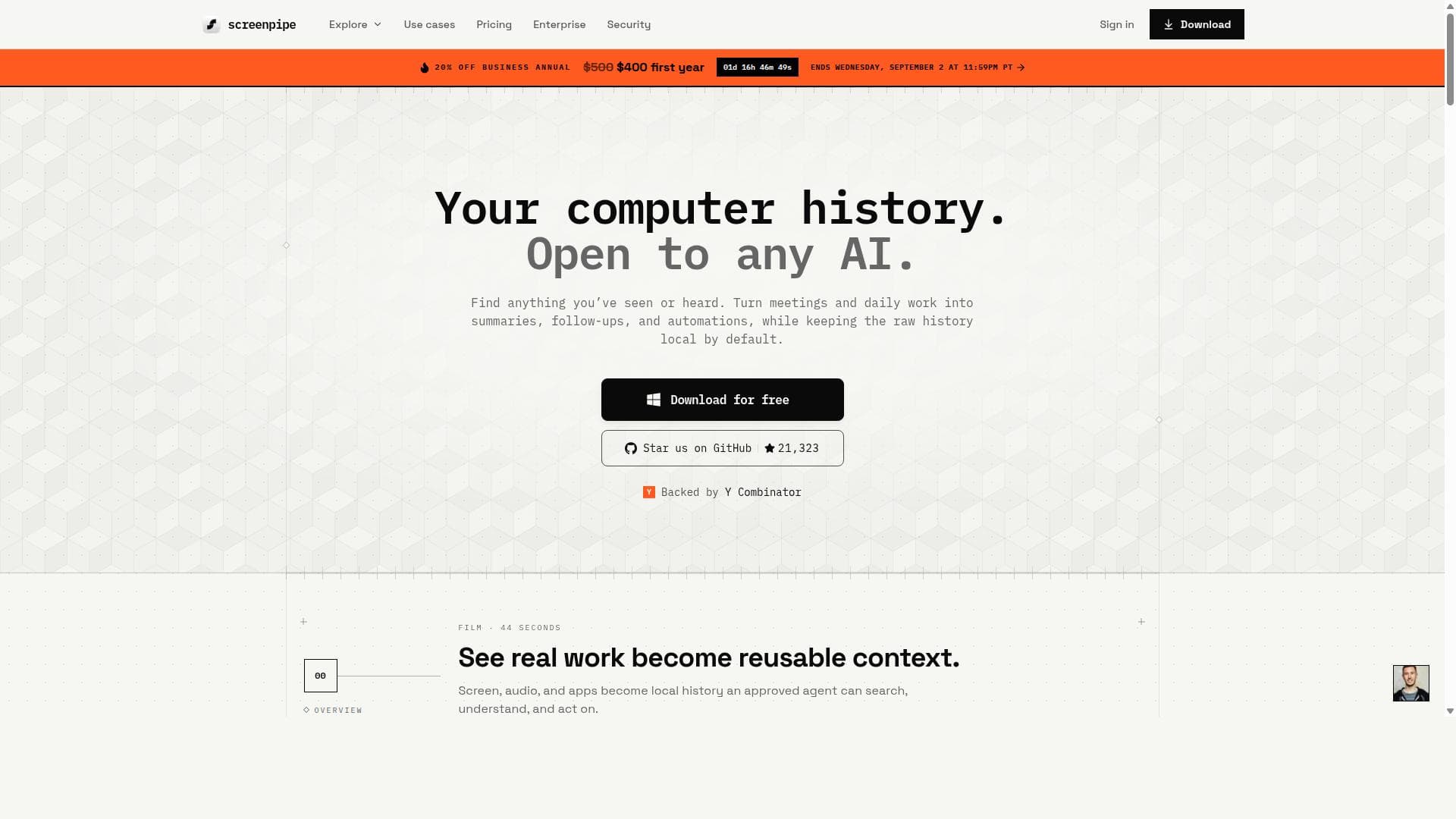
Screenpipe is a privacy-focused, local-first AI tool that captures your entire digital work history—including screen, audio, apps, and meetings—across macOS, Windows, and Linux. By integrating seamlessly with AI agents like Claude and Codex, it empowers professionals to search and leverage their work data for smarter, context-aware assistance and workflow automation.

Description
screenpipe records your screen, audio, and activity on your computer, then lets AI agents access that history through MCP. Ask about calls, bugs, or documents without reconstructing your day. Local-first and source-available for Mac, Windows, and Linux. Launch-day offer: use code BUSINESS20 for a discount on annual plans. Ends August 28 at 11:59pm PT.
Detailed Description
Screenpipe is a cutting-edge local-first AI tool designed to capture and organize a comprehensive history of your digital work environment. Available on macOS, Windows, and Linux, Screenpipe records your screen activity, audio, applications in use, and meetings, all stored locally to ensure maximum privacy and security. Its core purpose is to provide users with a searchable archive of their work history, enabling enhanced productivity and seamless integration with AI agents for intelligent assistance and workflow automation. At its heart, Screenpipe offers robust capture capabilities that go beyond simple screen recording. It continuously monitors and archives your interactions across various applications and meetings, creating a rich dataset that reflects your entire computer usage over time. This local-first approach means all data remains on your device, addressing privacy concerns common with cloud-based solutions. Users can quickly search through this history to find past work, references, or context without needing to manually organize or tag files. One of the standout features of Screenpipe is its integration with AI agents like Claude and Codex via the MCP (Multi-Channel Protocol) and API. This allows AI models to access your detailed computer history, enabling them to provide context-aware assistance, automate tasks, and enhance workflow intelligence. For example, an AI agent can recall previous documents you worked on, meetings you attended, or audio notes you recorded, making interactions more personalized and efficient. Additionally, Screenpipe supports task mining and workflow intelligence, helping users analyze and optimize their work patterns. Screenpipe is also built on open source AI infrastructure, promoting transparency and flexibility. This appeals to developers and organizations looking to customize or extend the tool’s capabilities according to their specific needs. The open source nature encourages community contributions and integrations, fostering a collaborative ecosystem around local-first AI productivity tools. This tool is ideal for professionals who require a detailed and searchable record of their digital work, such as knowledge workers, software developers, project managers, and researchers. It is particularly useful for those who participate in frequent meetings, multitask across various applications, or need to maintain strict data privacy. Use cases include retrieving past meeting discussions, revisiting code snippets or design files, and enabling AI-driven task automation based on historical context. Regarding pricing, Screenpipe’s website does not explicitly list plans or costs, suggesting that it may offer a free tier or open source access with optional paid features or enterprise plans. Interested users should visit the official website or contact the team directly for detailed pricing information and any available trials. Compared to alternatives, Screenpipe’s local-first model sets it apart by prioritizing user privacy and control over data. Many competing tools rely heavily on cloud storage, raising concerns about data security and compliance. Its deep integration with AI agents through MCP and API also provides a more seamless and intelligent experience than traditional screen capture or meeting recording software. However, users should consider that local storage may require sufficient disk space and that the tool’s advanced AI integrations might have a learning curve. Potential limitations include the need for users to manage local storage and the possibility that some features require technical knowledge to fully leverage the API and AI integrations. Additionally, as an open source project, the level of official support and documentation may vary compared to commercial proprietary tools. Nevertheless, Screenpipe’s unique combination of privacy, comprehensive capture, and AI integration makes it a compelling choice for users seeking an intelligent, secure, and searchable digital work history solution.
Tool Features
- Capture screen, audio, apps, and meetings locally on macOS, Windows, and Linux
- Search your work history
- Integrate with AI agents such as Claude and Codex through MCP and API
- Local-first AI approach ensuring privacy
- Supports workflow intelligence and task mining
- Open source AI infrastructure
Description
Screenpipe is a privacy-focused, local-first AI tool that captures your entire digital work history—including screen, audio, apps, and meetings—across macOS, Windows, and Linux. By integrating seamlessly with AI agents like Claude and Codex, it empowers professionals to search and leverage their work data for smarter, context-aware assistance and workflow automation.
screenpipe records your screen, audio, and activity on your computer, then lets AI agents access that history through MCP. Ask about calls, bugs, or documents without reconstructing your day. Local-first and source-available for Mac, Windows, and Linux. Launch-day offer: use code BUSINESS20 for a discount on annual plans. Ends August 28 at 11:59pm PT.
Detailed Description
Screenpipe is a cutting-edge local-first AI tool designed to capture and organize a comprehensive history of your digital work environment. Available on macOS, Windows, and Linux, Screenpipe records your screen activity, audio, applications in use, and meetings, all stored locally to ensure maximum privacy and security. Its core purpose is to provide users with a searchable archive of their work history, enabling enhanced productivity and seamless integration with AI agents for intelligent assistance and workflow automation. At its heart, Screenpipe offers robust capture capabilities that go beyond simple screen recording. It continuously monitors and archives your interactions across various applications and meetings, creating a rich dataset that reflects your entire computer usage over time. This local-first approach means all data remains on your device, addressing privacy concerns common with cloud-based solutions. Users can quickly search through this history to find past work, references, or context without needing to manually organize or tag files. One of the standout features of Screenpipe is its integration with AI agents like Claude and Codex via the MCP (Multi-Channel Protocol) and API. This allows AI models to access your detailed computer history, enabling them to provide context-aware assistance, automate tasks, and enhance workflow intelligence. For example, an AI agent can recall previous documents you worked on, meetings you attended, or audio notes you recorded, making interactions more personalized and efficient. Additionally, Screenpipe supports task mining and workflow intelligence, helping users analyze and optimize their work patterns. Screenpipe is also built on open source AI infrastructure, promoting transparency and flexibility. This appeals to developers and organizations looking to customize or extend the tool’s capabilities according to their specific needs. The open source nature encourages community contributions and integrations, fostering a collaborative ecosystem around local-first AI productivity tools. This tool is ideal for professionals who require a detailed and searchable record of their digital work, such as knowledge workers, software developers, project managers, and researchers. It is particularly useful for those who participate in frequent meetings, multitask across various applications, or need to maintain strict data privacy. Use cases include retrieving past meeting discussions, revisiting code snippets or design files, and enabling AI-driven task automation based on historical context. Regarding pricing, Screenpipe’s website does not explicitly list plans or costs, suggesting that it may offer a free tier or open source access with optional paid features or enterprise plans. Interested users should visit the official website or contact the team directly for detailed pricing information and any available trials. Compared to alternatives, Screenpipe’s local-first model sets it apart by prioritizing user privacy and control over data. Many competing tools rely heavily on cloud storage, raising concerns about data security and compliance. Its deep integration with AI agents through MCP and API also provides a more seamless and intelligent experience than traditional screen capture or meeting recording software. However, users should consider that local storage may require sufficient disk space and that the tool’s advanced AI integrations might have a learning curve. Potential limitations include the need for users to manage local storage and the possibility that some features require technical knowledge to fully leverage the API and AI integrations. Additionally, as an open source project, the level of official support and documentation may vary compared to commercial proprietary tools. Nevertheless, Screenpipe’s unique combination of privacy, comprehensive capture, and AI integration makes it a compelling choice for users seeking an intelligent, secure, and searchable digital work history solution.
Frequently Asked Questions
What is screenpipe?
Screenpipe is a local-first AI tool that captures and archives your screen activity, audio, applications, and meetings on macOS, Windows, and Linux. It creates a searchable history of your digital work environment and integrates with AI agents to provide intelligent assistance.
How much does screenpipe cost?
Screenpipe’s pricing details are not explicitly listed on their website. It may offer free or open source access with optional paid features or enterprise plans. For exact pricing, it is recommended to visit their website or contact their team directly.
Who is screenpipe best for?
Screenpipe is ideal for professionals such as knowledge workers, software developers, project managers, and researchers who need a detailed, searchable record of their digital work and prioritize data privacy. It’s especially useful for those frequently attending meetings or multitasking across applications.
What are the main features of screenpipe?
Key features include local capture of screen, audio, apps, and meetings on multiple operating systems; searchable work history; integration with AI agents like Claude and Codex via MCP and API; a local-first approach ensuring privacy; support for workflow intelligence and task mining; and an open source AI infrastructure.
Does screenpipe offer a free trial?
The website does not explicitly mention a free trial. Given its open source nature, users may access certain features freely, but it’s best to check directly with Screenpipe for any trial or demo options.
What integrations does screenpipe support?
Screenpipe integrates with AI agents such as Claude and Codex through its Multi-Channel Protocol (MCP) and API, enabling AI-powered context-aware assistance and workflow automation based on your computer history.
How does screenpipe work?
Screenpipe works by locally capturing your screen, audio, applications, and meetings continuously on your device. It stores this data securely and makes it searchable. Through its API and MCP, it connects with AI agents that can access this history to provide intelligent, context-aware support and automate tasks.
Socials
Use ToolReviews
No reviews yet. Be the first to share your experience.




















































