

Is this your AI tool? Claim it today.
Verify ownership, manage your profile, and unlock growth features.
Scour AI is a powerful document extraction tool that quickly converts PDFs, scanned, and handwritten documents into clean, structured data formats like CSV, Excel, or JSON. Its unique ability to answer questions directly about PDF content makes it ideal for businesses, operations teams, and developers who need fast, accurate access to key data without manual effort.

Description
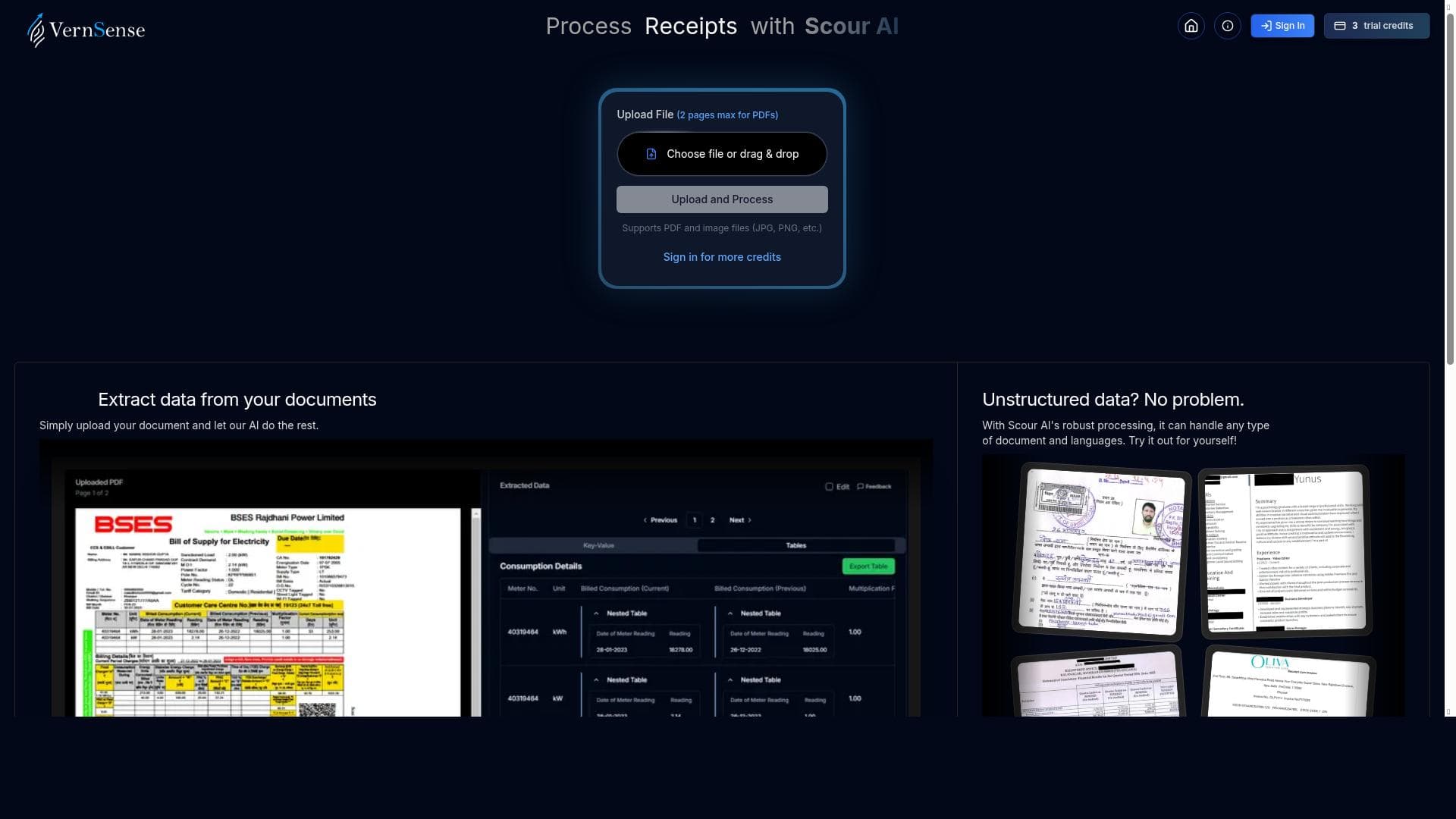
Scour AI extracts key-value pairs and tables from PDFs, scanned, and handwritten documents — exporting clean CSV, Excel, or JSON in seconds. Built for businesses, ops teams, and devs who need structured data fast.
Detailed Description
Scour AI is an advanced document processing tool designed to extract structured data from a wide variety of document types, including PDFs, scanned images, and even handwritten documents. Its core purpose is to transform unstructured or semi-structured documents into clean, machine-readable formats such as CSV, Excel, or JSON within seconds. This capability is particularly valuable for businesses, operations teams, and developers who require rapid access to key-value pairs and tabular data embedded in complex documents. By automating the extraction process, Scour AI significantly reduces the time and effort traditionally associated with manual data entry and document analysis. One of the standout features of Scour AI is its ability to answer questions directly about the content of PDFs. Users can interact with their documents by posing queries and receiving instant, accurate responses, which streamlines decision-making and data verification processes. This interactive querying capability is complemented by the tool’s robust extraction engine that simplifies PDF processing by identifying and isolating relevant data points such as tables and key-value pairs. The output is consistently clean and formatted, making it easy to integrate into existing workflows or data systems without additional cleanup. Scour AI is particularly well-suited for businesses that handle large volumes of documents requiring structured data extraction, such as finance, legal, healthcare, and logistics sectors. Operations teams benefit from the tool’s ability to automate routine document processing tasks, freeing up resources for higher-value activities. Developers can leverage Scour AI’s API and export options to embed document parsing capabilities directly into their applications, enabling seamless data ingestion and analysis. Use cases include invoice processing, contract analysis, survey data extraction, and digitizing handwritten forms. In terms of pricing, Scour AI offers a freemium model, allowing users to access core functionalities at no cost with the option to upgrade for enhanced features or higher usage limits. This approach makes it accessible for small businesses and individual users to try the tool before committing financially. The freemium plan typically covers basic extraction and querying capabilities, while premium tiers may include advanced integrations, increased document processing volumes, and priority support. Compared to alternative document extraction tools, Scour AI stands out due to its combined focus on both structured data extraction and interactive querying. Many competitors specialize solely in OCR or table extraction without offering the ability to ask questions about document content. Additionally, Scour AI’s support for handwritten documents adds a layer of versatility that is often missing in other solutions. Its export options to multiple formats and fast processing speed further enhance its appeal. However, users should consider that while Scour AI excels at key-value and table extraction, highly complex documents with irregular layouts may require additional customization or manual review. Notable limitations include potential challenges with documents that have poor scan quality or highly stylized handwriting, which can affect extraction accuracy. While the tool simplifies PDF processing, users with very specialized document types or niche industry requirements might need to verify the output carefully. Furthermore, integration options may be limited compared to some enterprise-grade document processing platforms, depending on the user’s technical environment. Overall, Scour AI offers a powerful, user-friendly solution for fast, reliable document data extraction and querying, making it a valuable asset for teams seeking to automate and accelerate their document workflows.
Tool Features
- Ask questions about your PDFs
- Get answers instantly
- Simplify PDF processing
Description
Scour AI is a powerful document extraction tool that quickly converts PDFs, scanned, and handwritten documents into clean, structured data formats like CSV, Excel, or JSON. Its unique ability to answer questions directly about PDF content makes it ideal for businesses, operations teams, and developers who need fast, accurate access to key data without manual effort.
Scour AI extracts key-value pairs and tables from PDFs, scanned, and handwritten documents — exporting clean CSV, Excel, or JSON in seconds. Built for businesses, ops teams, and devs who need structured data fast.
Detailed Description
Scour AI is an advanced document processing tool designed to extract structured data from a wide variety of document types, including PDFs, scanned images, and even handwritten documents. Its core purpose is to transform unstructured or semi-structured documents into clean, machine-readable formats such as CSV, Excel, or JSON within seconds. This capability is particularly valuable for businesses, operations teams, and developers who require rapid access to key-value pairs and tabular data embedded in complex documents. By automating the extraction process, Scour AI significantly reduces the time and effort traditionally associated with manual data entry and document analysis. One of the standout features of Scour AI is its ability to answer questions directly about the content of PDFs. Users can interact with their documents by posing queries and receiving instant, accurate responses, which streamlines decision-making and data verification processes. This interactive querying capability is complemented by the tool’s robust extraction engine that simplifies PDF processing by identifying and isolating relevant data points such as tables and key-value pairs. The output is consistently clean and formatted, making it easy to integrate into existing workflows or data systems without additional cleanup. Scour AI is particularly well-suited for businesses that handle large volumes of documents requiring structured data extraction, such as finance, legal, healthcare, and logistics sectors. Operations teams benefit from the tool’s ability to automate routine document processing tasks, freeing up resources for higher-value activities. Developers can leverage Scour AI’s API and export options to embed document parsing capabilities directly into their applications, enabling seamless data ingestion and analysis. Use cases include invoice processing, contract analysis, survey data extraction, and digitizing handwritten forms. In terms of pricing, Scour AI offers a freemium model, allowing users to access core functionalities at no cost with the option to upgrade for enhanced features or higher usage limits. This approach makes it accessible for small businesses and individual users to try the tool before committing financially. The freemium plan typically covers basic extraction and querying capabilities, while premium tiers may include advanced integrations, increased document processing volumes, and priority support. Compared to alternative document extraction tools, Scour AI stands out due to its combined focus on both structured data extraction and interactive querying. Many competitors specialize solely in OCR or table extraction without offering the ability to ask questions about document content. Additionally, Scour AI’s support for handwritten documents adds a layer of versatility that is often missing in other solutions. Its export options to multiple formats and fast processing speed further enhance its appeal. However, users should consider that while Scour AI excels at key-value and table extraction, highly complex documents with irregular layouts may require additional customization or manual review. Notable limitations include potential challenges with documents that have poor scan quality or highly stylized handwriting, which can affect extraction accuracy. While the tool simplifies PDF processing, users with very specialized document types or niche industry requirements might need to verify the output carefully. Furthermore, integration options may be limited compared to some enterprise-grade document processing platforms, depending on the user’s technical environment. Overall, Scour AI offers a powerful, user-friendly solution for fast, reliable document data extraction and querying, making it a valuable asset for teams seeking to automate and accelerate their document workflows.
Frequently Asked Questions
What is Scour AI ?
Scour AI is an AI-powered tool that extracts key-value pairs and tables from PDFs, scanned images, and handwritten documents, converting them into clean, structured data formats such as CSV, Excel, or JSON. It also allows users to ask questions about their PDFs and get instant answers, simplifying document processing.
How much does Scour AI cost?
Scour AI operates on a freemium pricing model, offering basic document extraction and querying features for free, with premium plans available for users who require higher usage limits, advanced features, or priority support.
Who is Scour AI best for?
Scour AI is best suited for businesses, operations teams, and developers who need to quickly extract structured data from various document types. It is particularly useful in industries like finance, legal, healthcare, and logistics where fast and accurate document processing is critical.
What are the main features of Scour AI ?
The main features of Scour AI include extraction of key-value pairs and tables from PDFs, scanned, and handwritten documents; instant question-answering about PDF content; and exporting clean data in CSV, Excel, or JSON formats. It simplifies and accelerates PDF processing workflows.
Does Scour AI offer a free trial?
Yes, Scour AI offers a freemium plan that allows users to access core features for free, effectively serving as a free trial to evaluate the tool before upgrading to paid plans.
What integrations does Scour AI support?
While specific integrations are not detailed, Scour AI supports exporting data in multiple formats such as CSV, Excel, and JSON, which can be easily integrated into various business applications and workflows. Developers can also leverage its API for custom integrations.
How does Scour AI work?
Scour AI uses AI and machine learning techniques to analyze PDFs, scanned images, and handwritten documents, extracting key-value pairs and tables. It processes the documents quickly to produce clean, structured data outputs and allows users to interactively ask questions about the document content for instant answers.
Socials
Use ToolReviews
No reviews yet. Be the first to share your experience.




















































