🚀 Zaprep: Your Socials on Steroids. Start free — automate 1,000 DMs/month & turn engagement into leads. with 1,000 automated DMs/month.

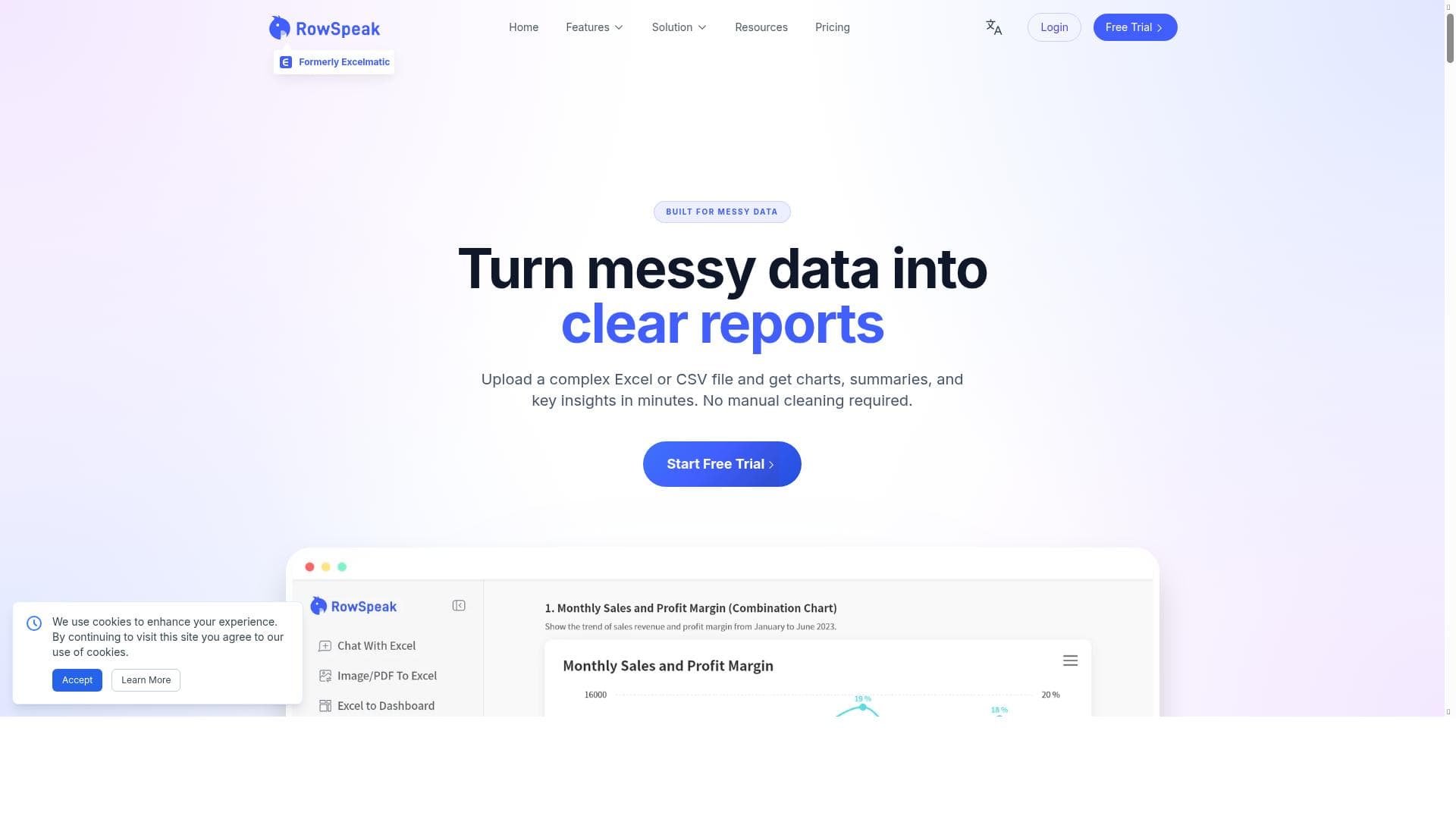


RowSpeak revolutionizes Excel data analysis by enabling users to ask questions in plain English and receive instant answers, charts, and AI-driven insights. Ideal for business professionals and analysts seeking fast, accurate reporting without complex formulas, it makes data visualization and decision-making effortless and accessible.

Description
RowSpeak is an AI-powered tool designed to facilitate Excel data analysis and visualization by allowing users to ask questions in plain English. It delivers instant answers, charts, and AI insights for fast and accurate reporting, enhancing productivity and decision-making.
Detailed Description
RowSpeak is an innovative AI-powered tool designed to transform the way users interact with Excel spreadsheets by enabling natural language queries and intelligent data analysis. Its core purpose is to simplify and accelerate the process of extracting insights from Excel data without requiring advanced technical skills or complex formula knowledge. By allowing users to ask questions in plain English, RowSpeak bridges the gap between raw data and actionable intelligence, making data analysis accessible to a broader audience including business professionals, analysts, and decision-makers. This tool is particularly valuable for those who need to generate reports, visualize data trends, and perform data operations quickly and accurately within Excel environments. At the heart of RowSpeak are several key features that enhance productivity and reporting accuracy. Users can type or speak questions about their Excel data in natural language, and RowSpeak instantly provides answers, relevant charts, and AI-driven insights. This eliminates the need to manually create formulas or pivot tables, reducing the time and effort required to analyze data. The tool supports smart Excel operations such as filtering, sorting, and summarizing data through conversational commands, making complex data manipulation intuitive and efficient. Additionally, RowSpeak’s AI insights help identify patterns, anomalies, and trends that might be overlooked in manual analysis, enabling faster and more informed decision-making. RowSpeak is best suited for business professionals, data analysts, financial planners, and anyone who regularly works with Excel data but may not have deep expertise in data science or advanced Excel functions. Specific use cases include generating sales performance reports, financial forecasting, inventory management analysis, and customer data segmentation. Its natural language interface is ideal for teams that require quick data validation and visualization without the bottleneck of specialized data analysts. Moreover, educators and students can leverage RowSpeak to better understand data concepts and enhance learning through interactive data queries. Regarding pricing, RowSpeak offers a freemium model that allows users to access essential features at no cost, making it easy to try out the tool and evaluate its benefits. Paid plans typically unlock advanced capabilities such as extended data limits, more sophisticated AI insights, priority support, and additional customization options. This tiered pricing approach ensures that both individual users and organizations can find a plan that fits their needs and budget. When compared to alternative data analysis tools, RowSpeak stands out due to its seamless integration with Excel and its focus on natural language interaction. Unlike traditional BI tools that require data imports and complex setup, RowSpeak works directly within Excel, preserving existing workflows. Its AI-powered conversational interface is more user-friendly than formula-heavy platforms, reducing the learning curve significantly. However, while some competitors may offer broader multi-source data integration or advanced predictive analytics, RowSpeak’s strength lies in making Excel data analysis accessible and immediate. Potential limitations include dependency on the quality and structure of the Excel data; poorly organized or inconsistent datasets may affect the accuracy of AI-generated insights. Additionally, users requiring highly specialized or custom analytics beyond the scope of natural language queries might find RowSpeak less suitable. As with any AI tool, understanding its capabilities and constraints is important to maximize its effectiveness. Overall, RowSpeak is a powerful assistant for accelerating Excel data analysis, enhancing productivity, and democratizing data-driven decision-making across various industries.
Tool Features
- Ask Excel questions in plain English
- Instant answers and charts
- AI insights for fast, accurate reporting
- Smart Excel operations via natural language
Description
RowSpeak revolutionizes Excel data analysis by enabling users to ask questions in plain English and receive instant answers, charts, and AI-driven insights. Ideal for business professionals and analysts seeking fast, accurate reporting without complex formulas, it makes data visualization and decision-making effortless and accessible.
RowSpeak is an AI-powered tool designed to facilitate Excel data analysis and visualization by allowing users to ask questions in plain English. It delivers instant answers, charts, and AI insights for fast and accurate reporting, enhancing productivity and decision-making.
Detailed Description
RowSpeak is an innovative AI-powered tool designed to transform the way users interact with Excel spreadsheets by enabling natural language queries and intelligent data analysis. Its core purpose is to simplify and accelerate the process of extracting insights from Excel data without requiring advanced technical skills or complex formula knowledge. By allowing users to ask questions in plain English, RowSpeak bridges the gap between raw data and actionable intelligence, making data analysis accessible to a broader audience including business professionals, analysts, and decision-makers. This tool is particularly valuable for those who need to generate reports, visualize data trends, and perform data operations quickly and accurately within Excel environments. At the heart of RowSpeak are several key features that enhance productivity and reporting accuracy. Users can type or speak questions about their Excel data in natural language, and RowSpeak instantly provides answers, relevant charts, and AI-driven insights. This eliminates the need to manually create formulas or pivot tables, reducing the time and effort required to analyze data. The tool supports smart Excel operations such as filtering, sorting, and summarizing data through conversational commands, making complex data manipulation intuitive and efficient. Additionally, RowSpeak’s AI insights help identify patterns, anomalies, and trends that might be overlooked in manual analysis, enabling faster and more informed decision-making. RowSpeak is best suited for business professionals, data analysts, financial planners, and anyone who regularly works with Excel data but may not have deep expertise in data science or advanced Excel functions. Specific use cases include generating sales performance reports, financial forecasting, inventory management analysis, and customer data segmentation. Its natural language interface is ideal for teams that require quick data validation and visualization without the bottleneck of specialized data analysts. Moreover, educators and students can leverage RowSpeak to better understand data concepts and enhance learning through interactive data queries. Regarding pricing, RowSpeak offers a freemium model that allows users to access essential features at no cost, making it easy to try out the tool and evaluate its benefits. Paid plans typically unlock advanced capabilities such as extended data limits, more sophisticated AI insights, priority support, and additional customization options. This tiered pricing approach ensures that both individual users and organizations can find a plan that fits their needs and budget. When compared to alternative data analysis tools, RowSpeak stands out due to its seamless integration with Excel and its focus on natural language interaction. Unlike traditional BI tools that require data imports and complex setup, RowSpeak works directly within Excel, preserving existing workflows. Its AI-powered conversational interface is more user-friendly than formula-heavy platforms, reducing the learning curve significantly. However, while some competitors may offer broader multi-source data integration or advanced predictive analytics, RowSpeak’s strength lies in making Excel data analysis accessible and immediate. Potential limitations include dependency on the quality and structure of the Excel data; poorly organized or inconsistent datasets may affect the accuracy of AI-generated insights. Additionally, users requiring highly specialized or custom analytics beyond the scope of natural language queries might find RowSpeak less suitable. As with any AI tool, understanding its capabilities and constraints is important to maximize its effectiveness. Overall, RowSpeak is a powerful assistant for accelerating Excel data analysis, enhancing productivity, and democratizing data-driven decision-making across various industries.
Frequently Asked Questions
What is RowSpeak?
RowSpeak is an AI-powered tool that allows users to analyze and visualize Excel data by asking questions in natural language. It provides instant answers, charts, and AI insights to simplify and speed up data reporting and decision-making.
How much does RowSpeak cost?
RowSpeak offers a freemium pricing model, allowing users to access basic features for free. Paid plans unlock advanced functionalities, higher data limits, and priority support, catering to both individual users and organizations.
Who is RowSpeak best for?
RowSpeak is ideal for business professionals, data analysts, financial planners, educators, and anyone who works with Excel data but prefers a simpler, faster way to analyze and visualize data without advanced Excel skills.
What are the main features of RowSpeak?
Key features include asking Excel questions in plain English, receiving instant answers and charts, AI-driven insights for accurate reporting, and performing smart Excel operations like filtering and summarizing via natural language commands.
Does RowSpeak offer a free trial?
Yes, RowSpeak provides a freemium version that allows users to try essential features at no cost, enabling them to evaluate the tool before opting for paid plans.
What integrations does RowSpeak support?
RowSpeak primarily integrates directly with Excel, working within the spreadsheet environment to enhance data analysis and visualization without requiring external data imports or complex setups.
How does RowSpeak work?
RowSpeak uses AI to interpret natural language questions about Excel data, then processes the spreadsheet to generate instant answers, charts, and insights. It enables users to perform data operations and generate reports simply by typing or speaking commands.
Socials
Use ToolReviews
No reviews yet. Be the first to share your experience.
Sponsored Tools











































Recommended Tools
Stay updated on latest Ai tools
Get the latest insights, Join our newsletter
Read and trusted by 50,000+ readers
Join the biggest AI Community
Our community and staff are here to help!
Your feedback will help Alice AI improve in future versions.








Submit your Tool


PoweredByAI.app is an AI Tools Directory helping individuals, businesses, and creators discover the best AI tools for writing, coding, design, productivity, and more.
© 2026 , Product of011BQ. All rights reserved.