

Is this your AI tool? Claim it today.
Verify ownership, manage your profile, and unlock growth features.
Routine Android uniquely combines a local-first approach with AI-powered task management and workflow automation, delivering a secure and intelligent productivity workspace on Android devices. It's ideal for professionals and teams looking to seamlessly organize tasks, calendars, and projects with smart automation and offline access.

Description
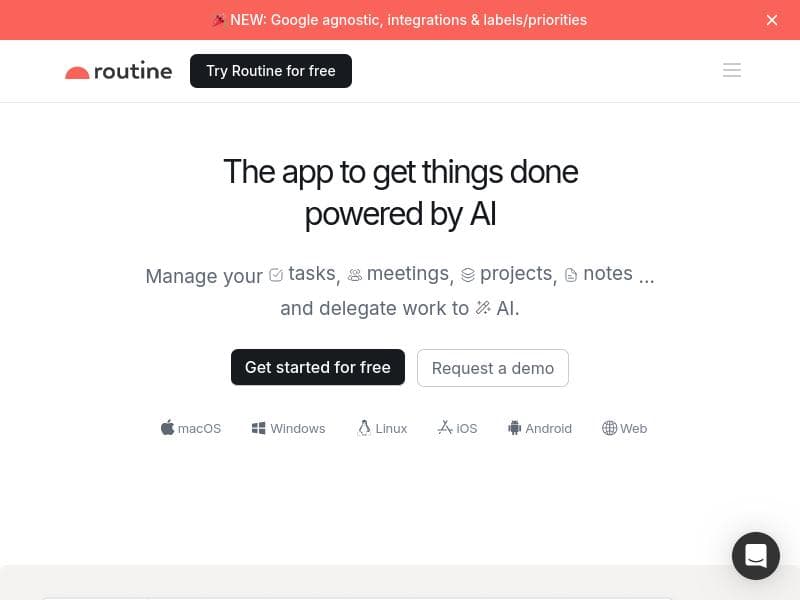
Routine now supports the Android platform, allowing you to manage all your tasks, calendars, projects, notes and more through Routine's local-first & AI-powered workspace.
Detailed Description
Routine Android is a powerful productivity tool designed to bring the full capabilities of Routine's AI-powered workspace to Android users. Its core purpose is to help individuals and teams efficiently manage their tasks, calendars, projects, and notes all within a single, integrated environment. By leveraging a local-first approach combined with advanced AI features, Routine Android ensures that your data is secure and accessible even without constant internet connectivity, while also providing intelligent assistance to streamline your daily workflows. At the heart of Routine Android lies its AI-powered task management system. This feature allows users to create, organize, and prioritize tasks with ease, while the AI intelligently suggests deadlines, reminders, and task dependencies based on your habits and project timelines. The schedule organization component seamlessly integrates your calendar events with your task list, enabling a unified view of your day and helping you avoid conflicts or missed deadlines. Additionally, Routine Android supports workflow automation, allowing users to set up custom triggers and actions that automate repetitive tasks, such as moving completed tasks to archives or sending notifications for upcoming deadlines. Routine Android is ideal for a wide range of users, from busy professionals and freelancers to project managers and teams looking for a cohesive productivity solution. For individuals, it offers a personal assistant-like experience that helps keep daily responsibilities organized and manageable. For teams, it facilitates collaboration by centralizing project notes, task assignments, and schedules, ensuring everyone stays aligned and informed. Specific use cases include managing complex projects with multiple stakeholders, tracking personal goals alongside professional commitments, and automating routine administrative tasks to save time. The pricing model for Routine Android follows a freemium approach. Users can access essential features for free, which is suitable for personal use or small-scale task management. Premium plans unlock advanced capabilities such as enhanced AI assistance, deeper workflow automation options, and priority support. This tiered pricing structure allows users to scale their use of the tool according to their needs and budget. Compared to alternatives, Routine Android stands out due to its local-first architecture combined with AI-driven features. While many productivity apps rely heavily on cloud storage, Routine ensures that your data remains primarily on your device, enhancing privacy and offline access. Its AI capabilities go beyond simple reminders and task lists by proactively managing your schedule and workflows. Although tools like Todoist or Microsoft To Do offer robust task management, Routine's integration of notes, projects, and calendar with AI automation provides a more holistic workspace. However, there are some considerations to keep in mind. As a relatively new Android offering, Routine may have fewer third-party integrations compared to more established platforms. Users heavily reliant on specific external apps might find integration options limited at this time. Additionally, while the AI features are powerful, they may require some initial setup and learning to tailor the automation and suggestions to your unique workflow. Overall, Routine Android offers a compelling blend of security, intelligence, and productivity but may not yet cover every niche integration need. In summary, Routine Android is a comprehensive productivity app that leverages AI and a local-first design to help users manage tasks, calendars, projects, and notes efficiently. Its rich feature set and flexible pricing make it suitable for individuals and teams seeking a smart, secure workspace on Android devices.
Tool Features
- AI-powered task management
- Schedule organization
- Workflow automation
Description
Routine Android uniquely combines a local-first approach with AI-powered task management and workflow automation, delivering a secure and intelligent productivity workspace on Android devices. It's ideal for professionals and teams looking to seamlessly organize tasks, calendars, and projects with smart automation and offline access.
Routine now supports the Android platform, allowing you to manage all your tasks, calendars, projects, notes and more through Routine's local-first & AI-powered workspace.
Detailed Description
Routine Android is a powerful productivity tool designed to bring the full capabilities of Routine's AI-powered workspace to Android users. Its core purpose is to help individuals and teams efficiently manage their tasks, calendars, projects, and notes all within a single, integrated environment. By leveraging a local-first approach combined with advanced AI features, Routine Android ensures that your data is secure and accessible even without constant internet connectivity, while also providing intelligent assistance to streamline your daily workflows. At the heart of Routine Android lies its AI-powered task management system. This feature allows users to create, organize, and prioritize tasks with ease, while the AI intelligently suggests deadlines, reminders, and task dependencies based on your habits and project timelines. The schedule organization component seamlessly integrates your calendar events with your task list, enabling a unified view of your day and helping you avoid conflicts or missed deadlines. Additionally, Routine Android supports workflow automation, allowing users to set up custom triggers and actions that automate repetitive tasks, such as moving completed tasks to archives or sending notifications for upcoming deadlines. Routine Android is ideal for a wide range of users, from busy professionals and freelancers to project managers and teams looking for a cohesive productivity solution. For individuals, it offers a personal assistant-like experience that helps keep daily responsibilities organized and manageable. For teams, it facilitates collaboration by centralizing project notes, task assignments, and schedules, ensuring everyone stays aligned and informed. Specific use cases include managing complex projects with multiple stakeholders, tracking personal goals alongside professional commitments, and automating routine administrative tasks to save time. The pricing model for Routine Android follows a freemium approach. Users can access essential features for free, which is suitable for personal use or small-scale task management. Premium plans unlock advanced capabilities such as enhanced AI assistance, deeper workflow automation options, and priority support. This tiered pricing structure allows users to scale their use of the tool according to their needs and budget. Compared to alternatives, Routine Android stands out due to its local-first architecture combined with AI-driven features. While many productivity apps rely heavily on cloud storage, Routine ensures that your data remains primarily on your device, enhancing privacy and offline access. Its AI capabilities go beyond simple reminders and task lists by proactively managing your schedule and workflows. Although tools like Todoist or Microsoft To Do offer robust task management, Routine's integration of notes, projects, and calendar with AI automation provides a more holistic workspace. However, there are some considerations to keep in mind. As a relatively new Android offering, Routine may have fewer third-party integrations compared to more established platforms. Users heavily reliant on specific external apps might find integration options limited at this time. Additionally, while the AI features are powerful, they may require some initial setup and learning to tailor the automation and suggestions to your unique workflow. Overall, Routine Android offers a compelling blend of security, intelligence, and productivity but may not yet cover every niche integration need. In summary, Routine Android is a comprehensive productivity app that leverages AI and a local-first design to help users manage tasks, calendars, projects, and notes efficiently. Its rich feature set and flexible pricing make it suitable for individuals and teams seeking a smart, secure workspace on Android devices.
Frequently Asked Questions
What is Routine Android?
Routine Android is a productivity app that brings Routine's AI-powered workspace to Android devices, enabling users to manage tasks, calendars, projects, and notes with a local-first and intelligent approach.
How much does Routine Android cost?
Routine Android offers a freemium pricing model, providing essential features for free and premium plans that unlock advanced AI assistance, enhanced automation, and priority support.
Who is Routine Android best for?
Routine Android is best suited for busy professionals, freelancers, and teams who want an integrated, AI-powered workspace to manage tasks, schedules, and projects efficiently on Android devices.
What are the main features of Routine Android?
Key features include AI-powered task management, schedule organization that integrates calendars with tasks, and workflow automation to streamline repetitive processes.
Does Routine Android offer a free trial?
Routine Android provides free access to its core features through its freemium plan, allowing users to try the app without commitment before upgrading to premium options.
What integrations does Routine Android support?
While Routine Android primarily focuses on a local-first experience, it supports calendar integration and is expanding its third-party app integrations to enhance workflow connectivity.
How does Routine Android work?
Routine Android works by combining local data storage with AI algorithms that help manage and prioritize tasks, organize schedules, and automate workflows, providing a secure and intelligent productivity environment.
Socials
Use ToolReviews
No reviews yet. Be the first to share your experience.















































