Featured in:Best AI Writing Tools
Get featured →🚀 Zaprep: Your Socials on Steroids. Start free — automate 1,000 DMs/month & turn engagement into leads. with 1,000 automated DMs/month.
Rednote Video Downloader


✦
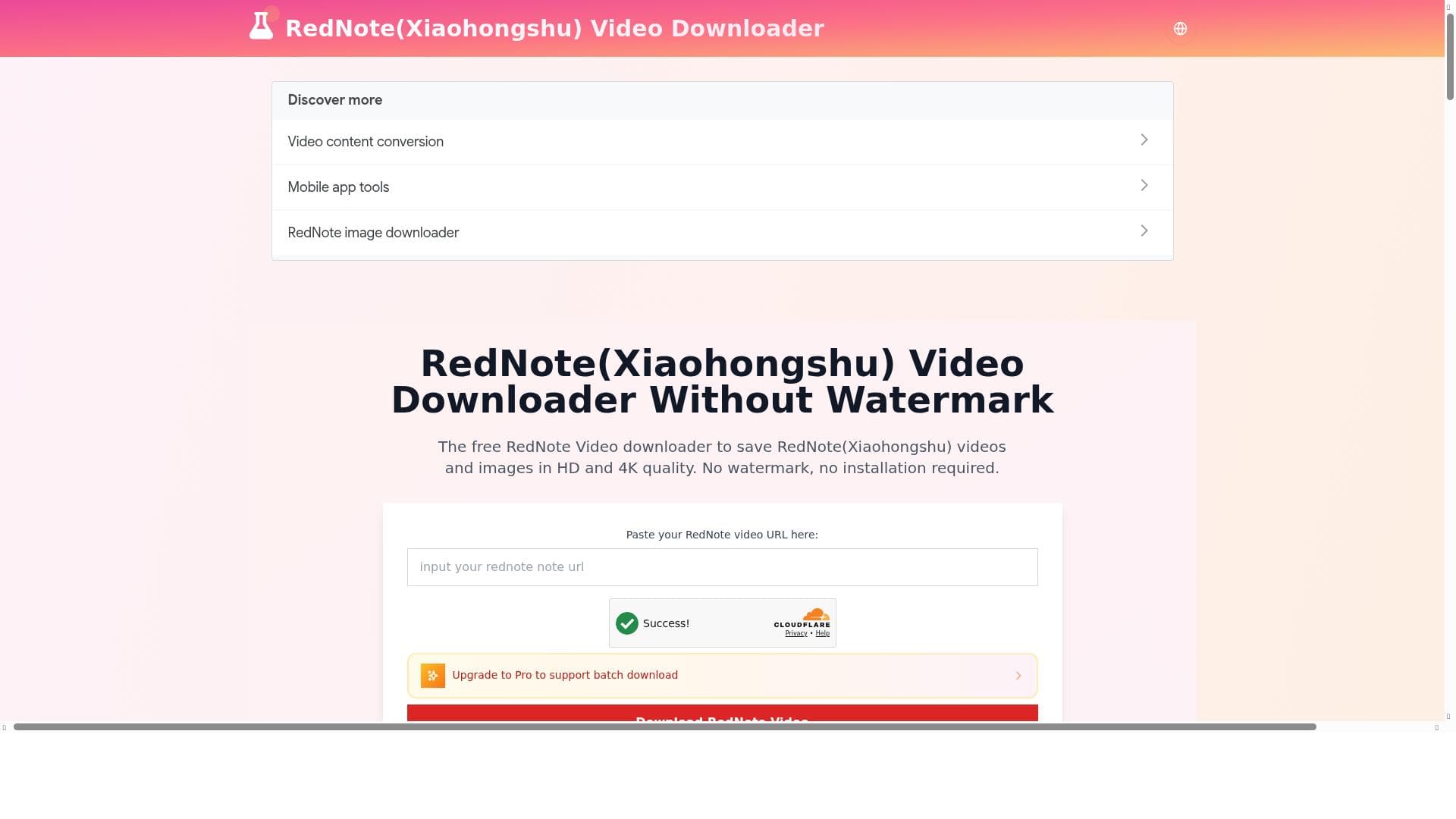
Rednote Video Downloader offers a hassle-free way to download high-definition, watermark-free videos and images from RedNote (Xiaohongshu) without any installation. Ideal for content creators, marketers, and casual users, it provides free, high-quality downloads directly through an online platform.

Description
RedNote(Xiaohongshu) Video Downloader Without Watermark
Detailed Description
Rednote Video Downloader is a specialized online tool designed to facilitate the seamless downloading of videos and images from RedNote, also known as Xiaohongshu, a popular Chinese social media and e-commerce platform. Its core purpose is to enable users to save high-quality multimedia content from RedNote without the common inconvenience of watermarks, which often detract from the viewing experience and limit content reuse. By offering a straightforward, no-installation-required solution, Rednote Video Downloader caters to users who want quick and efficient access to RedNote content for personal or professional use. One of the standout features of Rednote Video Downloader is its ability to download videos and images in both HD and 4K quality, ensuring that users retain the original clarity and detail of the content. This is particularly valuable for content creators, marketers, and social media managers who require high-resolution media for repurposing or analysis. The tool’s no-watermark policy means that downloaded videos are clean and free from any branding or overlays, which is ideal for presentations, editing, or sharing across other platforms without attribution distractions. Additionally, the downloader operates entirely online, eliminating the need for any software installation. This makes it accessible from any device with internet access and reduces security risks associated with downloading and installing third-party software. Rednote Video Downloader is best suited for a diverse range of users including digital marketers, social media influencers, content creators, and casual users who want to archive or repurpose RedNote content. For marketers and influencers, the ability to download high-quality, watermark-free videos and images means they can create polished promotional materials or analyze trending content without restrictions. Casual users who enjoy browsing RedNote can save favorite videos and images for offline viewing or personal collections. The tool’s simplicity and free access make it an excellent choice for anyone needing quick downloads without technical hurdles. In terms of pricing, Rednote Video Downloader is entirely free to use. This no-cost access removes barriers for users who might otherwise avoid paid software or subscription models. Unlike many video downloading tools that require premium accounts for high-resolution downloads or watermark removal, Rednote Video Downloader offers these features upfront at no charge, making it highly competitive in the market. When compared to alternative video downloaders, Rednote Video Downloader stands out due to its exclusive focus on RedNote (Xiaohongshu) content and its ability to deliver watermark-free, high-definition downloads without installation. Many other tools either do not support RedNote or impose watermarks, require software installation, or limit download quality. However, some alternatives might offer broader platform support or additional editing features, which Rednote Video Downloader currently does not provide. Despite its advantages, users should consider some limitations. Since the tool is web-based, its functionality depends on internet connectivity and the availability of the RedNote platform itself. Additionally, the downloader focuses solely on RedNote content, so users needing downloads from multiple social media platforms will require other tools. Privacy and copyright considerations also apply; users should ensure they have the right to download and use content from RedNote in accordance with platform policies and local laws. Overall, Rednote Video Downloader is a powerful, user-friendly, and cost-effective solution for anyone looking to download high-quality, watermark-free videos and images from RedNote. Its ease of use, combined with robust download quality options and a free pricing model, makes it a valuable tool for content enthusiasts and professionals alike.
Tool Features
- Download RedNote (Xiaohongshu) videos and images
- Supports HD and 4K quality downloads
- No watermark on downloaded videos
- No installation required
Description
✦
Rednote Video Downloader offers a hassle-free way to download high-definition, watermark-free videos and images from RedNote (Xiaohongshu) without any installation. Ideal for content creators, marketers, and casual users, it provides free, high-quality downloads directly through an online platform.
RedNote(Xiaohongshu) Video Downloader Without Watermark
Detailed Description
Rednote Video Downloader is a specialized online tool designed to facilitate the seamless downloading of videos and images from RedNote, also known as Xiaohongshu, a popular Chinese social media and e-commerce platform. Its core purpose is to enable users to save high-quality multimedia content from RedNote without the common inconvenience of watermarks, which often detract from the viewing experience and limit content reuse. By offering a straightforward, no-installation-required solution, Rednote Video Downloader caters to users who want quick and efficient access to RedNote content for personal or professional use. One of the standout features of Rednote Video Downloader is its ability to download videos and images in both HD and 4K quality, ensuring that users retain the original clarity and detail of the content. This is particularly valuable for content creators, marketers, and social media managers who require high-resolution media for repurposing or analysis. The tool’s no-watermark policy means that downloaded videos are clean and free from any branding or overlays, which is ideal for presentations, editing, or sharing across other platforms without attribution distractions. Additionally, the downloader operates entirely online, eliminating the need for any software installation. This makes it accessible from any device with internet access and reduces security risks associated with downloading and installing third-party software. Rednote Video Downloader is best suited for a diverse range of users including digital marketers, social media influencers, content creators, and casual users who want to archive or repurpose RedNote content. For marketers and influencers, the ability to download high-quality, watermark-free videos and images means they can create polished promotional materials or analyze trending content without restrictions. Casual users who enjoy browsing RedNote can save favorite videos and images for offline viewing or personal collections. The tool’s simplicity and free access make it an excellent choice for anyone needing quick downloads without technical hurdles. In terms of pricing, Rednote Video Downloader is entirely free to use. This no-cost access removes barriers for users who might otherwise avoid paid software or subscription models. Unlike many video downloading tools that require premium accounts for high-resolution downloads or watermark removal, Rednote Video Downloader offers these features upfront at no charge, making it highly competitive in the market. When compared to alternative video downloaders, Rednote Video Downloader stands out due to its exclusive focus on RedNote (Xiaohongshu) content and its ability to deliver watermark-free, high-definition downloads without installation. Many other tools either do not support RedNote or impose watermarks, require software installation, or limit download quality. However, some alternatives might offer broader platform support or additional editing features, which Rednote Video Downloader currently does not provide. Despite its advantages, users should consider some limitations. Since the tool is web-based, its functionality depends on internet connectivity and the availability of the RedNote platform itself. Additionally, the downloader focuses solely on RedNote content, so users needing downloads from multiple social media platforms will require other tools. Privacy and copyright considerations also apply; users should ensure they have the right to download and use content from RedNote in accordance with platform policies and local laws. Overall, Rednote Video Downloader is a powerful, user-friendly, and cost-effective solution for anyone looking to download high-quality, watermark-free videos and images from RedNote. Its ease of use, combined with robust download quality options and a free pricing model, makes it a valuable tool for content enthusiasts and professionals alike.
Frequently Asked Questions
What is Rednote Video Downloader?
Rednote Video Downloader is an online tool that allows users to download videos and images from RedNote (Xiaohongshu) in high definition and without watermarks, all without needing to install any software.
How much does Rednote Video Downloader cost?
Rednote Video Downloader is completely free to use, offering all its features without any subscription or payment requirements.
Who is Rednote Video Downloader best for?
It is best suited for content creators, social media marketers, influencers, and casual users who want to save high-quality, watermark-free videos and images from RedNote for personal or professional use.
What are the main features of Rednote Video Downloader?
Key features include downloading RedNote videos and images in HD and 4K quality, no watermark on downloaded videos, and no installation required since it operates entirely online.
Does Rednote Video Downloader offer a free trial?
Since Rednote Video Downloader is free to use, there is no need for a trial period; all features are accessible at no cost.
What integrations does Rednote Video Downloader support?
Rednote Video Downloader is a standalone online tool focused exclusively on RedNote (Xiaohongshu) content and does not currently offer integrations with other platforms or software.
How does Rednote Video Downloader work?
Users simply visit the Rednote Video Downloader website, input the URL of the desired RedNote video or image, and the tool processes the content to provide a direct download link in HD or 4K quality without watermarks.
Reviews
0 reviews
No reviews yet. Be the first to share your experience.
Sponsored Tools







































Recommended Tools
Stay updated on latest Ai tools
Get the latest insights, Join our newsletter
Read and trusted by 50,000+ readers
Join the biggest AI Community
Our community and staff are here to help!
Your feedback will help Alice AI improve in future versions.







Submit your Tool


PoweredByAI.app is an AI Tools Directory helping individuals, businesses, and creators discover the best AI tools for writing, coding, design, productivity, and more.
© 2026 , Product of011BQ. All rights reserved.