🚀 Zaprep: Your Socials on Steroids. Start free — automate 1,000 DMs/month & turn engagement into leads. with 1,000 automated DMs/month.


Is this your AI tool? Claim it today.
Verify ownership, manage your profile, and unlock growth features.
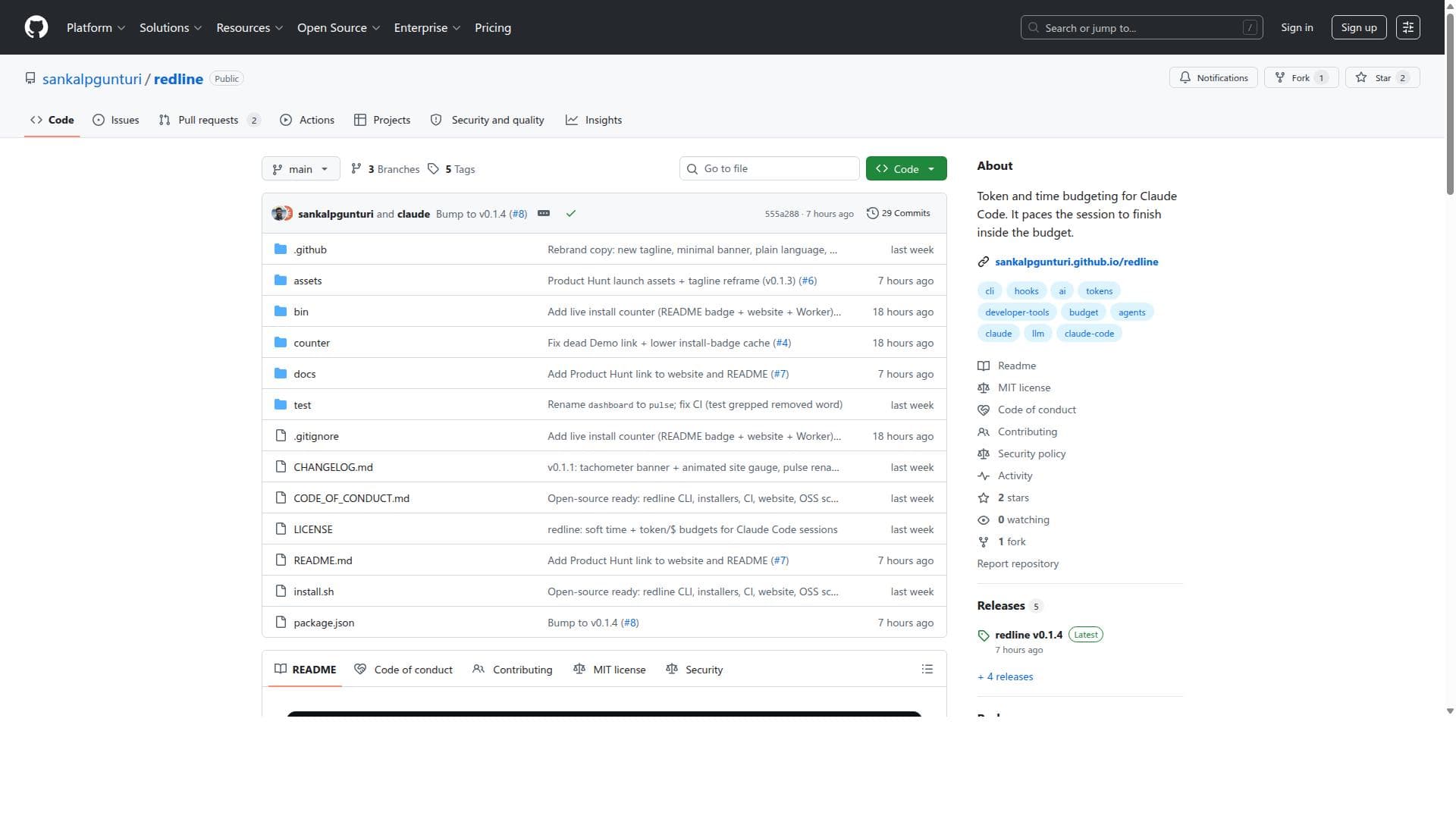
Redline is a unique tool that expertly manages token and time budgets for Claude Code sessions, ensuring efficient and cost-effective AI-assisted coding. Ideal for developers and teams who need precise control over AI resource usage, Redline optimizes session pacing to keep interactions within set limits without sacrificing productivity.

Description
Set a budget inside Claude Code: /redline 10m $5. You get a live burn-down in your statusline, and Claude Code paces itself to finish inside it. Three guarantees: never over (the budget is a hard ceiling), under is success (it lands around 90% with the task done), never abrupt (it always wraps up with a usable result, no mid-sentence kill). One budget covers every subagent the session spawns. Built entirely on Claude Code's native hooks. Zero dependencies, MIT, open source.
Detailed Description
Redline is a specialized tool designed to optimize the use of Claude Code by managing token and time budgets during interactive coding sessions. Its core purpose is to ensure that interactions with Claude Code, an AI coding assistant, remain efficient and within predefined resource constraints. By pacing the session and monitoring token consumption and elapsed time, Redline helps developers and teams avoid overruns that could lead to increased costs or degraded performance. This makes it an essential utility for anyone relying on Claude Code for code generation, debugging, or other AI-assisted programming tasks. The key features of Redline revolve around its dual budgeting system: token budgeting and time budgeting. Token budgeting allows users to set limits on the number of tokens consumed during a session, which is critical because tokens directly correlate with usage costs and response length in AI models. Time budgeting complements this by pacing the session to ensure it completes within a set duration, preventing sessions from dragging on unnecessarily. Together, these features provide a balanced approach to resource management, ensuring that sessions are both cost-effective and timely. Additionally, Redline guarantees that sessions finish within the allocated budget, which is particularly useful for managing large or complex coding tasks that might otherwise exceed limits unexpectedly. Redline is best suited for developers, software engineers, AI researchers, and teams who actively use Claude Code for code generation or interactive programming assistance. It is especially valuable for those who need to tightly control their AI usage costs or have strict time constraints for coding sessions. Use cases include managing budgeted AI-assisted code reviews, pacing interactive debugging sessions, or running automated code generation workflows where resource limits must be respected. By providing fine-grained control over token and time consumption, Redline helps users maximize the efficiency and predictability of their AI coding interactions. As an open-source tool hosted on GitHub, Redline is freely available to users, which makes it an attractive option for developers looking for cost-effective ways to manage AI resource usage. There are no paid plans or subscriptions associated with Redline itself, but users should consider the underlying costs of using Claude Code and any associated API fees. The open-source nature also allows users to customize or extend Redline’s functionality to better fit their specific workflows. When compared to alternatives, Redline’s focus on both token and time budgeting for Claude Code sets it apart. Many other AI budgeting tools may only track token usage or lack session pacing capabilities. Redline’s ability to ensure sessions finish within both token and time limits offers a more comprehensive resource management solution. However, it is specialized for Claude Code and may not support other AI models out of the box, which could be a limitation for users working with multiple AI platforms. Notable limitations include its dependency on Claude Code, meaning it is not a universal budgeting tool for all AI coding assistants. Users must also have some familiarity with managing tokens and session parameters to fully leverage Redline’s capabilities. Since it is a developer-oriented open-source project, it may require technical setup and integration effort. Additionally, while it helps manage budgets, it does not directly reduce costs or improve AI model performance; it simply enforces limits to prevent overruns. Users should also be aware that pacing sessions might affect the responsiveness or interactivity of their coding experience depending on how strict the time budgets are set. Overall, Redline is a powerful and practical tool for anyone looking to optimize their use of Claude Code by carefully managing token and time resources. Its open-source availability, combined with its focused feature set, makes it a valuable addition to the toolkit of developers and teams working with AI-assisted coding workflows.
Tool Features
- Token budgeting for Claude Code
- Time budgeting to pace sessions
- Ensures sessions finish inside the budget
Description
Redline is a unique tool that expertly manages token and time budgets for Claude Code sessions, ensuring efficient and cost-effective AI-assisted coding. Ideal for developers and teams who need precise control over AI resource usage, Redline optimizes session pacing to keep interactions within set limits without sacrificing productivity.
Set a budget inside Claude Code: /redline 10m $5. You get a live burn-down in your statusline, and Claude Code paces itself to finish inside it. Three guarantees: never over (the budget is a hard ceiling), under is success (it lands around 90% with the task done), never abrupt (it always wraps up with a usable result, no mid-sentence kill). One budget covers every subagent the session spawns. Built entirely on Claude Code's native hooks. Zero dependencies, MIT, open source.
Detailed Description
Redline is a specialized tool designed to optimize the use of Claude Code by managing token and time budgets during interactive coding sessions. Its core purpose is to ensure that interactions with Claude Code, an AI coding assistant, remain efficient and within predefined resource constraints. By pacing the session and monitoring token consumption and elapsed time, Redline helps developers and teams avoid overruns that could lead to increased costs or degraded performance. This makes it an essential utility for anyone relying on Claude Code for code generation, debugging, or other AI-assisted programming tasks. The key features of Redline revolve around its dual budgeting system: token budgeting and time budgeting. Token budgeting allows users to set limits on the number of tokens consumed during a session, which is critical because tokens directly correlate with usage costs and response length in AI models. Time budgeting complements this by pacing the session to ensure it completes within a set duration, preventing sessions from dragging on unnecessarily. Together, these features provide a balanced approach to resource management, ensuring that sessions are both cost-effective and timely. Additionally, Redline guarantees that sessions finish within the allocated budget, which is particularly useful for managing large or complex coding tasks that might otherwise exceed limits unexpectedly. Redline is best suited for developers, software engineers, AI researchers, and teams who actively use Claude Code for code generation or interactive programming assistance. It is especially valuable for those who need to tightly control their AI usage costs or have strict time constraints for coding sessions. Use cases include managing budgeted AI-assisted code reviews, pacing interactive debugging sessions, or running automated code generation workflows where resource limits must be respected. By providing fine-grained control over token and time consumption, Redline helps users maximize the efficiency and predictability of their AI coding interactions. As an open-source tool hosted on GitHub, Redline is freely available to users, which makes it an attractive option for developers looking for cost-effective ways to manage AI resource usage. There are no paid plans or subscriptions associated with Redline itself, but users should consider the underlying costs of using Claude Code and any associated API fees. The open-source nature also allows users to customize or extend Redline’s functionality to better fit their specific workflows. When compared to alternatives, Redline’s focus on both token and time budgeting for Claude Code sets it apart. Many other AI budgeting tools may only track token usage or lack session pacing capabilities. Redline’s ability to ensure sessions finish within both token and time limits offers a more comprehensive resource management solution. However, it is specialized for Claude Code and may not support other AI models out of the box, which could be a limitation for users working with multiple AI platforms. Notable limitations include its dependency on Claude Code, meaning it is not a universal budgeting tool for all AI coding assistants. Users must also have some familiarity with managing tokens and session parameters to fully leverage Redline’s capabilities. Since it is a developer-oriented open-source project, it may require technical setup and integration effort. Additionally, while it helps manage budgets, it does not directly reduce costs or improve AI model performance; it simply enforces limits to prevent overruns. Users should also be aware that pacing sessions might affect the responsiveness or interactivity of their coding experience depending on how strict the time budgets are set. Overall, Redline is a powerful and practical tool for anyone looking to optimize their use of Claude Code by carefully managing token and time resources. Its open-source availability, combined with its focused feature set, makes it a valuable addition to the toolkit of developers and teams working with AI-assisted coding workflows.
Frequently Asked Questions
What is redline?
Redline is an open-source tool designed to manage token and time budgets specifically for Claude Code sessions. It helps pace interactions to ensure they finish within allocated resource limits, optimizing efficiency and cost.
How much does redline cost?
Redline itself is free and open-source, available on GitHub. However, users should consider any costs associated with using Claude Code or related AI services.
Who is redline best for?
Redline is best suited for developers, software engineers, and teams who use Claude Code for AI-assisted coding and want to control token consumption and session duration to optimize costs and efficiency.
What are the main features of redline?
The main features include token budgeting to limit token usage, time budgeting to pace sessions, and ensuring that all sessions complete within the set budgets to prevent overruns.
Does redline offer a free trial?
Since Redline is an open-source tool, it is freely available to use without any trial or subscription requirements.
What integrations does redline support?
Redline is designed specifically for Claude Code and integrates directly with it to manage token and time budgets during coding sessions.
How does redline work?
Redline monitors token consumption and elapsed time during Claude Code sessions, pacing the interaction to ensure it finishes within predefined budgets, thereby optimizing resource usage and preventing session overruns.
Socials
Use ToolReviews
No reviews yet. Be the first to share your experience.
Sponsored Tools











































Recommended Tools
Stay updated on latest Ai tools
Get the latest insights, Join our newsletter
Read and trusted by 50,000+ readers
Join the biggest AI Community
Our community and staff are here to help!
Your feedback will help Alice AI improve in future versions.








Submit your Tool


PoweredByAI.app is an AI Tools Directory helping individuals, businesses, and creators discover the best AI tools for writing, coding, design, productivity, and more.
© 2026 , Product of011BQ. All rights reserved.