Featured in:Best AI Audio Tools
Get featured →🚀 Zaprep: Your Socials on Steroids. Start free — automate 1,000 DMs/month & turn engagement into leads. with 1,000 automated DMs/month.


Is this your AI tool? Claim it today.
Verify ownership, manage your profile, and unlock growth features.
✦
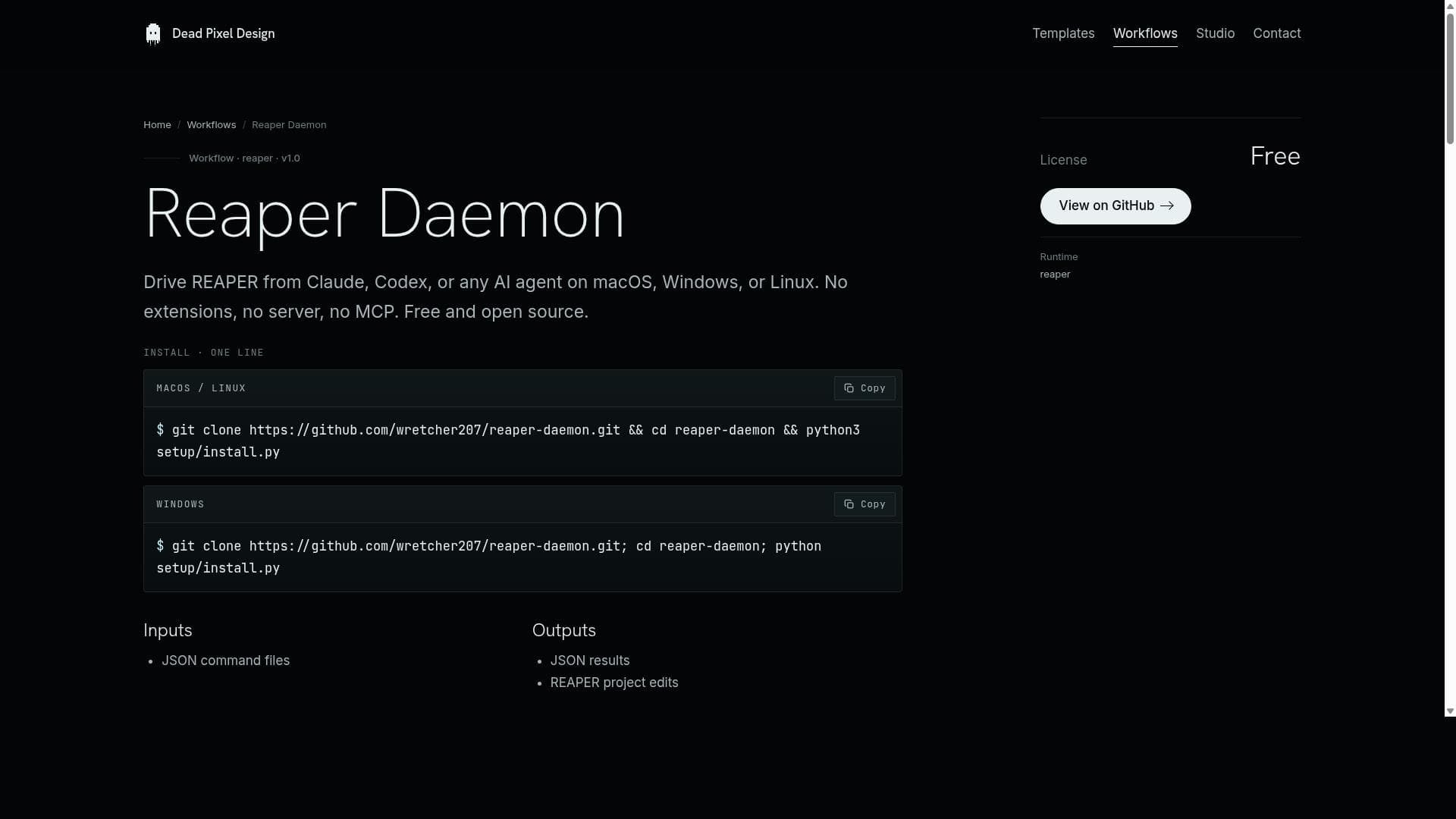
Reaper Daemon is a free, open-source tool that enables AI agents like Claude and Codex to control the REAPER digital audio workstation across macOS, Windows, and Linux without any extensions or servers. Ideal for audio professionals and developers, it offers a lightweight, native API-based integration that ensures safe, undoable edits and seamless AI-driven automation within REAPER.

Description
Reaper Daemon is the daemon you let into REAPER, a small local bridge that lets Claude Code, Codex, or any AI agent drive your DAW. Ask in plain English; it makes the real edit in your real project. Humanized drum grooves written into your kit. Surgical EQ on an actual plugin, and it tells you why. No browser extension, no server, no MCP. 100% local, and every edit is one undo away.
Detailed Description
Reaper Daemon is an innovative open-source tool designed to seamlessly integrate AI-driven workflows with the REAPER digital audio workstation (DAW). Its core purpose is to enable users to control REAPER remotely using AI agents such as Claude, Codex, or any other capable AI on macOS, Windows, or Linux platforms. Unlike many other solutions that require complex setups involving extensions, servers, or third-party plugins, Reaper Daemon operates purely through the native REAPER API. This approach ensures a lightweight, efficient, and secure method for AI interaction with REAPER projects, making it accessible to a broad range of users without the overhead of additional software dependencies. At the heart of Reaper Daemon’s functionality is its architecture that leverages a simple yet powerful communication mechanism. The AI agent writes JSON commands into a designated folder, which a Lua script running inside REAPER continuously monitors and reads. This setup eliminates the need for network connections, sockets, or server processes, ensuring all operations remain local and secure on the user's machine. Each command executed within REAPER is wrapped inside an undo block, providing a safety net that allows users to revert changes instantly using the standard undo shortcut. The installation process is streamlined with an automated setup script that detects the user's operating system, locates the REAPER installation, and injects the necessary bridge code into REAPER's startup script, enabling the daemon to run persistently in the background. Reaper Daemon is particularly well-suited for audio professionals, developers, and enthusiasts who want to harness the power of AI to automate or enhance their audio production workflows. For example, sound designers can script complex track modifications or FX chain adjustments via AI, composers can generate and manipulate MIDI or audio clips programmatically, and developers can prototype AI-driven audio tools without delving into REAPER's native API complexities. Its cross-platform compatibility ensures that users on macOS, Windows, or Linux can benefit equally, making it a versatile choice for diverse studio environments. One of the most compelling aspects of Reaper Daemon is its pricing model: it is completely free and open source under the MIT license. This means users can freely download, modify, and distribute the software without any cost or licensing restrictions. The open-source nature also encourages community contributions, transparency, and long-term sustainability. Compared to proprietary or commercial DAW automation tools, Reaper Daemon offers a no-cost, highly customizable alternative that integrates directly with REAPER’s native capabilities. When compared to other REAPER automation or AI integration tools, Reaper Daemon stands out due to its minimalistic design and lack of dependencies. Many alternatives require installing third-party extensions like SWS or running dedicated server processes, which can complicate setup and introduce stability issues. Reaper Daemon’s use of JSON file-based communication and native Lua scripting avoids these pitfalls, offering a robust and lightweight solution. However, this design also means it relies on file polling rather than real-time network communication, which might introduce slight latency in command execution. Additionally, users need some familiarity with command-line tools and scripting to fully leverage its capabilities. In summary, Reaper Daemon is a powerful, free, and open-source bridge that empowers users to control REAPER through AI agents across all major desktop platforms. Its native API reliance, simple JSON command interface, and undo-safe execution model make it an ideal tool for those looking to innovate in audio production automation without the complexity of traditional extension-based solutions. While it may require some technical know-how to set up and use effectively, its flexibility and cost-effectiveness make it a valuable asset for the REAPER community and AI workflow enthusiasts alike.
Tool Features
- Drive REAPER from Claude, Codex, or any AI agent on macOS, Windows, or Linux
- No extensions, no server, no MCP required
- Free and open source under the MIT license
- Uses native REAPER API only, no third-party extensions or plugins
- Runs on macOS, Windows, and Linux with a single Python CLI
- Agent writes JSON commands into a folder and Lua script inside REAPER reads them
- Every command runs inside a REAPER undo block for safe editing
- Setup installs and wires the bridge into REAPER's startup script automatically
Description
✦
Reaper Daemon is a free, open-source tool that enables AI agents like Claude and Codex to control the REAPER digital audio workstation across macOS, Windows, and Linux without any extensions or servers. Ideal for audio professionals and developers, it offers a lightweight, native API-based integration that ensures safe, undoable edits and seamless AI-driven automation within REAPER.
Reaper Daemon is the daemon you let into REAPER, a small local bridge that lets Claude Code, Codex, or any AI agent drive your DAW. Ask in plain English; it makes the real edit in your real project. Humanized drum grooves written into your kit. Surgical EQ on an actual plugin, and it tells you why. No browser extension, no server, no MCP. 100% local, and every edit is one undo away.
Detailed Description
Reaper Daemon is an innovative open-source tool designed to seamlessly integrate AI-driven workflows with the REAPER digital audio workstation (DAW). Its core purpose is to enable users to control REAPER remotely using AI agents such as Claude, Codex, or any other capable AI on macOS, Windows, or Linux platforms. Unlike many other solutions that require complex setups involving extensions, servers, or third-party plugins, Reaper Daemon operates purely through the native REAPER API. This approach ensures a lightweight, efficient, and secure method for AI interaction with REAPER projects, making it accessible to a broad range of users without the overhead of additional software dependencies. At the heart of Reaper Daemon’s functionality is its architecture that leverages a simple yet powerful communication mechanism. The AI agent writes JSON commands into a designated folder, which a Lua script running inside REAPER continuously monitors and reads. This setup eliminates the need for network connections, sockets, or server processes, ensuring all operations remain local and secure on the user's machine. Each command executed within REAPER is wrapped inside an undo block, providing a safety net that allows users to revert changes instantly using the standard undo shortcut. The installation process is streamlined with an automated setup script that detects the user's operating system, locates the REAPER installation, and injects the necessary bridge code into REAPER's startup script, enabling the daemon to run persistently in the background. Reaper Daemon is particularly well-suited for audio professionals, developers, and enthusiasts who want to harness the power of AI to automate or enhance their audio production workflows. For example, sound designers can script complex track modifications or FX chain adjustments via AI, composers can generate and manipulate MIDI or audio clips programmatically, and developers can prototype AI-driven audio tools without delving into REAPER's native API complexities. Its cross-platform compatibility ensures that users on macOS, Windows, or Linux can benefit equally, making it a versatile choice for diverse studio environments. One of the most compelling aspects of Reaper Daemon is its pricing model: it is completely free and open source under the MIT license. This means users can freely download, modify, and distribute the software without any cost or licensing restrictions. The open-source nature also encourages community contributions, transparency, and long-term sustainability. Compared to proprietary or commercial DAW automation tools, Reaper Daemon offers a no-cost, highly customizable alternative that integrates directly with REAPER’s native capabilities. When compared to other REAPER automation or AI integration tools, Reaper Daemon stands out due to its minimalistic design and lack of dependencies. Many alternatives require installing third-party extensions like SWS or running dedicated server processes, which can complicate setup and introduce stability issues. Reaper Daemon’s use of JSON file-based communication and native Lua scripting avoids these pitfalls, offering a robust and lightweight solution. However, this design also means it relies on file polling rather than real-time network communication, which might introduce slight latency in command execution. Additionally, users need some familiarity with command-line tools and scripting to fully leverage its capabilities. In summary, Reaper Daemon is a powerful, free, and open-source bridge that empowers users to control REAPER through AI agents across all major desktop platforms. Its native API reliance, simple JSON command interface, and undo-safe execution model make it an ideal tool for those looking to innovate in audio production automation without the complexity of traditional extension-based solutions. While it may require some technical know-how to set up and use effectively, its flexibility and cost-effectiveness make it a valuable asset for the REAPER community and AI workflow enthusiasts alike.
Frequently Asked Questions
What is Reaper Daemon?
Reaper Daemon is an open-source tool that allows AI agents to control the REAPER digital audio workstation on macOS, Windows, and Linux. It uses native REAPER API calls through a JSON-based command system without requiring any extensions, servers, or third-party plugins.
How much does Reaper Daemon cost?
Reaper Daemon is completely free and open source, released under the MIT license. There are no costs or subscription fees associated with using it.
Who is Reaper Daemon best for?
It is best suited for audio professionals, developers, and enthusiasts who want to automate or enhance their REAPER workflows using AI agents. It is particularly useful for those who prefer a lightweight, native integration without additional software dependencies.
What are the main features of Reaper Daemon?
Key features include cross-platform support (macOS, Windows, Linux), no need for extensions or servers, native REAPER API usage, JSON command communication between AI agents and REAPER, undo-safe command execution, and an automated setup that integrates the daemon into REAPER's startup script.
Does Reaper Daemon offer a free trial?
Since Reaper Daemon is free and open source, there is no need for a trial period. Users can download and use the tool immediately without any restrictions.
What integrations does Reaper Daemon support?
Reaper Daemon supports integration with any AI agent or script capable of reading and writing JSON files, including Claude, Codex, Cursor's terminal agent, or custom scripts. It does not require the AI to understand REAPER’s API directly.
How does Reaper Daemon work?
The AI agent writes JSON commands into a designated folder, which a Lua script inside REAPER reads and executes using the native REAPER API. Each command runs inside an undo block, allowing safe editing. The daemon runs as a background process integrated into REAPER’s startup sequence.
Socials
Use ToolReviews
0 reviews
No reviews yet. Be the first to share your experience.
Sponsored Tools









































Recommended Tools
Stay updated on latest Ai tools
Get the latest insights, Join our newsletter
Read and trusted by 50,000+ readers
Join the biggest AI Community
Our community and staff are here to help!
Your feedback will help Alice AI improve in future versions.








Submit your Tool


PoweredByAI.app is an AI Tools Directory helping individuals, businesses, and creators discover the best AI tools for writing, coding, design, productivity, and more.
© 2026 , Product of011BQ. All rights reserved.