🚀 Zaprep: Your Socials on Steroids. Start free — automate 1,000 DMs/month & turn engagement into leads. with 1,000 automated DMs/month.


Is this your AI tool? Claim it today.
Verify ownership, manage your profile, and unlock growth features.
Radar is a fast, open-source Kubernetes UI that consolidates topology visualization, event tracking, Helm, GitOps, traffic monitoring, and security checks into one seamless platform. Ideal for DevOps and SRE teams seeking a self-hosted, cloud-independent solution, Radar delivers real-time insights and multi-cluster AI automation without any cost or account requirements.

Description
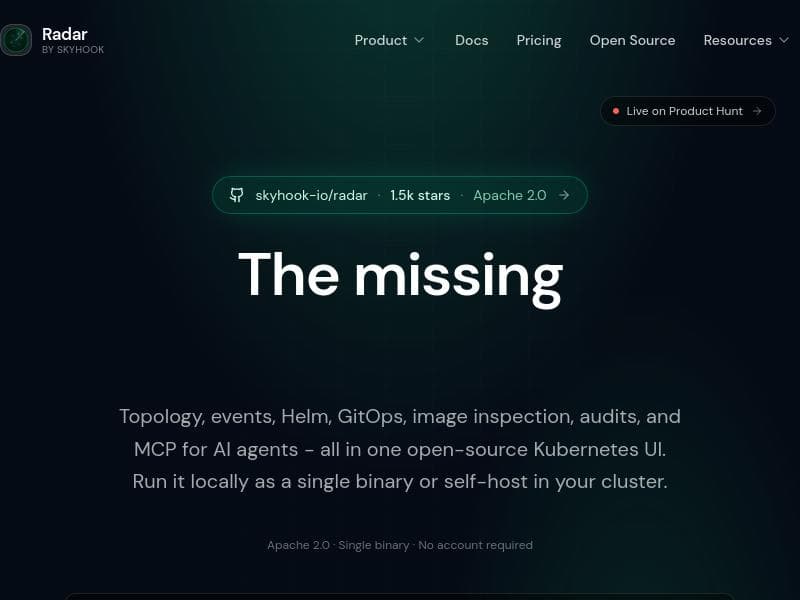
Radar brings your Kubernetes workflows into one fast, open-source UI: real-time topology, resources, events, Helm, GitOps, live traffic flows, security & best-practice checks, image filesystem inspection, and MCP for AI agents. Run it locally as a single binary or self-host it in-cluster with RBAC + OIDC — no account, agents, or cloud required.
Detailed Description
Radar is a comprehensive, open-source user interface designed to streamline and unify Kubernetes workflows into a single, efficient platform. Its core purpose is to provide Kubernetes users—ranging from developers to cluster administrators—with real-time insights and management capabilities that enhance operational visibility, security, and efficiency. By consolidating multiple Kubernetes management aspects into one fast, intuitive UI, Radar eliminates the need for juggling disparate tools or cloud services, enabling teams to monitor and control their clusters seamlessly either locally or within their own infrastructure. At the heart of Radar’s functionality is its real-time topology visualization, which graphically represents the relationships and statuses of Kubernetes resources, making it easier to understand complex cluster architectures at a glance. This is complemented by event tracking that surfaces critical cluster events as they happen, allowing for proactive troubleshooting and monitoring. Radar’s Helm integration supports managing Helm charts directly within the UI, simplifying application deployment and upgrades. GitOps support further enhances deployment workflows by integrating with Git repositories to automate and audit cluster state changes, ensuring consistency and compliance. Radar also excels in traffic flow monitoring, providing live insights into network communications within the cluster, which is crucial for performance tuning and security auditing. Its OpenCost analysis feature helps teams monitor and optimize cloud-native infrastructure costs by breaking down resource usage and associated expenses. Cluster auditing tools within Radar perform security and best-practice checks, helping maintain compliance and reduce vulnerabilities. Additionally, the image filesystem viewer allows users to inspect container images’ contents directly, aiding in security assessments and debugging. A unique aspect of Radar is its MCP (Multi-Cluster Platform) support for AI agents, enabling advanced automation and intelligent cluster management across multiple Kubernetes environments. Radar is ideal for Kubernetes operators, DevOps engineers, SRE teams, and developers who require a holistic view of their clusters without relying on cloud vendor lock-in or multiple fragmented tools. It is especially valuable in environments where security, compliance, and cost optimization are priorities, and where teams prefer self-hosted solutions with robust access control via RBAC and OIDC. Use cases include real-time troubleshooting, deployment management, security auditing, cost tracking, and multi-cluster AI-driven automation. One of Radar’s most appealing aspects is its pricing model—it is completely free and open-source, with no hidden costs or subscription fees. Users can run it locally as a single binary for quick setup or deploy it self-hosted within their Kubernetes clusters, benefiting from enterprise-grade access controls without needing accounts, agents, or cloud dependencies. Compared to alternatives, Radar stands out by combining a broad set of Kubernetes management features into one cohesive UI, whereas many other tools specialize in only one or two areas such as monitoring or GitOps. Its open-source nature and ability to run fully self-hosted appeal to organizations with strict security or compliance requirements. However, some commercial platforms may offer more extensive integrations or support services, which Radar currently does not provide. Potential limitations include the need for Kubernetes familiarity to fully leverage its capabilities and the absence of a managed cloud offering, which might deter teams seeking turnkey SaaS solutions. Additionally, while Radar covers many critical Kubernetes workflows, highly specialized enterprise features or integrations may require complementary tools. Nonetheless, its extensibility and active open-source community continue to enhance its functionality. In summary, Radar is a powerful, free, and open-source Kubernetes UI that unifies topology visualization, event tracking, Helm and GitOps integration, traffic monitoring, cost analysis, security auditing, and AI-driven multi-cluster management. It empowers Kubernetes users to gain deep operational insights and control within a single platform, making it an excellent choice for teams prioritizing security, cost-efficiency, and self-hosted flexibility.
Tool Features
- Topology visualization
- Event tracking
- Helm integration
- GitOps support
- Traffic flow monitoring
- OpenCost analysis
- Cluster auditing
- Image filesystem viewer
- MCP for AI agents
Description
Radar is a fast, open-source Kubernetes UI that consolidates topology visualization, event tracking, Helm, GitOps, traffic monitoring, and security checks into one seamless platform. Ideal for DevOps and SRE teams seeking a self-hosted, cloud-independent solution, Radar delivers real-time insights and multi-cluster AI automation without any cost or account requirements.
Radar brings your Kubernetes workflows into one fast, open-source UI: real-time topology, resources, events, Helm, GitOps, live traffic flows, security & best-practice checks, image filesystem inspection, and MCP for AI agents. Run it locally as a single binary or self-host it in-cluster with RBAC + OIDC — no account, agents, or cloud required.
Detailed Description
Radar is a comprehensive, open-source user interface designed to streamline and unify Kubernetes workflows into a single, efficient platform. Its core purpose is to provide Kubernetes users—ranging from developers to cluster administrators—with real-time insights and management capabilities that enhance operational visibility, security, and efficiency. By consolidating multiple Kubernetes management aspects into one fast, intuitive UI, Radar eliminates the need for juggling disparate tools or cloud services, enabling teams to monitor and control their clusters seamlessly either locally or within their own infrastructure. At the heart of Radar’s functionality is its real-time topology visualization, which graphically represents the relationships and statuses of Kubernetes resources, making it easier to understand complex cluster architectures at a glance. This is complemented by event tracking that surfaces critical cluster events as they happen, allowing for proactive troubleshooting and monitoring. Radar’s Helm integration supports managing Helm charts directly within the UI, simplifying application deployment and upgrades. GitOps support further enhances deployment workflows by integrating with Git repositories to automate and audit cluster state changes, ensuring consistency and compliance. Radar also excels in traffic flow monitoring, providing live insights into network communications within the cluster, which is crucial for performance tuning and security auditing. Its OpenCost analysis feature helps teams monitor and optimize cloud-native infrastructure costs by breaking down resource usage and associated expenses. Cluster auditing tools within Radar perform security and best-practice checks, helping maintain compliance and reduce vulnerabilities. Additionally, the image filesystem viewer allows users to inspect container images’ contents directly, aiding in security assessments and debugging. A unique aspect of Radar is its MCP (Multi-Cluster Platform) support for AI agents, enabling advanced automation and intelligent cluster management across multiple Kubernetes environments. Radar is ideal for Kubernetes operators, DevOps engineers, SRE teams, and developers who require a holistic view of their clusters without relying on cloud vendor lock-in or multiple fragmented tools. It is especially valuable in environments where security, compliance, and cost optimization are priorities, and where teams prefer self-hosted solutions with robust access control via RBAC and OIDC. Use cases include real-time troubleshooting, deployment management, security auditing, cost tracking, and multi-cluster AI-driven automation. One of Radar’s most appealing aspects is its pricing model—it is completely free and open-source, with no hidden costs or subscription fees. Users can run it locally as a single binary for quick setup or deploy it self-hosted within their Kubernetes clusters, benefiting from enterprise-grade access controls without needing accounts, agents, or cloud dependencies. Compared to alternatives, Radar stands out by combining a broad set of Kubernetes management features into one cohesive UI, whereas many other tools specialize in only one or two areas such as monitoring or GitOps. Its open-source nature and ability to run fully self-hosted appeal to organizations with strict security or compliance requirements. However, some commercial platforms may offer more extensive integrations or support services, which Radar currently does not provide. Potential limitations include the need for Kubernetes familiarity to fully leverage its capabilities and the absence of a managed cloud offering, which might deter teams seeking turnkey SaaS solutions. Additionally, while Radar covers many critical Kubernetes workflows, highly specialized enterprise features or integrations may require complementary tools. Nonetheless, its extensibility and active open-source community continue to enhance its functionality. In summary, Radar is a powerful, free, and open-source Kubernetes UI that unifies topology visualization, event tracking, Helm and GitOps integration, traffic monitoring, cost analysis, security auditing, and AI-driven multi-cluster management. It empowers Kubernetes users to gain deep operational insights and control within a single platform, making it an excellent choice for teams prioritizing security, cost-efficiency, and self-hosted flexibility.
Frequently Asked Questions
What is Radar?
Radar is an open-source user interface that unifies Kubernetes workflows by providing real-time topology visualization, event tracking, Helm and GitOps integration, traffic flow monitoring, security checks, cost analysis, and AI-driven multi-cluster management—all within a single fast platform.
How much does Radar cost?
Radar is completely free to use. It is open-source software with no subscription fees or hidden costs.
Who is Radar best for?
Radar is best suited for Kubernetes operators, DevOps engineers, site reliability engineers (SREs), and developers who want comprehensive cluster management and monitoring without relying on cloud services or multiple disparate tools.
What are the main features of Radar?
Key features include real-time topology visualization, event tracking, Helm chart management, GitOps support, live traffic flow monitoring, OpenCost cloud-native cost analysis, cluster auditing with security and best-practice checks, an image filesystem viewer, and MCP support for AI agents managing multiple clusters.
Does Radar offer a free trial?
Radar is fully free and open-source, so there is no need for a trial period—users can download and use it immediately without restrictions.
What integrations does Radar support?
Radar integrates with Helm for chart management, Git repositories for GitOps workflows, and supports RBAC and OIDC for access control. It also offers MCP for AI agent integration across multiple Kubernetes clusters.
How does Radar work?
Radar runs either locally as a single binary or self-hosted within a Kubernetes cluster. It connects directly to the Kubernetes API to gather real-time data on resources, events, traffic, and configurations, then presents this information through its intuitive UI with built-in security and cost analysis features.
Socials
Use ToolReviews
No reviews yet. Be the first to share your experience.
Sponsored Tools







































Recommended Tools
Stay updated on latest Ai tools
Get the latest insights, Join our newsletter
Read and trusted by 50,000+ readers
Join the biggest AI Community
Our community and staff are here to help!
Your feedback will help Alice AI improve in future versions.







Submit your Tool


PoweredByAI.app is an AI Tools Directory helping individuals, businesses, and creators discover the best AI tools for writing, coding, design, productivity, and more.
© 2026 , Product of011BQ. All rights reserved.