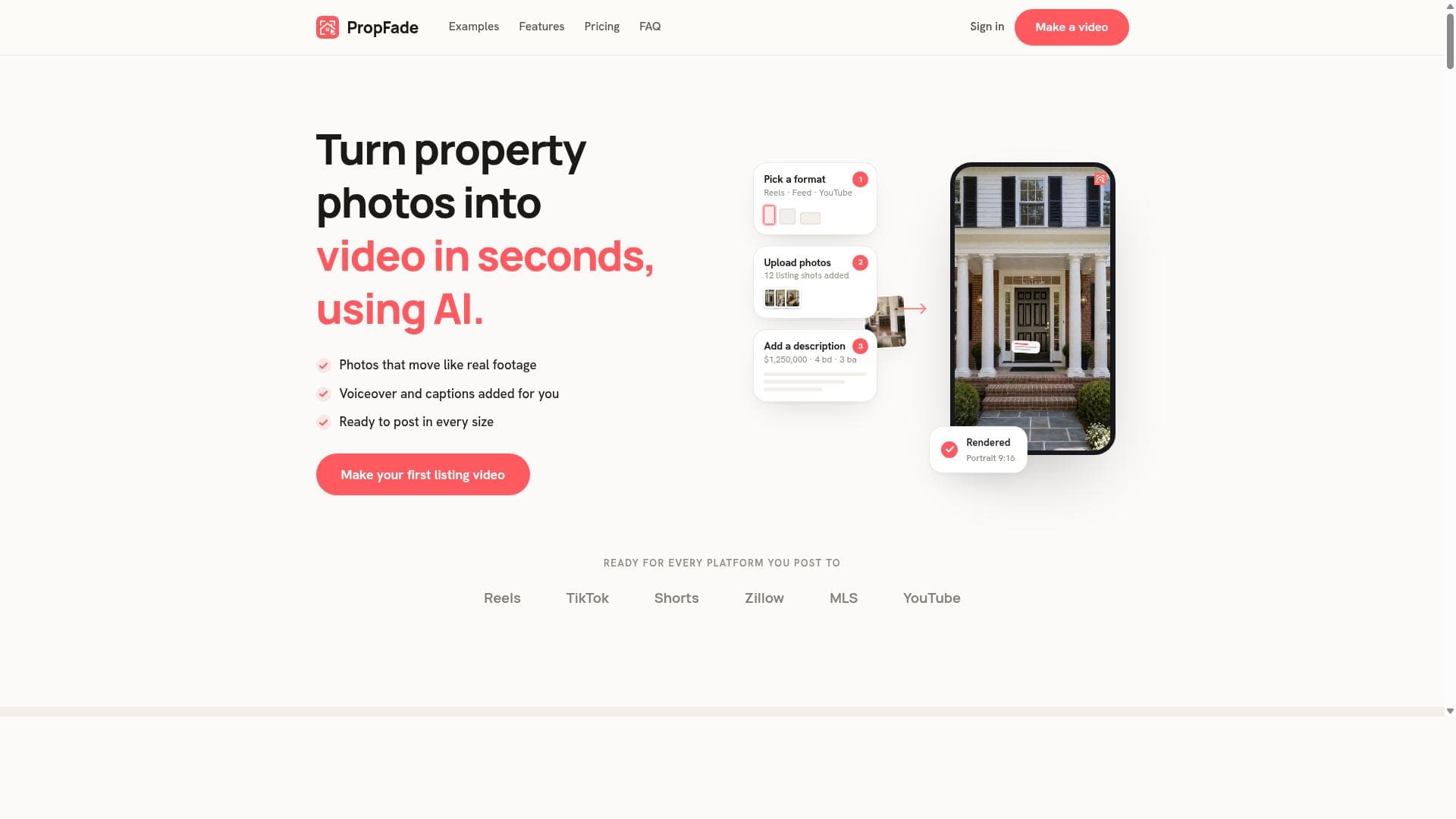


PropFade is a cutting-edge AI tool that transforms property listing photos into polished real estate videos complete with motion effects, voiceovers, and captions in just minutes. Ideal for real estate professionals looking to quickly create engaging, multi-format videos optimized for platforms like TikTok, Instagram, and MLS listings, PropFade streamlines video marketing with automation and speed.
Description
PropFade is an AI-powered tool that transforms property listing photos into polished real estate videos complete with motion effects, voiceover, and captions. It supports multiple video formats including vertical, square, and widescreen, enabling users to create ready-to-post videos in about two minutes.
Detailed Description
PropFade is an innovative AI-powered platform designed specifically for real estate professionals seeking to elevate their property marketing efforts through dynamic video content. At its core, PropFade transforms static property listing photos into engaging, polished real estate videos that incorporate motion effects, voiceovers, and captions. This automation streamlines the traditionally time-consuming process of video creation, enabling agents, brokers, and marketers to produce high-quality promotional videos quickly and efficiently. By supporting multiple video formats—including vertical, square, and widescreen—PropFade ensures compatibility with a wide range of social media platforms and listing sites, making it a versatile tool for modern real estate marketing. The key features of PropFade center around its ability to convert simple photo galleries into captivating videos that grab viewers’ attention. The platform applies motion effects to still images, adding dynamic zooms, pans, and transitions that bring listings to life. It automatically generates voiceovers that narrate property details, enhancing accessibility and engagement without requiring users to record audio themselves. Captions are also automatically added, improving video comprehension and reach, especially on platforms where videos often play muted by default. PropFade’s support for multiple aspect ratios—vertical for TikTok and Reels, square for Instagram, and widescreen for YouTube and MLS listings—means users can tailor their content to the specific requirements of each channel. The entire video creation process is remarkably fast, typically taking about two minutes from photo upload to finished video, allowing real estate professionals to maintain a steady flow of fresh content. PropFade is ideally suited for real estate agents, brokers, property managers, and marketing teams who need to produce professional-grade video content without investing significant time or technical expertise. It is particularly valuable for those managing multiple listings who want to quickly generate engaging videos to post on social media platforms like Instagram Reels, TikTok, YouTube Shorts, Zillow, MLS portals, and more. By automating voiceover and caption generation, PropFade also benefits users who may lack video editing skills or resources. Specific use cases include creating promotional videos for new listings, virtual open houses, social media advertising campaigns, and enhancing online property portfolios with multimedia content. Regarding pricing, PropFade typically offers tiered subscription plans tailored to different user needs, ranging from individual agents to larger teams. While exact pricing details may vary, plans often include a set number of video credits per month, access to all video formats, and priority support. Some plans may offer additional features such as custom branding options or bulk video creation capabilities. Interested users should visit the PropFade website for the most current pricing and plan details. Occasionally, PropFade may provide free trials or demo versions to allow prospective customers to evaluate the tool’s functionality before committing. When compared to alternative real estate video creation tools, PropFade stands out due to its comprehensive automation and speed. Many competitors require manual video editing or separate voiceover recording, whereas PropFade integrates these steps into a seamless workflow. Its multi-format support and focus on real estate-specific content make it more specialized than generic video editing platforms. However, some alternatives might offer more advanced customization or integration options depending on user needs. PropFade’s simplicity and rapid turnaround time make it particularly attractive for users prioritizing efficiency and ease of use. Notable limitations of PropFade include potential constraints on customization beyond the automated templates and effects. Users seeking highly bespoke video designs or advanced editing features may find the platform less flexible than professional video editing software. Additionally, while the AI-generated voiceovers are convenient, they may lack the nuance or personalization of human narration. Users should also consider the subscription model and video credit limits to ensure the service aligns with their volume requirements. Overall, PropFade excels as a fast, user-friendly solution for real estate video marketing but may require complementary tools for more complex production needs.
Tool Features
- Transforms listing photos into videos with motion effects
- Automatically adds voiceover and captions
- Supports multiple video formats: vertical, square, widescreen
- Produces videos ready to post on platforms like Reels, TikTok, Shorts, Zillow, MLS, and YouTube
- Fast video creation process, approximately two minutes
Description
PropFade is a cutting-edge AI tool that transforms property listing photos into polished real estate videos complete with motion effects, voiceovers, and captions in just minutes. Ideal for real estate professionals looking to quickly create engaging, multi-format videos optimized for platforms like TikTok, Instagram, and MLS listings, PropFade streamlines video marketing with automation and speed.
PropFade is an AI-powered tool that transforms property listing photos into polished real estate videos complete with motion effects, voiceover, and captions. It supports multiple video formats including vertical, square, and widescreen, enabling users to create ready-to-post videos in about two minutes.
Detailed Description
PropFade is an innovative AI-powered platform designed specifically for real estate professionals seeking to elevate their property marketing efforts through dynamic video content. At its core, PropFade transforms static property listing photos into engaging, polished real estate videos that incorporate motion effects, voiceovers, and captions. This automation streamlines the traditionally time-consuming process of video creation, enabling agents, brokers, and marketers to produce high-quality promotional videos quickly and efficiently. By supporting multiple video formats—including vertical, square, and widescreen—PropFade ensures compatibility with a wide range of social media platforms and listing sites, making it a versatile tool for modern real estate marketing. The key features of PropFade center around its ability to convert simple photo galleries into captivating videos that grab viewers’ attention. The platform applies motion effects to still images, adding dynamic zooms, pans, and transitions that bring listings to life. It automatically generates voiceovers that narrate property details, enhancing accessibility and engagement without requiring users to record audio themselves. Captions are also automatically added, improving video comprehension and reach, especially on platforms where videos often play muted by default. PropFade’s support for multiple aspect ratios—vertical for TikTok and Reels, square for Instagram, and widescreen for YouTube and MLS listings—means users can tailor their content to the specific requirements of each channel. The entire video creation process is remarkably fast, typically taking about two minutes from photo upload to finished video, allowing real estate professionals to maintain a steady flow of fresh content. PropFade is ideally suited for real estate agents, brokers, property managers, and marketing teams who need to produce professional-grade video content without investing significant time or technical expertise. It is particularly valuable for those managing multiple listings who want to quickly generate engaging videos to post on social media platforms like Instagram Reels, TikTok, YouTube Shorts, Zillow, MLS portals, and more. By automating voiceover and caption generation, PropFade also benefits users who may lack video editing skills or resources. Specific use cases include creating promotional videos for new listings, virtual open houses, social media advertising campaigns, and enhancing online property portfolios with multimedia content. Regarding pricing, PropFade typically offers tiered subscription plans tailored to different user needs, ranging from individual agents to larger teams. While exact pricing details may vary, plans often include a set number of video credits per month, access to all video formats, and priority support. Some plans may offer additional features such as custom branding options or bulk video creation capabilities. Interested users should visit the PropFade website for the most current pricing and plan details. Occasionally, PropFade may provide free trials or demo versions to allow prospective customers to evaluate the tool’s functionality before committing. When compared to alternative real estate video creation tools, PropFade stands out due to its comprehensive automation and speed. Many competitors require manual video editing or separate voiceover recording, whereas PropFade integrates these steps into a seamless workflow. Its multi-format support and focus on real estate-specific content make it more specialized than generic video editing platforms. However, some alternatives might offer more advanced customization or integration options depending on user needs. PropFade’s simplicity and rapid turnaround time make it particularly attractive for users prioritizing efficiency and ease of use. Notable limitations of PropFade include potential constraints on customization beyond the automated templates and effects. Users seeking highly bespoke video designs or advanced editing features may find the platform less flexible than professional video editing software. Additionally, while the AI-generated voiceovers are convenient, they may lack the nuance or personalization of human narration. Users should also consider the subscription model and video credit limits to ensure the service aligns with their volume requirements. Overall, PropFade excels as a fast, user-friendly solution for real estate video marketing but may require complementary tools for more complex production needs.
Frequently Asked Questions
What is PropFade?
PropFade is an AI-powered platform that converts property listing photos into dynamic real estate videos featuring motion effects, automated voiceovers, and captions, designed to help real estate professionals create engaging marketing content quickly.
How much does PropFade cost?
PropFade offers tiered subscription plans tailored to different user needs, typically including a set number of video credits per month and access to all video formats. For the most accurate and up-to-date pricing, visit the PropFade website.
Who is PropFade best for?
PropFade is best suited for real estate agents, brokers, property managers, and marketing teams who want to efficiently produce professional-quality real estate videos without extensive video editing skills.
What are the main features of PropFade?
Key features include transforming listing photos into videos with motion effects, automatic voiceover and caption generation, support for multiple video formats (vertical, square, widescreen), and fast video creation typically within two minutes.
Does PropFade offer a free trial?
PropFade may offer free trials or demo versions to let users test the platform before subscribing. Check their official website for current trial availability and terms.
What integrations does PropFade support?
While PropFade primarily focuses on video creation for real estate listings, it supports exporting videos in formats compatible with platforms like Instagram Reels, TikTok, YouTube Shorts, Zillow, and MLS portals. Specific third-party integrations are not prominently detailed.
How does PropFade work?
Users upload property listing photos to PropFade, which then applies AI-driven motion effects, generates voiceovers and captions automatically, and formats the video into vertical, square, or widescreen layouts, producing a ready-to-post real estate video in about two minutes.
Reviews
No reviews yet. Be the first to share your experience.