

Is this your AI tool? Claim it today.
Verify ownership, manage your profile, and unlock growth features.
Polymet uniquely combines AI-driven UI design with production-ready code generation, enabling users without design experience to create polished interfaces effortlessly. Ideal for developers and product teams seeking to accelerate prototyping and embed AI capabilities, Polymet streamlines the path from concept to deployment.

Description
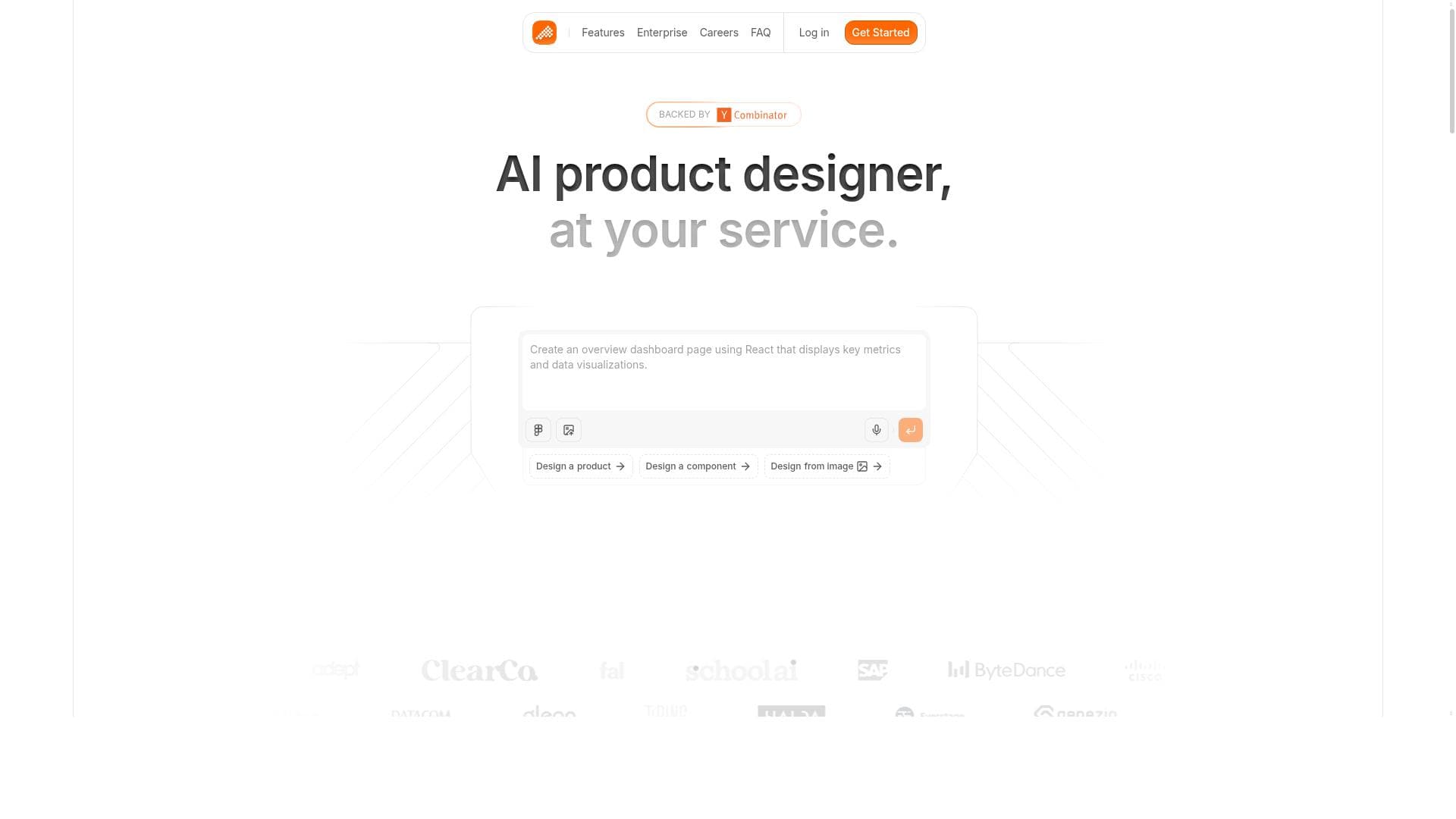
Polymet helps you create well designed user interfaces and prototypes without any design experience. You explain what you want or provide an image, and Polymet will design it for you and provide production-ready code for those designs.
Detailed Description
Polymet is an innovative AI-powered design tool that revolutionizes the way user interfaces and prototypes are created. Its core purpose is to enable users, regardless of their design experience, to quickly generate well-crafted UI designs and production-ready code simply by describing their needs or uploading an image. This approach eliminates the traditional barriers of UI/UX design, making it accessible to developers, product managers, entrepreneurs, and teams who want to accelerate their design-to-development workflow without relying heavily on specialized design skills. At its heart, Polymet combines advanced machine learning and data science capabilities to understand user input and translate it into visually appealing and functional interface designs. The tool supports comprehensive data analysis and model building, which allows it to learn from various design patterns and user preferences to produce optimized results. Beyond just design generation, Polymet facilitates AI model deployment, enabling users to integrate intelligent features into their applications seamlessly. This integration supports enhanced decision-making processes by providing actionable insights and automating routine tasks, ultimately improving operational efficiency across projects. Key features of Polymet include its ability to interpret natural language descriptions or image inputs to create detailed UI prototypes. It generates production-ready code, which means developers can directly use the output in their applications without needing extensive rework. The platform's machine learning tools are robust, supporting data-driven design decisions and customization. Additionally, Polymet's AI model deployment capabilities allow users to embed smart functionalities into their interfaces, making it a versatile tool for both design and AI integration. These features collectively empower users to streamline their development cycles, reduce time-to-market, and enhance product quality. Polymet is best suited for startups, small to medium-sized enterprises, freelance developers, and product teams who need rapid prototyping and UI design without the overhead of hiring dedicated designers. It is also valuable for data scientists and AI practitioners who want to incorporate AI models into user-facing applications with minimal friction. Specific use cases include creating mobile app interfaces, web application prototypes, dashboard designs, and embedding AI-driven features like predictive analytics or recommendation systems within user interfaces. The pricing model of Polymet is freemium, offering a free tier that allows users to explore its core functionalities with some limitations. Paid plans unlock advanced features, higher usage limits, and priority support, catering to professional and enterprise needs. This flexible pricing structure makes Polymet accessible to individual developers and scalable for larger teams. Compared to traditional UI design tools, Polymet stands out by automating the design process through AI, reducing the need for manual design skills and iterative feedback cycles. Unlike some competitors that focus solely on design or code generation, Polymet integrates machine learning and AI model deployment, providing a more comprehensive solution that bridges design and intelligent application development. However, while Polymet excels in automation and AI integration, users requiring highly customized or brand-specific design elements might find some limitations in the tool's templated outputs. Notable considerations include the learning curve associated with effectively communicating design requirements to the AI and potential constraints in handling very complex or unconventional UI designs. Additionally, as with any AI-generated content, users should review and refine the output to ensure it meets their exact specifications and quality standards. Overall, Polymet offers a powerful, efficient, and accessible platform for UI design and AI integration, making it a valuable asset for modern development teams aiming to innovate rapidly.
Tool Features
- Comprehensive machine learning and data science tools
- Supports data analysis and model building
- Enables AI model deployment
- Facilitates enhanced decision-making
- Improves operational efficiency
Description
Polymet uniquely combines AI-driven UI design with production-ready code generation, enabling users without design experience to create polished interfaces effortlessly. Ideal for developers and product teams seeking to accelerate prototyping and embed AI capabilities, Polymet streamlines the path from concept to deployment.
Polymet helps you create well designed user interfaces and prototypes without any design experience. You explain what you want or provide an image, and Polymet will design it for you and provide production-ready code for those designs.
Detailed Description
Polymet is an innovative AI-powered design tool that revolutionizes the way user interfaces and prototypes are created. Its core purpose is to enable users, regardless of their design experience, to quickly generate well-crafted UI designs and production-ready code simply by describing their needs or uploading an image. This approach eliminates the traditional barriers of UI/UX design, making it accessible to developers, product managers, entrepreneurs, and teams who want to accelerate their design-to-development workflow without relying heavily on specialized design skills. At its heart, Polymet combines advanced machine learning and data science capabilities to understand user input and translate it into visually appealing and functional interface designs. The tool supports comprehensive data analysis and model building, which allows it to learn from various design patterns and user preferences to produce optimized results. Beyond just design generation, Polymet facilitates AI model deployment, enabling users to integrate intelligent features into their applications seamlessly. This integration supports enhanced decision-making processes by providing actionable insights and automating routine tasks, ultimately improving operational efficiency across projects. Key features of Polymet include its ability to interpret natural language descriptions or image inputs to create detailed UI prototypes. It generates production-ready code, which means developers can directly use the output in their applications without needing extensive rework. The platform's machine learning tools are robust, supporting data-driven design decisions and customization. Additionally, Polymet's AI model deployment capabilities allow users to embed smart functionalities into their interfaces, making it a versatile tool for both design and AI integration. These features collectively empower users to streamline their development cycles, reduce time-to-market, and enhance product quality. Polymet is best suited for startups, small to medium-sized enterprises, freelance developers, and product teams who need rapid prototyping and UI design without the overhead of hiring dedicated designers. It is also valuable for data scientists and AI practitioners who want to incorporate AI models into user-facing applications with minimal friction. Specific use cases include creating mobile app interfaces, web application prototypes, dashboard designs, and embedding AI-driven features like predictive analytics or recommendation systems within user interfaces. The pricing model of Polymet is freemium, offering a free tier that allows users to explore its core functionalities with some limitations. Paid plans unlock advanced features, higher usage limits, and priority support, catering to professional and enterprise needs. This flexible pricing structure makes Polymet accessible to individual developers and scalable for larger teams. Compared to traditional UI design tools, Polymet stands out by automating the design process through AI, reducing the need for manual design skills and iterative feedback cycles. Unlike some competitors that focus solely on design or code generation, Polymet integrates machine learning and AI model deployment, providing a more comprehensive solution that bridges design and intelligent application development. However, while Polymet excels in automation and AI integration, users requiring highly customized or brand-specific design elements might find some limitations in the tool's templated outputs. Notable considerations include the learning curve associated with effectively communicating design requirements to the AI and potential constraints in handling very complex or unconventional UI designs. Additionally, as with any AI-generated content, users should review and refine the output to ensure it meets their exact specifications and quality standards. Overall, Polymet offers a powerful, efficient, and accessible platform for UI design and AI integration, making it a valuable asset for modern development teams aiming to innovate rapidly.
Frequently Asked Questions
What is Polymet?
Polymet is an AI-powered tool that helps users create well-designed user interfaces and prototypes without any prior design experience by generating designs and production-ready code based on user descriptions or images.
How much does Polymet cost?
Polymet offers a freemium pricing model with a free tier for basic use and paid plans that unlock advanced features, higher usage limits, and priority support tailored for professional and enterprise users.
Who is Polymet best for?
Polymet is ideal for developers, product managers, startups, freelancers, and teams who want to quickly create UI designs and prototypes without specialized design skills, as well as data scientists looking to integrate AI models into applications.
What are the main features of Polymet?
Key features include AI-driven UI and prototype generation from text or images, production-ready code output, comprehensive machine learning and data science tools, support for data analysis and model building, AI model deployment, and enhancements for decision-making and operational efficiency.
Does Polymet offer a free trial?
Yes, Polymet provides a free tier that allows users to try out core functionalities without cost, which serves as a free trial to explore the platform before upgrading to paid plans.
What integrations does Polymet support?
While specific integrations are not detailed, Polymet supports AI model deployment and code generation that can be integrated into various development environments and workflows, facilitating seamless incorporation into existing projects.
How does Polymet work?
Users either describe the desired UI or upload an image, and Polymet uses machine learning algorithms to interpret the input, generate a well-designed interface prototype, and produce production-ready code that can be directly used in application development.
Socials
Use ToolReviews
No reviews yet. Be the first to share your experience.




















































