Featured in:Best AI Audio Tools
Get featured →🚀 Zaprep: Your Socials on Steroids. Start free — automate 1,000 DMs/month & turn engagement into leads. with 1,000 automated DMs/month.


✦
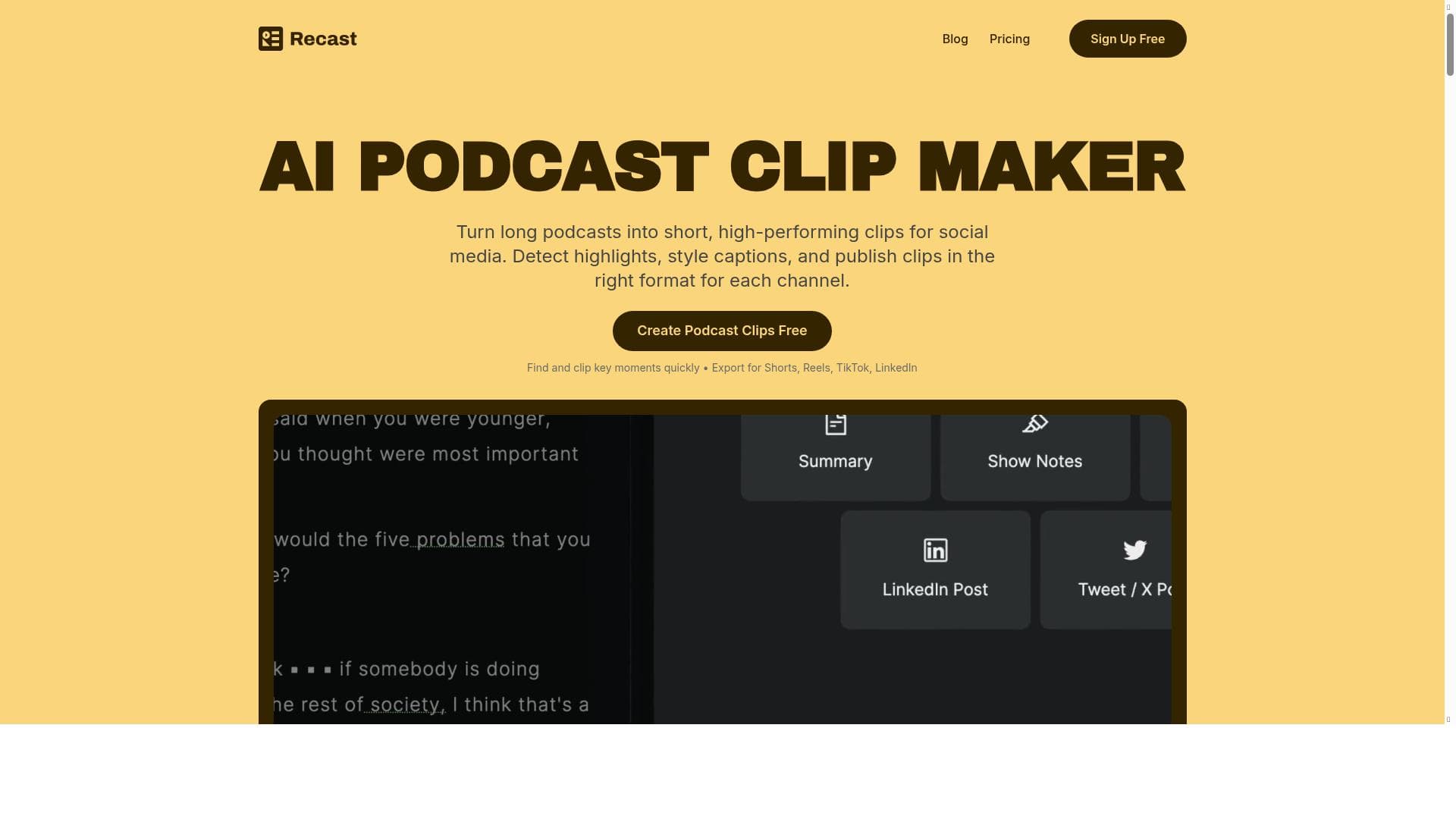
Podcast Clip Maker leverages AI to automatically transform long podcast episodes into polished, shareable clips optimized for all major social platforms. Ideal for podcasters and marketers, it streamlines content creation with features like automatic captions, filler word removal, and multi-format video output, helping users boost audience engagement and reach effortlessly.

Description
Podcast Clip Maker is an AI-powered tool that helps podcasters and marketers automatically generate podcast clips from long-form video and audio. Want to increase your podcast audience on all platforms? Interested in creating promotional clips or teasers to build excitement for your episodes? Looking to make your podcast go viral with shareable video snippets? Recast Studio's AI podcast clip generator can help. With just a few clicks, you can easily create engaging content for your episodes and simplify your entire podcast production process. Features: Automatic captions: The podcast clip maker automatically transcribes your episode and ads captions to the clip. Design your own templates: Always stay on brand. You can design templates with your brand colors, logos, images, and more. Autoreframe: AI automatically detects scenes and faces within a video and then arranges the layout according to a pre-set template. Remove filler words and pauses in one click: Say goodbye to 'ums' and 'ahs' and long pauses in your videos. AI cleans up your content, making it smoother and more professional. Create clips in multiple formats for all social media platforms: Produce versatile video content in multiple aspect ratios, including square (1:1), landscape (16:9), and vertical (9:16) formats. This approach ensures your clips are optimized for various popular social media platforms, such as Instagram, TikTok, Twitter, LinkedIn, and YouTube Shorts. By adapting your content to fit different screen orientations, you'll maximize your reach and engagement across diverse audiences on all major social networks. Benefits: Time-saving: Recast's AI can quickly analyze hours of podcast content and identify the most engaging or relevant segments. Improved efficiency: Automates the process of creating short, shareable clips from longer podcast episodes. Consistency: AI can maintain a consistent style and format across multiple clips. Data-driven selection: Uses algorithms to identify popular topics, keywords, or emotional moments that are likely to resonate with audiences. Personalization: Can create custom clips based on user preferences or target audience demographics. Increased discoverability: Helps podcasts reach new audiences through easily shareable, bite-sized content. Multi-platform optimization: Can create clips optimized for different social media platforms and their specific requirements. Transcription and captioning: Recast Studio's AI podcast clip maker can automatically generate accurate transcripts and captions for accessibility and SEO. Highlight key moments: Identify and emphasize important quotes, facts, or discussions within the podcast. Cost-effective: Reduces the need for manual editing and clip creation, potentially lowering production costs. Scalability: Easily handles large volumes of content, making it suitable for podcasters with extensive libraries. Use cases: Social media promotion: Create short, engaging clips to share on platforms like Instagram, Twitter, or TikTok to promote full podcast episodes. Highlight reels: Compile the best moments from multiple episodes into a single video for promotional purposes or to showcase the podcast's content. Teaser trailers: Generate short teasers for upcoming episodes to build anticipation among listeners. Content repurposing: Transform long-form podcast content into bite-sized video clips for different platforms and audiences. Audience engagement: Create shareable clips that listeners can easily distribute to their networks, increasing the podcast's reach. SEO optimization: Generate clips with relevant keywords and topics to improve search engine visibility and discoverability. Sponsorship showcases: Create clips featuring sponsor mentions or product placements for targeted advertising. Guest highlights: Produce clips featuring notable guests or expert insights to attract new listeners interested in specific topics or personalities. Educational snippets: Extract informative segments from educational podcasts to create standalone learning materials. Podcast summaries: Generate condensed versions of full episodes for time-constrained listeners or as episode previews. Audiogram creation: Combine audio clips with visual elements like waveforms or transcripts for more engaging social media content. Live stream highlights: Extract the best moments from live podcast recordings for on-demand viewing. Podcast trailer creation: Automatically generate trailers for new podcasts or seasons using clips from multiple episodes.
Detailed Description
Podcast Clip Maker by Recast Studio is an AI-powered solution designed to transform lengthy podcast episodes into engaging, shareable clips optimized for social media and promotional use. Its core purpose is to simplify and accelerate the podcast content creation workflow by automatically generating short video and audio snippets from long-form recordings. This tool is ideal for podcasters, marketers, and content creators looking to expand their audience reach, increase engagement, and streamline production without extensive manual editing. The tool boasts several advanced features that enhance both the quality and efficiency of clip creation. Automatic captions are generated through AI transcription, adding accessibility and improving SEO by embedding accurate subtitles directly onto clips. Users can design custom templates incorporating brand colors, logos, and images to ensure consistent visual identity across all content. The autoreframe feature intelligently detects faces and scenes within videos, automatically adjusting layouts to fit pre-set templates, which is particularly useful for maintaining professional aesthetics across different clip formats. Podcast Clip Maker also includes a one-click filler word and pause removal function, which cleans up verbal hesitations like "ums" and "ahs" and eliminates long silences, resulting in smoother, more polished clips. It supports multiple aspect ratios—square (1:1), landscape (16:9), and vertical (9:16)—to optimize clips for various social platforms including Instagram, TikTok, Twitter, LinkedIn, and YouTube Shorts. This multi-format capability ensures maximum reach and engagement by tailoring content to platform-specific viewing preferences. This tool is best suited for podcasters of all sizes, marketing teams, social media managers, and content repurposing specialists. Use cases range from creating social media promos and teaser trailers to compiling highlight reels and educational snippets. It also supports SEO optimization by identifying key topics and emotional moments, helping podcasts gain discoverability. Additionally, it can generate audiograms with waveform visuals, produce sponsorship showcases, guest highlights, and even podcast trailers, making it a versatile asset for comprehensive podcast marketing strategies. Podcast Clip Maker operates on a freemium pricing model, allowing users to access basic features for free with options to upgrade for advanced capabilities and higher usage limits. This approach makes it accessible to beginners while scaling to meet the needs of professional podcasters with extensive content libraries. Compared to alternatives, Podcast Clip Maker stands out due to its robust AI-driven automation that covers transcription, editing, formatting, and branding in a single platform. While some competitors may offer manual clipping or basic editing, Recast Studio’s tool excels in automating filler word removal and scene detection, saving significant time and effort. However, users should consider that the quality of AI transcription and editing may vary depending on audio clarity, and some advanced customization options might require a paid plan. In summary, Podcast Clip Maker is a comprehensive, AI-powered podcast clipping tool that dramatically reduces the time and complexity of producing promotional podcast content. Its multi-format output, automatic captioning, and brand customization features make it an indispensable tool for podcasters aiming to grow their audience and enhance engagement across multiple social media channels.
Tool Features
- Create engaging podcast clips
- Simplify clipping and editing podcast segments
- Efficient podcast promotion and content repurposing
Description
✦
Podcast Clip Maker leverages AI to automatically transform long podcast episodes into polished, shareable clips optimized for all major social platforms. Ideal for podcasters and marketers, it streamlines content creation with features like automatic captions, filler word removal, and multi-format video output, helping users boost audience engagement and reach effortlessly.
Podcast Clip Maker is an AI-powered tool that helps podcasters and marketers automatically generate podcast clips from long-form video and audio. Want to increase your podcast audience on all platforms? Interested in creating promotional clips or teasers to build excitement for your episodes? Looking to make your podcast go viral with shareable video snippets? Recast Studio's AI podcast clip generator can help. With just a few clicks, you can easily create engaging content for your episodes and simplify your entire podcast production process. Features: Automatic captions: The podcast clip maker automatically transcribes your episode and ads captions to the clip. Design your own templates: Always stay on brand. You can design templates with your brand colors, logos, images, and more. Autoreframe: AI automatically detects scenes and faces within a video and then arranges the layout according to a pre-set template. Remove filler words and pauses in one click: Say goodbye to 'ums' and 'ahs' and long pauses in your videos. AI cleans up your content, making it smoother and more professional. Create clips in multiple formats for all social media platforms: Produce versatile video content in multiple aspect ratios, including square (1:1), landscape (16:9), and vertical (9:16) formats. This approach ensures your clips are optimized for various popular social media platforms, such as Instagram, TikTok, Twitter, LinkedIn, and YouTube Shorts. By adapting your content to fit different screen orientations, you'll maximize your reach and engagement across diverse audiences on all major social networks. Benefits: Time-saving: Recast's AI can quickly analyze hours of podcast content and identify the most engaging or relevant segments. Improved efficiency: Automates the process of creating short, shareable clips from longer podcast episodes. Consistency: AI can maintain a consistent style and format across multiple clips. Data-driven selection: Uses algorithms to identify popular topics, keywords, or emotional moments that are likely to resonate with audiences. Personalization: Can create custom clips based on user preferences or target audience demographics. Increased discoverability: Helps podcasts reach new audiences through easily shareable, bite-sized content. Multi-platform optimization: Can create clips optimized for different social media platforms and their specific requirements. Transcription and captioning: Recast Studio's AI podcast clip maker can automatically generate accurate transcripts and captions for accessibility and SEO. Highlight key moments: Identify and emphasize important quotes, facts, or discussions within the podcast. Cost-effective: Reduces the need for manual editing and clip creation, potentially lowering production costs. Scalability: Easily handles large volumes of content, making it suitable for podcasters with extensive libraries. Use cases: Social media promotion: Create short, engaging clips to share on platforms like Instagram, Twitter, or TikTok to promote full podcast episodes. Highlight reels: Compile the best moments from multiple episodes into a single video for promotional purposes or to showcase the podcast's content. Teaser trailers: Generate short teasers for upcoming episodes to build anticipation among listeners. Content repurposing: Transform long-form podcast content into bite-sized video clips for different platforms and audiences. Audience engagement: Create shareable clips that listeners can easily distribute to their networks, increasing the podcast's reach. SEO optimization: Generate clips with relevant keywords and topics to improve search engine visibility and discoverability. Sponsorship showcases: Create clips featuring sponsor mentions or product placements for targeted advertising. Guest highlights: Produce clips featuring notable guests or expert insights to attract new listeners interested in specific topics or personalities. Educational snippets: Extract informative segments from educational podcasts to create standalone learning materials. Podcast summaries: Generate condensed versions of full episodes for time-constrained listeners or as episode previews. Audiogram creation: Combine audio clips with visual elements like waveforms or transcripts for more engaging social media content. Live stream highlights: Extract the best moments from live podcast recordings for on-demand viewing. Podcast trailer creation: Automatically generate trailers for new podcasts or seasons using clips from multiple episodes.
Detailed Description
Podcast Clip Maker by Recast Studio is an AI-powered solution designed to transform lengthy podcast episodes into engaging, shareable clips optimized for social media and promotional use. Its core purpose is to simplify and accelerate the podcast content creation workflow by automatically generating short video and audio snippets from long-form recordings. This tool is ideal for podcasters, marketers, and content creators looking to expand their audience reach, increase engagement, and streamline production without extensive manual editing. The tool boasts several advanced features that enhance both the quality and efficiency of clip creation. Automatic captions are generated through AI transcription, adding accessibility and improving SEO by embedding accurate subtitles directly onto clips. Users can design custom templates incorporating brand colors, logos, and images to ensure consistent visual identity across all content. The autoreframe feature intelligently detects faces and scenes within videos, automatically adjusting layouts to fit pre-set templates, which is particularly useful for maintaining professional aesthetics across different clip formats. Podcast Clip Maker also includes a one-click filler word and pause removal function, which cleans up verbal hesitations like "ums" and "ahs" and eliminates long silences, resulting in smoother, more polished clips. It supports multiple aspect ratios—square (1:1), landscape (16:9), and vertical (9:16)—to optimize clips for various social platforms including Instagram, TikTok, Twitter, LinkedIn, and YouTube Shorts. This multi-format capability ensures maximum reach and engagement by tailoring content to platform-specific viewing preferences. This tool is best suited for podcasters of all sizes, marketing teams, social media managers, and content repurposing specialists. Use cases range from creating social media promos and teaser trailers to compiling highlight reels and educational snippets. It also supports SEO optimization by identifying key topics and emotional moments, helping podcasts gain discoverability. Additionally, it can generate audiograms with waveform visuals, produce sponsorship showcases, guest highlights, and even podcast trailers, making it a versatile asset for comprehensive podcast marketing strategies. Podcast Clip Maker operates on a freemium pricing model, allowing users to access basic features for free with options to upgrade for advanced capabilities and higher usage limits. This approach makes it accessible to beginners while scaling to meet the needs of professional podcasters with extensive content libraries. Compared to alternatives, Podcast Clip Maker stands out due to its robust AI-driven automation that covers transcription, editing, formatting, and branding in a single platform. While some competitors may offer manual clipping or basic editing, Recast Studio’s tool excels in automating filler word removal and scene detection, saving significant time and effort. However, users should consider that the quality of AI transcription and editing may vary depending on audio clarity, and some advanced customization options might require a paid plan. In summary, Podcast Clip Maker is a comprehensive, AI-powered podcast clipping tool that dramatically reduces the time and complexity of producing promotional podcast content. Its multi-format output, automatic captioning, and brand customization features make it an indispensable tool for podcasters aiming to grow their audience and enhance engagement across multiple social media channels.
Frequently Asked Questions
What is Podcast Clip Maker?
Podcast Clip Maker is an AI-powered tool by Recast Studio that automatically generates short, engaging clips from long-form podcast audio and video. It simplifies the process of creating promotional content by providing features like automatic transcription, captioning, filler word removal, and multi-format video creation optimized for social media.
How much does Podcast Clip Maker cost?
Podcast Clip Maker offers a freemium pricing model, allowing users to access basic features for free. Advanced features, higher usage limits, and additional customization options are available through paid subscription plans.
Who is Podcast Clip Maker best for?
This tool is best suited for podcasters, marketers, social media managers, and content creators who want to efficiently produce shareable podcast clips to promote episodes, engage audiences, and repurpose content across multiple platforms.
What are the main features of Podcast Clip Maker?
Key features include automatic captions and transcription, custom branded templates, AI-driven autoreframe for video layout, one-click filler word and pause removal, and the ability to create clips in multiple aspect ratios optimized for platforms like Instagram, TikTok, Twitter, LinkedIn, and YouTube Shorts.
Does Podcast Clip Maker offer a free trial?
Yes, Podcast Clip Maker provides a freemium version that allows users to try basic features at no cost. This enables users to evaluate the tool before opting for paid plans with enhanced capabilities.
What integrations does Podcast Clip Maker support?
While specific third-party integrations are not detailed, Podcast Clip Maker supports exporting clips optimized for major social media platforms such as Instagram, TikTok, Twitter, LinkedIn, and YouTube Shorts, facilitating easy sharing and promotion.
How does Podcast Clip Maker work?
Users upload long-form podcast audio or video files into the platform, where AI analyzes the content to identify key segments. The tool then automatically transcribes, removes filler words and pauses, applies custom branding templates, and formats clips into multiple aspect ratios for social media sharing.
Socials
Use ToolReviews
0 reviews
No reviews yet. Be the first to share your experience.
Sponsored Tools











































Recommended Tools
Stay updated on latest Ai tools
Get the latest insights, Join our newsletter
Read and trusted by 50,000+ readers
Join the biggest AI Community
Our community and staff are here to help!
Your feedback will help Alice AI improve in future versions.








Submit your Tool


PoweredByAI.app is an AI Tools Directory helping individuals, businesses, and creators discover the best AI tools for writing, coding, design, productivity, and more.
© 2026 , Product of011BQ. All rights reserved.