Featured in:Best AI Writing Tools
Get featured →🚀 Zaprep: Your Socials on Steroids. Start free — automate 1,000 DMs/month & turn engagement into leads. with 1,000 automated DMs/month.
Photo To Video AI


✦
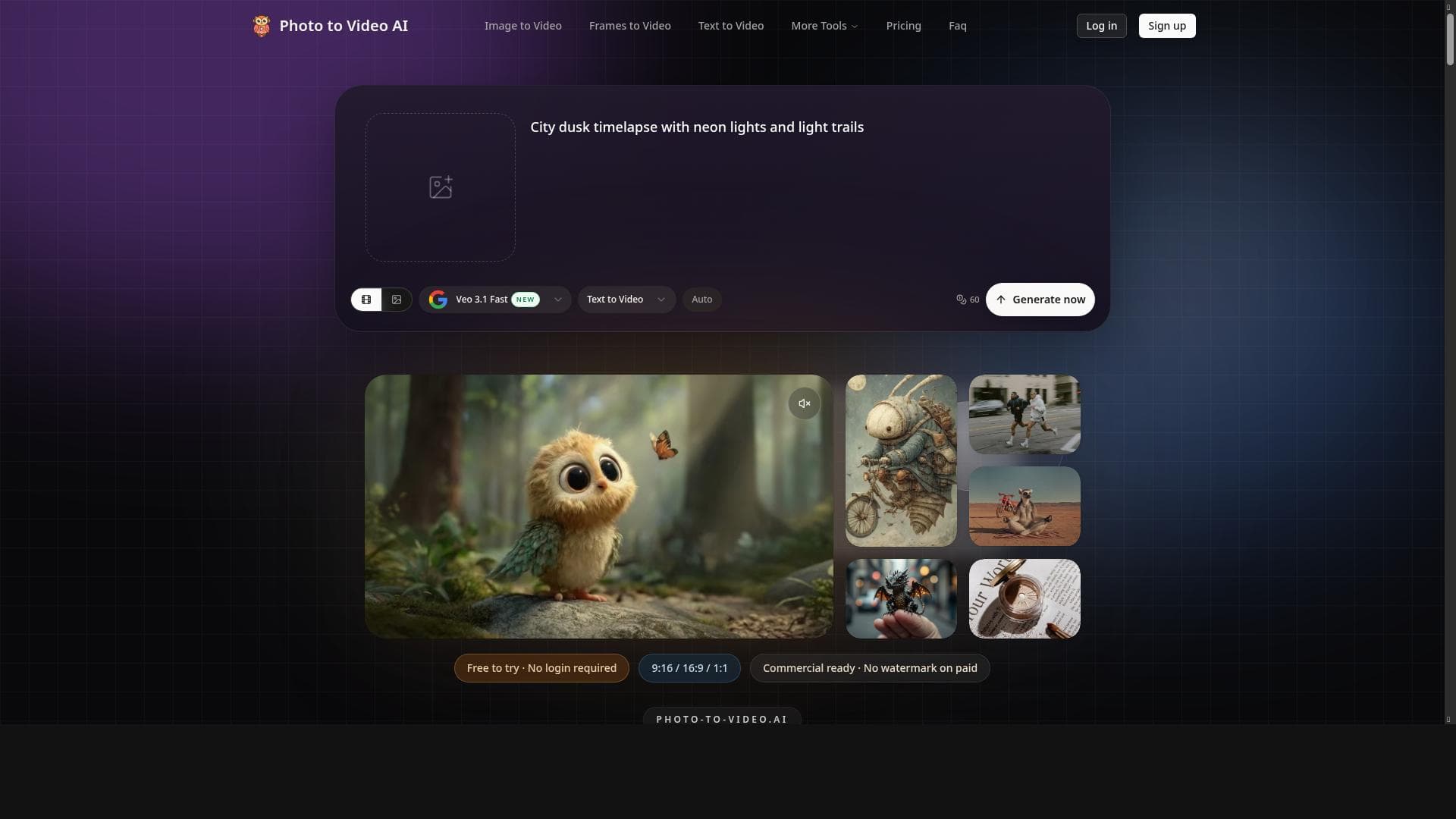
Photo To Video AI transforms your photos into stunning cinematic videos quickly and easily, making high-quality video creation accessible to creators of all skill levels. Its fast processing, affordable pricing, and user-friendly interface make it perfect for social media influencers, marketers, and photographers looking to elevate their content effortlessly.

Description
Upload a photo, get a cinematic AI video — fast, simple, and fun.
Detailed Description
Photo To Video AI is an innovative tool designed to transform static photos into cinematic AI-generated videos quickly and effortlessly. Its core purpose is to enable users to breathe new life into their images by converting them into dynamic video content, making it an ideal solution for creators who want to enhance their storytelling and visual impact without needing advanced video editing skills. By leveraging advanced AI algorithms, the tool analyzes the uploaded photo and generates a high-quality video that adds motion, depth, and cinematic effects, creating an engaging viewing experience from a single still image. One of the standout features of Photo To Video AI is its ability to produce high-quality videos with remarkable speed. The processing time is optimized to ensure users receive their cinematic videos promptly, which is essential for creators working under tight deadlines or those who want to experiment with multiple images quickly. The interface is designed with simplicity in mind, allowing users of all technical backgrounds to navigate the platform effortlessly. This ease of use is complemented by affordable pricing options, including a freemium model that lets users try the service before committing financially. This makes it accessible to a wide range of users, from hobbyists to professional content creators. The tool is particularly well-suited for content creators, social media influencers, marketers, photographers, and anyone looking to enhance their digital content with engaging video formats. For example, social media managers can convert product photos into captivating promotional videos, photographers can showcase their portfolios in a dynamic way, and marketers can create eye-catching ads without the need for expensive video production. The ability to quickly generate cinematic videos from photos also opens up creative possibilities for storytelling, presentations, and personal projects. Regarding pricing, Photo To Video AI offers a freemium plan that provides basic access to its features, allowing users to test the service and create videos without upfront costs. For those requiring more advanced features, higher resolution outputs, or faster processing times, affordable paid plans are available. This tiered pricing structure ensures that users can select an option that fits their budget and needs, making professional-quality video creation accessible to a broader audience. When compared to alternative tools in the market, Photo To Video AI stands out due to its combination of speed, quality, and user-friendly design. Many competitors require complex setups or have longer processing times, while others may be cost-prohibitive for casual users. Photo To Video AI strikes a balance by offering a streamlined experience that does not compromise on video quality. However, unlike full-fledged video editing software, it focuses specifically on transforming photos into videos, which means it may lack some advanced editing features that professional video editors might seek. Users should also consider certain limitations. Since the tool relies on AI to generate videos from single images, the final output's creativity and style are somewhat dependent on the input photo and the AI's interpretation. This means results can vary based on the image quality and content. Additionally, while the tool is excellent for quick video generation, users looking for extensive customization or multi-scene video projects might need to complement it with other software. Despite these considerations, Photo To Video AI offers a compelling and accessible way to create cinematic videos from photos, making it a valuable asset for anyone looking to enhance their digital content with minimal effort.
Tool Features
- Transforms images into high-quality videos
- Fast processing time
- Affordable pricing
- Easy to use interface
- Suitable for creators
Description
✦
Photo To Video AI transforms your photos into stunning cinematic videos quickly and easily, making high-quality video creation accessible to creators of all skill levels. Its fast processing, affordable pricing, and user-friendly interface make it perfect for social media influencers, marketers, and photographers looking to elevate their content effortlessly.
Upload a photo, get a cinematic AI video — fast, simple, and fun.
Detailed Description
Photo To Video AI is an innovative tool designed to transform static photos into cinematic AI-generated videos quickly and effortlessly. Its core purpose is to enable users to breathe new life into their images by converting them into dynamic video content, making it an ideal solution for creators who want to enhance their storytelling and visual impact without needing advanced video editing skills. By leveraging advanced AI algorithms, the tool analyzes the uploaded photo and generates a high-quality video that adds motion, depth, and cinematic effects, creating an engaging viewing experience from a single still image. One of the standout features of Photo To Video AI is its ability to produce high-quality videos with remarkable speed. The processing time is optimized to ensure users receive their cinematic videos promptly, which is essential for creators working under tight deadlines or those who want to experiment with multiple images quickly. The interface is designed with simplicity in mind, allowing users of all technical backgrounds to navigate the platform effortlessly. This ease of use is complemented by affordable pricing options, including a freemium model that lets users try the service before committing financially. This makes it accessible to a wide range of users, from hobbyists to professional content creators. The tool is particularly well-suited for content creators, social media influencers, marketers, photographers, and anyone looking to enhance their digital content with engaging video formats. For example, social media managers can convert product photos into captivating promotional videos, photographers can showcase their portfolios in a dynamic way, and marketers can create eye-catching ads without the need for expensive video production. The ability to quickly generate cinematic videos from photos also opens up creative possibilities for storytelling, presentations, and personal projects. Regarding pricing, Photo To Video AI offers a freemium plan that provides basic access to its features, allowing users to test the service and create videos without upfront costs. For those requiring more advanced features, higher resolution outputs, or faster processing times, affordable paid plans are available. This tiered pricing structure ensures that users can select an option that fits their budget and needs, making professional-quality video creation accessible to a broader audience. When compared to alternative tools in the market, Photo To Video AI stands out due to its combination of speed, quality, and user-friendly design. Many competitors require complex setups or have longer processing times, while others may be cost-prohibitive for casual users. Photo To Video AI strikes a balance by offering a streamlined experience that does not compromise on video quality. However, unlike full-fledged video editing software, it focuses specifically on transforming photos into videos, which means it may lack some advanced editing features that professional video editors might seek. Users should also consider certain limitations. Since the tool relies on AI to generate videos from single images, the final output's creativity and style are somewhat dependent on the input photo and the AI's interpretation. This means results can vary based on the image quality and content. Additionally, while the tool is excellent for quick video generation, users looking for extensive customization or multi-scene video projects might need to complement it with other software. Despite these considerations, Photo To Video AI offers a compelling and accessible way to create cinematic videos from photos, making it a valuable asset for anyone looking to enhance their digital content with minimal effort.
Frequently Asked Questions
What is Photo To Video AI?
Photo To Video AI is an online tool that converts static photos into cinematic AI-generated videos, allowing users to create dynamic video content from a single image quickly and easily.
How much does Photo To Video AI cost?
Photo To Video AI offers a freemium pricing model with basic features available for free, while paid plans with additional features and higher resolution outputs are available at affordable rates.
Who is Photo To Video AI best for?
It is best suited for content creators, social media influencers, marketers, photographers, and anyone looking to enhance their digital content by transforming photos into engaging videos.
What are the main features of Photo To Video AI?
Key features include transforming images into high-quality videos, fast processing times, an easy-to-use interface, affordable pricing, and suitability for a wide range of creators.
Does Photo To Video AI offer a free trial?
Yes, the freemium plan allows users to try the service for free with access to basic features before deciding to upgrade to a paid plan.
What integrations does Photo To Video AI support?
Currently, Photo To Video AI primarily functions as a standalone web-based tool and does not list specific third-party integrations.
How does Photo To Video AI work?
Users upload a photo to the platform, and the AI analyzes the image to generate a cinematic video by adding motion, depth, and effects, delivering a high-quality video output quickly.
Reviews
0 reviews
No reviews yet. Be the first to share your experience.
Sponsored Tools







































Recommended Tools
Stay updated on latest Ai tools
Get the latest insights, Join our newsletter
Read and trusted by 50,000+ readers
Join the biggest AI Community
Our community and staff are here to help!
Your feedback will help Alice AI improve in future versions.







Submit your Tool


PoweredByAI.app is an AI Tools Directory helping individuals, businesses, and creators discover the best AI tools for writing, coding, design, productivity, and more.
© 2026 , Product of011BQ. All rights reserved.