🚀 Zaprep: Your Socials on Steroids. Start free with 1,000 automated DMs/month.

Tool Features

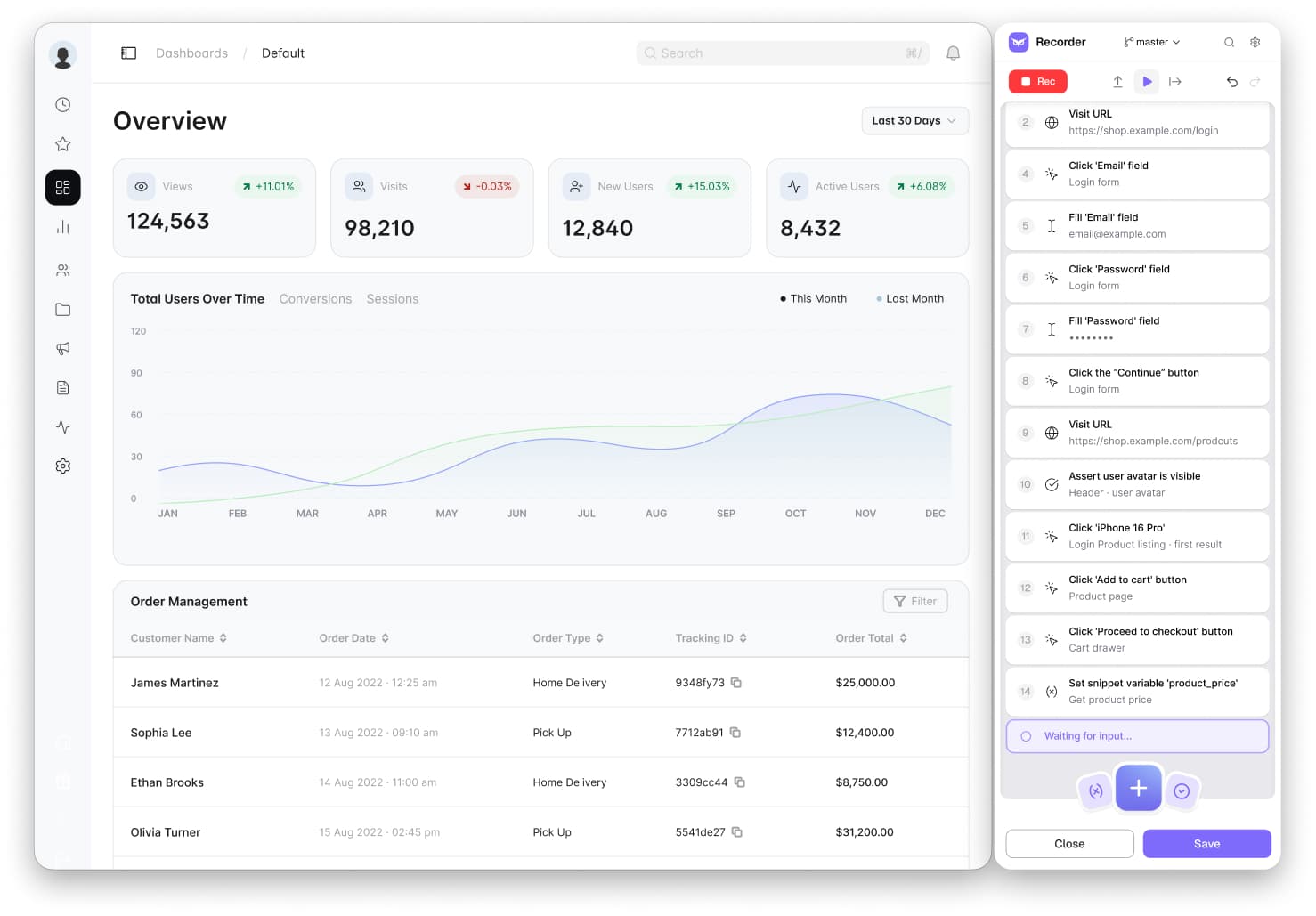
  • No-code desktop recorder
  • Cloud execution
  • Parallel runs
  • Test expansion
  • CI/CD integrations
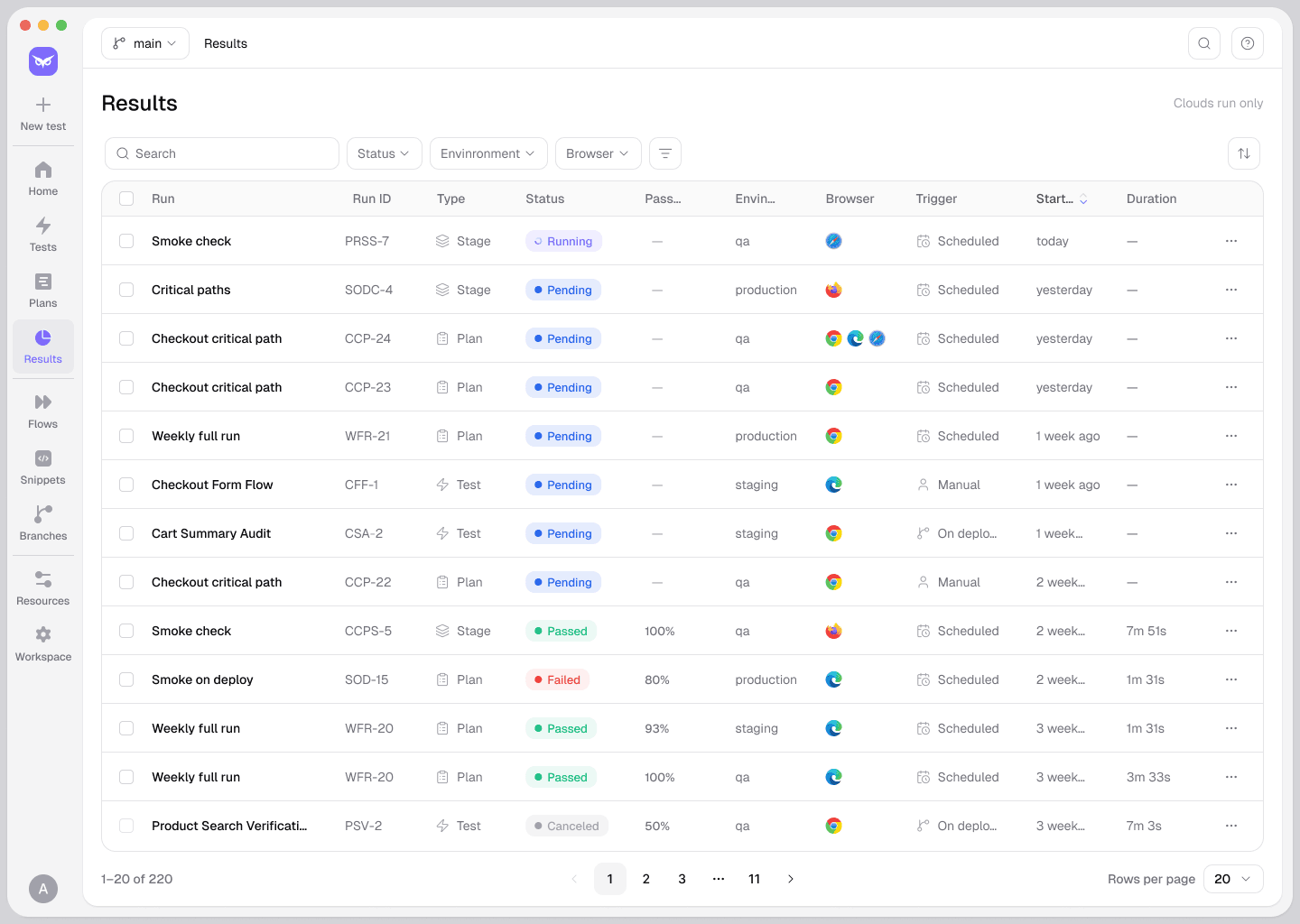
  • Reporting dashboard

Description

✦

Owlity is the world’s first fully autonomous AI-driven QA solution that transforms web app testing by eliminating manual effort and accelerating QA cycles from months to hours. Ideal for development teams seeking fast, comprehensive, and expert-level testing without any QA knowledge, Owlity delivers detailed test reports simply by analyzing your app’s URL.

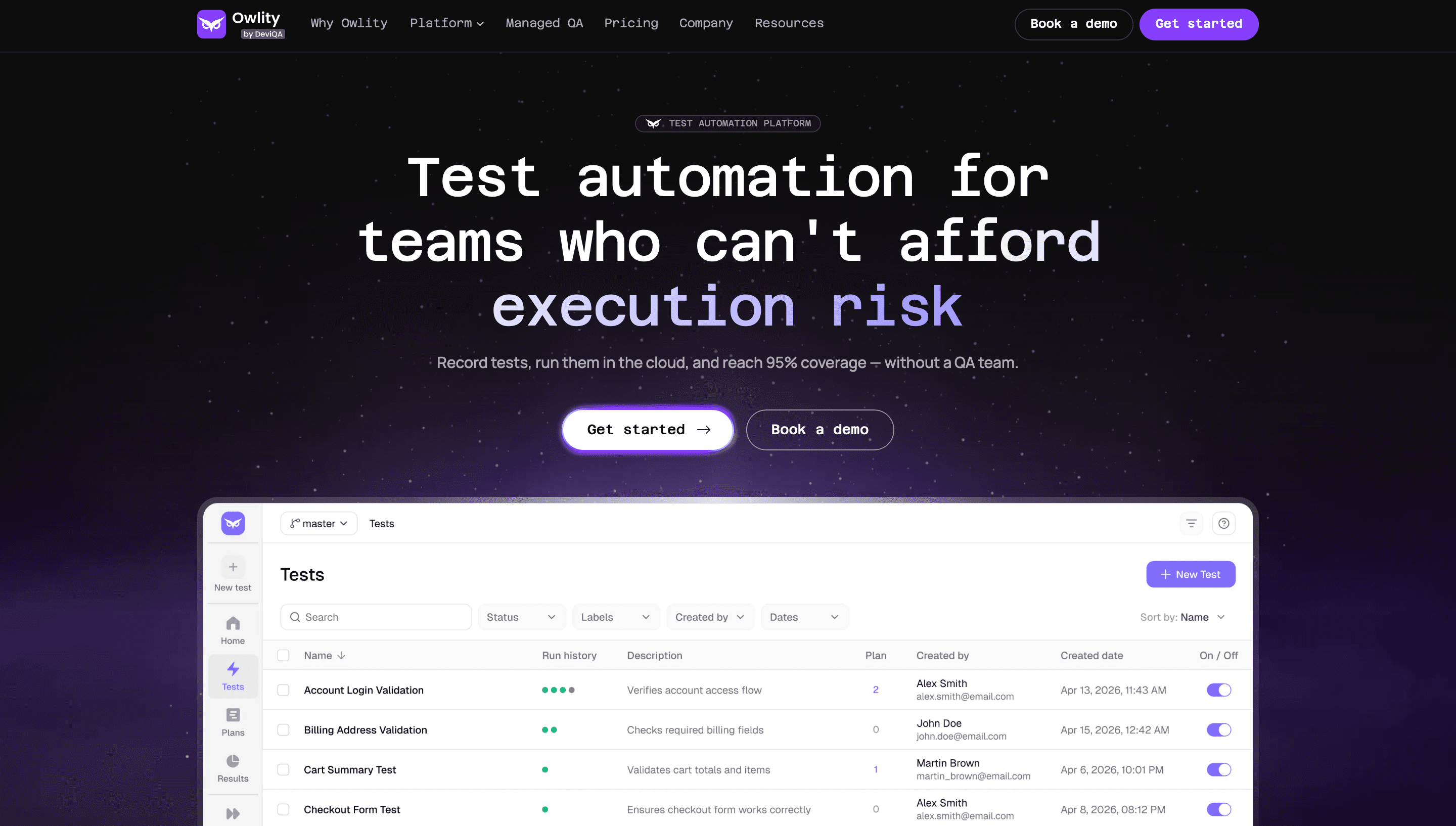
Owlity is an expert-augmented test automation platform built for teams shipping without a dedicated QA hire. Record tests in minutes with our no-code desktop recorder, then let Owlity expand your suite to 95% test coverage — no scripting, no QA team, no enterprise contract. Run tests in parallel across browsers in the cloud, track every result in one dashboard, and add Expert QA Services whenever you want human coverage on the edge cases automation can't reach. Built by the team behind DeviQA, with 16 years of hands-on QA experience baked into every recording.

Detailed Description

Owlity is expert-augmented test automation — a platform that helps you record, run, and manage tests with confidence. No development environment needed to start. The platform:
 🦉 Eye — A desktop app for recording tests. Click through your app, no code required.
 🦉 Wing — Cloud execution. Run tests in parallel, across browsers and environments, on a schedule or in your CI/CD pipeline.
 🦉 Mind — Reporting and history. Every run's video, screenshots, and change tracking, in one place. That's the core: record it, run it, see it. Most teams manage their entire test suite this way. Need more than test automation can cover? When you need coverage beyond what your team can build alone — edge cases, complex flows, full regression suites — our Expert QA Services step in. Backed by 16 years of hands-on QA practice, our team expands your suite to 95% coverage, delivered as a finished outcome, not added headcount. It's there when you need it, not a requirement to get started. Start free — record your first test today.
 🔗 owlity.ai

Frequently Asked Questions

What is Owlity?

Owlity is an expert-augmented test automation platform. You record tests in minutes with our desktop recorder, and we expand them to 95% coverage — no large QA team required. Optional Expert QA Services fill in the gaps our AI can't reach on its own.

How much does Owlity cost?

Owlity runs on a credit-based pricing model, with plans for individuals and teams. You can see full pricing details, including our free trial, on our https://owlity.ai/pricing.

Who is Owlity best for?

Owlity fits two kinds of teams best. Scaling startups shipping fast without a dedicated QA hire, and solo QA engineers who want their tests to actually hold up under pressure. If you're tired of manual testing that can't keep pace with your release schedule, you're exactly who we built this for.

What are the main features of Owlity?

Record tests visually with our desktop recorder — no code required. Run them in parallel across browsers and environments in the cloud. Then track every result, trend, and regression in one dashboard. Add Expert QA Services any time you want human eyes on the edge cases automation misses.

Does Owlity offer a free trial?

Yes. Start with 5 free test runs, no credit card needed. It's enough to record your first tests and see how Owlity fits into your workflow before you commit to anything.

What integrations does Owlity support?

Owlity plugs into the tools you already use. Trigger runs from GitHub Actions, Jenkins, or Azure DevOps. Send results straight to Jira or Linear. Test across Chrome, Edge, Firefox, and Safari without extra setup.

How does Owlity work?

Record your test flows in minutes using our desktop app — no dev environment, no scripting. From there, Owlity expands your suite toward 95% coverage and runs it in parallel across browsers in the cloud. Every run comes back with clear results, screenshots, and video, so you know exactly what broke and why.

Socials

Use Tool

Reviews

0 reviews

No reviews yet. Be the first to share your experience.

Sponsored Tools

Recommended Tools

Seedance 2.5

Verified

Seedance 2.5 represents a landmark advancement in AI video generation technology, developed by ByteDance's Volcano Engine as the next-generation production-grade video foundation model. Unveiled in June 2026 and scheduled for full commercial release in early July, this iteration marks a structural leap forward from its predecessor, Seedance 2.0, transcending incremental quality refinements to address the fundamental limitations that have constrained AI video from true commercial viability. Built on an optimized diffusion architecture with industry-leading computational efficiency, Seedance 2.5 transforms AI video from fragmented visual snippets into a complete narrative medium, empowering creators, marketers, studios, and industrial teams to produce polished, consistent, and story-driven video content at unprecedented speed and scale. At the core of Seedance 2.5's breakthrough is its industry-leading 30-second native single-segment generation capability, doubling the 15-second ceiling of the 2.0 version and establishing a new global benchmark for continuous AI video output. Unlike conventional approaches that require stitching multiple short clips together—a workflow plagued by character inconsistency, lighting discontinuities, motion artifacts, and narrative fragmentation—Seedance 2.5 generates full 30-second sequences end-to-end in a single pass. Within this duration, the model maintains remarkable coherence across character appearance, physical motion, lighting atmosphere, and camera logic, enabling complete narrative arcs with proper setup, development, and resolution. This eliminates the labor-intensive post-production stitching process, reduces generation cycles for standard 90-second promotional videos from nine-plus segments to just three or four, and fundamentally elevates AI video from a novelty demonstration tool to a genuine narrative production instrument. The 30-second window comfortably accommodates full product demonstrations, complete short drama scenes, voiceover-accompanied explanatory sequences, and full music video segments, covering the majority of short-form commercial video requirements. Complementing its extended duration is Seedance 2.5's industry-most comprehensive multi-modal reference system, supporting up to 50 reference assets simultaneously including images, video clips, and audio tracks—a nearly fivefold increase over the previous generation's 12-asset limit. This massive expansion delivers unprecedented creative stability and controllability. The model holistically synthesizes stylistic attributes, character likenesses, shot compositions, and tonal qualities from all reference inputs, ensuring consistent visual identity across multiple generations. For brand content production, serialized IP development, and batch video creation, this resolves the longstanding pain point of AI video's inherent randomness—where each generation produces noticeably different results. Marketing teams can lock in brand color palettes, product specifications, and spokesperson appearances across dozens of output variants, while film teams can replicate specific cinematic styles, camera languages, and set aesthetics with remarkable fidelity. The reference system intelligently reconciles multi-source inputs without style conflicts, enabling complex multi-character scenes where every performer maintains consistent facial features, costumes, and proportions throughout the sequence. Seedance 2.5 further elevates creative control through its precision camera manipulation tools and built-in library of 50 professional cinematic shot templates. Creators can directly command camera movements—including push-ins, pull-outs, pans, tilts, and orbital shots—and specify shot scales from extreme close-ups to wide establishing shots. The curated template library organizes proven cinematic compositions by mood, shot type, and pacing, allowing users to achieve professional-grade cinematography without specialized film knowledge. Beyond generation, the model introduces advanced local editing capabilities that enable post-generation modifications such as background replacement, costume changes, and motion adjustments without full re-rendering, transforming the system from a pure content generator into an interactive creative decision-support tool. In terms of visual fidelity, Seedance 2.5 delivers native 4K resolution output at 30 frames per second with 10-bit color depth, eliminating the quality degradation inherent in upscaling lower-resolution sources. Fine details—fabric textures, hair strands, embroidery, and surface materials—remain crisp and defined rather than being smoothed away by super-resolution algorithms. Internal benchmarks demonstrate approximately 15% higher color accuracy than competing models, with particularly improved skin tone rendition and reduced teal-orange color grading bias, making outputs directly usable for professional advertising, corporate video, and broadcast applications. The platform also supports multiple aspect ratios including vertical, square, and widescreen formats for seamless cross-platform distribution across social media, e-commerce, and web channels. Beyond creative industries, Seedance 2.5 is engineered for industrial-grade deployment across manufacturing, retail, education, and advanced technology sectors. Enterprises leverage it to produce localized product documentation, multilingual training materials, and customer support videos at drastically reduced costs. In high-tech applications, it generates synthetic training data for embodied intelligence systems and simulates extreme weather or edge-case driving scenarios for autonomous vehicle development, addressing real-world data scarcity challenges. With API access for workflow automation, batch generation capabilities, and team collaboration features, Seedance 2.5 positions itself not merely as a creative tool but as foundational visual infrastructure for the AI era, bridging the gap between generative technology and real-world productivity.

  • Creates 30-second native 4K video
  • Uses 50 multimodal references
  • 3D pre-visualization

206

VIEWS

12

UPVOTES

FREEMIUM

Repairit

Verified

Repairit is an AI-powered data repair tool by Wondershare designed to fix corrupted or damaged videos, photos, files, audio, and emails quickly and efficiently. It leverages artificial intelligence to restore various types of corrupted data in minutes, ensuring data integrity and usability. Wondershare Repairit is an intelligent data repair solution designed to recover and enhance your most important digital assets. It repairs corrupted or damaged videos, photos, audio, documents, ZIP archives, and other files, using AI-driven models to restore quality while preserving original content. You can repair files from a wide range of formats and devices, run batch repairs, preview results before export, and choose between quick repair and advanced repair modes for severely damaged media. Online and desktop plans are available, including AI photo restoration, colorization, and enhancement, with paid subscriptions starting from approximately $9.99 per month and flexible pay-per-use options. Its core capabilities include: AI-Powered Video Repair: Repairit utilizes deep learning algorithms to analyze corrupted video data structures. It fixes issues such as stuttering, flickering, black screens, and sync errors caused by recording, transfer, or editing mishaps. Through its AI-driven "Advanced Repair" mode, the system intelligently matches sample file metadata to restore severely damaged videos with industry-leading precision. AI Photo Repair & Enhancement: Beyond fixing broken image files, Repairit integrates advanced generative AI technology. It can automatically detect facial details for reconstruction, remove blur, and provide one-click colorization and scratch removal for old photographs, transforming weathered memories into high-definition masterpieces. Comprehensive Document & Audio Restoration: Repairit handles inaccessible Word, Excel, PDF, and PowerPoint files, along with corrupted audio files affected by background noise or system crashes. It ensures data integrity for both enterprise environments and personal use cases. ________________________________________ Key Features of Wondershare Repairit • AI Video Repair: Uses intelligent algorithms to identify corrupted bitstreams. It supports 8K/4K high-definition formats and provides tailored optimization for major camera brands (Sony, Canon, GoPro, etc.), ensuring broken videos become playable again. • AI Photo Repair & Quality Enhancement: Fixes corrupted images and employs AI models for face restoration, image denoising, and lossless upscaling, delivering professional-grade results for damaged or low-quality photos. • Multi-format Document Repair: A one-stop solution for resolving garbled text, formatting errors, or file-opening failures across all major office software formats, salvaging critical information. • AI Intelligent Audio Repair: Automatically detects abnormal frequencies and noise while repairing damaged file headers to restore clear, natural sound quality. • Cross-Platform Compatibility: Fully compatible with Windows 11/10 and the latest macOS versions. It supports over 1,000 storage devices, including SD cards, USB drives, NAS, and professional camera memory cards. ________________________________________ Wondershare Repairit Use Cases • Fixing Recording Accidents: Restore vital footage when camera power failure or SD card corruption makes videos unwatchable. • Reviving Old Memories: Use AI to colorize black-and-white photos, repair physical scratches, and sharpen blurry faces in vintage family portraits. • Emergency Document Recovery: Fix corrupted Word or PDF files caused by system crashes or virus infections to keep your workflow on track. • Upscaling Low-Quality Assets: Utilize AI enhancement to upgrade low-resolution or poorly shot photos and videos to high-definition standards. • Resolving Transfer Failures: Repair file header damage caused by network fluctuations or cross-platform transfers, ensuring files open correctly on any device.

  • Repair corrupted or damaged videos
  • Fix corrupted photos and image files
  • Repair corrupted documents and project files

422

VIEWS

11

UPVOTES

$35.99

/MO

Stay updated on latest Ai tools

Get the latest insights, Join our newsletter

Read and trusted by 50,000+ readers

Join the biggest AI Community

Our community and staff are here to help!
Your feedback will help Alice AI improve in future versions.

https://x.com/poweredbyai_apphttps://discord.gg/kzca34z2AQhttps://www.linkedin.com/company/poweredbyai/https://www.instagram.com/poweredbyai.apphttps://www.youtube.com/@Poweredbyai_officialhttps://www.facebook.com/poweredbyaiappmailto:support@poweredbyai.app
Use Tool

Submit your Tool

Submit AI Tools – The ultimate platform to discover, submit, and explore the best AI tools across various categories.Listed on codetrendy.com

PoweredByAI.app is an AI Tools Directory helping individuals, businesses, and creators discover the best AI tools for writing, coding, design, productivity, and more.

© 2026 , Product of011BQ. All rights reserved.