

Is this your AI tool? Claim it today.
Verify ownership, manage your profile, and unlock growth features.
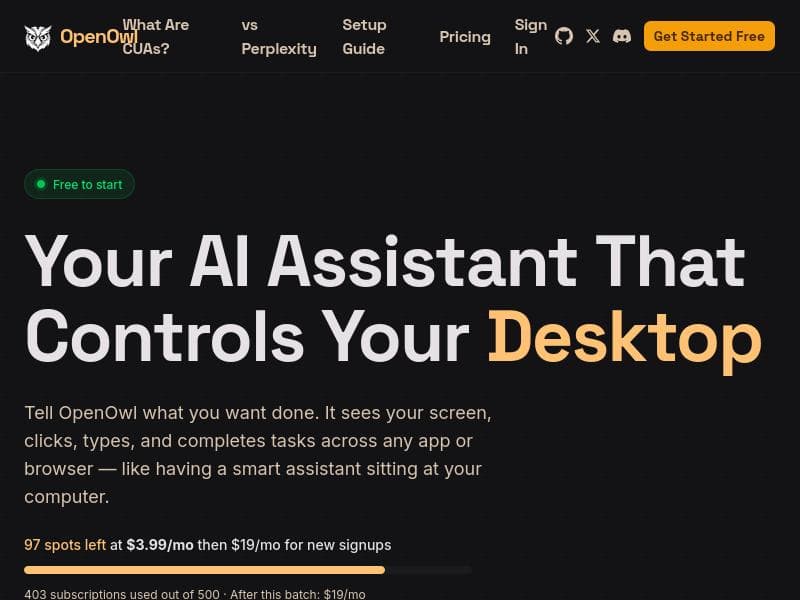
OpenOwl is a macOS desktop automation agent that empowers AI assistants like Claude and Codex to visually interact with any app or browser, automating tasks that traditional APIs can't reach. Ideal for professionals needing to streamline repetitive workflows such as LinkedIn prospecting or CRM data entry, OpenOwl transforms plain English instructions into seamless computer actions, running securely on your local machine.

Description
OpenOwl is a desktop automation agent for macOS. It gives AI assistants (Claude, Codex, or any MCP-compatible AI) the ability to see your screen, click buttons, type into fields, and navigate across any app or browser. You describe a task in plain English. OpenOwl does the rest. It automates the tasks that APIs can't touch LinkedIn prospecting, Shopify admin updates, legacy CRM data entry, form filling, competitive research, and anything that normally requires you to sit there clicking for hours
Detailed Description
OpenOwl is a powerful desktop automation agent designed exclusively for macOS that empowers AI assistants such as Claude, Codex, or any MCP-compatible AI client to interact directly with your computer’s graphical interface. Unlike traditional automation tools that rely on APIs or scripting, OpenOwl enables AI to visually perceive your screen, perform mouse clicks, type into input fields, and navigate seamlessly across any application or web browser. This capability allows users to automate complex workflows that typically require manual, repetitive interactions with software where APIs are unavailable or insufficient. By simply describing the desired task in plain English, OpenOwl translates your instructions into precise actions, handling everything from LinkedIn prospecting and Shopify admin updates to legacy CRM data entry, form filling, and competitive research. This makes it an invaluable tool for automating tedious tasks that would otherwise consume hours of manual effort, freeing users to focus on higher-value activities. OpenOwl’s core features include advanced screen reading and optical character recognition (OCR), which allow it to interpret text and visual elements on the screen regardless of the application. It controls the mouse and keyboard to execute clicks, drags, and typing, enabling full interaction with any user interface element. Browser automation is another key capability, allowing OpenOwl to navigate web pages, interact with forms, and extract data without relying on browser extensions or APIs. Additionally, it offers robust window management to organize and switch between multiple applications efficiently. Importantly, OpenOwl runs locally on your machine, ensuring your data remains private and secure without requiring cloud processing. Its compatibility with Claude, Codex, and any MCP client means it can be integrated flexibly into various AI workflows and environments. OpenOwl is ideal for professionals and businesses that rely heavily on desktop applications and web platforms lacking comprehensive APIs or automation hooks. Sales and marketing teams can automate LinkedIn prospecting and CRM updates, ecommerce managers can streamline Shopify backend tasks, and researchers can perform competitive analysis more efficiently. It is also valuable for administrative staff handling large volumes of form filling or data entry in legacy systems. Because OpenOwl understands natural language instructions, it lowers the barrier to automation for users who may not have coding skills but want to boost productivity by delegating repetitive tasks to AI. The tool operates on a freemium pricing model, allowing users to start with a free tier that offers basic automation capabilities and upgrade to premium plans for enhanced features, higher usage limits, or priority support. This approach makes OpenOwl accessible to individuals and small teams while scaling to meet the needs of larger organizations that require more extensive automation. Compared to traditional automation solutions that depend on APIs, scripting languages, or robotic process automation (RPA) platforms, OpenOwl’s unique strength lies in its ability to visually interpret and interact with any application interface. This makes it far more versatile in environments where APIs are limited or nonexistent. Unlike cloud-based automation tools, OpenOwl’s local execution ensures greater data privacy and responsiveness. However, as a macOS-only solution, it may not suit users on other operating systems. Additionally, while it supports multiple AI clients, effective use depends on the quality of the AI models and the clarity of user instructions. In summary, OpenOwl stands out as an innovative desktop automation agent that bridges the gap between AI assistants and manual computer interactions. Its advanced screen reading, input control, and natural language task execution capabilities make it a compelling choice for automating complex workflows on macOS. Users seeking to eliminate repetitive clicking and typing across diverse applications will find OpenOwl a highly effective and secure tool to boost productivity and streamline operations.
Tool Features
- Screen reading and OCR
- Mouse and keyboard control
- Browser automation
- Window management
- Works with Claude, Codex, and any MCP client
- Runs locally on your machine
Description
OpenOwl is a macOS desktop automation agent that empowers AI assistants like Claude and Codex to visually interact with any app or browser, automating tasks that traditional APIs can't reach. Ideal for professionals needing to streamline repetitive workflows such as LinkedIn prospecting or CRM data entry, OpenOwl transforms plain English instructions into seamless computer actions, running securely on your local machine.
OpenOwl is a desktop automation agent for macOS. It gives AI assistants (Claude, Codex, or any MCP-compatible AI) the ability to see your screen, click buttons, type into fields, and navigate across any app or browser. You describe a task in plain English. OpenOwl does the rest. It automates the tasks that APIs can't touch LinkedIn prospecting, Shopify admin updates, legacy CRM data entry, form filling, competitive research, and anything that normally requires you to sit there clicking for hours
Detailed Description
OpenOwl is a powerful desktop automation agent designed exclusively for macOS that empowers AI assistants such as Claude, Codex, or any MCP-compatible AI client to interact directly with your computer’s graphical interface. Unlike traditional automation tools that rely on APIs or scripting, OpenOwl enables AI to visually perceive your screen, perform mouse clicks, type into input fields, and navigate seamlessly across any application or web browser. This capability allows users to automate complex workflows that typically require manual, repetitive interactions with software where APIs are unavailable or insufficient. By simply describing the desired task in plain English, OpenOwl translates your instructions into precise actions, handling everything from LinkedIn prospecting and Shopify admin updates to legacy CRM data entry, form filling, and competitive research. This makes it an invaluable tool for automating tedious tasks that would otherwise consume hours of manual effort, freeing users to focus on higher-value activities. OpenOwl’s core features include advanced screen reading and optical character recognition (OCR), which allow it to interpret text and visual elements on the screen regardless of the application. It controls the mouse and keyboard to execute clicks, drags, and typing, enabling full interaction with any user interface element. Browser automation is another key capability, allowing OpenOwl to navigate web pages, interact with forms, and extract data without relying on browser extensions or APIs. Additionally, it offers robust window management to organize and switch between multiple applications efficiently. Importantly, OpenOwl runs locally on your machine, ensuring your data remains private and secure without requiring cloud processing. Its compatibility with Claude, Codex, and any MCP client means it can be integrated flexibly into various AI workflows and environments. OpenOwl is ideal for professionals and businesses that rely heavily on desktop applications and web platforms lacking comprehensive APIs or automation hooks. Sales and marketing teams can automate LinkedIn prospecting and CRM updates, ecommerce managers can streamline Shopify backend tasks, and researchers can perform competitive analysis more efficiently. It is also valuable for administrative staff handling large volumes of form filling or data entry in legacy systems. Because OpenOwl understands natural language instructions, it lowers the barrier to automation for users who may not have coding skills but want to boost productivity by delegating repetitive tasks to AI. The tool operates on a freemium pricing model, allowing users to start with a free tier that offers basic automation capabilities and upgrade to premium plans for enhanced features, higher usage limits, or priority support. This approach makes OpenOwl accessible to individuals and small teams while scaling to meet the needs of larger organizations that require more extensive automation. Compared to traditional automation solutions that depend on APIs, scripting languages, or robotic process automation (RPA) platforms, OpenOwl’s unique strength lies in its ability to visually interpret and interact with any application interface. This makes it far more versatile in environments where APIs are limited or nonexistent. Unlike cloud-based automation tools, OpenOwl’s local execution ensures greater data privacy and responsiveness. However, as a macOS-only solution, it may not suit users on other operating systems. Additionally, while it supports multiple AI clients, effective use depends on the quality of the AI models and the clarity of user instructions. In summary, OpenOwl stands out as an innovative desktop automation agent that bridges the gap between AI assistants and manual computer interactions. Its advanced screen reading, input control, and natural language task execution capabilities make it a compelling choice for automating complex workflows on macOS. Users seeking to eliminate repetitive clicking and typing across diverse applications will find OpenOwl a highly effective and secure tool to boost productivity and streamline operations.
Frequently Asked Questions
What is OpenOwl?
OpenOwl is a desktop automation agent for macOS that enables AI assistants to see your screen, click buttons, type into fields, and navigate across any application or browser. It automates tasks based on plain English instructions, particularly those that cannot be handled through APIs.
How much does OpenOwl cost?
OpenOwl offers a freemium pricing model, allowing users to access basic automation features for free with options to upgrade to premium plans for additional capabilities, higher usage limits, and priority support.
Who is OpenOwl best for?
OpenOwl is best suited for macOS users who need to automate repetitive desktop tasks that lack API support, such as sales and marketing professionals doing LinkedIn prospecting, ecommerce managers handling Shopify updates, administrative staff performing legacy CRM data entry, and researchers conducting competitive analysis.
What are the main features of OpenOwl?
Key features include screen reading and OCR to interpret on-screen text, mouse and keyboard control for interaction, browser automation, window management, compatibility with AI assistants like Claude and Codex, and local execution on your machine to ensure privacy.
Does OpenOwl offer a free trial?
Yes, OpenOwl provides a free tier under its freemium model, allowing users to try basic automation features before deciding to upgrade to paid plans.
What integrations does OpenOwl support?
OpenOwl works with AI assistants such as Claude, Codex, and any MCP-compatible AI client, enabling flexible integration into various AI-driven workflows.
How does OpenOwl work?
OpenOwl operates by visually reading your screen using OCR, then controlling your mouse and keyboard to perform actions based on plain English task descriptions. It navigates applications and browsers locally on your macOS device, automating tasks that typically require manual input.
Socials
Use ToolReviews
No reviews yet. Be the first to share your experience.




















































