🚀 Zaprep: Your Socials on Steroids. Start free — automate 1,000 DMs/month & turn engagement into leads. with 1,000 automated DMs/month.


Is this your AI tool? Claim it today.
Verify ownership, manage your profile, and unlock growth features.
onBeacon uniquely combines AI with over 230 behavioral science principles to deliver instant, actionable UX improvements and ready-to-test A/B variants. Ideal for product teams seeking rapid, data-driven ways to boost engagement and reduce churn, it simulates expert design reviews to accelerate growth and optimize user flows efficiently.

Description
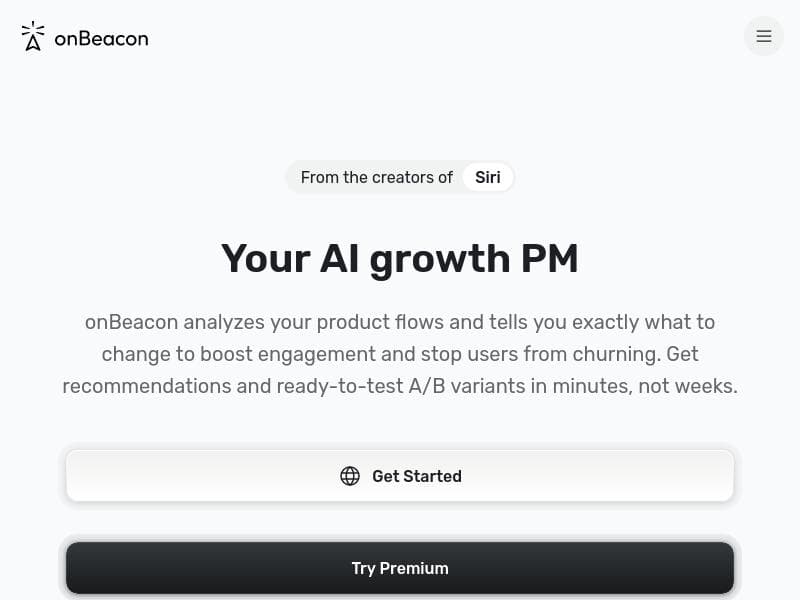
onBeacon analyzes your product flows against 230+ behavioral science principles and tells you exactly what to change to boost engagement and stop users from churning — with ready-to-test A/B variants delivered in minutes, not weeks.
Detailed Description
onBeacon is an advanced AI-driven tool designed to optimize product user flows by leveraging over 230 behavioral science principles. Its core purpose is to help product teams identify friction points that cause user churn and provide actionable, data-backed recommendations to enhance user engagement. Unlike traditional UX reviews that can take weeks and rely heavily on subjective human input, onBeacon delivers ready-to-test A/B variants within minutes, accelerating the iteration cycle and enabling faster decision-making. This makes it an invaluable asset for teams aiming to improve product stickiness and growth metrics efficiently. At its heart, onBeacon uses artificial intelligence to simulate the review process of a senior product designer, analyzing user flows with a behavioral science lens. It evaluates how users interact with different product elements and identifies subtle psychological triggers or barriers that influence user behavior. The tool then generates precise suggestions on what to change to maximize engagement and reduce churn. These suggestions come in the form of A/B test variants that product teams can implement immediately, bypassing the lengthy design and hypothesis formulation stages typically required. Key features of onBeacon include AI-powered UX improvement recommendations, which help teams pinpoint exactly where and how to optimize their product flows. It also focuses on driving growth metrics by aligning behavioral insights with business goals, ensuring that changes not only enhance user experience but also contribute to measurable improvements in retention and conversion. The simulation of a senior product designer’s review process means that even teams without extensive UX expertise can benefit from expert-level feedback. Additionally, onBeacon provides fast feedback loops, enabling agile product development and continuous optimization. onBeacon is best suited for product managers, UX designers, growth marketers, and startup founders who need to rapidly iterate on their user experience without the overhead of extensive manual research or design cycles. It is particularly useful for SaaS companies, mobile app developers, and digital product teams focused on improving user retention and engagement. Use cases include optimizing onboarding flows, checkout processes, feature adoption paths, and any user journey where behavioral science can reveal hidden opportunities for improvement. The pricing model for onBeacon follows a freemium approach, allowing users to access basic features at no cost, which is ideal for small teams or those wanting to test the tool’s capabilities before committing financially. Paid plans likely offer enhanced features such as deeper analysis, more A/B test variants, priority support, and integration options, although specific tier details are not provided. This flexible pricing structure makes onBeacon accessible to a wide range of organizations, from startups to established enterprises. Compared to alternatives, onBeacon stands out by combining behavioral science with AI to automate what is traditionally a manual and time-consuming process. While other UX tools may focus on analytics or heatmaps, onBeacon provides prescriptive, science-backed recommendations and instantly testable variants, reducing guesswork and speeding up optimization cycles. However, unlike human designers who can incorporate nuanced brand and aesthetic considerations, onBeacon’s suggestions are primarily data-driven and may require human review to ensure alignment with overall design strategy. Notable limitations include the reliance on behavioral science principles which, while extensive, may not capture every unique context or cultural nuance affecting user behavior. Additionally, teams heavily dependent on qualitative user research or brand-driven design decisions might find onBeacon’s automated recommendations less flexible. Integration capabilities and support for complex product ecosystems are not detailed, which could be a consideration for larger organizations with diverse tech stacks. Nonetheless, onBeacon’s ability to deliver fast, actionable insights makes it a powerful complement to existing UX and product development workflows.
Tool Features
- AI-powered suggestions to improve UX
- Helps drive growth metrics
- Simulates senior product designer review
- Fast feedback for product teams
Description
onBeacon uniquely combines AI with over 230 behavioral science principles to deliver instant, actionable UX improvements and ready-to-test A/B variants. Ideal for product teams seeking rapid, data-driven ways to boost engagement and reduce churn, it simulates expert design reviews to accelerate growth and optimize user flows efficiently.
onBeacon analyzes your product flows against 230+ behavioral science principles and tells you exactly what to change to boost engagement and stop users from churning — with ready-to-test A/B variants delivered in minutes, not weeks.
Detailed Description
onBeacon is an advanced AI-driven tool designed to optimize product user flows by leveraging over 230 behavioral science principles. Its core purpose is to help product teams identify friction points that cause user churn and provide actionable, data-backed recommendations to enhance user engagement. Unlike traditional UX reviews that can take weeks and rely heavily on subjective human input, onBeacon delivers ready-to-test A/B variants within minutes, accelerating the iteration cycle and enabling faster decision-making. This makes it an invaluable asset for teams aiming to improve product stickiness and growth metrics efficiently. At its heart, onBeacon uses artificial intelligence to simulate the review process of a senior product designer, analyzing user flows with a behavioral science lens. It evaluates how users interact with different product elements and identifies subtle psychological triggers or barriers that influence user behavior. The tool then generates precise suggestions on what to change to maximize engagement and reduce churn. These suggestions come in the form of A/B test variants that product teams can implement immediately, bypassing the lengthy design and hypothesis formulation stages typically required. Key features of onBeacon include AI-powered UX improvement recommendations, which help teams pinpoint exactly where and how to optimize their product flows. It also focuses on driving growth metrics by aligning behavioral insights with business goals, ensuring that changes not only enhance user experience but also contribute to measurable improvements in retention and conversion. The simulation of a senior product designer’s review process means that even teams without extensive UX expertise can benefit from expert-level feedback. Additionally, onBeacon provides fast feedback loops, enabling agile product development and continuous optimization. onBeacon is best suited for product managers, UX designers, growth marketers, and startup founders who need to rapidly iterate on their user experience without the overhead of extensive manual research or design cycles. It is particularly useful for SaaS companies, mobile app developers, and digital product teams focused on improving user retention and engagement. Use cases include optimizing onboarding flows, checkout processes, feature adoption paths, and any user journey where behavioral science can reveal hidden opportunities for improvement. The pricing model for onBeacon follows a freemium approach, allowing users to access basic features at no cost, which is ideal for small teams or those wanting to test the tool’s capabilities before committing financially. Paid plans likely offer enhanced features such as deeper analysis, more A/B test variants, priority support, and integration options, although specific tier details are not provided. This flexible pricing structure makes onBeacon accessible to a wide range of organizations, from startups to established enterprises. Compared to alternatives, onBeacon stands out by combining behavioral science with AI to automate what is traditionally a manual and time-consuming process. While other UX tools may focus on analytics or heatmaps, onBeacon provides prescriptive, science-backed recommendations and instantly testable variants, reducing guesswork and speeding up optimization cycles. However, unlike human designers who can incorporate nuanced brand and aesthetic considerations, onBeacon’s suggestions are primarily data-driven and may require human review to ensure alignment with overall design strategy. Notable limitations include the reliance on behavioral science principles which, while extensive, may not capture every unique context or cultural nuance affecting user behavior. Additionally, teams heavily dependent on qualitative user research or brand-driven design decisions might find onBeacon’s automated recommendations less flexible. Integration capabilities and support for complex product ecosystems are not detailed, which could be a consideration for larger organizations with diverse tech stacks. Nonetheless, onBeacon’s ability to deliver fast, actionable insights makes it a powerful complement to existing UX and product development workflows.
Frequently Asked Questions
What is onBeacon?
onBeacon is an AI-powered tool that analyzes product user flows against more than 230 behavioral science principles to identify areas for improvement. It provides precise recommendations and ready-to-test A/B variants to help boost user engagement and reduce churn.
How much does onBeacon cost?
onBeacon offers a freemium pricing model, allowing users to access basic features for free. Paid plans with additional capabilities and support are available, though specific pricing details should be checked on their website.
Who is onBeacon best for?
onBeacon is ideal for product managers, UX designers, growth marketers, startup founders, and digital product teams looking to quickly optimize user experiences and drive growth metrics without lengthy manual research.
What are the main features of onBeacon?
Key features include AI-powered UX improvement suggestions, simulation of senior product designer reviews, fast feedback for product teams, and delivery of ready-to-test A/B variants based on behavioral science principles.
Does onBeacon offer a free trial?
Yes, onBeacon provides a freemium plan that allows users to try out basic features at no cost, effectively serving as a free trial to evaluate the tool’s capabilities.
What integrations does onBeacon support?
Specific integrations supported by onBeacon are not detailed publicly. Interested users should consult the onBeacon website or contact their support team for information on integration options.
How does onBeacon work?
onBeacon works by analyzing your product’s user flows using AI combined with behavioral science principles. It identifies friction points and suggests precise changes to improve engagement, delivering A/B test variants that teams can implement quickly to validate improvements.
Socials
Use ToolReviews
No reviews yet. Be the first to share your experience.
Sponsored Tools











































Recommended Tools
Stay updated on latest Ai tools
Get the latest insights, Join our newsletter
Read and trusted by 50,000+ readers
Join the biggest AI Community
Our community and staff are here to help!
Your feedback will help Alice AI improve in future versions.








Submit your Tool


PoweredByAI.app is an AI Tools Directory helping individuals, businesses, and creators discover the best AI tools for writing, coding, design, productivity, and more.
© 2026 , Product of011BQ. All rights reserved.