

Is this your AI tool? Claim it today.
Verify ownership, manage your profile, and unlock growth features.
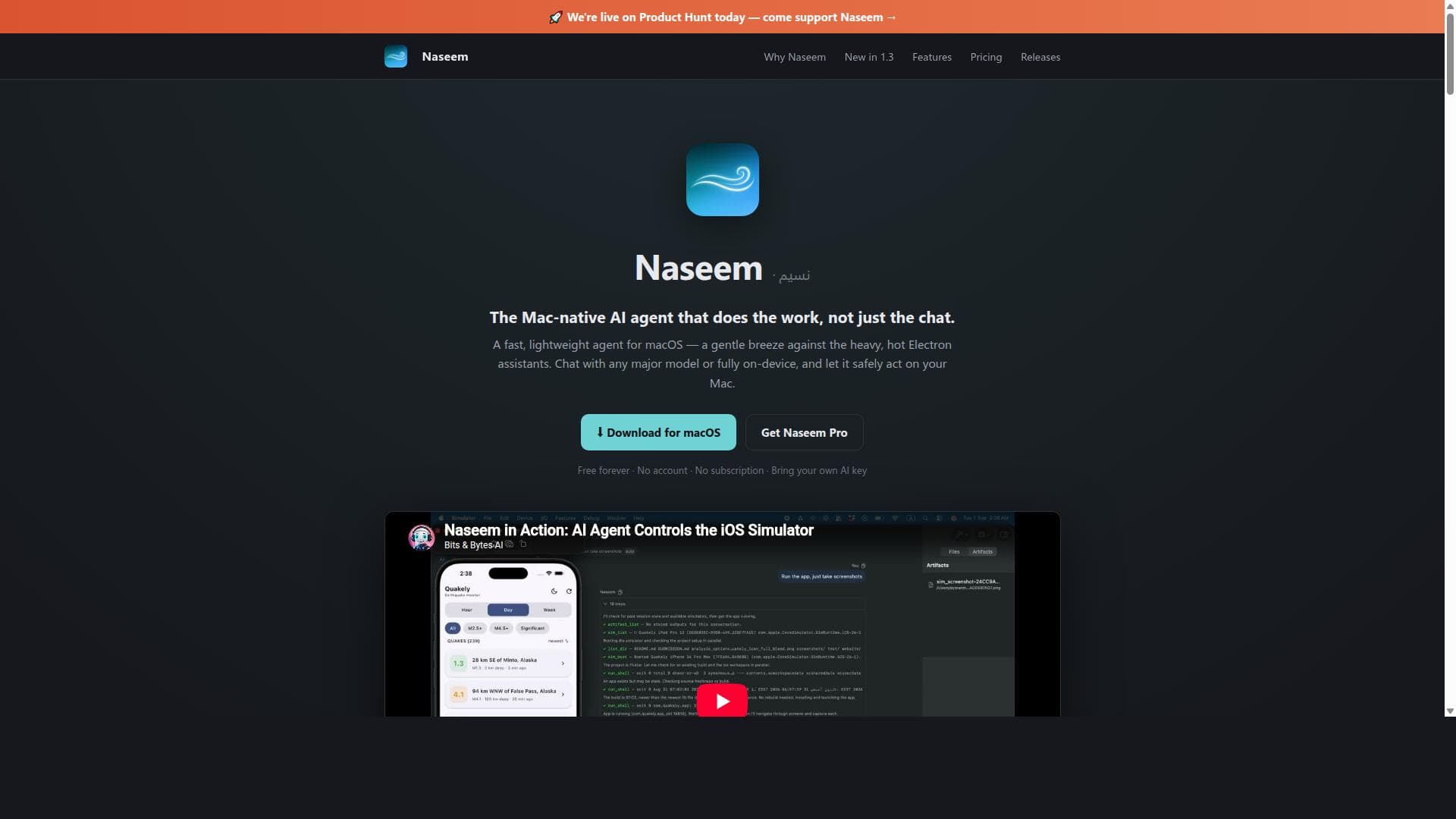
Naseem is a native macOS AI agent that uniquely combines powerful AI chat capabilities with direct control over your Mac’s system and apps, all behind a human approval gate for safety. Ideal for developers and power users, it automates tasks like running commands, editing files, and driving the iOS Simulator without requiring subscriptions or accounts.

Description
Naseem is a native AI agent for macOS, built entirely in Swift. It can work with your files, run terminal commands and Python, drive native Mac apps, automate and test apps in the iOS Simulator, use MCP and Skills, delegate to sub-agents, and work remotely through Telegram. Bring your own model or run locally with Ollama/MLX. No Electron. No Node. It does real work on your Mac — with you in control.
Detailed Description
Naseem is a fast, native macOS AI agent designed to empower Mac users by providing a lightweight, efficient, and secure way to harness AI capabilities directly on their machines. Unlike many AI assistants that rely heavily on cloud services or web-based platforms, Naseem operates natively on macOS, offering users the ability to interact with any major AI model or run AI processes fully on-device. Its core purpose is to act on your Mac behind a human approval gate, ensuring safety and control while automating complex tasks. This unique approach allows Naseem to not only chat with AI but also execute commands, edit files, drive the iOS Simulator, and automate applications, making it a powerful tool for developers, power users, and automation enthusiasts. One of Naseem's standout features is its ability to chat with any major AI model by bringing your own API key, eliminating the need for subscriptions or accounts. For users concerned about privacy or offline capabilities, Naseem can also operate fully on-device, providing a secure environment to run AI without sending data externally. The application runs commands and edits files directly on your Mac, allowing seamless automation of workflows. Additionally, Naseem can drive the iOS Simulator and automate apps, which is particularly valuable for iOS developers who need to test and debug applications efficiently. It supports delegating tasks to sub-agents running in parallel, enhancing multitasking and speeding up complex operations. Its debugging capabilities include building, installing, launching, and interacting with app UIs natively, streamlining the development process. Naseem is best suited for macOS users who want to integrate AI deeply into their workflows without sacrificing control or security. Developers, especially those working on iOS apps, will find Naseem invaluable for automating simulator interactions and debugging. Power users who seek to automate repetitive tasks on their Mac can leverage Naseem’s command execution and file editing features. Because it operates behind a human approval gate, users maintain full oversight of AI actions, reducing risks associated with automated processes. The tool’s lightweight and native design means it runs efficiently without the bloat of Electron-based apps, making it ideal for users who prioritize performance and system resource management. Regarding pricing, Naseem offers a free-forever model with no account or subscription required. Users simply bring their own AI key to access major AI models, which means costs depend on the AI provider chosen rather than Naseem itself. There is also a "Naseem Pro" version available for purchase, which likely includes additional features or enhanced capabilities, though specific details about the pro plan are available via the developer’s Gumroad page. This pricing approach makes Naseem accessible to a wide range of users, from hobbyists to professionals. Compared to alternative AI assistants and automation tools, Naseem stands out by combining native macOS integration with powerful AI-driven automation behind a human approval system. Many AI tools either focus solely on chat or require cloud-based operation with subscriptions. Naseem’s ability to run fully on-device and interact directly with macOS system components and the iOS Simulator is unique. Its parallel sub-agent delegation and native UI interaction provide a level of control and efficiency not commonly found in competing products. However, unlike some cloud-first AI assistants, Naseem requires users to manage their own AI keys and may have a steeper learning curve for those unfamiliar with macOS automation or developer tools. Notable limitations include the dependency on users providing their own AI keys, which could be a barrier for those unfamiliar with API management or who prefer all-in-one solutions. Also, while Naseem excels on macOS, it is not available for other platforms, limiting its user base. The human approval gate, while enhancing safety, may slow down fully autonomous workflows for users seeking hands-off automation. Finally, advanced features like driving the iOS Simulator and app debugging are tailored to developers, so casual users might not fully utilize these capabilities. Overall, Naseem offers a robust, secure, and efficient AI agent experience for Mac users who want real agency and control over AI-driven automation.
Tool Features
- Chat with any major AI model or fully on-device
- Run commands and edit files on your Mac
- Drive the iOS Simulator and automate apps
- Operates behind a human approval gate for safety
- No subscription or account required
- Lightweight and native macOS application
- Can delegate tasks to sub-agents in parallel
- Debug apps by building, installing, launching, and tapping through UI natively
Description
Naseem is a native macOS AI agent that uniquely combines powerful AI chat capabilities with direct control over your Mac’s system and apps, all behind a human approval gate for safety. Ideal for developers and power users, it automates tasks like running commands, editing files, and driving the iOS Simulator without requiring subscriptions or accounts.
Naseem is a native AI agent for macOS, built entirely in Swift. It can work with your files, run terminal commands and Python, drive native Mac apps, automate and test apps in the iOS Simulator, use MCP and Skills, delegate to sub-agents, and work remotely through Telegram. Bring your own model or run locally with Ollama/MLX. No Electron. No Node. It does real work on your Mac — with you in control.
Detailed Description
Naseem is a fast, native macOS AI agent designed to empower Mac users by providing a lightweight, efficient, and secure way to harness AI capabilities directly on their machines. Unlike many AI assistants that rely heavily on cloud services or web-based platforms, Naseem operates natively on macOS, offering users the ability to interact with any major AI model or run AI processes fully on-device. Its core purpose is to act on your Mac behind a human approval gate, ensuring safety and control while automating complex tasks. This unique approach allows Naseem to not only chat with AI but also execute commands, edit files, drive the iOS Simulator, and automate applications, making it a powerful tool for developers, power users, and automation enthusiasts. One of Naseem's standout features is its ability to chat with any major AI model by bringing your own API key, eliminating the need for subscriptions or accounts. For users concerned about privacy or offline capabilities, Naseem can also operate fully on-device, providing a secure environment to run AI without sending data externally. The application runs commands and edits files directly on your Mac, allowing seamless automation of workflows. Additionally, Naseem can drive the iOS Simulator and automate apps, which is particularly valuable for iOS developers who need to test and debug applications efficiently. It supports delegating tasks to sub-agents running in parallel, enhancing multitasking and speeding up complex operations. Its debugging capabilities include building, installing, launching, and interacting with app UIs natively, streamlining the development process. Naseem is best suited for macOS users who want to integrate AI deeply into their workflows without sacrificing control or security. Developers, especially those working on iOS apps, will find Naseem invaluable for automating simulator interactions and debugging. Power users who seek to automate repetitive tasks on their Mac can leverage Naseem’s command execution and file editing features. Because it operates behind a human approval gate, users maintain full oversight of AI actions, reducing risks associated with automated processes. The tool’s lightweight and native design means it runs efficiently without the bloat of Electron-based apps, making it ideal for users who prioritize performance and system resource management. Regarding pricing, Naseem offers a free-forever model with no account or subscription required. Users simply bring their own AI key to access major AI models, which means costs depend on the AI provider chosen rather than Naseem itself. There is also a "Naseem Pro" version available for purchase, which likely includes additional features or enhanced capabilities, though specific details about the pro plan are available via the developer’s Gumroad page. This pricing approach makes Naseem accessible to a wide range of users, from hobbyists to professionals. Compared to alternative AI assistants and automation tools, Naseem stands out by combining native macOS integration with powerful AI-driven automation behind a human approval system. Many AI tools either focus solely on chat or require cloud-based operation with subscriptions. Naseem’s ability to run fully on-device and interact directly with macOS system components and the iOS Simulator is unique. Its parallel sub-agent delegation and native UI interaction provide a level of control and efficiency not commonly found in competing products. However, unlike some cloud-first AI assistants, Naseem requires users to manage their own AI keys and may have a steeper learning curve for those unfamiliar with macOS automation or developer tools. Notable limitations include the dependency on users providing their own AI keys, which could be a barrier for those unfamiliar with API management or who prefer all-in-one solutions. Also, while Naseem excels on macOS, it is not available for other platforms, limiting its user base. The human approval gate, while enhancing safety, may slow down fully autonomous workflows for users seeking hands-off automation. Finally, advanced features like driving the iOS Simulator and app debugging are tailored to developers, so casual users might not fully utilize these capabilities. Overall, Naseem offers a robust, secure, and efficient AI agent experience for Mac users who want real agency and control over AI-driven automation.
Frequently Asked Questions
What is Naseem?
Naseem is a fast, native macOS AI agent that enables users to chat with major AI models or run AI fully on-device while safely automating tasks on their Mac. It can execute commands, edit files, drive the iOS Simulator, and automate apps, all behind a human approval gate.
How much does Naseem cost?
Naseem is free forever with no subscription or account required. Users bring their own AI key to access major AI models. There is also a paid 'Naseem Pro' version available for additional features.
Who is Naseem best for?
Naseem is best suited for macOS users who want to integrate AI deeply into their workflows, especially developers working with iOS apps, power users seeking automation, and anyone who values privacy and control over AI actions.
What are the main features of Naseem?
Key features include chatting with any major AI model or running AI fully on-device, running commands and editing files on your Mac, driving the iOS Simulator, automating apps, delegating tasks to parallel sub-agents, and debugging apps natively—all behind a human approval gate.
Does Naseem offer a free trial?
Naseem itself is free to use without a trial period since it does not require a subscription. Users can download and use the basic version at no cost.
What integrations does Naseem support?
Naseem integrates with any major AI model via user-provided API keys and interacts natively with macOS system commands, files, the iOS Simulator, and macOS applications for automation and debugging.
How does Naseem work?
Naseem operates as a native macOS application that communicates with AI models through user-provided keys or runs AI fully on-device. It executes commands and automations on your Mac only after human approval, ensuring safety while enabling powerful AI-driven workflows.
Socials
Use ToolReviews
No reviews yet. Be the first to share your experience.




















































