Featured in:Best AI Writing Tools
Get featured →🚀 Zaprep: Your Socials on Steroids. Start free — automate 1,000 DMs/month & turn engagement into leads. with 1,000 automated DMs/month.



✦
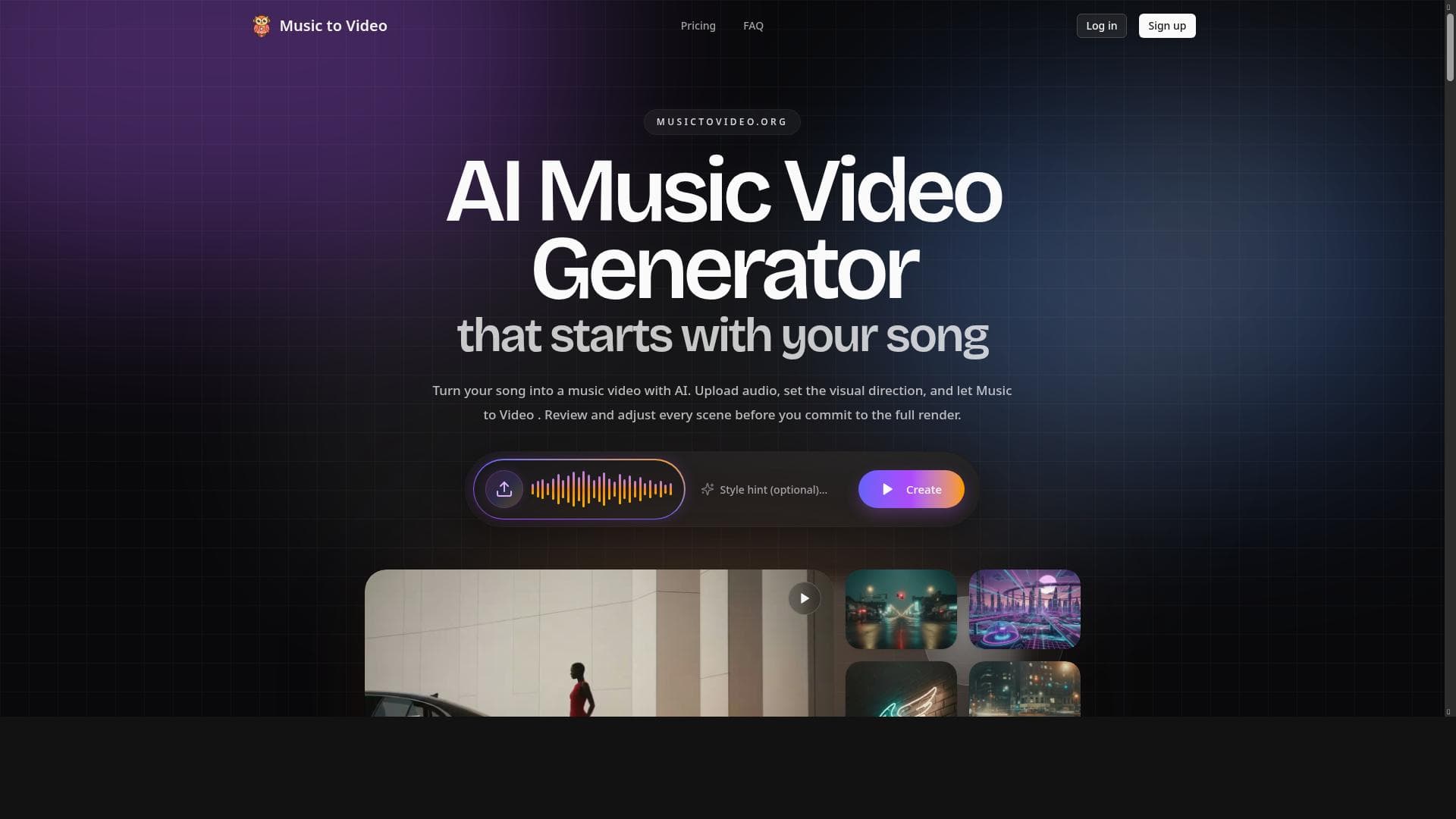
Music to Video is an AI-driven platform that transforms songs into custom music videos within minutes, offering independent artists a fast and creative way to visually showcase their music. With features like scene previews, prompt editing, and adjustable settings, it empowers creators to produce personalized videos without technical expertise.

Description
Music to Video is an AI-powered music video generator that allows independent artists and creators to upload their songs and generate AI music videos within minutes. Users can preview scenes, edit prompts, and make adjustments before rendering the final video, providing a seamless and creative video production experience.
Detailed Description
Music to Video is an innovative AI-powered platform designed to transform audio tracks into visually engaging music videos quickly and effortlessly. Its core purpose is to empower independent artists and creators by providing an accessible tool that generates high-quality music videos without the need for extensive video production skills or resources. By simply uploading a song, users can leverage advanced AI models to automatically create dynamic video content that complements their music, enhancing their promotional efforts and artistic expression. The platform offers a suite of key features that streamline the video creation process. Users begin by uploading their audio track, after which the AI analyzes the music to generate a series of video scenes that align with the song's mood, tempo, and style. One of the standout capabilities is the ability to preview these scenes before finalizing the video, allowing creators to assess and refine the visual narrative. Additionally, users can edit prompts that guide the AI’s video generation, providing a level of customization that tailors the output to their artistic vision. Adjustable settings further enable fine-tuning of video elements such as scene transitions, visual effects, and pacing prior to rendering the final product. This combination of automation and manual control ensures a seamless yet creative video production experience. Music to Video is particularly well-suited for independent musicians, content creators, and small-scale producers who may lack the budget or expertise to produce traditional music videos. It serves as a powerful tool for artists looking to quickly generate promotional content for social media, streaming platforms, or personal websites. The platform’s ease of use and speed make it ideal for those seeking to maintain a consistent visual presence alongside their music releases without the delays and costs associated with conventional video production. Regarding pricing, Music to Video operates on a freemium model. This allows users to access basic video generation features at no cost, making it accessible to emerging artists and hobbyists. Premium plans likely offer enhanced capabilities such as higher resolution outputs, extended video length, additional customization options, or priority rendering, although specific pricing tiers and features should be confirmed on the official website. This flexible pricing structure supports a wide range of users, from casual creators to professionals seeking more advanced tools. When compared to alternative music video creation platforms, Music to Video distinguishes itself through its AI-driven approach that balances automation with user input. Unlike traditional video editing software that requires manual assembly and technical skills, or generic video generators that offer limited customization, Music to Video provides a tailored experience focused specifically on music videos. Its prompt editing and scene preview features offer a unique blend of creative control and efficiency, setting it apart from competitors that either automate too much or demand too much manual effort. However, there are some considerations to keep in mind. As with any AI-generated content, the quality and relevance of the video output may vary depending on the complexity of the song and the specificity of user prompts. While the tool offers customization, it may not fully replace the nuanced storytelling and artistic direction achievable through professional video production. Additionally, users should review any limitations related to video length, resolution, or usage rights associated with the freemium and premium plans. Overall, Music to Video is a compelling solution for artists seeking a fast, affordable, and creative way to produce music videos, but it may be best complemented by traditional methods for those requiring highly bespoke productions.
Tool Features
- Upload your song to generate a music video
- Preview scenes before final rendering
- Edit prompts to customize video content
- Adjust settings prior to rendering
- Designed for independent artists and creators
Description
✦
Music to Video is an AI-driven platform that transforms songs into custom music videos within minutes, offering independent artists a fast and creative way to visually showcase their music. With features like scene previews, prompt editing, and adjustable settings, it empowers creators to produce personalized videos without technical expertise.
Music to Video is an AI-powered music video generator that allows independent artists and creators to upload their songs and generate AI music videos within minutes. Users can preview scenes, edit prompts, and make adjustments before rendering the final video, providing a seamless and creative video production experience.
Detailed Description
Music to Video is an innovative AI-powered platform designed to transform audio tracks into visually engaging music videos quickly and effortlessly. Its core purpose is to empower independent artists and creators by providing an accessible tool that generates high-quality music videos without the need for extensive video production skills or resources. By simply uploading a song, users can leverage advanced AI models to automatically create dynamic video content that complements their music, enhancing their promotional efforts and artistic expression. The platform offers a suite of key features that streamline the video creation process. Users begin by uploading their audio track, after which the AI analyzes the music to generate a series of video scenes that align with the song's mood, tempo, and style. One of the standout capabilities is the ability to preview these scenes before finalizing the video, allowing creators to assess and refine the visual narrative. Additionally, users can edit prompts that guide the AI’s video generation, providing a level of customization that tailors the output to their artistic vision. Adjustable settings further enable fine-tuning of video elements such as scene transitions, visual effects, and pacing prior to rendering the final product. This combination of automation and manual control ensures a seamless yet creative video production experience. Music to Video is particularly well-suited for independent musicians, content creators, and small-scale producers who may lack the budget or expertise to produce traditional music videos. It serves as a powerful tool for artists looking to quickly generate promotional content for social media, streaming platforms, or personal websites. The platform’s ease of use and speed make it ideal for those seeking to maintain a consistent visual presence alongside their music releases without the delays and costs associated with conventional video production. Regarding pricing, Music to Video operates on a freemium model. This allows users to access basic video generation features at no cost, making it accessible to emerging artists and hobbyists. Premium plans likely offer enhanced capabilities such as higher resolution outputs, extended video length, additional customization options, or priority rendering, although specific pricing tiers and features should be confirmed on the official website. This flexible pricing structure supports a wide range of users, from casual creators to professionals seeking more advanced tools. When compared to alternative music video creation platforms, Music to Video distinguishes itself through its AI-driven approach that balances automation with user input. Unlike traditional video editing software that requires manual assembly and technical skills, or generic video generators that offer limited customization, Music to Video provides a tailored experience focused specifically on music videos. Its prompt editing and scene preview features offer a unique blend of creative control and efficiency, setting it apart from competitors that either automate too much or demand too much manual effort. However, there are some considerations to keep in mind. As with any AI-generated content, the quality and relevance of the video output may vary depending on the complexity of the song and the specificity of user prompts. While the tool offers customization, it may not fully replace the nuanced storytelling and artistic direction achievable through professional video production. Additionally, users should review any limitations related to video length, resolution, or usage rights associated with the freemium and premium plans. Overall, Music to Video is a compelling solution for artists seeking a fast, affordable, and creative way to produce music videos, but it may be best complemented by traditional methods for those requiring highly bespoke productions.
Frequently Asked Questions
What is Music to Video?
Music to Video is an AI-powered music video generator that enables independent artists and creators to upload their songs and automatically create customized music videos quickly and easily.
How much does Music to Video cost?
Music to Video offers a freemium pricing model, allowing users to access basic features for free, with premium plans likely available for advanced features and higher-quality outputs.
Who is Music to Video best for?
It is best suited for independent musicians, content creators, and small-scale producers who want to generate engaging music videos without the need for professional video production skills or large budgets.
What are the main features of Music to Video?
Key features include uploading songs to generate videos, previewing scenes before final rendering, editing prompts to customize video content, adjusting settings for video output, and a user-friendly interface designed for creators.
Does Music to Video offer a free trial?
Yes, the platform operates on a freemium basis, allowing users to try core features for free before opting for any premium plans.
What integrations does Music to Video support?
Currently, Music to Video focuses on direct song uploads and AI video generation; specific third-party integrations are not prominently featured and should be verified on their website.
How does Music to Video work?
Users upload their music track, and the AI analyzes the audio to generate video scenes that match the song’s mood and rhythm. Users can preview and edit these scenes by adjusting prompts and settings before rendering the final music video.
Reviews
0 reviews
No reviews yet. Be the first to share your experience.
Sponsored Tools











































Recommended Tools
Stay updated on latest Ai tools
Get the latest insights, Join our newsletter
Read and trusted by 50,000+ readers
Join the biggest AI Community
Our community and staff are here to help!
Your feedback will help Alice AI improve in future versions.








Submit your Tool


PoweredByAI.app is an AI Tools Directory helping individuals, businesses, and creators discover the best AI tools for writing, coding, design, productivity, and more.
© 2026 , Product of011BQ. All rights reserved.