
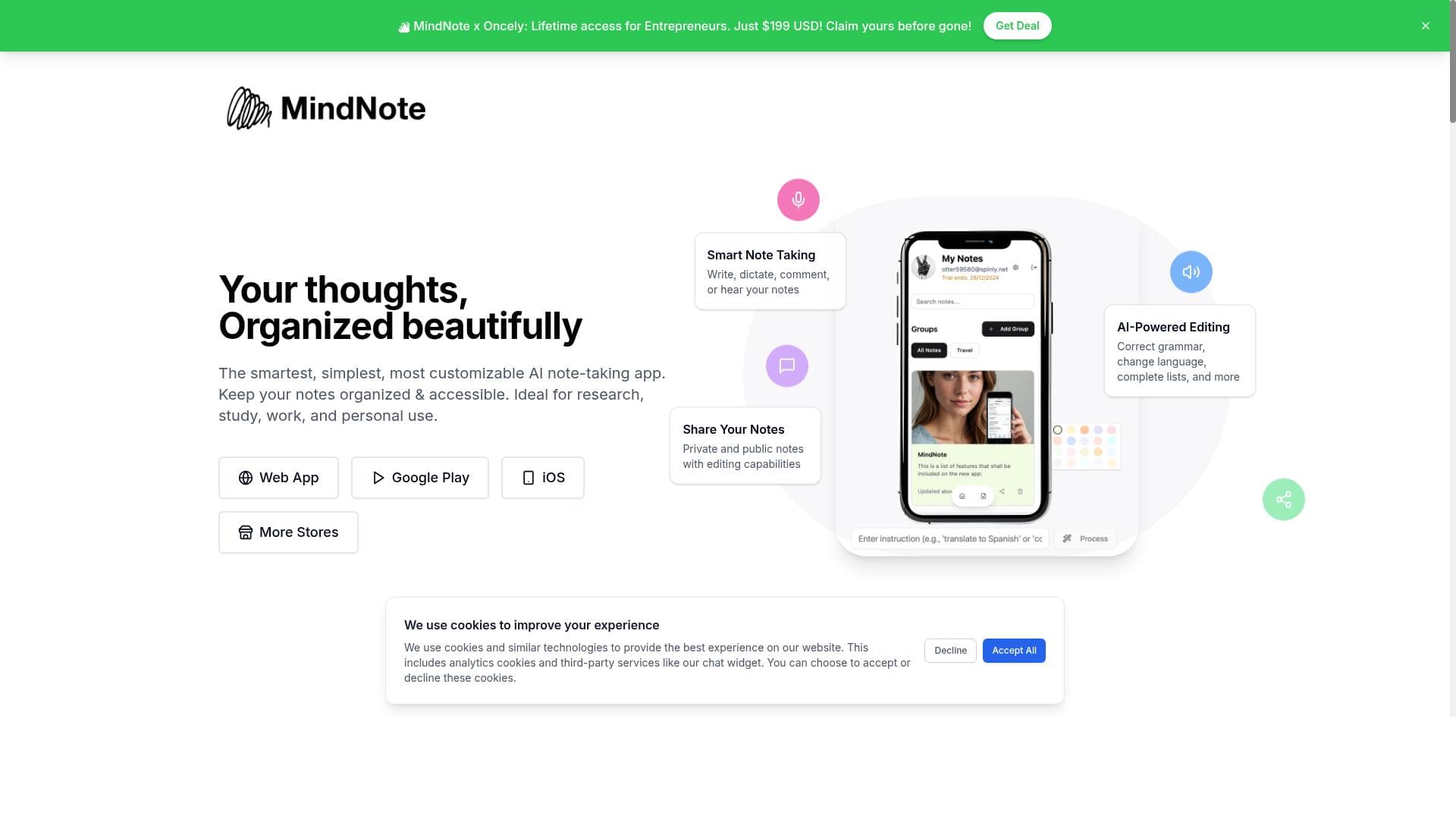


MindNote is a versatile AI notetaking app that transforms meetings and spoken content into accurate, searchable notes with real-time transcription, OCR, and AI-powered summaries. Ideal for professionals and students alike, it streamlines productivity by automating note capture and action item extraction across devices.

Description
AI Notetaker
Detailed Description
MindNote is an advanced AI-powered notetaking application designed to streamline the process of capturing, organizing, and summarizing meeting content and other spoken or visual information. Its core purpose is to enhance productivity by automating the transcription and summarization of meetings, lectures, and brainstorming sessions, allowing users to focus on participation rather than manual note-taking. By leveraging cutting-edge AI technologies, MindNote transforms audio, images, and voice inputs into accurate, searchable, and actionable text notes that can be accessed across multiple devices. At the heart of MindNote’s capabilities is its automatic meeting transcription feature, which converts spoken dialogue into text in real time. This ensures that no critical detail is missed during discussions, enabling users to revisit conversations with ease. Complementing this is the OCR (Optical Character Recognition) image-to-text functionality, which allows users to extract text from images such as whiteboard photos, slides, or handwritten notes, making it easy to digitize and organize visual content. Additionally, the voice-to-text feature supports hands-free note-taking by converting voice memos or live speech into text, further enhancing convenience. MindNote also excels in intelligent content summarization. Its AI meeting summary tool distills lengthy transcripts into concise summaries, highlighting key points and decisions made during meetings. This is paired with action item extraction, which identifies tasks and responsibilities discussed, helping teams stay aligned and accountable. The app supports cross-platform synchronization, ensuring that notes and summaries are seamlessly updated and accessible on various devices, including desktops, tablets, and smartphones. This tool is particularly well-suited for professionals who regularly attend meetings, such as project managers, team leaders, consultants, and remote workers who need reliable documentation without the distraction of manual note-taking. Educators and students can also benefit from MindNote by capturing lectures and study sessions efficiently. Use cases extend to journalists conducting interviews, legal professionals recording depositions, and anyone who requires accurate, organized records of spoken content. MindNote offers a freemium pricing model, allowing users to access basic features at no cost, which is ideal for casual users or those wanting to test the platform. Premium plans unlock advanced capabilities such as longer transcription durations, enhanced AI summarization, priority support, and additional storage. This tiered approach makes MindNote accessible to a wide range of users, from individuals to enterprise teams. Compared to other AI notetaking tools, MindNote stands out due to its comprehensive feature set that combines real-time transcription, OCR, voice-to-text, and AI-driven summarization in one platform. While some competitors may specialize in only one or two of these areas, MindNote’s integrated approach offers a more holistic solution. However, users should consider that the accuracy of transcription and OCR may vary depending on audio quality and image clarity. Additionally, as with many AI tools, privacy and data security are important considerations, so users should review MindNote’s policies to ensure compliance with their organizational requirements. In summary, MindNote is a powerful AI notetaking assistant that significantly reduces the effort involved in capturing and managing meeting content. Its rich feature set, cross-platform availability, and intelligent automation make it an invaluable tool for professionals and students alike. While it may have some limitations related to input quality and privacy concerns, its benefits in boosting productivity and ensuring accurate documentation are substantial.
Tool Features
- AI notetaking app
- Automatic meeting transcription
- Real-time transcription
- OCR image-to-text
- Voice-to-text
- AI meeting summary
- Action item extraction
- Cross-platform sync
Description
MindNote is a versatile AI notetaking app that transforms meetings and spoken content into accurate, searchable notes with real-time transcription, OCR, and AI-powered summaries. Ideal for professionals and students alike, it streamlines productivity by automating note capture and action item extraction across devices.
AI Notetaker
Detailed Description
MindNote is an advanced AI-powered notetaking application designed to streamline the process of capturing, organizing, and summarizing meeting content and other spoken or visual information. Its core purpose is to enhance productivity by automating the transcription and summarization of meetings, lectures, and brainstorming sessions, allowing users to focus on participation rather than manual note-taking. By leveraging cutting-edge AI technologies, MindNote transforms audio, images, and voice inputs into accurate, searchable, and actionable text notes that can be accessed across multiple devices. At the heart of MindNote’s capabilities is its automatic meeting transcription feature, which converts spoken dialogue into text in real time. This ensures that no critical detail is missed during discussions, enabling users to revisit conversations with ease. Complementing this is the OCR (Optical Character Recognition) image-to-text functionality, which allows users to extract text from images such as whiteboard photos, slides, or handwritten notes, making it easy to digitize and organize visual content. Additionally, the voice-to-text feature supports hands-free note-taking by converting voice memos or live speech into text, further enhancing convenience. MindNote also excels in intelligent content summarization. Its AI meeting summary tool distills lengthy transcripts into concise summaries, highlighting key points and decisions made during meetings. This is paired with action item extraction, which identifies tasks and responsibilities discussed, helping teams stay aligned and accountable. The app supports cross-platform synchronization, ensuring that notes and summaries are seamlessly updated and accessible on various devices, including desktops, tablets, and smartphones. This tool is particularly well-suited for professionals who regularly attend meetings, such as project managers, team leaders, consultants, and remote workers who need reliable documentation without the distraction of manual note-taking. Educators and students can also benefit from MindNote by capturing lectures and study sessions efficiently. Use cases extend to journalists conducting interviews, legal professionals recording depositions, and anyone who requires accurate, organized records of spoken content. MindNote offers a freemium pricing model, allowing users to access basic features at no cost, which is ideal for casual users or those wanting to test the platform. Premium plans unlock advanced capabilities such as longer transcription durations, enhanced AI summarization, priority support, and additional storage. This tiered approach makes MindNote accessible to a wide range of users, from individuals to enterprise teams. Compared to other AI notetaking tools, MindNote stands out due to its comprehensive feature set that combines real-time transcription, OCR, voice-to-text, and AI-driven summarization in one platform. While some competitors may specialize in only one or two of these areas, MindNote’s integrated approach offers a more holistic solution. However, users should consider that the accuracy of transcription and OCR may vary depending on audio quality and image clarity. Additionally, as with many AI tools, privacy and data security are important considerations, so users should review MindNote’s policies to ensure compliance with their organizational requirements. In summary, MindNote is a powerful AI notetaking assistant that significantly reduces the effort involved in capturing and managing meeting content. Its rich feature set, cross-platform availability, and intelligent automation make it an invaluable tool for professionals and students alike. While it may have some limitations related to input quality and privacy concerns, its benefits in boosting productivity and ensuring accurate documentation are substantial.
Frequently Asked Questions
What is MindNote?
MindNote is an AI-powered notetaking application designed to automatically transcribe meetings, convert images and voice inputs into text, and generate concise summaries and action items to enhance productivity.
How much does MindNote cost?
MindNote offers a freemium pricing model with basic features available for free, while premium plans provide extended transcription time, advanced AI summarization, additional storage, and priority support.
Who is MindNote best for?
MindNote is ideal for professionals who attend frequent meetings, educators, students, journalists, and anyone needing efficient, accurate documentation of spoken or visual content.
What are the main features of MindNote?
Key features include automatic meeting transcription, real-time transcription, OCR image-to-text conversion, voice-to-text input, AI-generated meeting summaries, action item extraction, and cross-platform synchronization.
Does MindNote offer a free trial?
Yes, MindNote provides free access to its basic features through a freemium plan, allowing users to try the app before upgrading to premium options.
What integrations does MindNote support?
While specific integrations are not detailed, MindNote supports cross-platform synchronization, enabling seamless access to notes across various devices such as desktops, tablets, and smartphones.
How does MindNote work?
MindNote uses AI technologies to transcribe spoken words in real time, extract text from images via OCR, convert voice inputs to text, and generate summaries and action items, all synchronized across devices for easy access.
Socials
Use ToolReviews
No reviews yet. Be the first to share your experience.















































