🚀 Zaprep: Your Socials on Steroids. Start free — automate 1,000 DMs/month & turn engagement into leads. with 1,000 automated DMs/month.


Is this your AI tool? Claim it today.
Verify ownership, manage your profile, and unlock growth features.
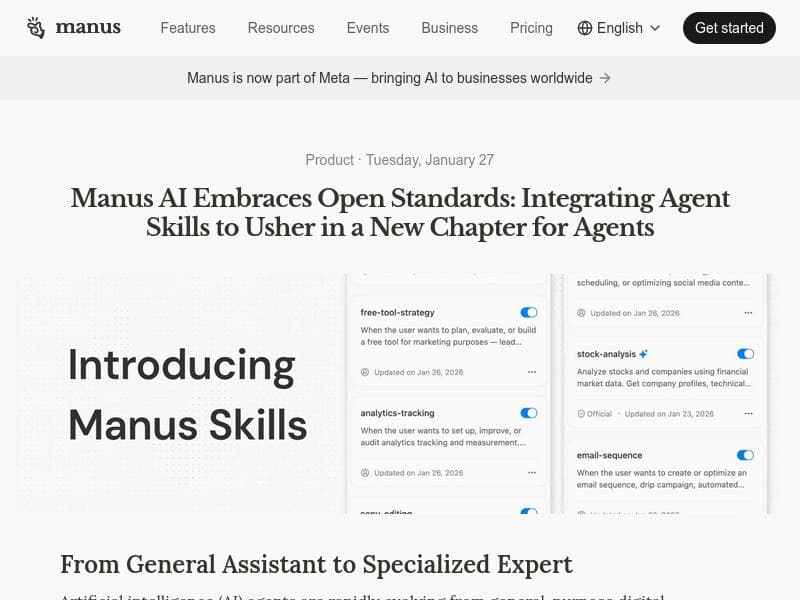
Manus Skills transforms your best Manus workflows into reusable, shareable Skills that automate complex, recurring tasks with ease. Ideal for teams looking to capture and extend AI expertise, it enables seamless collaboration and infinite scalability within the Manus ecosystem.

Description
Save your best Manus workflows as reusable Skills, trigger them with /SKILL_NAME, and share across your team. Built for Manus users who run recurring or multi-step agent tasks at work.
Detailed Description
Manus Skills is a powerful AI tool designed to streamline and optimize the way teams handle recurring or multi-step agent tasks within the Manus platform. At its core, Manus Skills allows users to save their most effective Manus workflows as reusable "Skills," which can then be triggered easily using simple commands like /SKILL_NAME. This functionality not only enhances productivity by automating repetitive tasks but also facilitates seamless knowledge sharing across teams, ensuring that expertise is captured and leveraged consistently. The tool is particularly suited for organizations and teams that rely heavily on AI agents to perform complex workflows repeatedly and want to maintain a high level of efficiency and accuracy in their operations. One of the standout features of Manus Skills is its ability to capture expertise in a reusable format. By saving workflows as Skills, users can build once and use forever, eliminating the need to recreate or manually repeat processes. This capability extends the AI’s functionality infinitely, as teams can continuously add new Skills or refine existing ones to adapt to evolving business needs. Sharing expertise is made effortless, enabling teams to collaborate and distribute knowledge without friction. Additionally, Manus Skills supports the integration of agent skills, allowing users to combine multiple AI capabilities into cohesive workflows. The tool also embraces open standards, ensuring compatibility and flexibility when integrating with other systems or platforms. Manus Skills is best suited for Manus users who frequently run complex, multi-step agent tasks or recurring workflows at work. This includes customer support teams automating response sequences, sales teams managing lead qualification processes, or operations teams handling routine data processing tasks. By leveraging Manus Skills, these users can reduce manual effort, minimize errors, and accelerate task completion times. The ability to share Skills across teams also fosters a culture of continuous improvement and knowledge retention, which is invaluable in fast-paced or knowledge-intensive environments. In terms of pricing, Manus Skills follows a freemium model, making it accessible to a wide range of users from individual professionals to large teams. The free tier provides essential functionality to get started with creating and sharing Skills, while premium plans likely offer advanced features, higher usage limits, or enhanced support. This pricing approach allows users to evaluate the tool’s value before committing financially, making it a low-risk investment for organizations looking to enhance their AI workflow automation. When compared to alternatives, Manus Skills stands out due to its tight integration with the Manus platform and its focus on reusable, shareable workflows. While other AI tools may offer automation or workflow capabilities, Manus Skills uniquely combines ease of use with extensibility and team collaboration. Its support for open standards further differentiates it by providing flexibility that proprietary systems may lack. However, users should consider that Manus Skills is designed specifically for Manus users, so those not already using Manus may find it less applicable or require onboarding to the broader Manus ecosystem. Notable limitations include its dependency on the Manus platform, which means it may not be suitable for teams using other AI or automation tools exclusively. Additionally, while the freemium model is attractive, advanced features or higher usage volumes may require paid plans, which organizations should evaluate based on their scale and needs. Finally, as with any AI-driven workflow tool, users should ensure proper governance and oversight to maintain accuracy and prevent unintended consequences from automated processes. Overall, Manus Skills offers a robust solution for capturing, automating, and sharing AI workflows within teams, empowering users to extend their AI capabilities infinitely and build a repository of reusable expertise that drives efficiency and collaboration.
Tool Features
- Capture expertise
- Share expertise with your team
- Extend AI capabilities infinitely
- Build once, use forever
- Integration of agent skills
- Open standards support
Description
Manus Skills transforms your best Manus workflows into reusable, shareable Skills that automate complex, recurring tasks with ease. Ideal for teams looking to capture and extend AI expertise, it enables seamless collaboration and infinite scalability within the Manus ecosystem.
Save your best Manus workflows as reusable Skills, trigger them with /SKILL_NAME, and share across your team. Built for Manus users who run recurring or multi-step agent tasks at work.
Detailed Description
Manus Skills is a powerful AI tool designed to streamline and optimize the way teams handle recurring or multi-step agent tasks within the Manus platform. At its core, Manus Skills allows users to save their most effective Manus workflows as reusable "Skills," which can then be triggered easily using simple commands like /SKILL_NAME. This functionality not only enhances productivity by automating repetitive tasks but also facilitates seamless knowledge sharing across teams, ensuring that expertise is captured and leveraged consistently. The tool is particularly suited for organizations and teams that rely heavily on AI agents to perform complex workflows repeatedly and want to maintain a high level of efficiency and accuracy in their operations. One of the standout features of Manus Skills is its ability to capture expertise in a reusable format. By saving workflows as Skills, users can build once and use forever, eliminating the need to recreate or manually repeat processes. This capability extends the AI’s functionality infinitely, as teams can continuously add new Skills or refine existing ones to adapt to evolving business needs. Sharing expertise is made effortless, enabling teams to collaborate and distribute knowledge without friction. Additionally, Manus Skills supports the integration of agent skills, allowing users to combine multiple AI capabilities into cohesive workflows. The tool also embraces open standards, ensuring compatibility and flexibility when integrating with other systems or platforms. Manus Skills is best suited for Manus users who frequently run complex, multi-step agent tasks or recurring workflows at work. This includes customer support teams automating response sequences, sales teams managing lead qualification processes, or operations teams handling routine data processing tasks. By leveraging Manus Skills, these users can reduce manual effort, minimize errors, and accelerate task completion times. The ability to share Skills across teams also fosters a culture of continuous improvement and knowledge retention, which is invaluable in fast-paced or knowledge-intensive environments. In terms of pricing, Manus Skills follows a freemium model, making it accessible to a wide range of users from individual professionals to large teams. The free tier provides essential functionality to get started with creating and sharing Skills, while premium plans likely offer advanced features, higher usage limits, or enhanced support. This pricing approach allows users to evaluate the tool’s value before committing financially, making it a low-risk investment for organizations looking to enhance their AI workflow automation. When compared to alternatives, Manus Skills stands out due to its tight integration with the Manus platform and its focus on reusable, shareable workflows. While other AI tools may offer automation or workflow capabilities, Manus Skills uniquely combines ease of use with extensibility and team collaboration. Its support for open standards further differentiates it by providing flexibility that proprietary systems may lack. However, users should consider that Manus Skills is designed specifically for Manus users, so those not already using Manus may find it less applicable or require onboarding to the broader Manus ecosystem. Notable limitations include its dependency on the Manus platform, which means it may not be suitable for teams using other AI or automation tools exclusively. Additionally, while the freemium model is attractive, advanced features or higher usage volumes may require paid plans, which organizations should evaluate based on their scale and needs. Finally, as with any AI-driven workflow tool, users should ensure proper governance and oversight to maintain accuracy and prevent unintended consequences from automated processes. Overall, Manus Skills offers a robust solution for capturing, automating, and sharing AI workflows within teams, empowering users to extend their AI capabilities infinitely and build a repository of reusable expertise that drives efficiency and collaboration.
Frequently Asked Questions
What is Manus Skills?
Manus Skills is a tool that lets you save your most effective Manus workflows as reusable Skills, which can be triggered with simple commands and shared across your team to automate recurring or multi-step agent tasks.
How much does Manus Skills cost?
Manus Skills offers a freemium pricing model, providing basic functionality for free with options to upgrade for advanced features or higher usage limits.
Who is Manus Skills best for?
It is best suited for Manus users who frequently run complex, multi-step workflows or recurring tasks, such as customer support, sales, or operations teams looking to automate and share expertise.
What are the main features of Manus Skills?
Key features include capturing and sharing expertise, building reusable Skills, extending AI capabilities infinitely, integrating agent skills, and supporting open standards for flexibility.
Does Manus Skills offer a free trial?
Yes, Manus Skills operates on a freemium model, allowing users to try essential features for free without a time-limited trial period.
What integrations does Manus Skills support?
Manus Skills supports integration of agent skills within the Manus platform and adheres to open standards, enabling compatibility with various systems and workflows.
How does Manus Skills work?
Users save their Manus workflows as reusable Skills that can be triggered via commands like /SKILL_NAME, allowing automation of complex tasks and easy sharing of these workflows across teams.
Socials
Use ToolReviews
No reviews yet. Be the first to share your experience.
Sponsored Tools











































Recommended Tools
Stay updated on latest Ai tools
Get the latest insights, Join our newsletter
Read and trusted by 50,000+ readers
Join the biggest AI Community
Our community and staff are here to help!
Your feedback will help Alice AI improve in future versions.








Submit your Tool


PoweredByAI.app is an AI Tools Directory helping individuals, businesses, and creators discover the best AI tools for writing, coding, design, productivity, and more.
© 2026 , Product of011BQ. All rights reserved.