Featured in:Best AI Writing Tools
Get featured →🚀 Zaprep: Your Socials on Steroids. Start free — automate 1,000 DMs/month & turn engagement into leads. with 1,000 automated DMs/month.


Is this your AI tool? Claim it today.
Verify ownership, manage your profile, and unlock growth features.
✦
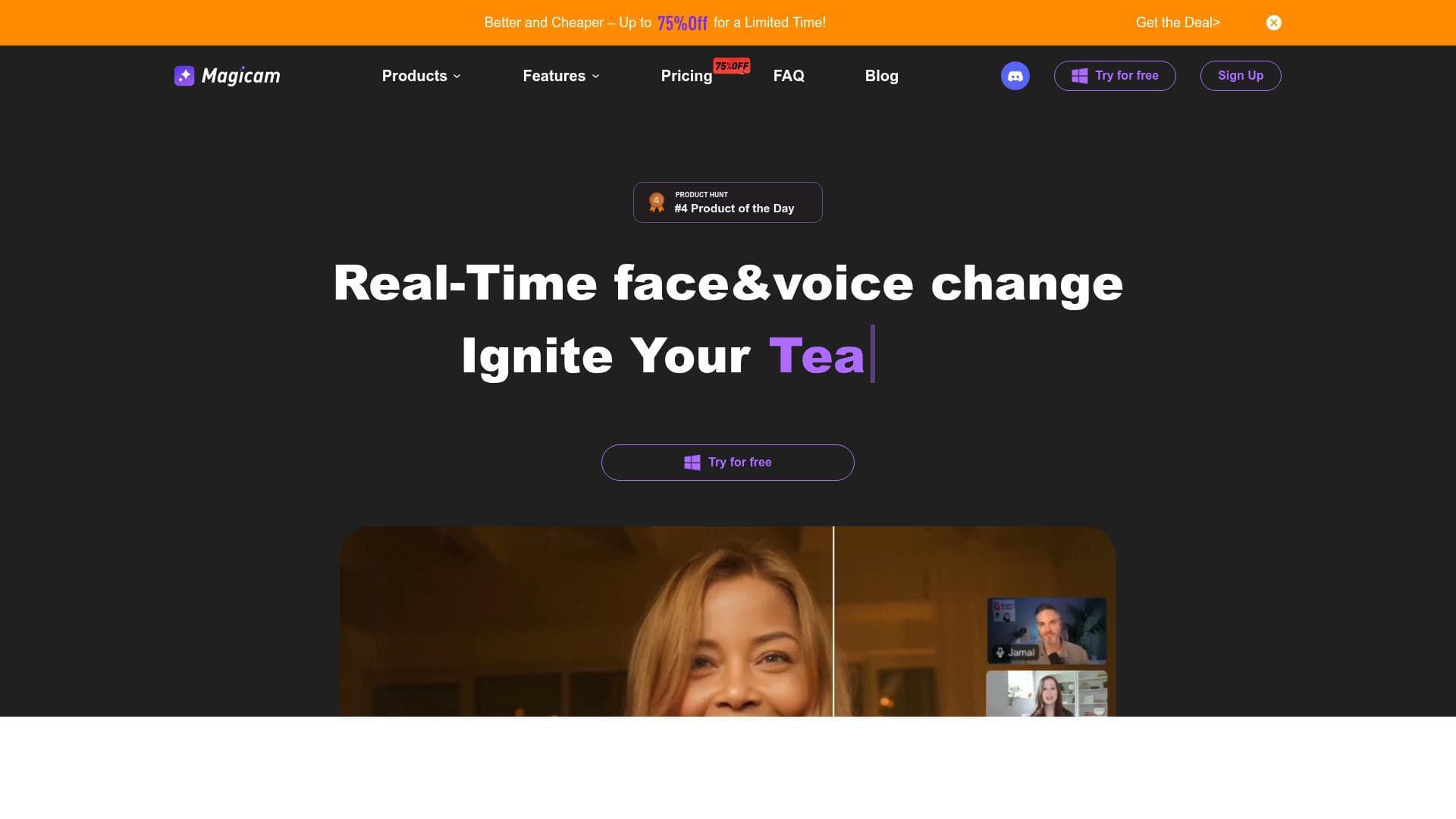
Magicam is a cutting-edge AI tool that transforms real-time face swapping with features like dynamic voice cloning and image animation, perfect for creators and professionals seeking high-quality, interactive video content. Its seamless live streaming integration and user-friendly interface make it an ideal choice for anyone looking to innovate in video creation and live broadcasts.

Description
Magicam redefines real-time AI face swapping. It features Voice Clone for dynamic voice modulation, LivePortrait to animate images, enhanced video face swap, and a Customization Panel for fine-tuning—ideal for creators and professionals.
Detailed Description
Magicam is an innovative AI-powered tool designed to revolutionize real-time face swapping and dynamic video content creation. At its core, Magicam enables users to seamlessly replace faces in live video streams or prerecorded footage with high accuracy and realism. This capability is enhanced by advanced AI algorithms that ensure natural facial expressions and movements are preserved, delivering a convincing and immersive visual experience. Beyond face swapping, Magicam incorporates several cutting-edge features such as Voice Clone, which allows users to modulate and replicate voices dynamically, and LivePortrait, a function that animates static images to bring photos to life. These features collectively position Magicam as a versatile platform for creators, streamers, and professionals seeking to produce engaging and personalized video content with ease and sophistication. The key features of Magicam include real-time face swapping that operates smoothly during live video sessions, making it ideal for live streaming and interactive broadcasts. The tool produces high-quality and realistic video output, ensuring that swapped faces blend naturally with the surrounding environment and lighting conditions. Magicam supports direct integration with popular live streaming platforms, enabling content creators to enhance their streams without complicated setups. The user-friendly interface is designed to be intuitive, allowing users with varying levels of technical expertise to navigate and utilize the tool effectively. Additionally, Magicam leverages advanced AI technology for precise face recognition and replacement, which minimizes glitches and enhances the overall visual fidelity. The Customization Panel offers granular control over face swap parameters, voice modulation settings, and animation effects, empowering users to fine-tune their output to match their creative vision. Magicam is particularly well-suited for a wide range of users including content creators, social media influencers, video editors, marketers, and entertainment professionals. Streamers can use Magicam to create engaging live content by swapping faces with celebrities or fictional characters in real time, adding a layer of entertainment and interactivity to their broadcasts. Video producers and marketers can leverage the tool to create personalized advertisements or promotional videos that capture audience attention through dynamic visual effects. Additionally, educators and trainers might find Magicam useful for creating compelling instructional videos by animating historical figures or characters to enhance storytelling. The versatility of Magicam’s features makes it an excellent choice for anyone looking to innovate in video content creation and storytelling. Magicam offers a freemium pricing model, allowing users to access basic features for free while providing premium options for advanced functionalities and higher output quality. This approach enables users to explore the tool’s capabilities without upfront costs and upgrade as their needs evolve. The freemium plan typically includes access to real-time face swapping and basic voice modulation, while subscription tiers unlock enhanced video resolution, extended customization options, and priority support. This flexible pricing structure makes Magicam accessible to hobbyists and professionals alike. When compared to alternative face swapping and video editing tools, Magicam stands out due to its real-time processing capabilities and integrated voice cloning feature. Many competitors focus solely on post-production face replacement, which requires extensive editing time, whereas Magicam’s live streaming integration offers immediate application. The inclusion of LivePortrait and a comprehensive Customization Panel further differentiates Magicam by providing creative tools that extend beyond simple face swaps. However, some alternatives may offer deeper editing suites or broader platform compatibility depending on user requirements. Despite its strengths, Magicam has some limitations to consider. The quality of face swaps can be influenced by lighting conditions and camera quality, which may affect the realism of the output in certain environments. While the tool is designed to be user-friendly, users unfamiliar with AI-driven video editing might experience a learning curve when exploring advanced customization features. Additionally, the freemium plan may impose restrictions on video resolution or usage time, prompting users with high-volume needs to consider paid plans. Privacy and ethical considerations also arise with face swapping technology, so users should ensure responsible use in compliance with legal and ethical standards. Overall, Magicam offers a powerful and accessible solution for real-time AI face swapping and dynamic video creation. Its combination of advanced AI technology, live streaming support, and creative customization tools makes it a compelling choice for creators and professionals aiming to elevate their video content with innovative effects and personalized touches.
Tool Features
- Real-time face swapping
- High-quality and realistic video output
- Supports live streaming integration
- User-friendly interface
- Advanced AI technology for face recognition and replacement
Description
✦
Magicam is a cutting-edge AI tool that transforms real-time face swapping with features like dynamic voice cloning and image animation, perfect for creators and professionals seeking high-quality, interactive video content. Its seamless live streaming integration and user-friendly interface make it an ideal choice for anyone looking to innovate in video creation and live broadcasts.
Magicam redefines real-time AI face swapping. It features Voice Clone for dynamic voice modulation, LivePortrait to animate images, enhanced video face swap, and a Customization Panel for fine-tuning—ideal for creators and professionals.
Detailed Description
Magicam is an innovative AI-powered tool designed to revolutionize real-time face swapping and dynamic video content creation. At its core, Magicam enables users to seamlessly replace faces in live video streams or prerecorded footage with high accuracy and realism. This capability is enhanced by advanced AI algorithms that ensure natural facial expressions and movements are preserved, delivering a convincing and immersive visual experience. Beyond face swapping, Magicam incorporates several cutting-edge features such as Voice Clone, which allows users to modulate and replicate voices dynamically, and LivePortrait, a function that animates static images to bring photos to life. These features collectively position Magicam as a versatile platform for creators, streamers, and professionals seeking to produce engaging and personalized video content with ease and sophistication. The key features of Magicam include real-time face swapping that operates smoothly during live video sessions, making it ideal for live streaming and interactive broadcasts. The tool produces high-quality and realistic video output, ensuring that swapped faces blend naturally with the surrounding environment and lighting conditions. Magicam supports direct integration with popular live streaming platforms, enabling content creators to enhance their streams without complicated setups. The user-friendly interface is designed to be intuitive, allowing users with varying levels of technical expertise to navigate and utilize the tool effectively. Additionally, Magicam leverages advanced AI technology for precise face recognition and replacement, which minimizes glitches and enhances the overall visual fidelity. The Customization Panel offers granular control over face swap parameters, voice modulation settings, and animation effects, empowering users to fine-tune their output to match their creative vision. Magicam is particularly well-suited for a wide range of users including content creators, social media influencers, video editors, marketers, and entertainment professionals. Streamers can use Magicam to create engaging live content by swapping faces with celebrities or fictional characters in real time, adding a layer of entertainment and interactivity to their broadcasts. Video producers and marketers can leverage the tool to create personalized advertisements or promotional videos that capture audience attention through dynamic visual effects. Additionally, educators and trainers might find Magicam useful for creating compelling instructional videos by animating historical figures or characters to enhance storytelling. The versatility of Magicam’s features makes it an excellent choice for anyone looking to innovate in video content creation and storytelling. Magicam offers a freemium pricing model, allowing users to access basic features for free while providing premium options for advanced functionalities and higher output quality. This approach enables users to explore the tool’s capabilities without upfront costs and upgrade as their needs evolve. The freemium plan typically includes access to real-time face swapping and basic voice modulation, while subscription tiers unlock enhanced video resolution, extended customization options, and priority support. This flexible pricing structure makes Magicam accessible to hobbyists and professionals alike. When compared to alternative face swapping and video editing tools, Magicam stands out due to its real-time processing capabilities and integrated voice cloning feature. Many competitors focus solely on post-production face replacement, which requires extensive editing time, whereas Magicam’s live streaming integration offers immediate application. The inclusion of LivePortrait and a comprehensive Customization Panel further differentiates Magicam by providing creative tools that extend beyond simple face swaps. However, some alternatives may offer deeper editing suites or broader platform compatibility depending on user requirements. Despite its strengths, Magicam has some limitations to consider. The quality of face swaps can be influenced by lighting conditions and camera quality, which may affect the realism of the output in certain environments. While the tool is designed to be user-friendly, users unfamiliar with AI-driven video editing might experience a learning curve when exploring advanced customization features. Additionally, the freemium plan may impose restrictions on video resolution or usage time, prompting users with high-volume needs to consider paid plans. Privacy and ethical considerations also arise with face swapping technology, so users should ensure responsible use in compliance with legal and ethical standards. Overall, Magicam offers a powerful and accessible solution for real-time AI face swapping and dynamic video creation. Its combination of advanced AI technology, live streaming support, and creative customization tools makes it a compelling choice for creators and professionals aiming to elevate their video content with innovative effects and personalized touches.
Frequently Asked Questions
What is Magicam?
Magicam is an AI-powered tool that specializes in real-time face swapping, dynamic voice modulation, and image animation, enabling users to create high-quality, realistic video content for live streaming and prerecorded videos.
How much does Magicam cost?
Magicam operates on a freemium pricing model, offering basic features for free and premium plans that unlock advanced functionalities, higher video quality, and extended customization options.
Who is Magicam best for?
Magicam is ideal for content creators, live streamers, video editors, marketers, and professionals who want to produce engaging, personalized video content with real-time face swapping and voice modulation.
What are the main features of Magicam?
The main features include real-time face swapping, high-quality and realistic video output, live streaming integration, Voice Clone for voice modulation, LivePortrait for animating images, and a Customization Panel for fine-tuning effects.
Does Magicam offer a free trial?
Yes, Magicam offers a freemium plan that allows users to access basic features without cost, effectively serving as a free trial to explore the tool’s capabilities.
What integrations does Magicam support?
Magicam supports integration with popular live streaming platforms, enabling users to apply real-time face swaps and voice modulation directly during live broadcasts.
How does Magicam work?
Magicam uses advanced AI algorithms to recognize and replace faces in real time, modulate voices dynamically, and animate images, all while allowing users to customize settings through an intuitive interface for seamless video content creation.
Reviews
0 reviews
No reviews yet. Be the first to share your experience.
Sponsored Tools











































Recommended Tools
Stay updated on latest Ai tools
Get the latest insights, Join our newsletter
Read and trusted by 50,000+ readers
Join the biggest AI Community
Our community and staff are here to help!
Your feedback will help Alice AI improve in future versions.








Submit your Tool


PoweredByAI.app is an AI Tools Directory helping individuals, businesses, and creators discover the best AI tools for writing, coding, design, productivity, and more.
© 2026 , Product of011BQ. All rights reserved.