
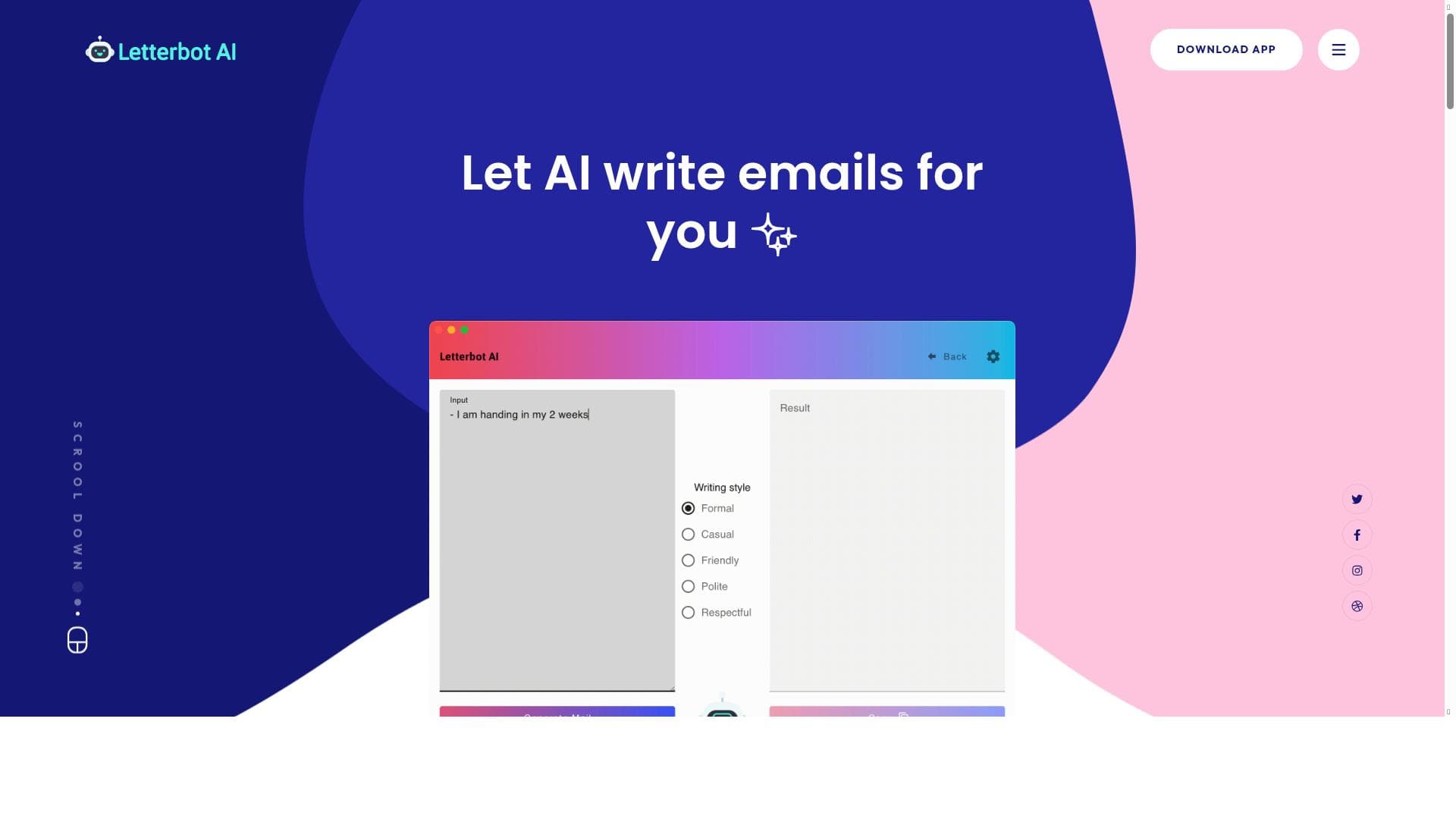


Letterbot AI is a powerful desktop application that uses advanced AI to generate, reply to, and summarize emails effortlessly. Ideal for professionals seeking to save time and improve email communication, it offers features like full email writing, subject line suggestions, and grammar checking, all powered by a vast dataset of millions of emails.

Description
A simple desktop application that uses AI to generate and summarise emails for you. Features: Write Full Emails Just throw in what the Email is about, and watcht the AI formulate it perfectly for you! Finding Subject Lines an't think of a snappy subject line for your email? The AI will read the email and give you 3 suggestions Replying to Emails Throw in the orginal email and an instruction for the reply. The AI will formulate a perfect response based on and referencing the original mail. Grammar Checker Write down your thoughts and the app do the spellchecking for you. Next Gen AI Trained on 45 TB of text data points, millions of emails Summarise long Emails Long and complex texts get summarised in a matter of seconds.
Detailed Description
Letterbot AI is a user-friendly desktop application designed to streamline email communication by leveraging advanced artificial intelligence technology. Its core purpose is to assist users in composing, replying to, summarizing, and improving emails efficiently, saving time and enhancing productivity. By automating the email writing process, Letterbot AI helps users overcome writer's block, craft professional messages, and manage their inbox more effectively. The tool is particularly valuable for professionals who handle large volumes of email daily and need to maintain clear and concise communication without spending excessive time drafting messages. One of the standout features of Letterbot AI is its ability to write full emails based on minimal input. Users simply provide a brief description of the email's intent or subject, and the AI formulates a polished, coherent email tailored to the context. This feature is ideal for quickly generating emails that sound natural and professional without requiring extensive manual effort. Additionally, Letterbot AI offers a subject line generator that analyzes the email content and suggests three catchy and relevant subject lines, helping users increase open rates and engagement. Replying to emails is made effortless with Letterbot AI's reply formulation capability. Users input the original email along with instructions for the desired response, and the AI crafts a well-structured reply that references the original message appropriately. This ensures responses are contextually accurate and maintain a professional tone. The application also includes a grammar checker that automatically corrects spelling and grammatical errors, allowing users to write freely without worrying about mistakes. Powered by next-generation AI technology trained on an extensive dataset of 45 terabytes of text data, including millions of emails, Letterbot AI delivers highly accurate and context-aware outputs. Another valuable feature is its ability to summarize long and complex emails within seconds, enabling users to quickly grasp the key points without reading through lengthy text. This is especially useful for professionals who receive detailed reports or multi-threaded email conversations. Letterbot AI is best suited for business professionals, customer service representatives, sales teams, and anyone who relies heavily on email communication. It caters to individuals who want to improve their email writing efficiency, maintain professionalism, and reduce the cognitive load of managing email correspondence. Use cases include drafting client outreach emails, summarizing lengthy internal communications, generating quick replies, and ensuring error-free messages. The tool follows a freemium pricing model, allowing users to access basic features for free while offering premium functionalities through paid plans. This approach makes it accessible to a wide range of users, from casual email writers to professionals requiring advanced capabilities. While the free version provides essential features like email writing and summarization, premium plans may include enhanced AI performance, additional customization options, and priority support. Compared to alternatives, Letterbot AI stands out with its desktop application format, which offers offline accessibility and a focused user experience without the distractions of web-based platforms. Its training on a massive dataset ensures superior contextual understanding and natural language generation compared to simpler email assistants. However, unlike some competitors, it may have limited integrations with third-party email clients or CRM systems, which could be a consideration for users seeking seamless workflow automation. Potential limitations include the reliance on user input quality for optimal results and the possibility of AI-generated content requiring review to ensure alignment with personal or corporate communication styles. Additionally, as a desktop app, it may not offer the same cross-device synchronization found in cloud-based solutions. Despite these considerations, Letterbot AI remains a powerful tool for enhancing email productivity and communication clarity.
Tool Features
- AI-generated email writing
- Email summarization
- Desktop application
Description
Letterbot AI is a powerful desktop application that uses advanced AI to generate, reply to, and summarize emails effortlessly. Ideal for professionals seeking to save time and improve email communication, it offers features like full email writing, subject line suggestions, and grammar checking, all powered by a vast dataset of millions of emails.
A simple desktop application that uses AI to generate and summarise emails for you. Features: Write Full Emails Just throw in what the Email is about, and watcht the AI formulate it perfectly for you! Finding Subject Lines an't think of a snappy subject line for your email? The AI will read the email and give you 3 suggestions Replying to Emails Throw in the orginal email and an instruction for the reply. The AI will formulate a perfect response based on and referencing the original mail. Grammar Checker Write down your thoughts and the app do the spellchecking for you. Next Gen AI Trained on 45 TB of text data points, millions of emails Summarise long Emails Long and complex texts get summarised in a matter of seconds.
Detailed Description
Letterbot AI is a user-friendly desktop application designed to streamline email communication by leveraging advanced artificial intelligence technology. Its core purpose is to assist users in composing, replying to, summarizing, and improving emails efficiently, saving time and enhancing productivity. By automating the email writing process, Letterbot AI helps users overcome writer's block, craft professional messages, and manage their inbox more effectively. The tool is particularly valuable for professionals who handle large volumes of email daily and need to maintain clear and concise communication without spending excessive time drafting messages. One of the standout features of Letterbot AI is its ability to write full emails based on minimal input. Users simply provide a brief description of the email's intent or subject, and the AI formulates a polished, coherent email tailored to the context. This feature is ideal for quickly generating emails that sound natural and professional without requiring extensive manual effort. Additionally, Letterbot AI offers a subject line generator that analyzes the email content and suggests three catchy and relevant subject lines, helping users increase open rates and engagement. Replying to emails is made effortless with Letterbot AI's reply formulation capability. Users input the original email along with instructions for the desired response, and the AI crafts a well-structured reply that references the original message appropriately. This ensures responses are contextually accurate and maintain a professional tone. The application also includes a grammar checker that automatically corrects spelling and grammatical errors, allowing users to write freely without worrying about mistakes. Powered by next-generation AI technology trained on an extensive dataset of 45 terabytes of text data, including millions of emails, Letterbot AI delivers highly accurate and context-aware outputs. Another valuable feature is its ability to summarize long and complex emails within seconds, enabling users to quickly grasp the key points without reading through lengthy text. This is especially useful for professionals who receive detailed reports or multi-threaded email conversations. Letterbot AI is best suited for business professionals, customer service representatives, sales teams, and anyone who relies heavily on email communication. It caters to individuals who want to improve their email writing efficiency, maintain professionalism, and reduce the cognitive load of managing email correspondence. Use cases include drafting client outreach emails, summarizing lengthy internal communications, generating quick replies, and ensuring error-free messages. The tool follows a freemium pricing model, allowing users to access basic features for free while offering premium functionalities through paid plans. This approach makes it accessible to a wide range of users, from casual email writers to professionals requiring advanced capabilities. While the free version provides essential features like email writing and summarization, premium plans may include enhanced AI performance, additional customization options, and priority support. Compared to alternatives, Letterbot AI stands out with its desktop application format, which offers offline accessibility and a focused user experience without the distractions of web-based platforms. Its training on a massive dataset ensures superior contextual understanding and natural language generation compared to simpler email assistants. However, unlike some competitors, it may have limited integrations with third-party email clients or CRM systems, which could be a consideration for users seeking seamless workflow automation. Potential limitations include the reliance on user input quality for optimal results and the possibility of AI-generated content requiring review to ensure alignment with personal or corporate communication styles. Additionally, as a desktop app, it may not offer the same cross-device synchronization found in cloud-based solutions. Despite these considerations, Letterbot AI remains a powerful tool for enhancing email productivity and communication clarity.
Frequently Asked Questions
What is Letterbot AI?
Letterbot AI is a desktop application that uses artificial intelligence to help users generate, reply to, summarize, and improve emails quickly and efficiently.
How much does Letterbot AI cost?
Letterbot AI offers a freemium pricing model, providing basic features for free with optional premium plans that unlock advanced functionalities and enhanced AI capabilities.
Who is Letterbot AI best for?
It is best suited for business professionals, customer service teams, sales representatives, and anyone who frequently manages email communication and wants to improve productivity.
What are the main features of Letterbot AI?
Key features include AI-generated full email writing, subject line suggestions, reply formulation based on original emails, grammar checking, and summarization of long emails.
Does Letterbot AI offer a free trial?
Yes, the freemium model allows users to access essential features for free, effectively serving as a trial before opting for premium plans.
What integrations does Letterbot AI support?
As a desktop application, Letterbot AI primarily operates independently and may have limited integrations with third-party email clients or CRM systems.
How does Letterbot AI work?
Users input email-related information or original emails along with instructions, and the AI, trained on a massive dataset, generates, replies to, or summarizes emails based on that input.
Reviews
No reviews yet. Be the first to share your experience.















































