Featured in:Best AI Audio Tools
Get featured →🚀 Zaprep: Your Socials on Steroids. Start free — automate 1,000 DMs/month & turn engagement into leads. with 1,000 automated DMs/month.


Is this your AI tool? Claim it today.
Verify ownership, manage your profile, and unlock growth features.
✦
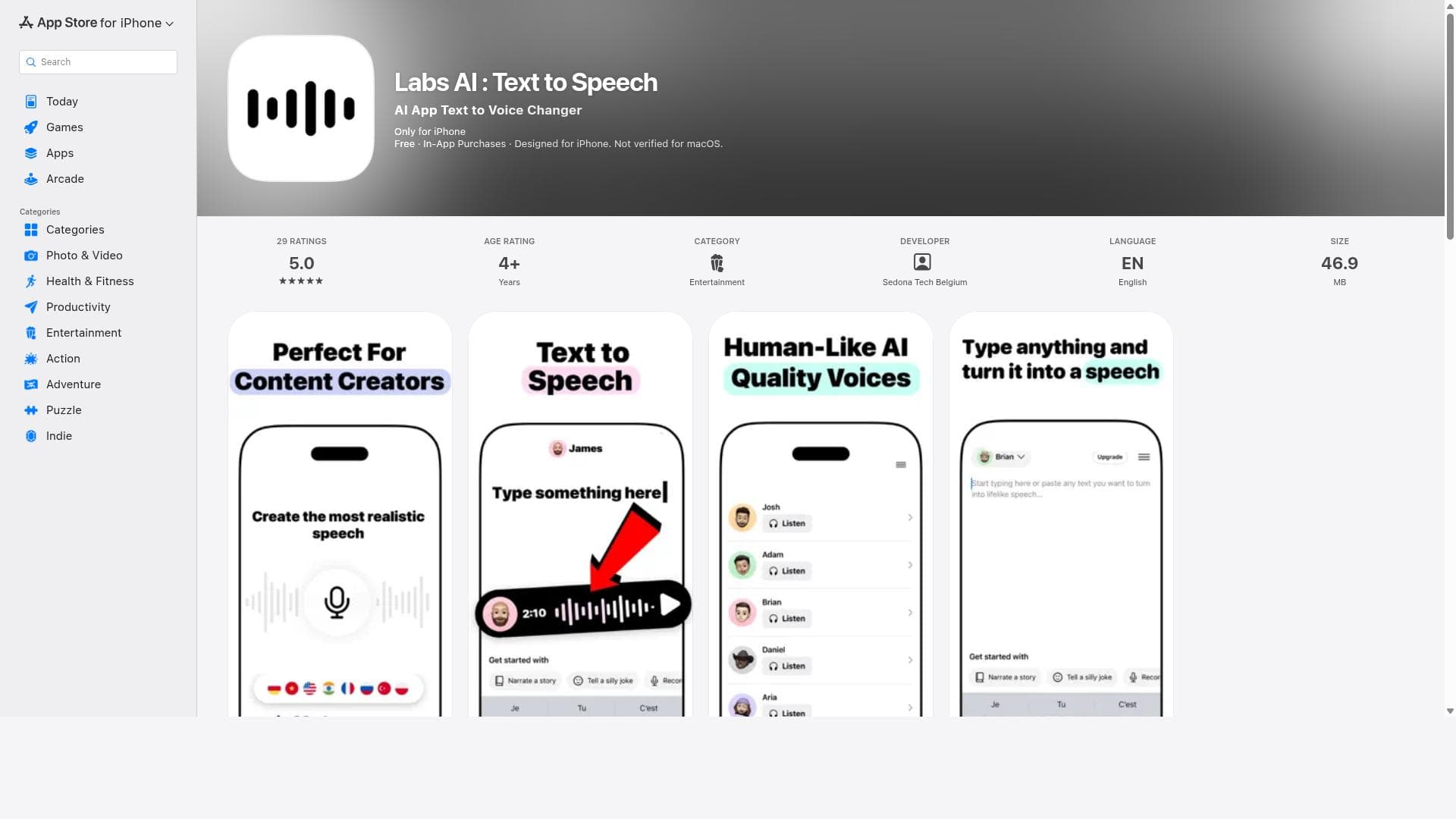
Labs AI : Text to Speech transforms your written text into natural, lifelike speech using advanced Voice AI technology, offering customizable voices and multi-language support. Perfect for content creators, video editors, and professionals seeking high-quality voiceovers, it delivers authentic audio effortlessly on iOS devices.

Description
Labs AI is the fastest way to create professional voiceovers on iPhone. Powered by ElevenLabs: 100+ AI voices, 50+ languages, voice cloning. Use it for YouTube, TikTok, podcasts, e-learning, or any content that needs audio. Write your script, pick a voice, export. Under 5 minutes. Built mobile-first. No studio. No microphone. Free on the App Store.
Detailed Description
Labs AI : Text to Speech is a sophisticated AI-driven application designed to convert written text into natural, lifelike speech with remarkable ease and quality. Its core purpose is to empower users to generate authentic voiceovers and audio narrations that sound human and engaging, making it an invaluable tool for a wide range of audio content creation needs. Whether you are a content creator, video editor, educator, or professional seeking to add voice to your projects, Labs AI offers an intuitive and powerful solution that leverages cutting-edge Voice AI technology to bring text to life. At the heart of Labs AI lies its advanced text-to-speech engine, which produces high-quality, realistic speech output that closely mimics human intonation, rhythm, and emotion. The app supports multiple languages, enabling users to create voiceovers in various linguistic contexts, which is particularly beneficial for global content distribution. One of the standout features is the customizable voice options, allowing users to select from different voice profiles and tweak parameters to suit the tone and style of their project. This flexibility ensures that the audio output aligns perfectly with the intended audience and content type. Labs AI is especially ideal for content creators who need to dub videos, produce podcasts, or generate narration for e-learning materials. Video editors can efficiently add voiceovers without the need for expensive recording sessions or professional voice actors. Educators and trainers can create engaging audio lessons or presentations, enhancing accessibility and learner engagement. The app’s user-friendly interface and seamless workflow make it accessible to both beginners and professionals, streamlining the process from text input to audio export. In terms of pricing, Labs AI : Text to Speech is available for free on the App Store, making it an accessible option for users who want to explore its capabilities without upfront costs. While the free offering provides robust functionality, users should check for any in-app purchases or subscription plans that might unlock additional voices, languages, or advanced features. The app requires iOS 17.6 or later and is compatible with iPhone, iPad, and iPod touch devices, ensuring broad accessibility within the Apple ecosystem. Compared to other text-to-speech tools, Labs AI stands out due to its combination of natural-sounding voice synthesis and multi-language support, coupled with voice customization options. Many alternatives may offer basic TTS functionality but lack the nuanced voice modulation or the breadth of language options that Labs AI provides. Its integration of advanced Voice AI technology results in audio that is not only clear but also emotionally resonant, which is critical for professional-grade voiceovers. However, unlike some cloud-based services, Labs AI is designed as a mobile app, which may limit some users who prefer desktop or web-based solutions. Notable considerations include the app’s dependency on the iOS platform, which restricts its use to Apple device users. Additionally, while the free version is feature-rich, power users or enterprises might find the need for premium features or bulk processing capabilities that may not be fully supported. Users should also consider the privacy policies and terms of use, especially when handling sensitive or proprietary text content. Overall, Labs AI : Text to Speech offers a compelling blend of quality, ease of use, and versatility, making it a top choice for anyone looking to convert text into engaging, natural speech audio on iOS devices.
Tool Features
- Transforms written words into natural, lifelike speech
- Customizable voice options
- Multi-language support
- Ideal for content creators and video dubbing
- High-quality authentic audio
- Powered by advanced Voice AI technology
Description
✦
Labs AI : Text to Speech transforms your written text into natural, lifelike speech using advanced Voice AI technology, offering customizable voices and multi-language support. Perfect for content creators, video editors, and professionals seeking high-quality voiceovers, it delivers authentic audio effortlessly on iOS devices.
Labs AI is the fastest way to create professional voiceovers on iPhone. Powered by ElevenLabs: 100+ AI voices, 50+ languages, voice cloning. Use it for YouTube, TikTok, podcasts, e-learning, or any content that needs audio. Write your script, pick a voice, export. Under 5 minutes. Built mobile-first. No studio. No microphone. Free on the App Store.
Detailed Description
Labs AI : Text to Speech is a sophisticated AI-driven application designed to convert written text into natural, lifelike speech with remarkable ease and quality. Its core purpose is to empower users to generate authentic voiceovers and audio narrations that sound human and engaging, making it an invaluable tool for a wide range of audio content creation needs. Whether you are a content creator, video editor, educator, or professional seeking to add voice to your projects, Labs AI offers an intuitive and powerful solution that leverages cutting-edge Voice AI technology to bring text to life. At the heart of Labs AI lies its advanced text-to-speech engine, which produces high-quality, realistic speech output that closely mimics human intonation, rhythm, and emotion. The app supports multiple languages, enabling users to create voiceovers in various linguistic contexts, which is particularly beneficial for global content distribution. One of the standout features is the customizable voice options, allowing users to select from different voice profiles and tweak parameters to suit the tone and style of their project. This flexibility ensures that the audio output aligns perfectly with the intended audience and content type. Labs AI is especially ideal for content creators who need to dub videos, produce podcasts, or generate narration for e-learning materials. Video editors can efficiently add voiceovers without the need for expensive recording sessions or professional voice actors. Educators and trainers can create engaging audio lessons or presentations, enhancing accessibility and learner engagement. The app’s user-friendly interface and seamless workflow make it accessible to both beginners and professionals, streamlining the process from text input to audio export. In terms of pricing, Labs AI : Text to Speech is available for free on the App Store, making it an accessible option for users who want to explore its capabilities without upfront costs. While the free offering provides robust functionality, users should check for any in-app purchases or subscription plans that might unlock additional voices, languages, or advanced features. The app requires iOS 17.6 or later and is compatible with iPhone, iPad, and iPod touch devices, ensuring broad accessibility within the Apple ecosystem. Compared to other text-to-speech tools, Labs AI stands out due to its combination of natural-sounding voice synthesis and multi-language support, coupled with voice customization options. Many alternatives may offer basic TTS functionality but lack the nuanced voice modulation or the breadth of language options that Labs AI provides. Its integration of advanced Voice AI technology results in audio that is not only clear but also emotionally resonant, which is critical for professional-grade voiceovers. However, unlike some cloud-based services, Labs AI is designed as a mobile app, which may limit some users who prefer desktop or web-based solutions. Notable considerations include the app’s dependency on the iOS platform, which restricts its use to Apple device users. Additionally, while the free version is feature-rich, power users or enterprises might find the need for premium features or bulk processing capabilities that may not be fully supported. Users should also consider the privacy policies and terms of use, especially when handling sensitive or proprietary text content. Overall, Labs AI : Text to Speech offers a compelling blend of quality, ease of use, and versatility, making it a top choice for anyone looking to convert text into engaging, natural speech audio on iOS devices.
Frequently Asked Questions
What is Labs AI : Text to Speech?
Labs AI : Text to Speech is an AI-powered mobile app that converts written text into natural, human-like speech. It is designed to help users create high-quality voiceovers and audio narrations with customizable voices and support for multiple languages.
How much does Labs AI : Text to Speech cost?
Labs AI : Text to Speech is available for free on the App Store. While the base app offers robust features at no cost, there may be optional in-app purchases or subscription plans for accessing additional voices or advanced functionalities.
Who is Labs AI : Text to Speech best for?
This app is ideal for content creators, video editors, educators, and professionals who need to generate authentic voiceovers or audio narrations quickly and easily. It suits anyone looking to add natural-sounding speech to videos, podcasts, e-learning content, or presentations.
What are the main features of Labs AI : Text to Speech?
Key features include natural, lifelike speech synthesis, customizable voice options, multi-language support, high-quality audio output, and an intuitive interface designed for seamless text-to-speech conversion on iOS devices.
Does Labs AI : Text to Speech offer a free trial?
The app itself is free to download and use, which effectively serves as a free trial. Users can explore its core features without payment, though some premium features may require in-app purchases.
What integrations does Labs AI : Text to Speech support?
Labs AI : Text to Speech is primarily a standalone iOS app. While it does not advertise direct integrations with other platforms, users can export audio files for use in video editors, podcast software, or other multimedia tools.
How does Labs AI : Text to Speech work?
Users input or paste text into the app, select their preferred voice and language options, and the app uses advanced Voice AI technology to synthesize the text into natural, lifelike speech. The resulting audio can then be played back or exported for use in various projects.
Socials
Use ToolReviews
0 reviews
No reviews yet. Be the first to share your experience.
Sponsored Tools







































Recommended Tools
Stay updated on latest Ai tools
Get the latest insights, Join our newsletter
Read and trusted by 50,000+ readers
Join the biggest AI Community
Our community and staff are here to help!
Your feedback will help Alice AI improve in future versions.







Submit your Tool


PoweredByAI.app is an AI Tools Directory helping individuals, businesses, and creators discover the best AI tools for writing, coding, design, productivity, and more.
© 2026 , Product of011BQ. All rights reserved.