Featured in:Best AI Writing Tools
Get featured →🚀 Zaprep: Your Socials on Steroids. Start free — automate 1,000 DMs/month & turn engagement into leads. with 1,000 automated DMs/month.


Is this your AI tool? Claim it today.
Verify ownership, manage your profile, and unlock growth features.
✦
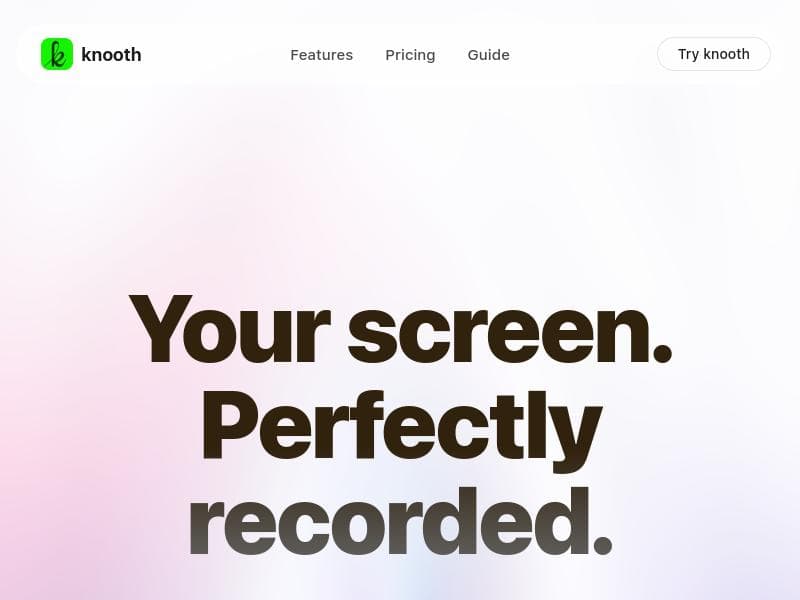
knooth is a macOS-exclusive screen recording and video editing app that leverages on-device AI to deliver smart editing features like auto captions, filler word removal, and cursor zoom—all while keeping your data private with no cloud uploads. Ideal for educators, creators, and professionals who want powerful, privacy-first video production directly on their Mac.

Description
knooth is a screen recording and video editing app for macOS with AI-powered editing built in. Record your screen, camera, microphone, or even iPhone/iPad screens directly from your Mac. Edit with a built-in timeline supporting video, audio, text, image, and shape layers. Add animations, transitions, AI captions, cursor auto zoom, filler word removal, audio cleanup, and fast exports. Everything runs locally on your Mac. No cloud uploads. Privacy first.
Detailed Description
knooth is a comprehensive screen recording and video editing application designed exclusively for macOS users, integrating powerful AI-driven editing tools directly into a privacy-focused environment. Its core purpose is to streamline the process of capturing and producing high-quality video content by combining multi-source recording capabilities with an intuitive, feature-rich editing suite. Users can record their Mac screen, webcam, microphone, or even iPhone and iPad screens seamlessly, all within a single application. This makes knooth an all-in-one solution for content creators, educators, marketers, and professionals who require efficient video production without relying on cloud services. One of knooth’s standout features is its built-in timeline editor that supports multiple layers including video, audio, text, images, and shapes. This layered approach allows users to create complex, polished videos with ease. The AI-powered tools embedded within the app significantly enhance the editing workflow. For example, the on-device AI captions automatically generate accurate subtitles without uploading data to the cloud, ensuring user privacy. The filler word removal feature intelligently detects and removes verbal pauses like "um" and "uh," improving the flow of spoken content. Additionally, the auto zoom cursor feature dynamically zooms in on the mouse pointer during screen recordings, making tutorials and presentations clearer and more engaging. knooth also includes advanced audio capabilities such as studio-ready audio cleanup and background masking, which help eliminate unwanted noise and distractions, resulting in professional-sounding videos. Users can add animations and transitions to enhance visual appeal and export their projects quickly in multiple aspect ratios suitable for various platforms. Importantly, all processing happens locally on the user’s Mac, meaning no data is uploaded to external servers, which is a critical advantage for users concerned about privacy and data security. This tool is ideal for a wide range of users including educators creating instructional videos, software developers producing tutorials, marketers crafting promotional content, and remote workers needing to record presentations or meetings. Its ease of use combined with powerful AI enhancements makes it accessible for beginners while still offering advanced features for professional video editors. The ability to record iPhone and iPad screens directly from the Mac is particularly useful for app developers and reviewers. knooth operates on a freemium pricing model, allowing users to access basic recording and editing features for free, with premium features available through subscription plans. This approach enables users to evaluate the software’s capabilities before committing financially. Compared to alternatives like ScreenFlow or Camtasia, knooth’s unique selling points are its on-device AI-powered editing tools and strict privacy-first approach, which eliminates the need for cloud uploads and reduces latency in processing. However, knooth is currently limited to macOS, which restricts its availability to Apple users only. Additionally, while it offers a robust set of features, users requiring extremely advanced video effects or integrations with other professional editing suites might find it less comprehensive than some high-end competitors. Overall, knooth is a powerful, privacy-conscious solution for macOS users seeking an efficient, AI-enhanced workflow for screen recording and video editing without the complexity or cost of traditional software.
Tool Features
- Screen recording
- Built-in video editing
- Timeline editor
- Auto Zoom Cursor
- On-device AI captions
- Filler word removal
- Background masking
- Studio-ready audio
- Multiple export aspect ratios
- Privacy-first — all data stays on device
Description
✦
knooth is a macOS-exclusive screen recording and video editing app that leverages on-device AI to deliver smart editing features like auto captions, filler word removal, and cursor zoom—all while keeping your data private with no cloud uploads. Ideal for educators, creators, and professionals who want powerful, privacy-first video production directly on their Mac.
knooth is a screen recording and video editing app for macOS with AI-powered editing built in. Record your screen, camera, microphone, or even iPhone/iPad screens directly from your Mac. Edit with a built-in timeline supporting video, audio, text, image, and shape layers. Add animations, transitions, AI captions, cursor auto zoom, filler word removal, audio cleanup, and fast exports. Everything runs locally on your Mac. No cloud uploads. Privacy first.
Detailed Description
knooth is a comprehensive screen recording and video editing application designed exclusively for macOS users, integrating powerful AI-driven editing tools directly into a privacy-focused environment. Its core purpose is to streamline the process of capturing and producing high-quality video content by combining multi-source recording capabilities with an intuitive, feature-rich editing suite. Users can record their Mac screen, webcam, microphone, or even iPhone and iPad screens seamlessly, all within a single application. This makes knooth an all-in-one solution for content creators, educators, marketers, and professionals who require efficient video production without relying on cloud services. One of knooth’s standout features is its built-in timeline editor that supports multiple layers including video, audio, text, images, and shapes. This layered approach allows users to create complex, polished videos with ease. The AI-powered tools embedded within the app significantly enhance the editing workflow. For example, the on-device AI captions automatically generate accurate subtitles without uploading data to the cloud, ensuring user privacy. The filler word removal feature intelligently detects and removes verbal pauses like "um" and "uh," improving the flow of spoken content. Additionally, the auto zoom cursor feature dynamically zooms in on the mouse pointer during screen recordings, making tutorials and presentations clearer and more engaging. knooth also includes advanced audio capabilities such as studio-ready audio cleanup and background masking, which help eliminate unwanted noise and distractions, resulting in professional-sounding videos. Users can add animations and transitions to enhance visual appeal and export their projects quickly in multiple aspect ratios suitable for various platforms. Importantly, all processing happens locally on the user’s Mac, meaning no data is uploaded to external servers, which is a critical advantage for users concerned about privacy and data security. This tool is ideal for a wide range of users including educators creating instructional videos, software developers producing tutorials, marketers crafting promotional content, and remote workers needing to record presentations or meetings. Its ease of use combined with powerful AI enhancements makes it accessible for beginners while still offering advanced features for professional video editors. The ability to record iPhone and iPad screens directly from the Mac is particularly useful for app developers and reviewers. knooth operates on a freemium pricing model, allowing users to access basic recording and editing features for free, with premium features available through subscription plans. This approach enables users to evaluate the software’s capabilities before committing financially. Compared to alternatives like ScreenFlow or Camtasia, knooth’s unique selling points are its on-device AI-powered editing tools and strict privacy-first approach, which eliminates the need for cloud uploads and reduces latency in processing. However, knooth is currently limited to macOS, which restricts its availability to Apple users only. Additionally, while it offers a robust set of features, users requiring extremely advanced video effects or integrations with other professional editing suites might find it less comprehensive than some high-end competitors. Overall, knooth is a powerful, privacy-conscious solution for macOS users seeking an efficient, AI-enhanced workflow for screen recording and video editing without the complexity or cost of traditional software.
Frequently Asked Questions
What is knooth?
knooth is a screen recording and video editing application for macOS that integrates AI-powered editing tools to help users capture and produce high-quality videos locally on their Mac without uploading data to the cloud.
How much does knooth cost?
knooth offers a freemium pricing model, allowing users to access basic features for free, with premium features available through paid subscription plans.
Who is knooth best for?
knooth is best suited for macOS users such as educators, content creators, marketers, software developers, and remote professionals who need an efficient, privacy-focused tool for screen recording and video editing.
What are the main features of knooth?
Key features include multi-source screen recording (screen, camera, microphone, iPhone/iPad), a built-in timeline editor supporting video, audio, text, image, and shape layers, AI-powered captions, filler word removal, auto zoom cursor, background masking, studio-quality audio cleanup, animations, transitions, and fast exports—all running locally on your Mac.
Does knooth offer a free trial?
Yes, knooth provides a freemium version that allows users to try out basic recording and editing features at no cost before upgrading to premium plans.
What integrations does knooth support?
knooth primarily functions as a standalone macOS app and does not currently offer direct integrations with third-party platforms or services, focusing instead on local processing and privacy.
How does knooth work?
knooth works by allowing users to record video and audio from multiple sources directly on their Mac, then edit the recordings using a timeline editor enhanced with AI-powered tools like automatic captions and filler word removal, all processed locally to ensure privacy and fast performance.
Socials
Use ToolReviews
0 reviews
No reviews yet. Be the first to share your experience.
Sponsored Tools











































Recommended Tools
Stay updated on latest Ai tools
Get the latest insights, Join our newsletter
Read and trusted by 50,000+ readers
Join the biggest AI Community
Our community and staff are here to help!
Your feedback will help Alice AI improve in future versions.








Submit your Tool


PoweredByAI.app is an AI Tools Directory helping individuals, businesses, and creators discover the best AI tools for writing, coding, design, productivity, and more.
© 2026 , Product of011BQ. All rights reserved.