🚀 Zaprep: Your Socials on Steroids. Start free — automate 1,000 DMs/month & turn engagement into leads. with 1,000 automated DMs/month.


Is this your AI tool? Claim it today.
Verify ownership, manage your profile, and unlock growth features.
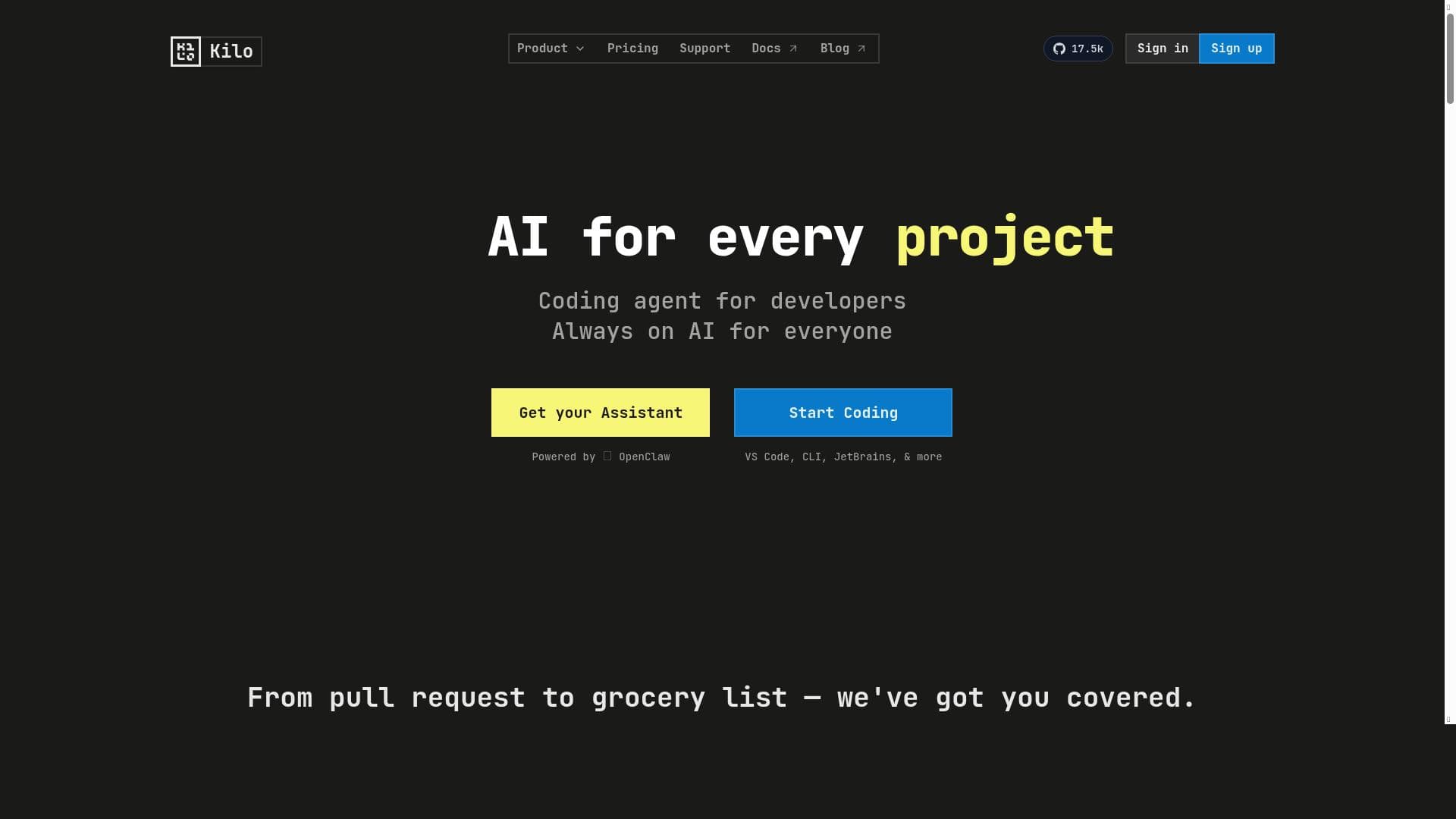
Kilo Code for VS Code is a free, open-source AI extension that transforms coding by enabling developers to write, fix, and enhance code through an intuitive chat interface. With support for multiple IDEs, local-first security, and access to over 500 AI models, it’s ideal for developers seeking a fast, flexible, and secure AI coding assistant.

Description
Kilo AI is an AI-powered extension for VS Code which writes, fixes and improves your code through simple chat. Tuned with the fastest models we could find, it can create and modify files, run command line prompts, and much more.
Detailed Description
Kilo Code for VS Code is an advanced AI-powered extension designed to enhance the coding experience within Visual Studio Code by providing intelligent assistance through a simple chat interface. Its core purpose is to help developers write, fix, and improve code efficiently by leveraging a wide array of AI models optimized for speed and accuracy. Unlike traditional code completion tools, Kilo AI can create and modify entire files, execute command line prompts, and perform complex coding tasks, all within the familiar environment of VS Code. This makes it a versatile assistant that goes beyond autocomplete to become a comprehensive coding partner. One of the standout features of Kilo Code is its open-source AI coding agent, which ensures transparency and community-driven improvements. It supports multiple development environments including VS Code, JetBrains IDEs, and command-line interfaces, making it accessible to a broad range of developers regardless of their preferred tools. Security and privacy are prioritized through a local-first approach, meaning that sensitive code and data remain on the developer's machine rather than being sent to external servers. Additionally, Kilo AI provides access to over 500 AI models, allowing users to select the best model suited for their specific coding task, whether it involves code generation, debugging, or optimization. Kilo Code is particularly well-suited for software developers, engineers, and programmers who want to accelerate their development cycles. It is ideal for those working on complex projects that require frequent code iteration, bug fixes, and feature additions. Startups and teams looking to ship code faster without compromising quality will find Kilo AI invaluable. Its ability to run command line prompts and modify files programmatically also makes it useful for DevOps engineers and automation specialists. Moreover, because it supports multiple IDEs and CLI, it fits seamlessly into diverse workflows. In terms of pricing, Kilo Code for VS Code is available for free, making it an attractive option for individual developers and teams alike who want to leverage AI-powered coding assistance without financial barriers. This free access encourages widespread adoption and experimentation, especially among open-source contributors and hobbyists. When compared to alternatives like GitHub Copilot or Tabnine, Kilo Code stands out due to its open-source nature, local-first security model, and extensive model library. While many AI coding assistants rely heavily on cloud-based models and proprietary algorithms, Kilo offers greater control and customization. Its support for multiple IDEs and CLI also provides more flexibility than some competitors that are limited to a single development environment. However, users should consider that being open-source and local-first might require more initial setup or configuration compared to plug-and-play cloud solutions. Notable limitations include the potential learning curve associated with managing multiple AI models and configuring the extension for optimal performance. Since it operates locally, users with limited hardware resources might experience slower response times compared to cloud-based AI assistants. Additionally, while the tool is powerful, it may not yet match the breadth of training data or language understanding of some commercial AI models. Users should also be aware that as an open-source project, ongoing support and updates depend on community contributions and the development team’s roadmap. Overall, Kilo Code for VS Code is a robust, secure, and flexible AI coding assistant that empowers developers to write better code faster. Its unique combination of open-source transparency, local-first security, and multi-model access makes it a compelling choice for those seeking a powerful AI partner integrated directly into their development environment.
Tool Features
- Open source AI coding agent
- Supports VS Code, JetBrains, and CLI
- Secure and local-first
- Access to 500+ AI models
- Helps build, ship, and iterate code faster
Description
Kilo Code for VS Code is a free, open-source AI extension that transforms coding by enabling developers to write, fix, and enhance code through an intuitive chat interface. With support for multiple IDEs, local-first security, and access to over 500 AI models, it’s ideal for developers seeking a fast, flexible, and secure AI coding assistant.
Kilo AI is an AI-powered extension for VS Code which writes, fixes and improves your code through simple chat. Tuned with the fastest models we could find, it can create and modify files, run command line prompts, and much more.
Detailed Description
Kilo Code for VS Code is an advanced AI-powered extension designed to enhance the coding experience within Visual Studio Code by providing intelligent assistance through a simple chat interface. Its core purpose is to help developers write, fix, and improve code efficiently by leveraging a wide array of AI models optimized for speed and accuracy. Unlike traditional code completion tools, Kilo AI can create and modify entire files, execute command line prompts, and perform complex coding tasks, all within the familiar environment of VS Code. This makes it a versatile assistant that goes beyond autocomplete to become a comprehensive coding partner. One of the standout features of Kilo Code is its open-source AI coding agent, which ensures transparency and community-driven improvements. It supports multiple development environments including VS Code, JetBrains IDEs, and command-line interfaces, making it accessible to a broad range of developers regardless of their preferred tools. Security and privacy are prioritized through a local-first approach, meaning that sensitive code and data remain on the developer's machine rather than being sent to external servers. Additionally, Kilo AI provides access to over 500 AI models, allowing users to select the best model suited for their specific coding task, whether it involves code generation, debugging, or optimization. Kilo Code is particularly well-suited for software developers, engineers, and programmers who want to accelerate their development cycles. It is ideal for those working on complex projects that require frequent code iteration, bug fixes, and feature additions. Startups and teams looking to ship code faster without compromising quality will find Kilo AI invaluable. Its ability to run command line prompts and modify files programmatically also makes it useful for DevOps engineers and automation specialists. Moreover, because it supports multiple IDEs and CLI, it fits seamlessly into diverse workflows. In terms of pricing, Kilo Code for VS Code is available for free, making it an attractive option for individual developers and teams alike who want to leverage AI-powered coding assistance without financial barriers. This free access encourages widespread adoption and experimentation, especially among open-source contributors and hobbyists. When compared to alternatives like GitHub Copilot or Tabnine, Kilo Code stands out due to its open-source nature, local-first security model, and extensive model library. While many AI coding assistants rely heavily on cloud-based models and proprietary algorithms, Kilo offers greater control and customization. Its support for multiple IDEs and CLI also provides more flexibility than some competitors that are limited to a single development environment. However, users should consider that being open-source and local-first might require more initial setup or configuration compared to plug-and-play cloud solutions. Notable limitations include the potential learning curve associated with managing multiple AI models and configuring the extension for optimal performance. Since it operates locally, users with limited hardware resources might experience slower response times compared to cloud-based AI assistants. Additionally, while the tool is powerful, it may not yet match the breadth of training data or language understanding of some commercial AI models. Users should also be aware that as an open-source project, ongoing support and updates depend on community contributions and the development team’s roadmap. Overall, Kilo Code for VS Code is a robust, secure, and flexible AI coding assistant that empowers developers to write better code faster. Its unique combination of open-source transparency, local-first security, and multi-model access makes it a compelling choice for those seeking a powerful AI partner integrated directly into their development environment.
Frequently Asked Questions
What is Kilo Code for VS Code ?
Kilo Code for VS Code is an AI-powered extension that integrates with Visual Studio Code to help developers write, fix, and improve code through a simple chat interface. It uses fast, advanced AI models to create and modify files, run command line prompts, and assist with various coding tasks.
How much does Kilo Code for VS Code cost?
Kilo Code for VS Code is completely free to use, providing powerful AI coding assistance without any subscription or payment requirements.
Who is Kilo Code for VS Code best for?
It is best suited for software developers, engineers, and programmers who want to accelerate their coding workflow, improve code quality, and iterate faster. It also benefits DevOps professionals and teams using VS Code, JetBrains IDEs, or CLI environments.
What are the main features of Kilo Code for VS Code ?
Key features include an open-source AI coding agent, support for VS Code, JetBrains, and CLI, a secure local-first architecture, access to over 500 AI models, and capabilities to create, modify files, and run command line prompts.
Does Kilo Code for VS Code offer a free trial?
Since Kilo Code for VS Code is free to use, there is no need for a trial period; users can access all features without cost.
What integrations does Kilo Code for VS Code support?
Kilo Code supports integration with Visual Studio Code, JetBrains IDEs, and command-line interfaces, allowing it to fit into various development workflows.
How does Kilo Code for VS Code work?
It works by connecting to a wide range of AI models locally on the developer’s machine, enabling users to interact via chat to generate, fix, or improve code, modify files, and execute command line commands directly within supported development environments.
Socials
Use ToolReviews
No reviews yet. Be the first to share your experience.
Sponsored Tools











































Recommended Tools
Stay updated on latest Ai tools
Get the latest insights, Join our newsletter
Read and trusted by 50,000+ readers
Join the biggest AI Community
Our community and staff are here to help!
Your feedback will help Alice AI improve in future versions.








Submit your Tool


PoweredByAI.app is an AI Tools Directory helping individuals, businesses, and creators discover the best AI tools for writing, coding, design, productivity, and more.
© 2026 , Product of011BQ. All rights reserved.