🚀 Zaprep: Your Socials on Steroids. Start free — automate 1,000 DMs/month & turn engagement into leads. with 1,000 automated DMs/month.
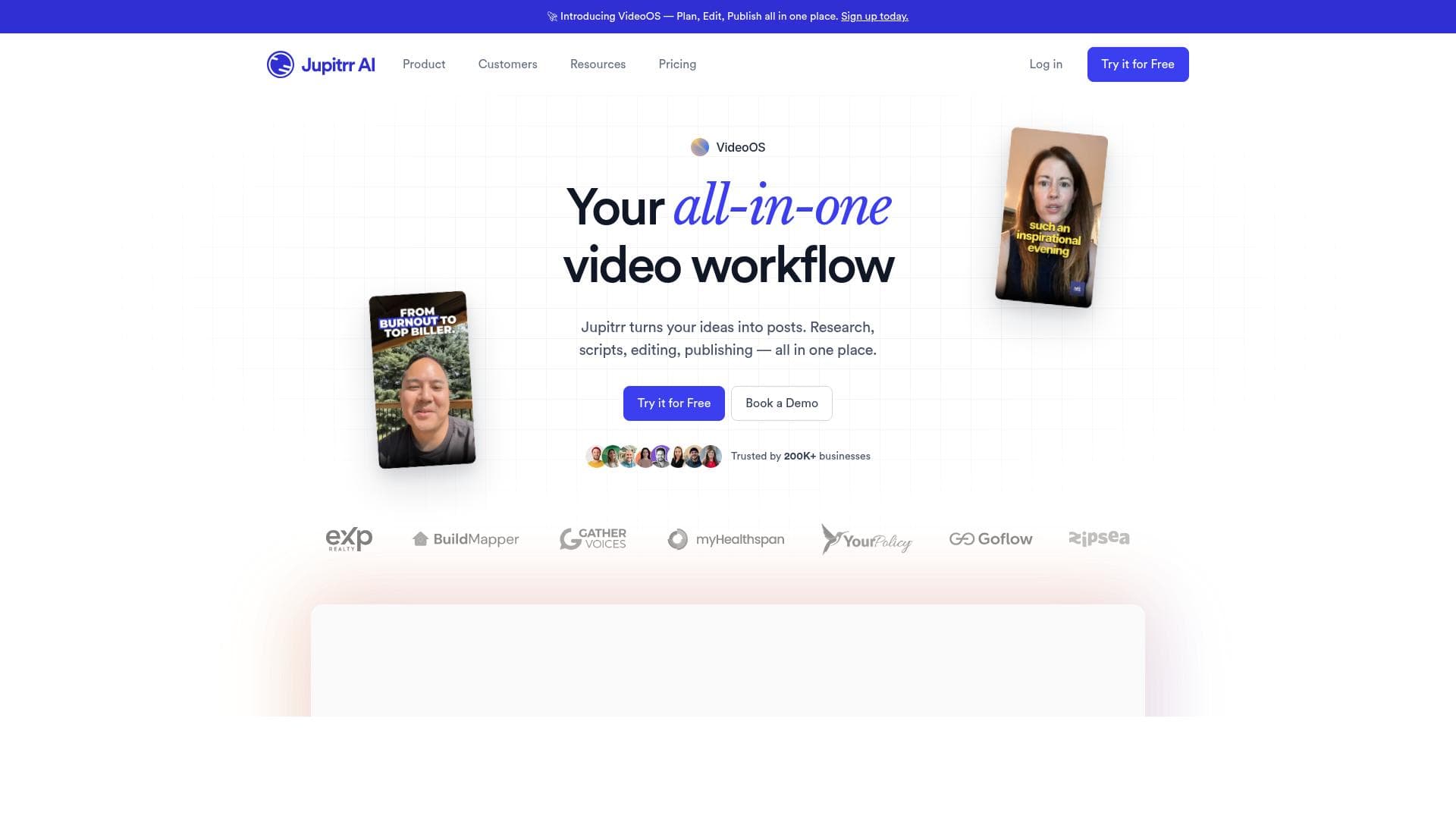


Jupitrr AI is an all-in-one AI video editor and marketing platform that simplifies video creation by automating tasks like adding B-rolls, generating subtitles, and publishing. Ideal for marketers and content creators, it integrates video research, scriptwriting, editing, and distribution into a seamless workflow, saving time and enhancing video quality.

Description
Jupitrr AI is an AI video editor that helps you to add B-rolls, generate subtitles, change aspect ratio, and much more. You can add B-rolls to your video directly from web images, stock platforms (Pexels, Getty, iStock), GIFs, or upload your own image or a clip to add it to your video.
Detailed Description
Jupitrr AI is a comprehensive AI-powered video editing and marketing platform designed to streamline the entire video creation process from research to publishing. At its core, Jupitrr AI aims to simplify video content production by automating complex tasks such as adding B-roll footage, generating subtitles, adjusting aspect ratios, and more. This tool empowers creators to enhance their videos with relevant visuals sourced directly from popular stock image and video platforms like Pexels, Getty, and iStock, or by uploading their own media files. By integrating these capabilities, Jupitrr AI reduces the time and effort required to produce professional-quality videos, making it an invaluable asset for marketers, content creators, and social media managers. One of the standout features of Jupitrr AI is its ability to handle video research. The platform assists users in discovering trending topics and relevant content ideas, which can be crucial for creating engaging videos that resonate with target audiences. Additionally, Jupitrr AI offers scriptwriting assistance, helping users craft compelling narratives or video scripts that align with their marketing goals. Its video editing tools are robust, allowing users to seamlessly add B-rolls from web images, stock platforms, GIFs, or personal uploads, enhancing the visual appeal and storytelling of their videos. The platform also supports subtitle generation, which improves accessibility and viewer engagement across different platforms. Beyond editing, Jupitrr AI includes publishing automation features that enable users to schedule and distribute their videos across multiple channels efficiently. This all-in-one approach positions Jupitrr AI as a full-fledged video marketing platform, catering to the needs of businesses and individuals looking to scale their video content strategies without juggling multiple tools. Jupitrr AI is best suited for digital marketers, social media managers, content creators, and small to medium-sized businesses that require a streamlined video production workflow. Its ability to integrate video research, scriptwriting, editing, and publishing into one platform makes it ideal for users who want to produce high-quality videos quickly and consistently. Use cases include creating promotional videos, social media content, educational tutorials, and branded storytelling. The platform operates on a freemium pricing model, allowing users to access basic features for free while offering premium plans with advanced capabilities. This approach enables new users to explore the tool’s functionalities without upfront investment and scale up as their needs grow. Detailed pricing tiers and feature breakdowns are available on the Jupitrr AI website. Compared to alternatives, Jupitrr AI stands out by combining multiple video production stages into a single platform, reducing the need for multiple subscriptions or software. While many video editors focus solely on editing, Jupitrr AI’s inclusion of research, scriptwriting, and publishing automation provides a more holistic solution. However, users should consider that as a relatively new tool, it may have limitations in advanced editing features compared to specialized video editors. Additionally, integration options might be more limited than some established platforms. In summary, Jupitrr AI offers a powerful, user-friendly solution for video marketers and creators seeking to enhance their workflow with AI-driven automation and integrated tools. Its ability to source B-rolls from multiple platforms, generate subtitles, and automate publishing makes it a versatile choice for producing engaging video content efficiently. Prospective users should evaluate their specific needs against the platform’s current feature set and pricing to determine the best fit.
Tool Features
- Handles video research
- Scriptwriting assistance
- Video editing tools
- Publishing automation
- All-in-one video marketing platform
Description
Jupitrr AI is an all-in-one AI video editor and marketing platform that simplifies video creation by automating tasks like adding B-rolls, generating subtitles, and publishing. Ideal for marketers and content creators, it integrates video research, scriptwriting, editing, and distribution into a seamless workflow, saving time and enhancing video quality.
Jupitrr AI is an AI video editor that helps you to add B-rolls, generate subtitles, change aspect ratio, and much more. You can add B-rolls to your video directly from web images, stock platforms (Pexels, Getty, iStock), GIFs, or upload your own image or a clip to add it to your video.
Detailed Description
Jupitrr AI is a comprehensive AI-powered video editing and marketing platform designed to streamline the entire video creation process from research to publishing. At its core, Jupitrr AI aims to simplify video content production by automating complex tasks such as adding B-roll footage, generating subtitles, adjusting aspect ratios, and more. This tool empowers creators to enhance their videos with relevant visuals sourced directly from popular stock image and video platforms like Pexels, Getty, and iStock, or by uploading their own media files. By integrating these capabilities, Jupitrr AI reduces the time and effort required to produce professional-quality videos, making it an invaluable asset for marketers, content creators, and social media managers. One of the standout features of Jupitrr AI is its ability to handle video research. The platform assists users in discovering trending topics and relevant content ideas, which can be crucial for creating engaging videos that resonate with target audiences. Additionally, Jupitrr AI offers scriptwriting assistance, helping users craft compelling narratives or video scripts that align with their marketing goals. Its video editing tools are robust, allowing users to seamlessly add B-rolls from web images, stock platforms, GIFs, or personal uploads, enhancing the visual appeal and storytelling of their videos. The platform also supports subtitle generation, which improves accessibility and viewer engagement across different platforms. Beyond editing, Jupitrr AI includes publishing automation features that enable users to schedule and distribute their videos across multiple channels efficiently. This all-in-one approach positions Jupitrr AI as a full-fledged video marketing platform, catering to the needs of businesses and individuals looking to scale their video content strategies without juggling multiple tools. Jupitrr AI is best suited for digital marketers, social media managers, content creators, and small to medium-sized businesses that require a streamlined video production workflow. Its ability to integrate video research, scriptwriting, editing, and publishing into one platform makes it ideal for users who want to produce high-quality videos quickly and consistently. Use cases include creating promotional videos, social media content, educational tutorials, and branded storytelling. The platform operates on a freemium pricing model, allowing users to access basic features for free while offering premium plans with advanced capabilities. This approach enables new users to explore the tool’s functionalities without upfront investment and scale up as their needs grow. Detailed pricing tiers and feature breakdowns are available on the Jupitrr AI website. Compared to alternatives, Jupitrr AI stands out by combining multiple video production stages into a single platform, reducing the need for multiple subscriptions or software. While many video editors focus solely on editing, Jupitrr AI’s inclusion of research, scriptwriting, and publishing automation provides a more holistic solution. However, users should consider that as a relatively new tool, it may have limitations in advanced editing features compared to specialized video editors. Additionally, integration options might be more limited than some established platforms. In summary, Jupitrr AI offers a powerful, user-friendly solution for video marketers and creators seeking to enhance their workflow with AI-driven automation and integrated tools. Its ability to source B-rolls from multiple platforms, generate subtitles, and automate publishing makes it a versatile choice for producing engaging video content efficiently. Prospective users should evaluate their specific needs against the platform’s current feature set and pricing to determine the best fit.
Frequently Asked Questions
What is Jupitrr AI?
Jupitrr AI is an AI-powered video editing and marketing platform that helps users create, edit, and publish videos efficiently by automating tasks such as adding B-rolls, generating subtitles, and adjusting aspect ratios.
How much does Jupitrr AI cost?
Jupitrr AI offers a freemium pricing model, providing basic features for free with options to upgrade to premium plans that include advanced capabilities. Detailed pricing information is available on their website.
Who is Jupitrr AI best for?
Jupitrr AI is best suited for digital marketers, social media managers, content creators, and small to medium-sized businesses looking for an integrated video creation and marketing solution.
What are the main features of Jupitrr AI?
Key features include video research assistance, scriptwriting support, video editing tools with B-roll integration from stock platforms and uploads, subtitle generation, aspect ratio adjustments, and publishing automation.
Does Jupitrr AI offer a free trial?
Yes, Jupitrr AI provides a freemium plan that allows users to try out basic features for free before committing to a paid subscription.
What integrations does Jupitrr AI support?
Jupitrr AI integrates with popular stock image and video platforms such as Pexels, Getty, and iStock for sourcing B-roll content. Additional integration details can be found on their website.
How does Jupitrr AI work?
Users start by researching video topics within the platform, then use AI-assisted scriptwriting tools to create content. They can add B-rolls from stock sources or uploads, generate subtitles, edit videos, and finally automate publishing across channels.
Socials
Use ToolReviews
No reviews yet. Be the first to share your experience.
Sponsored Tools











































Recommended Tools
Stay updated on latest Ai tools
Get the latest insights, Join our newsletter
Read and trusted by 50,000+ readers
Join the biggest AI Community
Our community and staff are here to help!
Your feedback will help Alice AI improve in future versions.








Submit your Tool


PoweredByAI.app is an AI Tools Directory helping individuals, businesses, and creators discover the best AI tools for writing, coding, design, productivity, and more.
© 2026 , Product of011BQ. All rights reserved.