

Is this your AI tool? Claim it today.
Verify ownership, manage your profile, and unlock growth features.
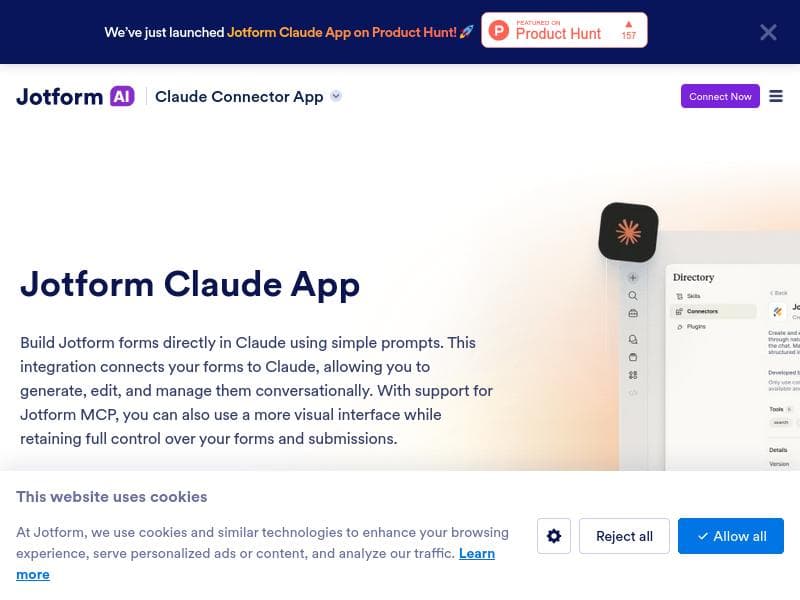
Jotform Claude App revolutionizes form creation and management by enabling users to build, edit, and analyze forms entirely through simple conversations within Claude. Perfect for businesses and individuals seeking a seamless, AI-driven approach to form workflows without manual setup or switching tools.

Description
Build, edit, and analyze forms directly inside Claude using simple conversations. Create forms, edit fields, add logic, search submissions, and get insights, all by describing what you want. No manual setup or switching tools.
Detailed Description
Jotform Claude App is an innovative AI-powered tool designed to streamline the entire process of form creation, editing, and analysis by integrating seamlessly within Claude, an AI conversational platform. Its core purpose is to allow users to build complex forms, modify fields, add conditional logic, search through submissions, and extract actionable insights—all through natural language conversations without the need for manual setup or toggling between different applications. This approach significantly reduces the time and effort typically required to manage forms, making it accessible to users regardless of their technical expertise. The tool’s standout features include the ability to create forms directly from simple prompts using AI, which means users can describe the type of form they want, and the system generates it automatically. Editing form fields is equally straightforward; users can request changes conversationally, such as adding or removing questions, adjusting field types, or modifying validation rules. Managing submissions is centralized within the app, allowing users to search, filter, and analyze responses efficiently. Additionally, the integration with Claude Connector (MCP integration) enhances its capabilities by enabling smooth data flow and interoperability with other platforms, which is crucial for businesses looking to embed form data into broader workflows. Jotform Claude App is ideal for a wide range of users including business professionals, marketers, educators, event organizers, and anyone who relies on forms for data collection and analysis. For example, marketers can quickly generate customer feedback forms and analyze results without leaving their chat interface, while educators can create quizzes or surveys on the fly. Its conversational interface lowers the barrier for non-technical users, enabling them to leverage advanced form-building features without needing coding skills or familiarity with traditional form builders. The pricing model for Jotform Claude App is freemium, offering basic features at no cost, which is perfect for individuals or small teams just starting out. Paid plans likely unlock advanced functionalities such as increased submission limits, enhanced analytics, and premium integrations, although specific tier details should be checked on the official website. This pricing approach allows users to test the tool’s capabilities before committing financially. Compared to traditional form builders, Jotform Claude App’s integration with Claude and its conversational AI-driven interface set it apart by simplifying the user experience and accelerating form management tasks. Unlike standalone form tools that require manual design and navigation through multiple menus, this app enables users to accomplish everything through natural language commands. However, while it excels in ease of use and integration, users requiring highly customized or complex form designs might find some limitations compared to specialized form-building software. Notable considerations include the reliance on the Claude platform for operation, which means users must be comfortable working within that environment. Additionally, as with any AI-driven tool, the accuracy of form creation and editing depends on the clarity of user prompts. Users should also consider data privacy and compliance aspects when handling sensitive information through forms. Overall, Jotform Claude App offers a powerful, user-friendly solution for anyone looking to simplify form workflows using conversational AI.
Tool Features
- Create forms from prompts using AI
- Edit form fields easily
- Manage form submissions in one place
- Integration with Claude Connector (MCP integration)
Description
Jotform Claude App revolutionizes form creation and management by enabling users to build, edit, and analyze forms entirely through simple conversations within Claude. Perfect for businesses and individuals seeking a seamless, AI-driven approach to form workflows without manual setup or switching tools.
Build, edit, and analyze forms directly inside Claude using simple conversations. Create forms, edit fields, add logic, search submissions, and get insights, all by describing what you want. No manual setup or switching tools.
Detailed Description
Jotform Claude App is an innovative AI-powered tool designed to streamline the entire process of form creation, editing, and analysis by integrating seamlessly within Claude, an AI conversational platform. Its core purpose is to allow users to build complex forms, modify fields, add conditional logic, search through submissions, and extract actionable insights—all through natural language conversations without the need for manual setup or toggling between different applications. This approach significantly reduces the time and effort typically required to manage forms, making it accessible to users regardless of their technical expertise. The tool’s standout features include the ability to create forms directly from simple prompts using AI, which means users can describe the type of form they want, and the system generates it automatically. Editing form fields is equally straightforward; users can request changes conversationally, such as adding or removing questions, adjusting field types, or modifying validation rules. Managing submissions is centralized within the app, allowing users to search, filter, and analyze responses efficiently. Additionally, the integration with Claude Connector (MCP integration) enhances its capabilities by enabling smooth data flow and interoperability with other platforms, which is crucial for businesses looking to embed form data into broader workflows. Jotform Claude App is ideal for a wide range of users including business professionals, marketers, educators, event organizers, and anyone who relies on forms for data collection and analysis. For example, marketers can quickly generate customer feedback forms and analyze results without leaving their chat interface, while educators can create quizzes or surveys on the fly. Its conversational interface lowers the barrier for non-technical users, enabling them to leverage advanced form-building features without needing coding skills or familiarity with traditional form builders. The pricing model for Jotform Claude App is freemium, offering basic features at no cost, which is perfect for individuals or small teams just starting out. Paid plans likely unlock advanced functionalities such as increased submission limits, enhanced analytics, and premium integrations, although specific tier details should be checked on the official website. This pricing approach allows users to test the tool’s capabilities before committing financially. Compared to traditional form builders, Jotform Claude App’s integration with Claude and its conversational AI-driven interface set it apart by simplifying the user experience and accelerating form management tasks. Unlike standalone form tools that require manual design and navigation through multiple menus, this app enables users to accomplish everything through natural language commands. However, while it excels in ease of use and integration, users requiring highly customized or complex form designs might find some limitations compared to specialized form-building software. Notable considerations include the reliance on the Claude platform for operation, which means users must be comfortable working within that environment. Additionally, as with any AI-driven tool, the accuracy of form creation and editing depends on the clarity of user prompts. Users should also consider data privacy and compliance aspects when handling sensitive information through forms. Overall, Jotform Claude App offers a powerful, user-friendly solution for anyone looking to simplify form workflows using conversational AI.
Frequently Asked Questions
What is Jotform Claude App?
Jotform Claude App is an AI-powered tool that allows users to create, edit, and analyze forms directly within the Claude conversational AI platform using natural language commands, eliminating the need for manual form setup or switching between different applications.
How much does Jotform Claude App cost?
Jotform Claude App operates on a freemium pricing model, offering basic features for free with options to upgrade for access to advanced functionalities and higher usage limits. Detailed pricing information is available on their official website.
Who is Jotform Claude App best for?
It is best suited for business professionals, marketers, educators, event organizers, and anyone who needs to create and manage forms efficiently without technical expertise, benefiting from its conversational AI interface and integration capabilities.
What are the main features of Jotform Claude App?
Key features include AI-driven form creation from prompts, easy editing of form fields through conversation, centralized management and search of form submissions, and integration with Claude Connector for enhanced workflow interoperability.
Does Jotform Claude App offer a free trial?
Yes, the app offers a freemium plan that allows users to access basic features at no cost, effectively serving as a free trial to explore the tool’s capabilities before opting for paid plans.
What integrations does Jotform Claude App support?
Jotform Claude App integrates with Claude Connector (MCP integration), enabling seamless data exchange and workflow automation with other platforms supported by Claude.
How does Jotform Claude App work?
Users interact with the app through simple conversational prompts within Claude, describing the forms they want to create or modify. The AI interprets these instructions to build or edit forms, manage submissions, and provide insights without manual configuration.
Socials
Use ToolReviews
No reviews yet. Be the first to share your experience.




















































