🚀 Zaprep: Your Socials on Steroids. Start free — automate 1,000 DMs/month & turn engagement into leads. with 1,000 automated DMs/month.


Is this your AI tool? Claim it today.
Verify ownership, manage your profile, and unlock growth features.
jebi is a Mac-exclusive terminal enhanced with built-in local AI that requires no API keys or subscriptions. It offers error explanations, smart command suggestions, and an interactive chat interface, all running securely on your machine, making it perfect for developers and sysadmins seeking smarter, faster terminal workflows without compromising privacy.

Description
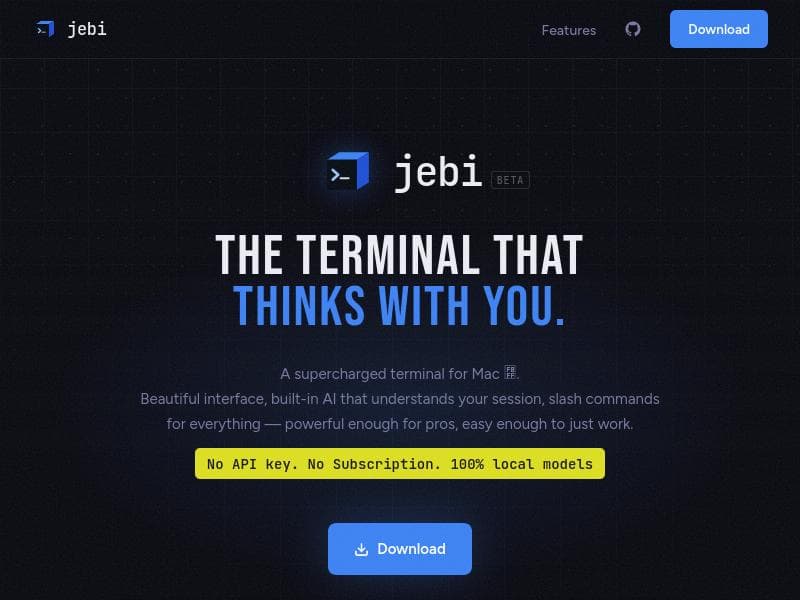
jebi is a supercharged Mac terminal with built-in local AI — no API key, no subscription, no cloud. After every command, it suggests what to run next. Hit an error? jebi explains it in plain English and tells you how to fix it. Type /ask to chat with AI right in your terminal. All AI runs on-device with Qwen, Phi-3, and Gemma — your commands never leave your Mac. Beautiful UI, split panes, tabs, custom themes, grain texture, and slash commands like /ls and /ports.
Detailed Description
jebi is an innovative terminal application designed exclusively for Mac users, combining the traditional command-line interface with the power of local artificial intelligence. Its core purpose is to enhance the productivity and efficiency of developers, system administrators, and power users by embedding AI capabilities directly into the terminal environment. Unlike conventional terminals, jebi offers intelligent assistance without relying on cloud services or external APIs, ensuring privacy, speed, and offline functionality. At the heart of jebi is its built-in local AI engine that requires no API key or subscription. This means users can leverage advanced AI features without worrying about ongoing costs or data privacy concerns. One of the standout capabilities is its error explanation feature, which helps users understand and debug command-line errors more effectively. Instead of cryptic error messages, jebi provides clear, contextual explanations that can save significant troubleshooting time. Additionally, the smart suggestions feature proactively offers command improvements and shortcuts, streamlining terminal workflows and reducing the learning curve for complex commands. Another unique aspect of jebi is its interactive /ask chat interface. This chat feature allows users to query the AI directly within the terminal, receiving instant assistance on a wide range of topics, from command syntax to scripting advice. Because all AI processing happens locally on the user’s machine, responses are fast and secure, with no data sent to external servers. This makes jebi particularly appealing for users working in sensitive or restricted environments. jebi is best suited for Mac users who rely heavily on the terminal for development, system management, or automation tasks. It is ideal for developers who want to speed up debugging, learn new commands, or get real-time help without leaving their workflow. System administrators can benefit from the AI’s ability to clarify error messages and suggest optimized commands, improving operational efficiency. Even terminal novices can find value in jebi’s smart suggestions and chat assistance, making the terminal more approachable and less intimidating. In terms of pricing, jebi stands out by offering its full feature set without any subscription fees or API key requirements. This all-in-one local AI terminal eliminates recurring costs and dependency on third-party AI providers, making it a cost-effective solution for individuals and teams alike. When compared to alternative AI-powered terminals or command-line assistants, jebi’s local-first approach is a significant differentiator. Many competitors rely on cloud-based AI models, which can introduce latency, privacy concerns, and ongoing costs. jebi’s offline capability ensures that users retain full control over their data and enjoy uninterrupted access regardless of internet connectivity. However, this local processing may limit the complexity of AI models compared to cloud-based solutions, potentially affecting the depth of AI-generated insights. Notable limitations include its current availability exclusively on Mac, which restricts access for Windows and Linux users. Additionally, while the AI features are powerful, they may not yet match the breadth of knowledge or natural language understanding offered by large cloud-based models. Users should also consider the local resource usage, as running AI models on-device can impact system performance depending on hardware specifications. Overall, jebi is a cutting-edge terminal tool that redefines command-line interaction by embedding smart, local AI assistance. It empowers Mac users to work smarter and faster, providing a seamless blend of traditional terminal power with modern AI intelligence, all while maintaining privacy and eliminating subscription costs.
Tool Features
- Built-in local AI with no API key required
- Error explanations to help debug issues
- Smart suggestions to improve terminal usage
- /ask chat feature for interactive assistance
- Runs entirely locally without subscription
Description
jebi is a Mac-exclusive terminal enhanced with built-in local AI that requires no API keys or subscriptions. It offers error explanations, smart command suggestions, and an interactive chat interface, all running securely on your machine, making it perfect for developers and sysadmins seeking smarter, faster terminal workflows without compromising privacy.
jebi is a supercharged Mac terminal with built-in local AI — no API key, no subscription, no cloud. After every command, it suggests what to run next. Hit an error? jebi explains it in plain English and tells you how to fix it. Type /ask to chat with AI right in your terminal. All AI runs on-device with Qwen, Phi-3, and Gemma — your commands never leave your Mac. Beautiful UI, split panes, tabs, custom themes, grain texture, and slash commands like /ls and /ports.
Detailed Description
jebi is an innovative terminal application designed exclusively for Mac users, combining the traditional command-line interface with the power of local artificial intelligence. Its core purpose is to enhance the productivity and efficiency of developers, system administrators, and power users by embedding AI capabilities directly into the terminal environment. Unlike conventional terminals, jebi offers intelligent assistance without relying on cloud services or external APIs, ensuring privacy, speed, and offline functionality. At the heart of jebi is its built-in local AI engine that requires no API key or subscription. This means users can leverage advanced AI features without worrying about ongoing costs or data privacy concerns. One of the standout capabilities is its error explanation feature, which helps users understand and debug command-line errors more effectively. Instead of cryptic error messages, jebi provides clear, contextual explanations that can save significant troubleshooting time. Additionally, the smart suggestions feature proactively offers command improvements and shortcuts, streamlining terminal workflows and reducing the learning curve for complex commands. Another unique aspect of jebi is its interactive /ask chat interface. This chat feature allows users to query the AI directly within the terminal, receiving instant assistance on a wide range of topics, from command syntax to scripting advice. Because all AI processing happens locally on the user’s machine, responses are fast and secure, with no data sent to external servers. This makes jebi particularly appealing for users working in sensitive or restricted environments. jebi is best suited for Mac users who rely heavily on the terminal for development, system management, or automation tasks. It is ideal for developers who want to speed up debugging, learn new commands, or get real-time help without leaving their workflow. System administrators can benefit from the AI’s ability to clarify error messages and suggest optimized commands, improving operational efficiency. Even terminal novices can find value in jebi’s smart suggestions and chat assistance, making the terminal more approachable and less intimidating. In terms of pricing, jebi stands out by offering its full feature set without any subscription fees or API key requirements. This all-in-one local AI terminal eliminates recurring costs and dependency on third-party AI providers, making it a cost-effective solution for individuals and teams alike. When compared to alternative AI-powered terminals or command-line assistants, jebi’s local-first approach is a significant differentiator. Many competitors rely on cloud-based AI models, which can introduce latency, privacy concerns, and ongoing costs. jebi’s offline capability ensures that users retain full control over their data and enjoy uninterrupted access regardless of internet connectivity. However, this local processing may limit the complexity of AI models compared to cloud-based solutions, potentially affecting the depth of AI-generated insights. Notable limitations include its current availability exclusively on Mac, which restricts access for Windows and Linux users. Additionally, while the AI features are powerful, they may not yet match the breadth of knowledge or natural language understanding offered by large cloud-based models. Users should also consider the local resource usage, as running AI models on-device can impact system performance depending on hardware specifications. Overall, jebi is a cutting-edge terminal tool that redefines command-line interaction by embedding smart, local AI assistance. It empowers Mac users to work smarter and faster, providing a seamless blend of traditional terminal power with modern AI intelligence, all while maintaining privacy and eliminating subscription costs.
Frequently Asked Questions
What is jebi?
jebi is a supercharged terminal application for Mac that integrates local AI capabilities directly into the command-line interface. It provides features like error explanations, smart suggestions, and an interactive /ask chat, all running locally without requiring an API key or subscription.
How much does jebi cost?
jebi is offered without any subscription fees or API key requirements, allowing users to access all its AI-powered features completely free after installation.
Who is jebi best for?
jebi is ideal for Mac users who frequently use the terminal, including developers, system administrators, and power users who want to improve their productivity with AI-driven error explanations, command suggestions, and interactive assistance.
What are the main features of jebi?
The main features of jebi include a built-in local AI engine requiring no API key, error explanations to help debug issues, smart suggestions to optimize terminal commands, and an /ask chat interface for interactive AI assistance—all running locally on your Mac.
Does jebi offer a free trial?
jebi does not require a free trial as it provides its full functionality without subscription or API key, allowing users to use all features immediately upon installation.
What integrations does jebi support?
jebi primarily functions as a standalone terminal application on Mac with built-in AI; it does not rely on external integrations or cloud services, ensuring all AI processing happens locally.
How does jebi work?
jebi works by embedding a local AI model within the Mac terminal environment, enabling it to analyze commands, provide error explanations, suggest improvements, and respond to user queries through an interactive chat interface—all without sending data to external servers.
Socials
Use ToolReviews
No reviews yet. Be the first to share your experience.
Sponsored Tools









































Recommended Tools
Stay updated on latest Ai tools
Get the latest insights, Join our newsletter
Read and trusted by 50,000+ readers
Join the biggest AI Community
Our community and staff are here to help!
Your feedback will help Alice AI improve in future versions.








Submit your Tool


PoweredByAI.app is an AI Tools Directory helping individuals, businesses, and creators discover the best AI tools for writing, coding, design, productivity, and more.
© 2026 , Product of011BQ. All rights reserved.