🚀 Zaprep: Your Socials on Steroids. Start free — automate 1,000 DMs/month & turn engagement into leads. with 1,000 automated DMs/month.


Is this your AI tool? Claim it today.
Verify ownership, manage your profile, and unlock growth features.
Intelligent Terminal transforms the traditional Windows Terminal by embedding AI-powered native agents directly into the command line, enabling seamless interaction with intelligent tools without leaving the terminal environment. Ideal for developers and power users, it enhances productivity by integrating smart assistance natively and efficiently within the terminal.

Description
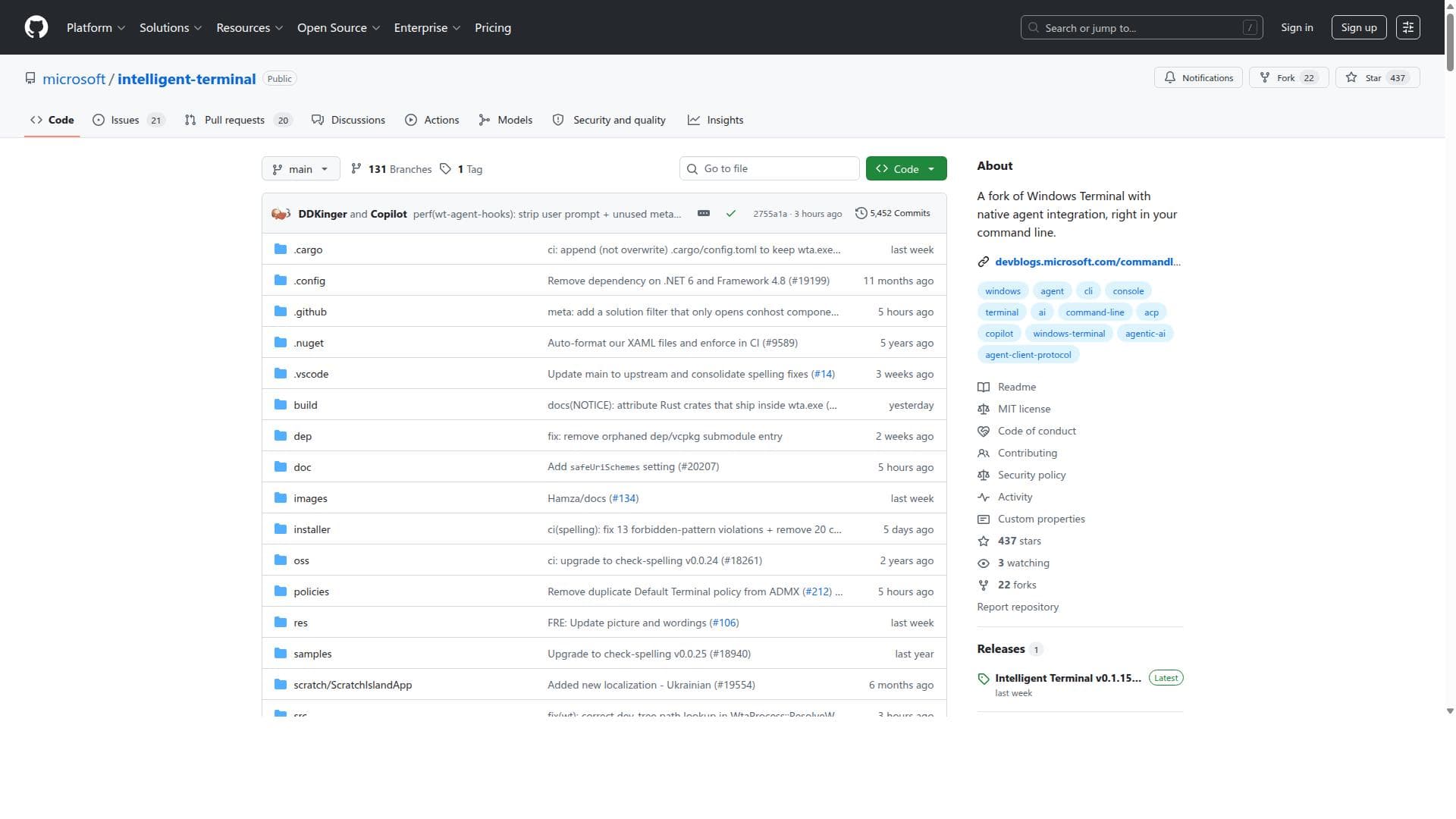
Intelligent Terminal is an open-source experimental fork of Windows Terminal with native agent integration. It adds an agent status bar, context-aware agent pane, automatic error detection, session management, and command palette prompts for ACP-compatible agent CLIs.
Detailed Description
Intelligent Terminal is an innovative fork of the widely used Windows Terminal, designed to revolutionize the command line interface by embedding native intelligent agents directly within the terminal environment. Its core purpose is to enhance the traditional terminal experience by integrating AI-powered capabilities that allow users to interact with intelligent tools seamlessly while working in their command line interface. This integration facilitates a more productive and interactive workflow, blending the power of AI with the familiarity and efficiency of the terminal. At its foundation, Intelligent Terminal retains all the robust features of Windows Terminal, such as multi-tab support, customizable themes, and a modern interface, but it extends these capabilities by embedding native agents that can understand and respond to user commands intelligently. These agents can assist with code generation, debugging, command suggestions, and contextual help, making the terminal not just a tool for executing commands but a smart assistant that enhances user productivity. The native integration means that users do not need to switch contexts or open separate applications to leverage AI assistance; everything happens within the terminal window itself. Key features of Intelligent Terminal include its seamless integration with AI agents that can interpret natural language queries, provide code snippets, automate repetitive tasks, and offer real-time suggestions based on the user's workflow. This integration is designed to be lightweight and efficient, ensuring that the terminal remains responsive and fast. Additionally, Intelligent Terminal supports customization and extensibility, allowing developers to tailor the AI agents to their specific needs or integrate additional AI models and tools. This makes it a flexible solution suitable for a wide range of development environments. Intelligent Terminal is best suited for developers, system administrators, and power users who rely heavily on the command line for their daily tasks. It is particularly beneficial for those who want to leverage AI to boost their productivity without leaving the terminal environment. Use cases include software development, where AI can assist with code completion and debugging; system management, where intelligent agents can automate routine commands; and learning environments, where users can query the terminal for explanations and guidance. Its native integration makes it ideal for users who prefer a streamlined, all-in-one interface rather than juggling multiple tools. Regarding pricing, Intelligent Terminal is an open-source project hosted on GitHub, making it freely available to users and developers. There are no licensing fees or subscription plans, which encourages community contributions and widespread adoption. Users can download, modify, and extend the tool according to their requirements without cost. This open-source nature also means that support and updates depend on community engagement and contributions rather than a commercial entity. When compared to alternatives, Intelligent Terminal stands out by embedding AI agents directly within the terminal rather than relying on external plugins or separate applications. While other terminals may offer integrations with AI tools, Intelligent Terminal’s approach provides a more seamless and native experience. This reduces friction and context switching, which are common pain points in developer workflows. However, unlike some commercial AI-powered coding assistants that offer extensive cloud-based features and integrations, Intelligent Terminal’s capabilities are currently focused on local and native agent integration, which may limit some advanced AI functionalities. Notable limitations include the fact that as a fork of Windows Terminal, Intelligent Terminal is primarily designed for Windows users, which may restrict its adoption among developers on other operating systems. Additionally, since it is an open-source project, the level of polish, documentation, and support may vary compared to commercial products. Users should also consider that the AI capabilities depend on the integrated agents’ sophistication, which may require ongoing development and tuning to meet specific needs. Finally, while the native integration is powerful, it may not yet support the full range of AI models or cloud-based AI services that some users might expect. In summary, Intelligent Terminal is a forward-thinking tool that brings AI directly into the command line interface, enhancing productivity and user experience for developers and power users. Its open-source nature, native integration, and focus on intelligent agents make it a unique offering in the terminal landscape, ideal for those seeking to combine the power of AI with the efficiency of the command line.
Tool Features
- Fork of Windows Terminal
- Native agent integration within the command line
- Enhanced terminal experience with AI capabilities
Description
Intelligent Terminal transforms the traditional Windows Terminal by embedding AI-powered native agents directly into the command line, enabling seamless interaction with intelligent tools without leaving the terminal environment. Ideal for developers and power users, it enhances productivity by integrating smart assistance natively and efficiently within the terminal.
Intelligent Terminal is an open-source experimental fork of Windows Terminal with native agent integration. It adds an agent status bar, context-aware agent pane, automatic error detection, session management, and command palette prompts for ACP-compatible agent CLIs.
Detailed Description
Intelligent Terminal is an innovative fork of the widely used Windows Terminal, designed to revolutionize the command line interface by embedding native intelligent agents directly within the terminal environment. Its core purpose is to enhance the traditional terminal experience by integrating AI-powered capabilities that allow users to interact with intelligent tools seamlessly while working in their command line interface. This integration facilitates a more productive and interactive workflow, blending the power of AI with the familiarity and efficiency of the terminal. At its foundation, Intelligent Terminal retains all the robust features of Windows Terminal, such as multi-tab support, customizable themes, and a modern interface, but it extends these capabilities by embedding native agents that can understand and respond to user commands intelligently. These agents can assist with code generation, debugging, command suggestions, and contextual help, making the terminal not just a tool for executing commands but a smart assistant that enhances user productivity. The native integration means that users do not need to switch contexts or open separate applications to leverage AI assistance; everything happens within the terminal window itself. Key features of Intelligent Terminal include its seamless integration with AI agents that can interpret natural language queries, provide code snippets, automate repetitive tasks, and offer real-time suggestions based on the user's workflow. This integration is designed to be lightweight and efficient, ensuring that the terminal remains responsive and fast. Additionally, Intelligent Terminal supports customization and extensibility, allowing developers to tailor the AI agents to their specific needs or integrate additional AI models and tools. This makes it a flexible solution suitable for a wide range of development environments. Intelligent Terminal is best suited for developers, system administrators, and power users who rely heavily on the command line for their daily tasks. It is particularly beneficial for those who want to leverage AI to boost their productivity without leaving the terminal environment. Use cases include software development, where AI can assist with code completion and debugging; system management, where intelligent agents can automate routine commands; and learning environments, where users can query the terminal for explanations and guidance. Its native integration makes it ideal for users who prefer a streamlined, all-in-one interface rather than juggling multiple tools. Regarding pricing, Intelligent Terminal is an open-source project hosted on GitHub, making it freely available to users and developers. There are no licensing fees or subscription plans, which encourages community contributions and widespread adoption. Users can download, modify, and extend the tool according to their requirements without cost. This open-source nature also means that support and updates depend on community engagement and contributions rather than a commercial entity. When compared to alternatives, Intelligent Terminal stands out by embedding AI agents directly within the terminal rather than relying on external plugins or separate applications. While other terminals may offer integrations with AI tools, Intelligent Terminal’s approach provides a more seamless and native experience. This reduces friction and context switching, which are common pain points in developer workflows. However, unlike some commercial AI-powered coding assistants that offer extensive cloud-based features and integrations, Intelligent Terminal’s capabilities are currently focused on local and native agent integration, which may limit some advanced AI functionalities. Notable limitations include the fact that as a fork of Windows Terminal, Intelligent Terminal is primarily designed for Windows users, which may restrict its adoption among developers on other operating systems. Additionally, since it is an open-source project, the level of polish, documentation, and support may vary compared to commercial products. Users should also consider that the AI capabilities depend on the integrated agents’ sophistication, which may require ongoing development and tuning to meet specific needs. Finally, while the native integration is powerful, it may not yet support the full range of AI models or cloud-based AI services that some users might expect. In summary, Intelligent Terminal is a forward-thinking tool that brings AI directly into the command line interface, enhancing productivity and user experience for developers and power users. Its open-source nature, native integration, and focus on intelligent agents make it a unique offering in the terminal landscape, ideal for those seeking to combine the power of AI with the efficiency of the command line.
Frequently Asked Questions
What is intelligent-terminal?
Intelligent Terminal is a fork of Windows Terminal that integrates native AI agents directly into the command line interface, enhancing the terminal experience by allowing users to interact with AI-powered tools seamlessly within their terminal environment.
How much does intelligent-terminal cost?
Intelligent Terminal is an open-source project available for free on GitHub, with no licensing fees or subscription costs.
Who is intelligent-terminal best for?
It is best suited for developers, system administrators, and power users who want to leverage AI capabilities directly within their command line interface to boost productivity and streamline workflows.
What are the main features of intelligent-terminal?
Key features include native AI agent integration within the terminal, enhanced command line experience with AI-powered assistance, multi-tab support, customizable interface, and the ability to automate and suggest commands intelligently.
Does intelligent-terminal offer a free trial?
Since Intelligent Terminal is an open-source tool, it is freely available to use without the need for a trial or purchase.
What integrations does intelligent-terminal support?
Intelligent Terminal integrates AI agents natively within the terminal environment and supports customization and extensibility to incorporate additional AI models or tools as needed.
How does intelligent-terminal work?
It works by embedding native AI agents directly into the Windows Terminal interface, allowing these agents to interpret commands, provide suggestions, automate tasks, and assist users in real-time without leaving the terminal.
Socials
Use ToolReviews
No reviews yet. Be the first to share your experience.
Sponsored Tools











































Recommended Tools
Stay updated on latest Ai tools
Get the latest insights, Join our newsletter
Read and trusted by 50,000+ readers
Join the biggest AI Community
Our community and staff are here to help!
Your feedback will help Alice AI improve in future versions.








Submit your Tool


PoweredByAI.app is an AI Tools Directory helping individuals, businesses, and creators discover the best AI tools for writing, coding, design, productivity, and more.
© 2026 , Product of011BQ. All rights reserved.