

Is this your AI tool? Claim it today.
Verify ownership, manage your profile, and unlock growth features.
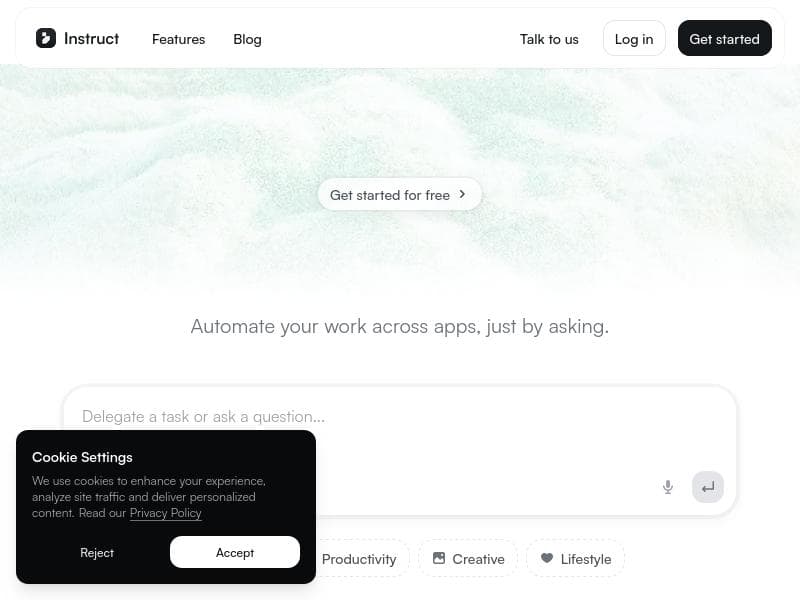
Instruct 2.5 is an autonomous agent that transforms complex multi-app workflows into instantly executable tasks using plain English commands. Ideal for enterprises seeking seamless, scalable automation with live iteration and workflow saving, it empowers teams to get real work done faster and smarter across platforms like Salesforce, Slack, and Gmail.

Description
Instruct 2.5 replaces the complex "build loop" with immediate execution. It is an autonomous agent that navigates your apps to get real work done. What's new: ⚡ Watch it work: Describe a task and see the generalist agent execute it live across your stack (Salesforce, Slack, Gmail, etc). 🛠️ Iterate Live: Guide the outcome via chat or upload files to fix issues instantly as they happen. 💾 Save as Workflow: Turn any successful run into a permanent, recurring automation with one click.
Detailed Description
Instruct 2.5 is a cutting-edge autonomous agent designed to revolutionize how users interact with their software applications by replacing the traditional, often cumbersome "build loop" process with immediate task execution. Its core purpose is to streamline workflows by navigating multiple apps such as Salesforce, Slack, Gmail, and others to perform real work autonomously based on simple, plain English instructions. This eliminates the need for complex coding or manual task management, enabling users to focus on higher-value activities while the agent handles repetitive or multi-step tasks seamlessly. One of the standout features of Instruct 2.5 is its live execution capability. Users can describe a task in natural language and watch as the generalist agent performs the task live across their integrated app stack. This real-time visibility into the agent's actions enhances transparency and trust, allowing users to monitor progress and intervene if necessary. Additionally, the tool offers an "Iterate Live" feature, where users can guide the outcome through chat or upload files to instantly correct any issues as they arise during execution. This interactive feedback loop ensures tasks are completed accurately and efficiently without needing to restart the process. Another powerful capability is the ability to save any successful run as a reusable workflow. With a single click, users can convert a one-time task execution into a permanent, recurring automation. This feature is particularly valuable for enterprises looking to scale automation across departments or teams, reducing manual effort and increasing operational consistency. Instruct 2.5 also boasts enterprise-grade security measures, ensuring that sensitive data and integrations remain protected while automations run reliably at scale. Instruct 2.5 is ideally suited for businesses and professionals who rely on multiple SaaS applications and require seamless automation without the overhead of traditional development cycles. It benefits teams in sales, marketing, customer support, and operations who need to automate data entry, communication workflows, report generation, and cross-platform coordination. For example, a sales team can automate lead updates across Salesforce and Slack, while a marketing team can streamline campaign communications via Gmail and project management tools. Regarding pricing, Instruct 2.5 is a paid service, reflecting its enterprise-grade capabilities and robust feature set. While specific pricing tiers are not publicly detailed, potential users can expect plans tailored to organizational scale and integration complexity. This investment is justified by the time savings, error reduction, and enhanced productivity the tool delivers. Compared to alternatives, Instruct 2.5 stands out by combining immediate execution with live iteration and workflow saving in a single platform. Many automation tools require manual setup, scripting, or lack real-time feedback mechanisms. Instruct 2.5’s natural language interface and autonomous agent approach reduce the technical barrier and accelerate deployment. However, users should consider that the tool’s effectiveness depends on the complexity of tasks and the quality of app integrations. Some highly specialized or legacy systems may require additional customization. In summary, Instruct 2.5 offers a sophisticated yet user-friendly solution for automating multi-application workflows through natural language commands and live execution. Its unique blend of features supports rapid iteration and scalable automation, making it a valuable asset for enterprises seeking to enhance operational efficiency. Prospective users should evaluate their app ecosystem compatibility and budget to maximize the benefits of this innovative AI agent.
Tool Features
- Connects to your apps to execute tasks
- Works based on plain English instructions
- Enterprise-grade security
- Seamless integrations
- Reliable automation at scale
Description
Instruct 2.5 is an autonomous agent that transforms complex multi-app workflows into instantly executable tasks using plain English commands. Ideal for enterprises seeking seamless, scalable automation with live iteration and workflow saving, it empowers teams to get real work done faster and smarter across platforms like Salesforce, Slack, and Gmail.
Instruct 2.5 replaces the complex "build loop" with immediate execution. It is an autonomous agent that navigates your apps to get real work done. What's new: ⚡ Watch it work: Describe a task and see the generalist agent execute it live across your stack (Salesforce, Slack, Gmail, etc). 🛠️ Iterate Live: Guide the outcome via chat or upload files to fix issues instantly as they happen. 💾 Save as Workflow: Turn any successful run into a permanent, recurring automation with one click.
Detailed Description
Instruct 2.5 is a cutting-edge autonomous agent designed to revolutionize how users interact with their software applications by replacing the traditional, often cumbersome "build loop" process with immediate task execution. Its core purpose is to streamline workflows by navigating multiple apps such as Salesforce, Slack, Gmail, and others to perform real work autonomously based on simple, plain English instructions. This eliminates the need for complex coding or manual task management, enabling users to focus on higher-value activities while the agent handles repetitive or multi-step tasks seamlessly. One of the standout features of Instruct 2.5 is its live execution capability. Users can describe a task in natural language and watch as the generalist agent performs the task live across their integrated app stack. This real-time visibility into the agent's actions enhances transparency and trust, allowing users to monitor progress and intervene if necessary. Additionally, the tool offers an "Iterate Live" feature, where users can guide the outcome through chat or upload files to instantly correct any issues as they arise during execution. This interactive feedback loop ensures tasks are completed accurately and efficiently without needing to restart the process. Another powerful capability is the ability to save any successful run as a reusable workflow. With a single click, users can convert a one-time task execution into a permanent, recurring automation. This feature is particularly valuable for enterprises looking to scale automation across departments or teams, reducing manual effort and increasing operational consistency. Instruct 2.5 also boasts enterprise-grade security measures, ensuring that sensitive data and integrations remain protected while automations run reliably at scale. Instruct 2.5 is ideally suited for businesses and professionals who rely on multiple SaaS applications and require seamless automation without the overhead of traditional development cycles. It benefits teams in sales, marketing, customer support, and operations who need to automate data entry, communication workflows, report generation, and cross-platform coordination. For example, a sales team can automate lead updates across Salesforce and Slack, while a marketing team can streamline campaign communications via Gmail and project management tools. Regarding pricing, Instruct 2.5 is a paid service, reflecting its enterprise-grade capabilities and robust feature set. While specific pricing tiers are not publicly detailed, potential users can expect plans tailored to organizational scale and integration complexity. This investment is justified by the time savings, error reduction, and enhanced productivity the tool delivers. Compared to alternatives, Instruct 2.5 stands out by combining immediate execution with live iteration and workflow saving in a single platform. Many automation tools require manual setup, scripting, or lack real-time feedback mechanisms. Instruct 2.5’s natural language interface and autonomous agent approach reduce the technical barrier and accelerate deployment. However, users should consider that the tool’s effectiveness depends on the complexity of tasks and the quality of app integrations. Some highly specialized or legacy systems may require additional customization. In summary, Instruct 2.5 offers a sophisticated yet user-friendly solution for automating multi-application workflows through natural language commands and live execution. Its unique blend of features supports rapid iteration and scalable automation, making it a valuable asset for enterprises seeking to enhance operational efficiency. Prospective users should evaluate their app ecosystem compatibility and budget to maximize the benefits of this innovative AI agent.
Frequently Asked Questions
What is Instruct 2.5?
Instruct 2.5 is an autonomous AI agent that executes tasks across multiple applications based on plain English instructions, replacing traditional complex build loops with immediate task execution and live iteration.
How much does Instruct 2.5 cost?
Instruct 2.5 is a paid service, with pricing details tailored to organizational needs and scale. Specific pricing information is available upon inquiry through their website.
Who is Instruct 2.5 best for?
It is best suited for enterprises and professionals who use multiple SaaS applications and want to automate workflows efficiently without coding, including teams in sales, marketing, customer support, and operations.
What are the main features of Instruct 2.5?
Key features include live task execution across apps, natural language instruction processing, live iteration with chat and file uploads for instant fixes, saving successful runs as reusable workflows, enterprise-grade security, and seamless integrations.
Does Instruct 2.5 offer a free trial?
There is no publicly available information about a free trial; interested users should check the official website or contact sales for trial options.
What integrations does Instruct 2.5 support?
Instruct 2.5 supports integrations with popular platforms such as Salesforce, Slack, Gmail, and other enterprise applications, enabling cross-platform automation.
How does Instruct 2.5 work?
Users describe tasks in plain English, and the autonomous agent executes them live across connected apps. Users can interact via chat or upload files to refine outcomes in real time and save successful executions as recurring workflows.
Socials
Use ToolReviews
No reviews yet. Be the first to share your experience.















































