Featured in:Best AI Audio Tools
Get featured →🚀 Zaprep: Your Socials on Steroids. Start free — automate 1,000 DMs/month & turn engagement into leads. with 1,000 automated DMs/month.


Is this your AI tool? Claim it today.
Verify ownership, manage your profile, and unlock growth features.
✦
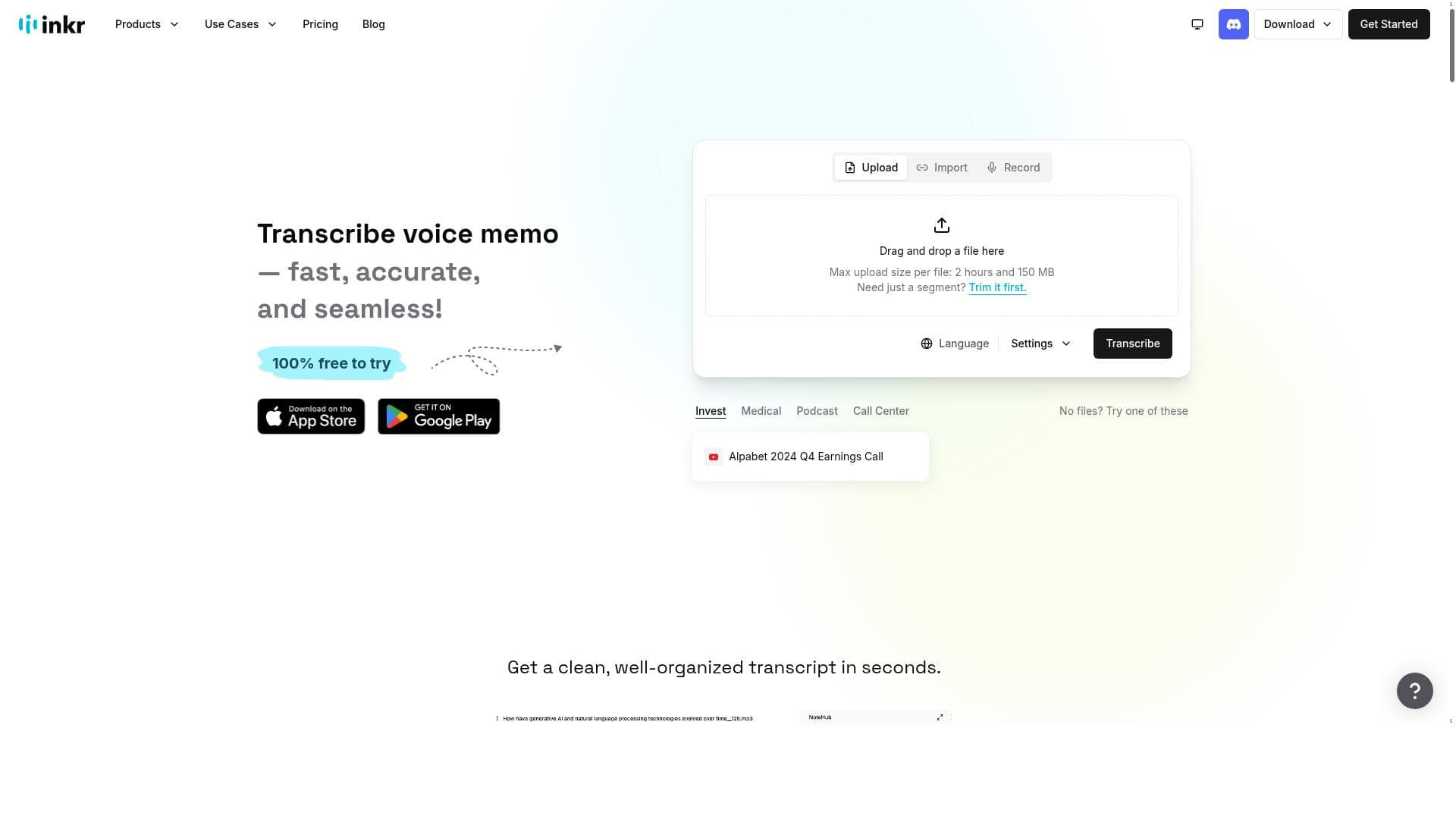
Inkr 2.0 transforms audio into accurate, structured text instantly with real-time transcription, AI-enhanced notes, and smart templates—all without requiring an account. Perfect for professionals and students alike, it combines powerful features with a clean interface and free audio cutting, making it a standout productivity co-pilot for managing and sharing audio content.

Description
Inkr turns audio into accurate, structured content in seconds. With real-time transcription, AI-enhanced notes, smart templates, and searchable transcripts, it’s more than a transcriber—it’s your productivity co-pilot. Try it, no account needed.
Detailed Description
Inkr 2.0 is an advanced audio transcription and content structuring tool designed to convert audio recordings into accurate, well-organized text content within seconds. Its core purpose is to serve as a productivity co-pilot by going beyond simple transcription to provide AI-enhanced notes, smart templates, and searchable transcripts that streamline how users interact with audio data. Whether you are a professional needing quick meeting notes, a student capturing lectures, or a content creator repurposing audio, Inkr 2.0 offers a seamless experience that requires no account setup to get started, making it accessible and user-friendly. One of Inkr 2.0's standout features is its real-time transcription capability, which instantly converts spoken words into text as the audio plays or is recorded. This live transcription is highly accurate and supports multiple audio formats for both upload and export, including high-quality WAV files. Users can also cut audio clips for free without any hidden fees or sign-up requirements, a feature that is rare among transcription tools. The interface is clean and intuitive, allowing users to easily organize their files into folders, rename them, and move them as needed, which enhances workflow efficiency. Transcriptions can be downloaded in various formats, making it easy to share or integrate the text into other documents or platforms. Sharing options enable collaboration by allowing users to distribute transcripts directly to colleagues or collaborators. Inkr 2.0 is ideal for professionals such as journalists, podcasters, researchers, and business teams who rely on accurate transcription and quick access to audio content. It is also well-suited for students and educators who need to convert lectures and discussions into searchable notes. The tool’s ability to enhance notes with AI and use smart templates means users can customize outputs to fit specific needs, such as meeting summaries, interview transcripts, or content outlines. This versatility makes Inkr 2.0 a valuable asset in various scenarios where audio content needs to be efficiently transformed into actionable text. Regarding pricing, Inkr 2.0 operates on a freemium model. The free tier offers essential features like audio cutting without any hidden fees or sign-up, making it highly accessible for casual or first-time users. More advanced features, such as enhanced AI note-taking and additional export options, may be available in paid plans, though specific pricing details are not explicitly detailed on the website. This approach allows users to try the tool risk-free and evaluate its capabilities before committing financially. Compared to alternatives, Inkr 2.0 stands out by combining live transcription with AI-enhanced note-taking and robust file management in a single platform. Many transcription services require accounts, subscriptions, or limit free usage, whereas Inkr offers free audio cutting and transcription with no sign-up, lowering barriers to entry. Its support for multiple audio formats and high-quality exports also provides flexibility not always found in competing tools. However, unlike some enterprise-grade transcription platforms, Inkr 2.0 may have limitations in handling extremely large volumes of audio or specialized industry jargon without customization. Potential limitations include the lack of detailed information on premium plan pricing and features, which may be a consideration for users requiring advanced functionalities or large-scale usage. Additionally, while the tool supports multiple audio formats, users should verify compatibility with less common file types. As with any AI transcription tool, accuracy can vary depending on audio quality, speaker accents, and background noise, so manual review may still be necessary for critical documents. Overall, Inkr 2.0 is a powerful, easy-to-use transcription and audio content management tool that excels in speed, accuracy, and usability. Its no-account-needed approach and free audio cutting make it an attractive choice for individuals and teams looking to boost productivity through efficient audio-to-text conversion and organization.
Tool Features
- 100% Free audio cutting with no hidden fees or sign-up required
- Easy to use with a clean and intuitive interface
- Supports multiple audio formats for upload and export in high-quality WAV
- Live transcription feature for instant text from recorded audio
- File organization with folders and the ability to move and rename files
- Download transcriptions in various formats
- Share transcriptions with others
Description
✦
Inkr 2.0 transforms audio into accurate, structured text instantly with real-time transcription, AI-enhanced notes, and smart templates—all without requiring an account. Perfect for professionals and students alike, it combines powerful features with a clean interface and free audio cutting, making it a standout productivity co-pilot for managing and sharing audio content.
Inkr turns audio into accurate, structured content in seconds. With real-time transcription, AI-enhanced notes, smart templates, and searchable transcripts, it’s more than a transcriber—it’s your productivity co-pilot. Try it, no account needed.
Detailed Description
Inkr 2.0 is an advanced audio transcription and content structuring tool designed to convert audio recordings into accurate, well-organized text content within seconds. Its core purpose is to serve as a productivity co-pilot by going beyond simple transcription to provide AI-enhanced notes, smart templates, and searchable transcripts that streamline how users interact with audio data. Whether you are a professional needing quick meeting notes, a student capturing lectures, or a content creator repurposing audio, Inkr 2.0 offers a seamless experience that requires no account setup to get started, making it accessible and user-friendly. One of Inkr 2.0's standout features is its real-time transcription capability, which instantly converts spoken words into text as the audio plays or is recorded. This live transcription is highly accurate and supports multiple audio formats for both upload and export, including high-quality WAV files. Users can also cut audio clips for free without any hidden fees or sign-up requirements, a feature that is rare among transcription tools. The interface is clean and intuitive, allowing users to easily organize their files into folders, rename them, and move them as needed, which enhances workflow efficiency. Transcriptions can be downloaded in various formats, making it easy to share or integrate the text into other documents or platforms. Sharing options enable collaboration by allowing users to distribute transcripts directly to colleagues or collaborators. Inkr 2.0 is ideal for professionals such as journalists, podcasters, researchers, and business teams who rely on accurate transcription and quick access to audio content. It is also well-suited for students and educators who need to convert lectures and discussions into searchable notes. The tool’s ability to enhance notes with AI and use smart templates means users can customize outputs to fit specific needs, such as meeting summaries, interview transcripts, or content outlines. This versatility makes Inkr 2.0 a valuable asset in various scenarios where audio content needs to be efficiently transformed into actionable text. Regarding pricing, Inkr 2.0 operates on a freemium model. The free tier offers essential features like audio cutting without any hidden fees or sign-up, making it highly accessible for casual or first-time users. More advanced features, such as enhanced AI note-taking and additional export options, may be available in paid plans, though specific pricing details are not explicitly detailed on the website. This approach allows users to try the tool risk-free and evaluate its capabilities before committing financially. Compared to alternatives, Inkr 2.0 stands out by combining live transcription with AI-enhanced note-taking and robust file management in a single platform. Many transcription services require accounts, subscriptions, or limit free usage, whereas Inkr offers free audio cutting and transcription with no sign-up, lowering barriers to entry. Its support for multiple audio formats and high-quality exports also provides flexibility not always found in competing tools. However, unlike some enterprise-grade transcription platforms, Inkr 2.0 may have limitations in handling extremely large volumes of audio or specialized industry jargon without customization. Potential limitations include the lack of detailed information on premium plan pricing and features, which may be a consideration for users requiring advanced functionalities or large-scale usage. Additionally, while the tool supports multiple audio formats, users should verify compatibility with less common file types. As with any AI transcription tool, accuracy can vary depending on audio quality, speaker accents, and background noise, so manual review may still be necessary for critical documents. Overall, Inkr 2.0 is a powerful, easy-to-use transcription and audio content management tool that excels in speed, accuracy, and usability. Its no-account-needed approach and free audio cutting make it an attractive choice for individuals and teams looking to boost productivity through efficient audio-to-text conversion and organization.
Frequently Asked Questions
What is Inkr 2.0?
Inkr 2.0 is an AI-powered tool that converts audio recordings into accurate, structured text content quickly. It offers real-time transcription, AI-enhanced notes, smart templates, and searchable transcripts to help users efficiently manage and utilize audio data.
How much does Inkr 2.0 cost?
Inkr 2.0 operates on a freemium model. It offers free audio cutting and transcription features with no sign-up or hidden fees. Additional advanced features may be available through paid plans, though specific pricing details are not publicly detailed.
Who is Inkr 2.0 best for?
Inkr 2.0 is ideal for professionals such as journalists, podcasters, researchers, business teams, as well as students and educators who need fast, accurate transcription and organized audio content for meetings, interviews, lectures, and content creation.
What are the main features of Inkr 2.0?
Key features include 100% free audio cutting with no sign-up required, support for multiple audio formats, high-quality WAV export, live real-time transcription, AI-enhanced note-taking, smart templates, file organization with folders, and options to download and share transcriptions.
Does Inkr 2.0 offer a free trial?
Yes, Inkr 2.0 allows users to try its core features without creating an account or paying, effectively serving as a free trial with no restrictions on audio cutting and transcription.
What integrations does Inkr 2.0 support?
The available information does not specify particular third-party integrations. However, Inkr 2.0 supports exporting transcriptions in various formats, which can be used with other tools and platforms.
How does Inkr 2.0 work?
Users upload or record audio in supported formats, and Inkr 2.0 uses AI to transcribe the audio in real time. The tool organizes files into folders, allows editing and renaming, and provides AI-enhanced notes and templates to structure the content. Transcriptions can then be downloaded or shared easily.
Socials
Use ToolReviews
0 reviews
No reviews yet. Be the first to share your experience.
Sponsored Tools







































Recommended Tools
Stay updated on latest Ai tools
Get the latest insights, Join our newsletter
Read and trusted by 50,000+ readers
Join the biggest AI Community
Our community and staff are here to help!
Your feedback will help Alice AI improve in future versions.







Submit your Tool


PoweredByAI.app is an AI Tools Directory helping individuals, businesses, and creators discover the best AI tools for writing, coding, design, productivity, and more.
© 2026 , Product of011BQ. All rights reserved.