Featured in:Best AI Writing Tools
Get featured →🚀 Zaprep: Your Socials on Steroids. Start free — automate 1,000 DMs/month & turn engagement into leads. with 1,000 automated DMs/month.
Image to Video AI Generator Online | VeeGen


✦
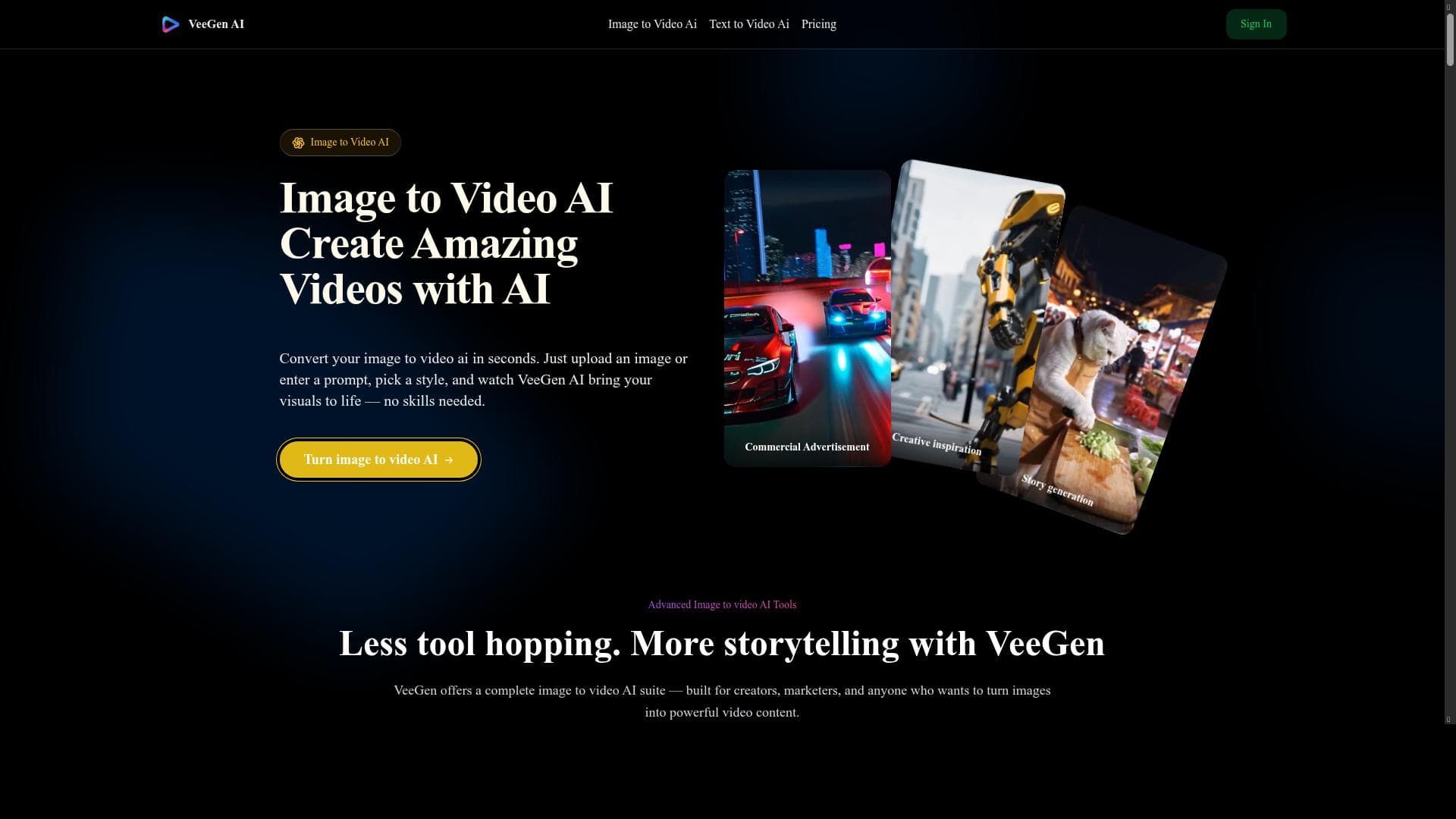
VeeGen is an AI-powered online tool that instantly transforms photos into dynamic, watermark-free videos tailored for social media platforms like TikTok and YouTube. Its user-friendly interface and multiple animation styles make it perfect for creators and marketers seeking quick, professional-quality video content without any technical skills.

Description
Use VeeGen image to video AI to instantly turn photos into dynamic videos online, no watermark. Create stunning animations for TikTok, Ins, YouTube without any skills.
Detailed Description
Image to Video AI Generator Online | VeeGen is a cutting-edge AI-powered tool designed to transform static images into dynamic, engaging videos instantly. Its core purpose is to enable users, regardless of their technical or creative skills, to create stunning video content from photos with ease. By leveraging advanced AI models, VeeGen automates the video creation process, allowing users to generate vibrant animations suitable for popular social media platforms like TikTok, Instagram, and YouTube without any watermark, which is a significant advantage for content creators seeking professional-quality outputs. One of the standout features of VeeGen is its AI-powered video generation capability. The tool intelligently analyzes the input images and applies sophisticated animation techniques to bring them to life, creating visually appealing motion effects. It supports multiple video styles, giving users the flexibility to choose from various animation themes and formats that best suit their content goals. The user-friendly interface ensures that even beginners can navigate the platform effortlessly, making video creation accessible to a broad audience. Additionally, VeeGen offers customization options, allowing users to tweak aspects such as animation speed, transitions, and visual effects to tailor the videos to their specific needs. VeeGen is ideal for a diverse range of users including social media influencers, marketers, small business owners, educators, and anyone looking to enhance their visual content without investing in complex video editing software. For instance, TikTok creators can quickly turn their photos into eye-catching clips to boost engagement, while YouTubers can create intro videos or animated slideshows to enrich their channels. Marketers can use VeeGen to produce promotional videos that stand out in crowded digital spaces, and educators can develop more interactive presentations. Its no-skill-required approach democratizes video content creation, making it a valuable tool for non-professionals and professionals alike. Regarding pricing, VeeGen operates on a freemium model. Users can access basic features and create videos without watermarks for free, which is excellent for casual users or those testing the platform. For more advanced features, additional video styles, and enhanced customization options, premium plans are available. These paid tiers cater to power users who require more extensive creative control and higher output quality. The freemium structure allows users to evaluate the tool’s capabilities before committing financially, making it a low-risk investment. Compared to alternatives, VeeGen stands out due to its combination of AI sophistication and ease of use. While many video generators require manual editing or impose watermarks on free versions, VeeGen’s no-watermark free option and intuitive interface provide a superior user experience. Its focus on social media-ready formats and multiple animation styles also distinguishes it from generic video editors. However, unlike some professional-grade video software, VeeGen may have limitations in terms of advanced editing features, which might be a consideration for users seeking highly detailed customization. Notable limitations include potential constraints on video length or resolution in the free version, which is common among freemium platforms. Additionally, while the AI-driven animations are impressive, they may not fully replace the creative control offered by manual video editing tools for complex projects. Users should also consider internet connectivity as the tool operates online, which might affect performance depending on bandwidth. Overall, VeeGen is a powerful, accessible solution for anyone looking to quickly convert images into captivating videos with minimal effort and no watermark, making it a valuable addition to the content creation toolkit.
Tool Features
- AI-powered video generation
- Supports multiple video styles
- User-friendly interface
- Customization options for videos
Description
✦
VeeGen is an AI-powered online tool that instantly transforms photos into dynamic, watermark-free videos tailored for social media platforms like TikTok and YouTube. Its user-friendly interface and multiple animation styles make it perfect for creators and marketers seeking quick, professional-quality video content without any technical skills.
Use VeeGen image to video AI to instantly turn photos into dynamic videos online, no watermark. Create stunning animations for TikTok, Ins, YouTube without any skills.
Detailed Description
Image to Video AI Generator Online | VeeGen is a cutting-edge AI-powered tool designed to transform static images into dynamic, engaging videos instantly. Its core purpose is to enable users, regardless of their technical or creative skills, to create stunning video content from photos with ease. By leveraging advanced AI models, VeeGen automates the video creation process, allowing users to generate vibrant animations suitable for popular social media platforms like TikTok, Instagram, and YouTube without any watermark, which is a significant advantage for content creators seeking professional-quality outputs. One of the standout features of VeeGen is its AI-powered video generation capability. The tool intelligently analyzes the input images and applies sophisticated animation techniques to bring them to life, creating visually appealing motion effects. It supports multiple video styles, giving users the flexibility to choose from various animation themes and formats that best suit their content goals. The user-friendly interface ensures that even beginners can navigate the platform effortlessly, making video creation accessible to a broad audience. Additionally, VeeGen offers customization options, allowing users to tweak aspects such as animation speed, transitions, and visual effects to tailor the videos to their specific needs. VeeGen is ideal for a diverse range of users including social media influencers, marketers, small business owners, educators, and anyone looking to enhance their visual content without investing in complex video editing software. For instance, TikTok creators can quickly turn their photos into eye-catching clips to boost engagement, while YouTubers can create intro videos or animated slideshows to enrich their channels. Marketers can use VeeGen to produce promotional videos that stand out in crowded digital spaces, and educators can develop more interactive presentations. Its no-skill-required approach democratizes video content creation, making it a valuable tool for non-professionals and professionals alike. Regarding pricing, VeeGen operates on a freemium model. Users can access basic features and create videos without watermarks for free, which is excellent for casual users or those testing the platform. For more advanced features, additional video styles, and enhanced customization options, premium plans are available. These paid tiers cater to power users who require more extensive creative control and higher output quality. The freemium structure allows users to evaluate the tool’s capabilities before committing financially, making it a low-risk investment. Compared to alternatives, VeeGen stands out due to its combination of AI sophistication and ease of use. While many video generators require manual editing or impose watermarks on free versions, VeeGen’s no-watermark free option and intuitive interface provide a superior user experience. Its focus on social media-ready formats and multiple animation styles also distinguishes it from generic video editors. However, unlike some professional-grade video software, VeeGen may have limitations in terms of advanced editing features, which might be a consideration for users seeking highly detailed customization. Notable limitations include potential constraints on video length or resolution in the free version, which is common among freemium platforms. Additionally, while the AI-driven animations are impressive, they may not fully replace the creative control offered by manual video editing tools for complex projects. Users should also consider internet connectivity as the tool operates online, which might affect performance depending on bandwidth. Overall, VeeGen is a powerful, accessible solution for anyone looking to quickly convert images into captivating videos with minimal effort and no watermark, making it a valuable addition to the content creation toolkit.
Frequently Asked Questions
What is Image to Video AI Generator Online | VeeGen?
VeeGen is an AI-driven online platform that converts static images into animated videos instantly, enabling users to create engaging video content for social media and other uses without requiring any video editing skills.
How much does Image to Video AI Generator Online | VeeGen cost?
VeeGen offers a freemium pricing model where users can access basic features for free without watermarks, with premium plans available for advanced features, additional video styles, and enhanced customization.
Who is Image to Video AI Generator Online | VeeGen best for?
It is best suited for social media influencers, marketers, small business owners, educators, and anyone looking to create dynamic video content quickly and easily without technical expertise.
What are the main features of Image to Video AI Generator Online | VeeGen?
Key features include AI-powered video generation, support for multiple video styles, a user-friendly interface, and customization options for animations such as speed and transitions.
Does Image to Video AI Generator Online | VeeGen offer a free trial?
Yes, VeeGen’s freemium model allows users to create videos for free with no watermark, effectively serving as a free trial of its core capabilities.
What integrations does Image to Video AI Generator Online | VeeGen support?
Currently, VeeGen operates as a standalone online tool and does not explicitly list integrations with third-party platforms, focusing instead on direct video creation from images.
How does Image to Video AI Generator Online | VeeGen work?
Users upload photos to the VeeGen platform, select desired animation styles and customization options, and the AI engine processes the images to generate dynamic videos ready for download or sharing.
Reviews
0 reviews
No reviews yet. Be the first to share your experience.
Sponsored Tools







































Recommended Tools
Stay updated on latest Ai tools
Get the latest insights, Join our newsletter
Read and trusted by 50,000+ readers
Join the biggest AI Community
Our community and staff are here to help!
Your feedback will help Alice AI improve in future versions.







Submit your Tool


PoweredByAI.app is an AI Tools Directory helping individuals, businesses, and creators discover the best AI tools for writing, coding, design, productivity, and more.
© 2026 , Product of011BQ. All rights reserved.