Featured in:Best AI Writing Tools
Get featured →🚀 Zaprep: Your Socials on Steroids. Start free — automate 1,000 DMs/month & turn engagement into leads. with 1,000 automated DMs/month.



✦
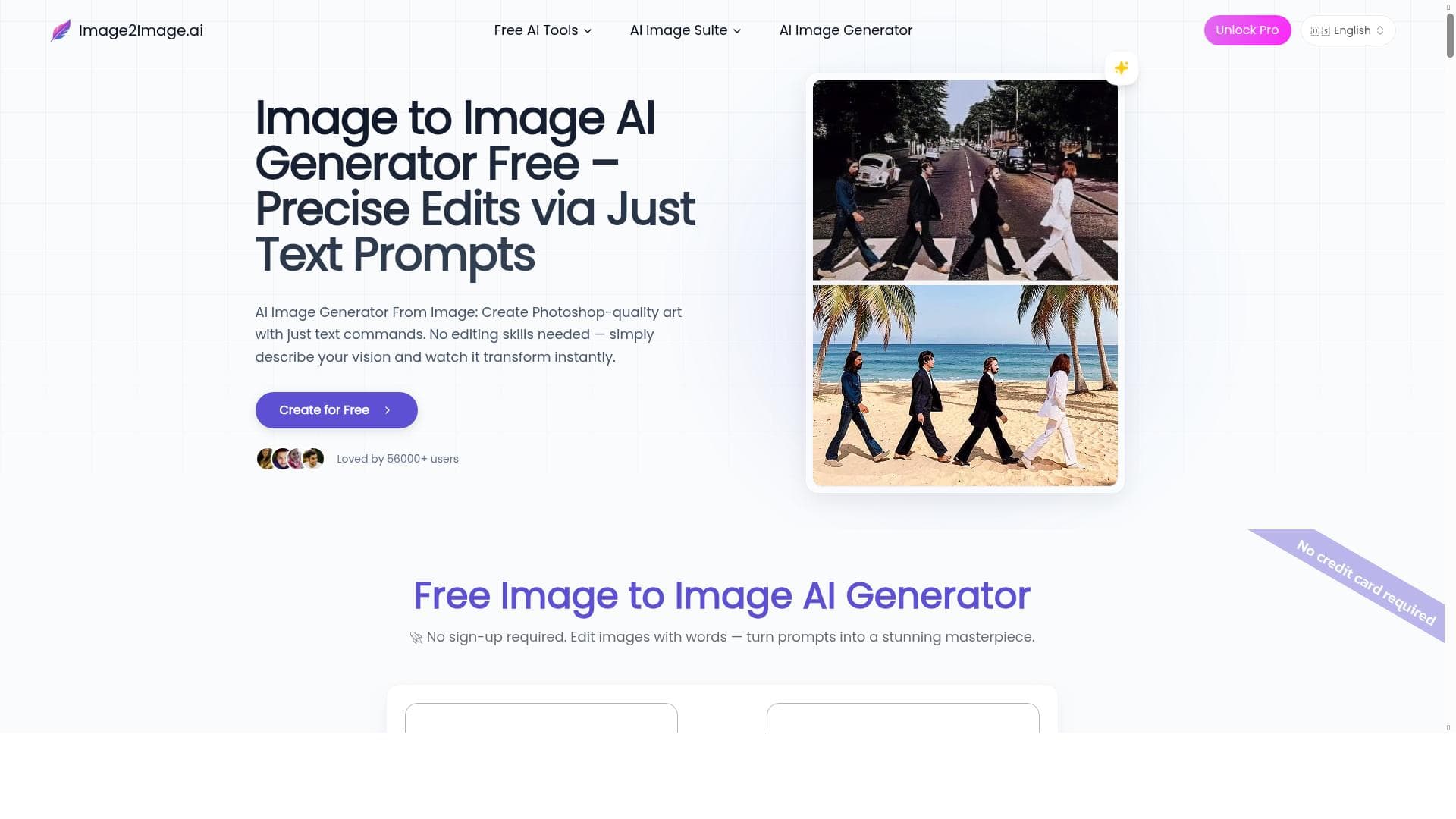
Image to Image AI transforms your photos effortlessly by converting simple text prompts into stunning visual edits, making professional image manipulation accessible to everyone. Ideal for creatives and professionals alike, it combines intuitive natural language input with powerful AI features like object removal and photo restoration—all for free.
Description
Revolutionize Your Image Editing with AI Image to image transformation has never been more intuitive. Simply upload your photo and type your creative vision - our AI instantly converts your text prompt into stunning visual results. No complex software to learn, just describe what you want and watch your image transform in real-time. Precision Editing Through Natural Language Every word matters with our advanced image to image technology. Whether you're changing styles, enhancing details, or completely reimagining a composition, your text prompts guide the AI to deliver professional-quality edits. Experience the perfect blend of creative control and automated precision - all through the power of your words.
Detailed Description
Image to Image AI is a cutting-edge tool designed to revolutionize the way users edit and transform images by leveraging advanced artificial intelligence technology. At its core, this tool allows users to upload any photo and then simply describe their creative vision using natural language text prompts. The AI then interprets these prompts and instantly redraws or transforms the original image to match the user’s instructions. This approach eliminates the need for complex photo editing software or technical expertise, making professional-quality image manipulation accessible to everyone. Whether you want to change the style, enhance details, remove unwanted objects, or completely reimagine an image’s composition, Image to Image AI offers an intuitive and powerful solution that responds directly to your words in real-time. The tool’s key features include fast and high-quality image generation that ensures your transformed images look polished and visually striking. One standout capability is AI-powered object removal, which allows users to seamlessly erase unwanted elements from photos without leaving traces or requiring manual touch-ups. Additionally, the tool supports character design AI, enabling creators to generate or modify characters based on textual descriptions, which is particularly useful for artists, game developers, and storytellers. Another notable feature is old photo restoration AI, which can breathe new life into aged or damaged photographs by enhancing clarity, repairing defects, and restoring original colors. Together, these features provide a comprehensive suite of image editing options that cater to a wide range of creative needs. Image to Image AI is ideal for a diverse audience including photographers, digital artists, graphic designers, content creators, marketers, and hobbyists who want to enhance or creatively alter images without investing time in mastering complex software. It is especially valuable for professionals who need quick yet precise edits, such as removing objects from product photos or redesigning visuals for marketing campaigns. Additionally, educators and students can use it as a learning tool to explore image manipulation concepts through natural language interaction. The straightforward interface and real-time transformation make it suitable for anyone looking to experiment with image editing or produce high-quality visuals efficiently. One of the most attractive aspects of Image to Image AI is its pricing model — it is offered for free, making it accessible to users regardless of budget constraints. This free access encourages experimentation and lowers barriers for individuals and small businesses seeking advanced image editing capabilities without financial investment. While some AI tools require subscriptions or pay-per-use fees, Image to Image AI’s free availability is a significant advantage for users prioritizing cost-effectiveness. Compared to alternative image editing and AI transformation tools, Image to Image AI stands out due to its natural language-driven interface and real-time image redraw capabilities. Many competing platforms require manual adjustments, layering, or technical knowledge to achieve similar results, whereas this tool simplifies the process to a conversational prompt. Its combination of object removal, character design, and photo restoration features in one platform also offers versatility that some single-function tools lack. However, unlike some professional-grade software, it may not provide granular control over every pixel or support extensive batch processing, which could be a consideration for power users. Potential limitations include dependency on the clarity and specificity of text prompts; vague or ambiguous descriptions may yield less accurate transformations. Additionally, as with many AI-based image generators, the quality of results can vary depending on the complexity of the input image and the requested edits. Users should also be mindful of privacy and copyright considerations when uploading images. Despite these factors, Image to Image AI delivers a highly accessible, innovative, and effective solution for transforming images through the power of natural language and AI technology.
Tool Features
- Transform photos by uploading an image and having the AI redraw it based on prompts
- Fast and high-quality image generation
- AI object removal
- Character design AI
- Old photo restoration AI
Description
✦
Image to Image AI transforms your photos effortlessly by converting simple text prompts into stunning visual edits, making professional image manipulation accessible to everyone. Ideal for creatives and professionals alike, it combines intuitive natural language input with powerful AI features like object removal and photo restoration—all for free.
Revolutionize Your Image Editing with AI Image to image transformation has never been more intuitive. Simply upload your photo and type your creative vision - our AI instantly converts your text prompt into stunning visual results. No complex software to learn, just describe what you want and watch your image transform in real-time. Precision Editing Through Natural Language Every word matters with our advanced image to image technology. Whether you're changing styles, enhancing details, or completely reimagining a composition, your text prompts guide the AI to deliver professional-quality edits. Experience the perfect blend of creative control and automated precision - all through the power of your words.
Detailed Description
Image to Image AI is a cutting-edge tool designed to revolutionize the way users edit and transform images by leveraging advanced artificial intelligence technology. At its core, this tool allows users to upload any photo and then simply describe their creative vision using natural language text prompts. The AI then interprets these prompts and instantly redraws or transforms the original image to match the user’s instructions. This approach eliminates the need for complex photo editing software or technical expertise, making professional-quality image manipulation accessible to everyone. Whether you want to change the style, enhance details, remove unwanted objects, or completely reimagine an image’s composition, Image to Image AI offers an intuitive and powerful solution that responds directly to your words in real-time. The tool’s key features include fast and high-quality image generation that ensures your transformed images look polished and visually striking. One standout capability is AI-powered object removal, which allows users to seamlessly erase unwanted elements from photos without leaving traces or requiring manual touch-ups. Additionally, the tool supports character design AI, enabling creators to generate or modify characters based on textual descriptions, which is particularly useful for artists, game developers, and storytellers. Another notable feature is old photo restoration AI, which can breathe new life into aged or damaged photographs by enhancing clarity, repairing defects, and restoring original colors. Together, these features provide a comprehensive suite of image editing options that cater to a wide range of creative needs. Image to Image AI is ideal for a diverse audience including photographers, digital artists, graphic designers, content creators, marketers, and hobbyists who want to enhance or creatively alter images without investing time in mastering complex software. It is especially valuable for professionals who need quick yet precise edits, such as removing objects from product photos or redesigning visuals for marketing campaigns. Additionally, educators and students can use it as a learning tool to explore image manipulation concepts through natural language interaction. The straightforward interface and real-time transformation make it suitable for anyone looking to experiment with image editing or produce high-quality visuals efficiently. One of the most attractive aspects of Image to Image AI is its pricing model — it is offered for free, making it accessible to users regardless of budget constraints. This free access encourages experimentation and lowers barriers for individuals and small businesses seeking advanced image editing capabilities without financial investment. While some AI tools require subscriptions or pay-per-use fees, Image to Image AI’s free availability is a significant advantage for users prioritizing cost-effectiveness. Compared to alternative image editing and AI transformation tools, Image to Image AI stands out due to its natural language-driven interface and real-time image redraw capabilities. Many competing platforms require manual adjustments, layering, or technical knowledge to achieve similar results, whereas this tool simplifies the process to a conversational prompt. Its combination of object removal, character design, and photo restoration features in one platform also offers versatility that some single-function tools lack. However, unlike some professional-grade software, it may not provide granular control over every pixel or support extensive batch processing, which could be a consideration for power users. Potential limitations include dependency on the clarity and specificity of text prompts; vague or ambiguous descriptions may yield less accurate transformations. Additionally, as with many AI-based image generators, the quality of results can vary depending on the complexity of the input image and the requested edits. Users should also be mindful of privacy and copyright considerations when uploading images. Despite these factors, Image to Image AI delivers a highly accessible, innovative, and effective solution for transforming images through the power of natural language and AI technology.
Frequently Asked Questions
What is Image to Image AI?
Image to Image AI is an AI-powered image editing tool that allows users to upload photos and transform them by describing their creative vision using natural language text prompts. The AI redraws or modifies the image in real-time based on these instructions.
How much does Image to Image AI cost?
Image to Image AI is available for free, providing users with access to its full suite of image transformation features without any subscription or payment requirements.
Who is Image to Image AI best for?
This tool is best suited for photographers, digital artists, graphic designers, content creators, marketers, educators, and hobbyists who want to quickly and easily edit or creatively transform images without needing advanced software skills.
What are the main features of Image to Image AI?
Key features include transforming photos via text prompts, fast and high-quality image generation, AI-powered object removal, character design capabilities, and old photo restoration.
Does Image to Image AI offer a free trial?
Yes, Image to Image AI is completely free to use, so there is no need for a separate trial period.
What integrations does Image to Image AI support?
Currently, Image to Image AI operates as a standalone web-based tool accessible via its website. Specific third-party integrations are not detailed.
How does Image to Image AI work?
Users upload an image and then type a descriptive text prompt outlining the desired changes or creative vision. The AI processes the prompt and redraws or edits the image in real-time to match the instructions, enabling intuitive and precise image transformations.
Reviews
0 reviews
No reviews yet. Be the first to share your experience.
Sponsored Tools







































Recommended Tools
Stay updated on latest Ai tools
Get the latest insights, Join our newsletter
Read and trusted by 50,000+ readers
Join the biggest AI Community
Our community and staff are here to help!
Your feedback will help Alice AI improve in future versions.







Submit your Tool


PoweredByAI.app is an AI Tools Directory helping individuals, businesses, and creators discover the best AI tools for writing, coding, design, productivity, and more.
© 2026 , Product of011BQ. All rights reserved.