Featured in:Best AI Writing Tools
Get featured →🚀 Zaprep: Your Socials on Steroids. Start free — automate 1,000 DMs/month & turn engagement into leads. with 1,000 automated DMs/month.



✦
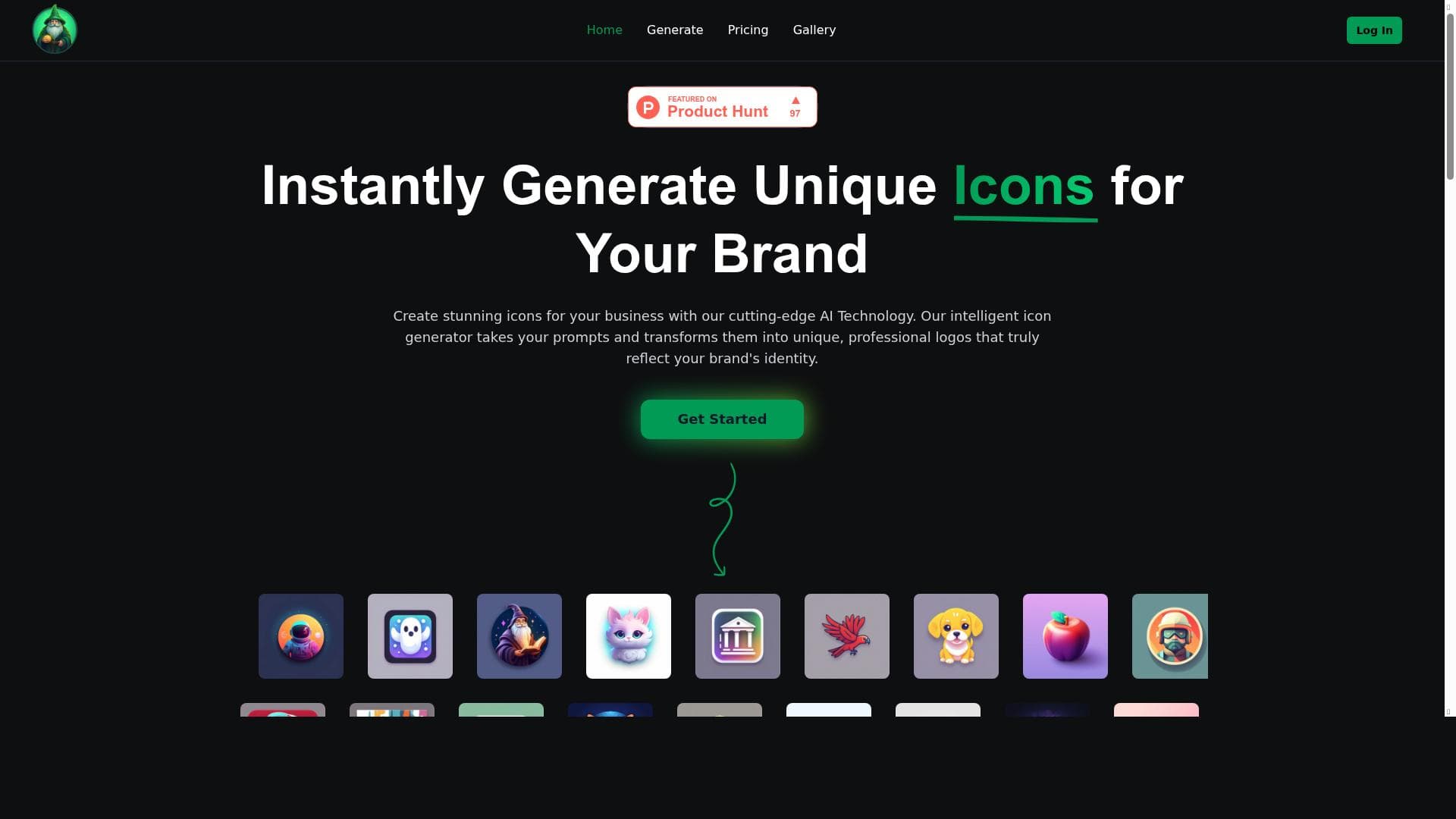
IconWizardAI harnesses cutting-edge AI technology to instantly generate unique, customizable icons and logos from simple text prompts, making professional design accessible to businesses and creators alike. Ideal for startups, app developers, and marketers, it streamlines branding with fast, creative, and cost-effective icon creation.

Description
Instantly generate unique icons for you brand. Create stunning icons for your business, website and media with our cutting-edge AI Technology.
Detailed Description
IconWizardAI is an advanced AI-powered design tool specifically created to help businesses, entrepreneurs, and creatives instantly generate unique and professional icons and logos. Its core purpose is to simplify and accelerate the icon creation process by transforming simple text prompts into visually stunning and customizable designs. Whether you need branding assets for your company, app icons for your mobile or web applications, or distinctive media graphics, IconWizardAI leverages cutting-edge artificial intelligence technology to automate design workflows and deliver high-quality results in seconds. At the heart of IconWizardAI is its AI-driven creator engine that interprets user input—such as keywords, brand names, or descriptive text—and generates multiple icon and logo options tailored to the user’s specifications. This process eliminates the need for manual graphic design skills or expensive design agencies. Users can customize colors, shapes, and styles to align with their brand identity, ensuring each icon is unique and fits their visual language. The tool supports a wide range of design styles, from minimalist and modern to intricate and illustrative, making it versatile for various industries and aesthetic preferences. IconWizardAI’s key features include instant generation of unique icons and logos, a user-friendly interface that requires no prior design experience, and the ability to customize designs post-generation. It is particularly suitable for startups, small businesses, app developers, marketers, and content creators who require quick turnaround times without compromising on quality. The AI technology behind IconWizardAI continuously learns and improves, offering fresh and innovative design concepts that keep pace with current design trends. Regarding pricing, IconWizardAI operates on a freemium model. Users can access basic icon generation features for free, allowing them to test the platform and create initial designs without commitment. For more advanced customization options, higher resolution downloads, and commercial usage rights, premium plans are available. These paid tiers provide enhanced capabilities and priority support, making it a scalable solution for growing businesses. Compared to traditional logo and icon design services, IconWizardAI offers significant advantages in speed, cost-efficiency, and ease of use. Unlike manual design processes that can take days or weeks, IconWizardAI delivers professional-grade icons in moments. While some competitors may offer AI-based logo makers, IconWizardAI stands out with its focus on iconography and the depth of customization options. However, it may not fully replace the nuanced creativity of a professional human designer for highly complex or bespoke branding projects. Potential limitations include the reliance on AI-generated designs, which might occasionally produce generic or less contextually nuanced icons depending on the input prompt quality. Users should be prepared to experiment with different prompts and customization settings to achieve the best results. Additionally, while the freemium model is generous, some advanced features and commercial licenses require paid subscriptions, which may be a consideration for budget-conscious users. In summary, IconWizardAI is a powerful and accessible AI tool that democratizes icon and logo creation by combining automation with creative flexibility. It is ideal for anyone needing fast, professional icons without the overhead of traditional design processes. Its blend of instant generation, customization, and affordability makes it a compelling choice for modern branding needs.
Tool Features
- Instantly generate unique icons and logos
- AI-powered creator transforms text prompts into professional designs
- Customizable and creative icon and logo generation
- Suitable for business branding and app icons
- Cutting-edge AI technology for design automation
Description
✦
IconWizardAI harnesses cutting-edge AI technology to instantly generate unique, customizable icons and logos from simple text prompts, making professional design accessible to businesses and creators alike. Ideal for startups, app developers, and marketers, it streamlines branding with fast, creative, and cost-effective icon creation.
Instantly generate unique icons for you brand. Create stunning icons for your business, website and media with our cutting-edge AI Technology.
Detailed Description
IconWizardAI is an advanced AI-powered design tool specifically created to help businesses, entrepreneurs, and creatives instantly generate unique and professional icons and logos. Its core purpose is to simplify and accelerate the icon creation process by transforming simple text prompts into visually stunning and customizable designs. Whether you need branding assets for your company, app icons for your mobile or web applications, or distinctive media graphics, IconWizardAI leverages cutting-edge artificial intelligence technology to automate design workflows and deliver high-quality results in seconds. At the heart of IconWizardAI is its AI-driven creator engine that interprets user input—such as keywords, brand names, or descriptive text—and generates multiple icon and logo options tailored to the user’s specifications. This process eliminates the need for manual graphic design skills or expensive design agencies. Users can customize colors, shapes, and styles to align with their brand identity, ensuring each icon is unique and fits their visual language. The tool supports a wide range of design styles, from minimalist and modern to intricate and illustrative, making it versatile for various industries and aesthetic preferences. IconWizardAI’s key features include instant generation of unique icons and logos, a user-friendly interface that requires no prior design experience, and the ability to customize designs post-generation. It is particularly suitable for startups, small businesses, app developers, marketers, and content creators who require quick turnaround times without compromising on quality. The AI technology behind IconWizardAI continuously learns and improves, offering fresh and innovative design concepts that keep pace with current design trends. Regarding pricing, IconWizardAI operates on a freemium model. Users can access basic icon generation features for free, allowing them to test the platform and create initial designs without commitment. For more advanced customization options, higher resolution downloads, and commercial usage rights, premium plans are available. These paid tiers provide enhanced capabilities and priority support, making it a scalable solution for growing businesses. Compared to traditional logo and icon design services, IconWizardAI offers significant advantages in speed, cost-efficiency, and ease of use. Unlike manual design processes that can take days or weeks, IconWizardAI delivers professional-grade icons in moments. While some competitors may offer AI-based logo makers, IconWizardAI stands out with its focus on iconography and the depth of customization options. However, it may not fully replace the nuanced creativity of a professional human designer for highly complex or bespoke branding projects. Potential limitations include the reliance on AI-generated designs, which might occasionally produce generic or less contextually nuanced icons depending on the input prompt quality. Users should be prepared to experiment with different prompts and customization settings to achieve the best results. Additionally, while the freemium model is generous, some advanced features and commercial licenses require paid subscriptions, which may be a consideration for budget-conscious users. In summary, IconWizardAI is a powerful and accessible AI tool that democratizes icon and logo creation by combining automation with creative flexibility. It is ideal for anyone needing fast, professional icons without the overhead of traditional design processes. Its blend of instant generation, customization, and affordability makes it a compelling choice for modern branding needs.
Frequently Asked Questions
What is IconWizardAI?
IconWizardAI is an AI-powered design tool that instantly generates unique and professional icons and logos based on user text prompts, enabling fast and customizable branding solutions.
How much does IconWizardAI cost?
IconWizardAI offers a freemium pricing model with free access to basic icon generation features. Premium plans with advanced customization, higher resolution downloads, and commercial usage rights are available for a fee.
Who is IconWizardAI best for?
IconWizardAI is ideal for startups, small businesses, app developers, marketers, and content creators who need quick, professional icons and logos without extensive design expertise.
What are the main features of IconWizardAI?
Key features include instant generation of unique icons and logos, AI-powered transformation of text prompts into designs, customizable styles and colors, suitability for business branding and app icons, and design automation using cutting-edge AI technology.
Does IconWizardAI offer a free trial?
Yes, IconWizardAI provides free access to its basic icon generation features, allowing users to try the platform without any initial cost.
What integrations does IconWizardAI support?
Currently, IconWizardAI focuses on standalone icon and logo generation and does not advertise specific third-party integrations, but designs can be downloaded and used across various platforms and tools.
How does IconWizardAI work?
Users input descriptive text prompts or keywords related to their brand or desired icon style, and IconWizardAI’s AI engine processes this input to generate multiple unique icon and logo options that can be customized and downloaded.
Reviews
0 reviews
No reviews yet. Be the first to share your experience.
Sponsored Tools











































Recommended Tools
Stay updated on latest Ai tools
Get the latest insights, Join our newsletter
Read and trusted by 50,000+ readers
Join the biggest AI Community
Our community and staff are here to help!
Your feedback will help Alice AI improve in future versions.








Submit your Tool


PoweredByAI.app is an AI Tools Directory helping individuals, businesses, and creators discover the best AI tools for writing, coding, design, productivity, and more.
© 2026 , Product of011BQ. All rights reserved.