Featured in:Best AI Writing Tools
Get featured →🚀 Zaprep: Your Socials on Steroids. Start free — automate 1,000 DMs/month & turn engagement into leads. with 1,000 automated DMs/month.
Hemingway Editor Plus


Is this your AI tool? Claim it today.
Verify ownership, manage your profile, and unlock growth features.
✦
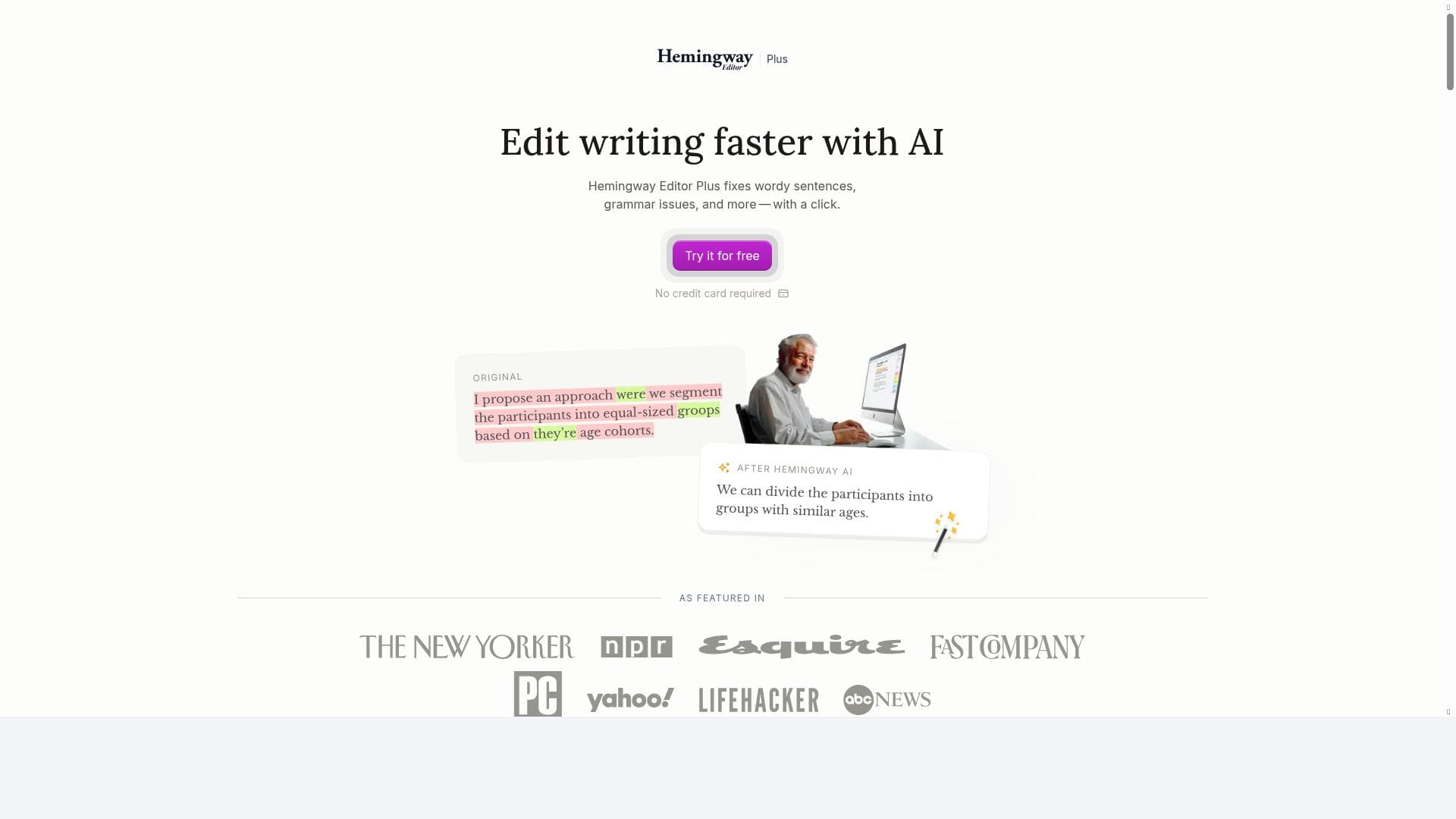
Hemingway Editor Plus leverages proprietary AI to transform your writing by enhancing clarity, fixing grammar, and highlighting passive voice—all while preserving your unique tone. Ideal for writers and professionals seeking bold, readable text, it streamlines editing with intuitive, actionable insights.

Description
Hemingway Editor Plus is the fastest way to correct and clarify your writing. Using proprietary AI tools, it increases readability and fixes grammar issues, while still preserving your tone and style.
Detailed Description
Hemingway Editor Plus is an advanced AI-powered writing assistant designed to help users enhance the clarity, readability, and overall quality of their written content. Its core purpose is to streamline the editing process by automatically identifying and correcting common writing issues such as grammatical errors, overly complex sentences, passive voice, and wordiness, all while preserving the author's unique tone and style. Unlike traditional grammar checkers, Hemingway Editor Plus focuses on making writing bold and clear, helping users communicate their ideas more effectively and efficiently. This makes it an invaluable tool for writers, editors, students, and professionals who want to produce polished, easy-to-read text without sacrificing personality or voice. At the heart of Hemingway Editor Plus are its proprietary AI algorithms that analyze text in real-time to improve writing clarity. The tool highlights sentences that are too long or complicated, suggesting ways to simplify them for better readability. It also detects passive voice constructions, encouraging users to switch to active voice to make their writing more direct and engaging. Grammar issues are automatically flagged and corrected, ensuring that the text is error-free. Additionally, Hemingway Editor Plus enhances the boldness and visual impact of the text by providing readability scores and color-coded highlights that guide users on how to improve their writing style. This combination of features makes it a comprehensive editing solution that goes beyond basic spell-checking. Hemingway Editor Plus is ideal for a wide range of users, including authors, bloggers, content marketers, students, academics, and business professionals. Writers who want to ensure their work is clear and compelling will find it particularly useful, as it helps eliminate unnecessary complexity and jargon. Students can benefit from the tool by improving the structure and clarity of essays and research papers. Business professionals and marketers can use it to craft persuasive emails, reports, and presentations that are easy to understand and impactful. The tool’s ability to maintain the original tone while enhancing readability makes it suitable for creative writing as well as formal documents. Regarding pricing, Hemingway Editor Plus is a paid service, reflecting its advanced AI capabilities and comprehensive feature set. While the exact pricing details are available on the official website, users can expect a subscription model that provides full access to all editing features. This investment is justified by the time saved in manual proofreading and the improved quality of written content. Potential users should check the website for the latest pricing plans and any available discounts or bundles. When compared to alternatives like Grammarly or ProWritingAid, Hemingway Editor Plus stands out for its focus on readability and stylistic clarity rather than just grammar correction. While Grammarly offers extensive grammar and plagiarism checks, Hemingway Editor Plus specializes in making writing bold and clear by targeting sentence structure and passive voice. ProWritingAid provides a broad range of writing reports, but Hemingway Editor Plus’s simplicity and user-friendly interface appeal to those who want quick, actionable feedback without overwhelming technical details. However, Hemingway Editor Plus may not offer as many integrations or advanced plagiarism detection features as some competitors. Notable limitations of Hemingway Editor Plus include the lack of a free trial, which may deter some users from testing the tool before purchase. Additionally, while it excels at improving readability and style, it may not catch every nuanced grammatical error or provide as comprehensive a vocabulary enhancement as other AI writing assistants. The tool is best used as a complement to other editing processes rather than a standalone solution for all writing needs. Users should also be aware that its focus on simplicity might not suit highly technical or specialized writing that requires complex sentence structures. In summary, Hemingway Editor Plus is a powerful AI-driven writing assistant that helps users produce clear, concise, and engaging text by focusing on readability, grammar correction, and style enhancement. Its user-friendly interface and targeted features make it an excellent choice for anyone looking to improve their writing quickly and effectively, especially those who value clarity and boldness in their communication.
Tool Features
- Uses AI to improve writing clarity
- Fixes grammar issues
- Identifies and reduces wordy sentences
- Highlights passive voice
- Enhances readability and boldness of text
Description
✦
Hemingway Editor Plus leverages proprietary AI to transform your writing by enhancing clarity, fixing grammar, and highlighting passive voice—all while preserving your unique tone. Ideal for writers and professionals seeking bold, readable text, it streamlines editing with intuitive, actionable insights.
Hemingway Editor Plus is the fastest way to correct and clarify your writing. Using proprietary AI tools, it increases readability and fixes grammar issues, while still preserving your tone and style.
Detailed Description
Hemingway Editor Plus is an advanced AI-powered writing assistant designed to help users enhance the clarity, readability, and overall quality of their written content. Its core purpose is to streamline the editing process by automatically identifying and correcting common writing issues such as grammatical errors, overly complex sentences, passive voice, and wordiness, all while preserving the author's unique tone and style. Unlike traditional grammar checkers, Hemingway Editor Plus focuses on making writing bold and clear, helping users communicate their ideas more effectively and efficiently. This makes it an invaluable tool for writers, editors, students, and professionals who want to produce polished, easy-to-read text without sacrificing personality or voice. At the heart of Hemingway Editor Plus are its proprietary AI algorithms that analyze text in real-time to improve writing clarity. The tool highlights sentences that are too long or complicated, suggesting ways to simplify them for better readability. It also detects passive voice constructions, encouraging users to switch to active voice to make their writing more direct and engaging. Grammar issues are automatically flagged and corrected, ensuring that the text is error-free. Additionally, Hemingway Editor Plus enhances the boldness and visual impact of the text by providing readability scores and color-coded highlights that guide users on how to improve their writing style. This combination of features makes it a comprehensive editing solution that goes beyond basic spell-checking. Hemingway Editor Plus is ideal for a wide range of users, including authors, bloggers, content marketers, students, academics, and business professionals. Writers who want to ensure their work is clear and compelling will find it particularly useful, as it helps eliminate unnecessary complexity and jargon. Students can benefit from the tool by improving the structure and clarity of essays and research papers. Business professionals and marketers can use it to craft persuasive emails, reports, and presentations that are easy to understand and impactful. The tool’s ability to maintain the original tone while enhancing readability makes it suitable for creative writing as well as formal documents. Regarding pricing, Hemingway Editor Plus is a paid service, reflecting its advanced AI capabilities and comprehensive feature set. While the exact pricing details are available on the official website, users can expect a subscription model that provides full access to all editing features. This investment is justified by the time saved in manual proofreading and the improved quality of written content. Potential users should check the website for the latest pricing plans and any available discounts or bundles. When compared to alternatives like Grammarly or ProWritingAid, Hemingway Editor Plus stands out for its focus on readability and stylistic clarity rather than just grammar correction. While Grammarly offers extensive grammar and plagiarism checks, Hemingway Editor Plus specializes in making writing bold and clear by targeting sentence structure and passive voice. ProWritingAid provides a broad range of writing reports, but Hemingway Editor Plus’s simplicity and user-friendly interface appeal to those who want quick, actionable feedback without overwhelming technical details. However, Hemingway Editor Plus may not offer as many integrations or advanced plagiarism detection features as some competitors. Notable limitations of Hemingway Editor Plus include the lack of a free trial, which may deter some users from testing the tool before purchase. Additionally, while it excels at improving readability and style, it may not catch every nuanced grammatical error or provide as comprehensive a vocabulary enhancement as other AI writing assistants. The tool is best used as a complement to other editing processes rather than a standalone solution for all writing needs. Users should also be aware that its focus on simplicity might not suit highly technical or specialized writing that requires complex sentence structures. In summary, Hemingway Editor Plus is a powerful AI-driven writing assistant that helps users produce clear, concise, and engaging text by focusing on readability, grammar correction, and style enhancement. Its user-friendly interface and targeted features make it an excellent choice for anyone looking to improve their writing quickly and effectively, especially those who value clarity and boldness in their communication.
Frequently Asked Questions
What is Hemingway Editor Plus?
Hemingway Editor Plus is an AI-powered writing assistant that helps improve the clarity, readability, and grammatical accuracy of your text while preserving your original tone and style.
How much does Hemingway Editor Plus cost?
Hemingway Editor Plus is a paid tool with subscription-based pricing. For detailed pricing information, users should visit the official website.
Who is Hemingway Editor Plus best for?
It is best suited for writers, editors, students, content marketers, and business professionals who want to produce clear, concise, and engaging written content.
What are the main features of Hemingway Editor Plus?
Key features include AI-driven writing clarity improvements, grammar correction, identification and reduction of wordy sentences, highlighting of passive voice, and enhancement of text readability and boldness.
Does Hemingway Editor Plus offer a free trial?
Currently, Hemingway Editor Plus does not offer a free trial. Users must subscribe to access its full features.
What integrations does Hemingway Editor Plus support?
Hemingway Editor Plus primarily functions as a standalone web-based editor. It does not have extensive third-party integrations like some other writing tools.
How does Hemingway Editor Plus work?
It uses proprietary AI algorithms to analyze your text in real-time, highlighting complex sentences, passive voice, and grammar issues, then provides suggestions to improve readability and clarity without altering your tone.
Reviews
0 reviews
No reviews yet. Be the first to share your experience.
Sponsored Tools











































Recommended Tools
Stay updated on latest Ai tools
Get the latest insights, Join our newsletter
Read and trusted by 50,000+ readers
Join the biggest AI Community
Our community and staff are here to help!
Your feedback will help Alice AI improve in future versions.








Submit your Tool


PoweredByAI.app is an AI Tools Directory helping individuals, businesses, and creators discover the best AI tools for writing, coding, design, productivity, and more.
© 2026 , Product of011BQ. All rights reserved.