Featured in:Best AI Audio Tools
Get featured →🚀 Zaprep: Your Socials on Steroids. Start free — automate 1,000 DMs/month & turn engagement into leads. with 1,000 automated DMs/month.
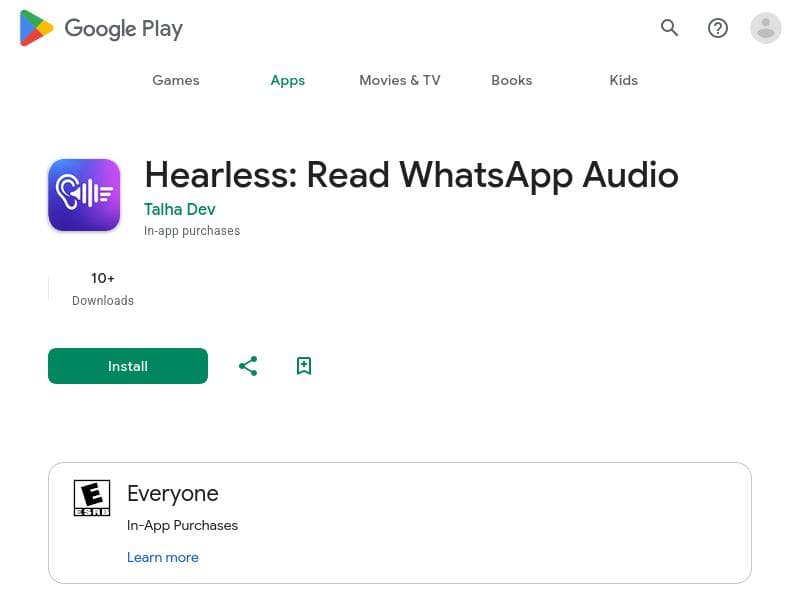
Hearless: Convert Whatsapp Voice to Text


Is this your AI tool? Claim it today.
Verify ownership, manage your profile, and unlock growth features.
✦
HearLess is a fast, accurate transcription app built specifically for WhatsApp voice messages, converting audio notes into clear text within seconds. Perfect for students, professionals, and those in noisy environments or with hearing difficulties, it makes WhatsApp voice communication accessible and efficient.

Description
Most voice note tools are slow, general-purpose, or require manual effort. HearLess is built specifically for WhatsApp voice messages, offering fast and accurate transcription optimized for real-world use cases. HearLess is a WhatsApp voice note transcriber that converts audio messages into clear, readable text in seconds. Designed for students, professionals, and anyone in noisy environments.
Detailed Description
HearLess: Convert Whatsapp Voice to Text is a specialized transcription tool designed exclusively for WhatsApp voice messages. Unlike generic voice note transcription apps that often suffer from slow processing times and require significant manual input, HearLess offers a streamlined, highly optimized solution tailored to the unique format and usage patterns of WhatsApp audio notes. Its core purpose is to convert voice messages into clear, readable text within seconds, enabling users to quickly grasp the content without needing to listen to the audio. This makes it particularly valuable in environments where listening is impractical or impossible, such as noisy workplaces, meetings, or quiet public spaces. The tool’s key features center around instant transcription of WhatsApp voice notes, delivering fast and accurate text output that reflects the spoken content with minimal errors. This immediacy is crucial for users who rely on quick communication and need to process information efficiently. Additionally, HearLess enhances accessibility by providing an alternative to audio playback for users with hearing impairments, making WhatsApp voice messages more inclusive. The app’s interface is designed for ease of use, allowing users to simply select voice notes and receive transcriptions without cumbersome steps or delays. HearLess is ideal for a diverse range of users including students who need to capture lecture notes or group discussions shared via WhatsApp, professionals who receive important instructions or updates through voice messages, and anyone frequently in noisy environments where listening to audio is challenging. It also benefits individuals with hearing difficulties by converting spoken messages into text, thus bridging communication gaps. The tool supports real-world use cases such as quickly reviewing meeting summaries, understanding detailed instructions, or managing multiple conversations simultaneously without missing critical information. In terms of pricing, HearLess is offered completely free of charge, making it accessible to a broad audience without subscription fees or in-app purchases. This free model encourages widespread adoption and provides a cost-effective alternative to paid transcription services. Users can download the app from the Google Play Store and start transcribing WhatsApp voice notes immediately without any financial commitment. Compared to alternatives, HearLess stands out by focusing exclusively on WhatsApp voice messages rather than general audio transcription. This specialization allows it to deliver faster and more accurate results tailored to the typical length, format, and language patterns of WhatsApp notes. While other transcription tools may support multiple platforms or audio types, they often lack the speed or precision needed for WhatsApp’s specific use case. HearLess’s dedicated approach ensures a smoother user experience and higher transcription quality for this niche. However, some limitations should be considered. As HearLess is optimized for WhatsApp voice notes, it may not support transcription of audio from other messaging apps or formats. Additionally, the accuracy of transcription can vary depending on audio quality, speaker accents, background noise, and language complexity. While it improves accessibility, users requiring professional-grade transcription for legal or medical purposes might need more advanced tools. Finally, as a free app, it may have limited customer support or fewer advanced customization options compared to premium services. Overall, HearLess: Convert Whatsapp Voice to Text offers a focused, efficient, and accessible solution for anyone looking to quickly convert WhatsApp voice messages into readable text. Its speed, accuracy, and user-centric design make it a valuable tool for students, professionals, and users with hearing impairments, especially in scenarios where listening is inconvenient or impossible.
Tool Features
- Instant transcription of WhatsApp voice notes
- Allows reading of audio messages when listening is not possible
- Improves accessibility for users with hearing difficulties
Description
✦
HearLess is a fast, accurate transcription app built specifically for WhatsApp voice messages, converting audio notes into clear text within seconds. Perfect for students, professionals, and those in noisy environments or with hearing difficulties, it makes WhatsApp voice communication accessible and efficient.
Most voice note tools are slow, general-purpose, or require manual effort. HearLess is built specifically for WhatsApp voice messages, offering fast and accurate transcription optimized for real-world use cases. HearLess is a WhatsApp voice note transcriber that converts audio messages into clear, readable text in seconds. Designed for students, professionals, and anyone in noisy environments.
Detailed Description
HearLess: Convert Whatsapp Voice to Text is a specialized transcription tool designed exclusively for WhatsApp voice messages. Unlike generic voice note transcription apps that often suffer from slow processing times and require significant manual input, HearLess offers a streamlined, highly optimized solution tailored to the unique format and usage patterns of WhatsApp audio notes. Its core purpose is to convert voice messages into clear, readable text within seconds, enabling users to quickly grasp the content without needing to listen to the audio. This makes it particularly valuable in environments where listening is impractical or impossible, such as noisy workplaces, meetings, or quiet public spaces. The tool’s key features center around instant transcription of WhatsApp voice notes, delivering fast and accurate text output that reflects the spoken content with minimal errors. This immediacy is crucial for users who rely on quick communication and need to process information efficiently. Additionally, HearLess enhances accessibility by providing an alternative to audio playback for users with hearing impairments, making WhatsApp voice messages more inclusive. The app’s interface is designed for ease of use, allowing users to simply select voice notes and receive transcriptions without cumbersome steps or delays. HearLess is ideal for a diverse range of users including students who need to capture lecture notes or group discussions shared via WhatsApp, professionals who receive important instructions or updates through voice messages, and anyone frequently in noisy environments where listening to audio is challenging. It also benefits individuals with hearing difficulties by converting spoken messages into text, thus bridging communication gaps. The tool supports real-world use cases such as quickly reviewing meeting summaries, understanding detailed instructions, or managing multiple conversations simultaneously without missing critical information. In terms of pricing, HearLess is offered completely free of charge, making it accessible to a broad audience without subscription fees or in-app purchases. This free model encourages widespread adoption and provides a cost-effective alternative to paid transcription services. Users can download the app from the Google Play Store and start transcribing WhatsApp voice notes immediately without any financial commitment. Compared to alternatives, HearLess stands out by focusing exclusively on WhatsApp voice messages rather than general audio transcription. This specialization allows it to deliver faster and more accurate results tailored to the typical length, format, and language patterns of WhatsApp notes. While other transcription tools may support multiple platforms or audio types, they often lack the speed or precision needed for WhatsApp’s specific use case. HearLess’s dedicated approach ensures a smoother user experience and higher transcription quality for this niche. However, some limitations should be considered. As HearLess is optimized for WhatsApp voice notes, it may not support transcription of audio from other messaging apps or formats. Additionally, the accuracy of transcription can vary depending on audio quality, speaker accents, background noise, and language complexity. While it improves accessibility, users requiring professional-grade transcription for legal or medical purposes might need more advanced tools. Finally, as a free app, it may have limited customer support or fewer advanced customization options compared to premium services. Overall, HearLess: Convert Whatsapp Voice to Text offers a focused, efficient, and accessible solution for anyone looking to quickly convert WhatsApp voice messages into readable text. Its speed, accuracy, and user-centric design make it a valuable tool for students, professionals, and users with hearing impairments, especially in scenarios where listening is inconvenient or impossible.
Frequently Asked Questions
What is Hearless: Convert Whatsapp Voice to Text?
HearLess is a specialized transcription tool designed to convert WhatsApp voice messages into clear, readable text quickly and accurately, enabling users to read audio notes instead of listening to them.
How much does Hearless: Convert Whatsapp Voice to Text cost?
HearLess is completely free to use, with no subscription fees or in-app purchases required.
Who is Hearless: Convert Whatsapp Voice to Text best for?
It is best suited for students, professionals, and anyone who frequently uses WhatsApp voice messages, especially those in noisy environments or users with hearing impairments.
What are the main features of Hearless: Convert Whatsapp Voice to Text?
Key features include instant transcription of WhatsApp voice notes, the ability to read messages when listening is not possible, and improved accessibility for users with hearing difficulties.
Does Hearless: Convert Whatsapp Voice to Text offer a free trial?
The app is free to use, so there is no need for a separate free trial.
What integrations does Hearless: Convert Whatsapp Voice to Text support?
HearLess is specifically designed to work with WhatsApp voice messages and does not currently support integrations with other platforms or apps.
How does Hearless: Convert Whatsapp Voice to Text work?
Users select WhatsApp voice notes within the app, which then processes the audio using optimized transcription technology to convert the speech into clear, readable text in seconds.
Socials
Use ToolReviews
0 reviews
No reviews yet. Be the first to share your experience.
Sponsored Tools











































Recommended Tools
Stay updated on latest Ai tools
Get the latest insights, Join our newsletter
Read and trusted by 50,000+ readers
Join the biggest AI Community
Our community and staff are here to help!
Your feedback will help Alice AI improve in future versions.








Submit your Tool


PoweredByAI.app is an AI Tools Directory helping individuals, businesses, and creators discover the best AI tools for writing, coding, design, productivity, and more.
© 2026 , Product of011BQ. All rights reserved.