🚀 Zaprep: Your Socials on Steroids. Start free — automate 1,000 DMs/month & turn engagement into leads. with 1,000 automated DMs/month.

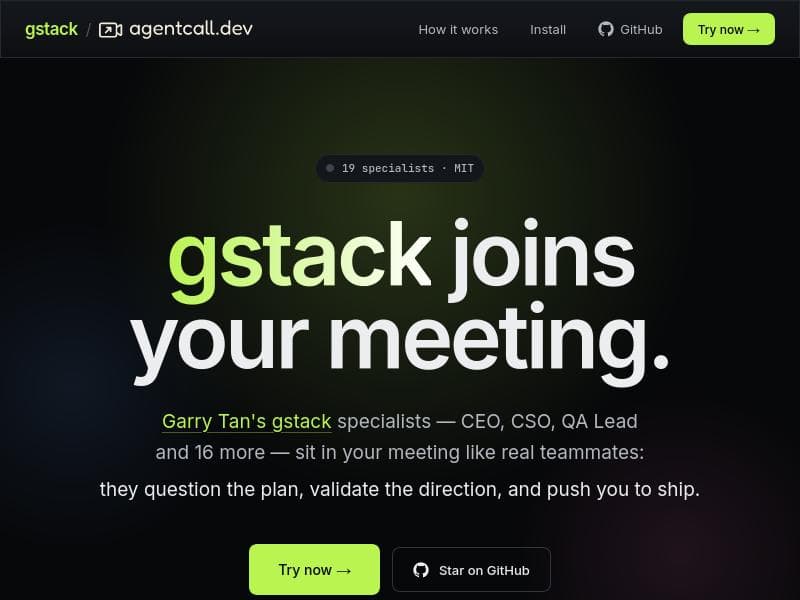


GStack revolutionizes Claude Code by transforming it into a team of AI specialists that cover the entire software development lifecycle, from planning to shipping and QA. Perfect for development teams seeking structured, role-driven workflows and lightning-fast browser automation, GStack offers an open-source, free solution that accelerates and streamlines coding projects with expert precision.

Description
GStack is an open-source skill pack for Claude Code created by Y Combinator CEO Garry Tan. It transforms a single AI assistant into a team of specialists, providing nine opinionated workflow skills covering plan review, code review, shipping, browser automation, QA testing, and engineering retrospectives. This tool enables structured, role-driven workflows that cover the full software development lifecycle, from product planning to automated QA testing and one-command shipping.
Detailed Description
GStack is an innovative open-source skill pack designed specifically for Claude Code, developed by Y Combinator CEO Garry Tan. Its primary purpose is to elevate a single AI assistant into a collaborative team of specialized agents, each focused on distinct aspects of the software development lifecycle. By integrating nine opinionated workflow skills, GStack covers critical phases such as plan review, code review, shipping, browser automation, QA testing, and engineering retrospectives. This structured, role-driven approach allows development teams to manage complex projects with greater efficiency and precision, streamlining workflows from initial product planning all the way through to automated quality assurance and one-command shipping. At its core, GStack transforms Claude Code from a generic AI assistant into a multi-faceted team of specialists. Each of the nine roles is designed to handle specific tasks within the software development process, enabling parallel workstreams and reducing bottlenecks. Key features include support for parallel sessions with isolated workspaces and Chromium instances, which means multiple workflows can run simultaneously without interference. The browser automation capability stands out by being 20 times faster than traditional Chrome MCP tools, thanks to a persistent Chromium daemon that maintains cookies, tabs, and localStorage between commands. This persistence ensures continuity and context retention across automated browsing tasks, which is crucial for testing and deployment scenarios. GStack is fully open-source under the MIT license, promoting transparency and community-driven improvements. It is compatible with macOS and Linux environments and requires Claude Code, Git, and Bun v1.0+ to operate. This makes it accessible to a wide range of developers and teams who prefer or require open-source solutions and want to leverage the power of Claude Code enhanced by specialized workflows. This tool is ideal for software development teams, engineering managers, QA specialists, and product planners who seek to optimize their development lifecycle with AI-driven automation and structured workflows. Use cases include comprehensive plan reviews to align team objectives, automated code reviews to catch issues early, streamlined shipping processes that reduce manual overhead, accelerated browser automation for testing, and detailed engineering retrospectives to improve future cycles. By enabling these roles to work in concert, GStack helps teams reduce errors, increase productivity, and maintain high-quality standards throughout the development process. GStack is offered completely free of charge, making it an attractive choice for startups, open-source projects, and enterprises looking to integrate AI-powered workflows without additional licensing costs. Compared to other AI assistants that provide generic support, GStack’s unique value lies in its specialization and role-based structure, which mimics a real-world team of experts rather than a single generalist. Its speed advantage in browser automation and the ability to maintain session state between commands further differentiate it from alternatives that may rely on slower or less persistent automation techniques. However, there are some considerations to keep in mind. GStack currently requires users to have Claude Code, Git, and Bun installed, which may introduce a learning curve for those unfamiliar with these tools. Additionally, it is limited to macOS and Linux platforms, potentially excluding Windows users unless they operate within compatible environments. As an open-source project, support and updates depend on community engagement, which may affect the pace of new feature development or bug fixes. Despite these limitations, GStack represents a powerful and flexible solution for teams aiming to harness AI to improve their software development workflows comprehensively.
Tool Features
- Transforms Claude Code from one generic assistant into a team of specialists
- Provides nine specialist roles for the entire software development lifecycle
- Includes skills for plan review, code review, shipping, browser automation, QA testing, and retrospectives
- Supports parallel sessions with isolated workspaces and Chromium instances
- Browser automation is 20x faster than Chrome MCP tools with persistent Chromium daemon
- Maintains cookies, tabs, and localStorage between commands
- Open-source with MIT license
- Runs on macOS and Linux with requirements of Claude Code, Git, and Bun v1.0+
Description
GStack revolutionizes Claude Code by transforming it into a team of AI specialists that cover the entire software development lifecycle, from planning to shipping and QA. Perfect for development teams seeking structured, role-driven workflows and lightning-fast browser automation, GStack offers an open-source, free solution that accelerates and streamlines coding projects with expert precision.
GStack is an open-source skill pack for Claude Code created by Y Combinator CEO Garry Tan. It transforms a single AI assistant into a team of specialists, providing nine opinionated workflow skills covering plan review, code review, shipping, browser automation, QA testing, and engineering retrospectives. This tool enables structured, role-driven workflows that cover the full software development lifecycle, from product planning to automated QA testing and one-command shipping.
Detailed Description
GStack is an innovative open-source skill pack designed specifically for Claude Code, developed by Y Combinator CEO Garry Tan. Its primary purpose is to elevate a single AI assistant into a collaborative team of specialized agents, each focused on distinct aspects of the software development lifecycle. By integrating nine opinionated workflow skills, GStack covers critical phases such as plan review, code review, shipping, browser automation, QA testing, and engineering retrospectives. This structured, role-driven approach allows development teams to manage complex projects with greater efficiency and precision, streamlining workflows from initial product planning all the way through to automated quality assurance and one-command shipping. At its core, GStack transforms Claude Code from a generic AI assistant into a multi-faceted team of specialists. Each of the nine roles is designed to handle specific tasks within the software development process, enabling parallel workstreams and reducing bottlenecks. Key features include support for parallel sessions with isolated workspaces and Chromium instances, which means multiple workflows can run simultaneously without interference. The browser automation capability stands out by being 20 times faster than traditional Chrome MCP tools, thanks to a persistent Chromium daemon that maintains cookies, tabs, and localStorage between commands. This persistence ensures continuity and context retention across automated browsing tasks, which is crucial for testing and deployment scenarios. GStack is fully open-source under the MIT license, promoting transparency and community-driven improvements. It is compatible with macOS and Linux environments and requires Claude Code, Git, and Bun v1.0+ to operate. This makes it accessible to a wide range of developers and teams who prefer or require open-source solutions and want to leverage the power of Claude Code enhanced by specialized workflows. This tool is ideal for software development teams, engineering managers, QA specialists, and product planners who seek to optimize their development lifecycle with AI-driven automation and structured workflows. Use cases include comprehensive plan reviews to align team objectives, automated code reviews to catch issues early, streamlined shipping processes that reduce manual overhead, accelerated browser automation for testing, and detailed engineering retrospectives to improve future cycles. By enabling these roles to work in concert, GStack helps teams reduce errors, increase productivity, and maintain high-quality standards throughout the development process. GStack is offered completely free of charge, making it an attractive choice for startups, open-source projects, and enterprises looking to integrate AI-powered workflows without additional licensing costs. Compared to other AI assistants that provide generic support, GStack’s unique value lies in its specialization and role-based structure, which mimics a real-world team of experts rather than a single generalist. Its speed advantage in browser automation and the ability to maintain session state between commands further differentiate it from alternatives that may rely on slower or less persistent automation techniques. However, there are some considerations to keep in mind. GStack currently requires users to have Claude Code, Git, and Bun installed, which may introduce a learning curve for those unfamiliar with these tools. Additionally, it is limited to macOS and Linux platforms, potentially excluding Windows users unless they operate within compatible environments. As an open-source project, support and updates depend on community engagement, which may affect the pace of new feature development or bug fixes. Despite these limitations, GStack represents a powerful and flexible solution for teams aiming to harness AI to improve their software development workflows comprehensively.
Frequently Asked Questions
What is GStack?
GStack is an open-source skill pack for Claude Code that transforms a single AI assistant into a team of specialized agents covering nine key roles in the software development lifecycle, including plan review, code review, shipping, browser automation, QA testing, and engineering retrospectives.
How much does GStack cost?
GStack is completely free to use, as it is an open-source project licensed under the MIT license.
Who is GStack best for?
GStack is best suited for software development teams, engineering managers, QA specialists, and product planners who want to streamline and automate their development workflows using AI-driven, role-based assistants.
What are the main features of GStack?
Key features include transforming Claude Code into nine specialist roles, supporting parallel sessions with isolated workspaces and Chromium instances, browser automation that is 20x faster than traditional tools, persistent session state with maintained cookies and localStorage, and comprehensive coverage of the software development lifecycle.
Does GStack offer a free trial?
Since GStack is open-source and free to use, there is no need for a free trial; users can access and use the tool immediately without cost.
What integrations does GStack support?
GStack integrates with Claude Code and requires Git and Bun v1.0+ to operate. It runs on macOS and Linux environments and leverages Chromium for browser automation.
How does GStack work?
GStack works by extending Claude Code with nine specialized AI roles that handle different parts of the software development lifecycle. It supports parallel workflows with isolated environments and uses a persistent Chromium daemon for fast, stateful browser automation, enabling structured, role-driven development processes.
Socials
Use ToolReviews
No reviews yet. Be the first to share your experience.
Sponsored Tools













































Recommended Tools
Stay updated on latest Ai tools
Get the latest insights, Join our newsletter
Read and trusted by 50,000+ readers
Join the biggest AI Community
Our community and staff are here to help!
Your feedback will help Alice AI improve in future versions.








Submit your Tool


PoweredByAI.app is an AI Tools Directory helping individuals, businesses, and creators discover the best AI tools for writing, coding, design, productivity, and more.
© 2026 , Product of011BQ. All rights reserved.