

Is this your AI tool? Claim it today.
Verify ownership, manage your profile, and unlock growth features.
Grok AI App is a smart assistant tailored exclusively for Apple users, delivering personalized AI-powered productivity enhancements across iPhone, iPad, and Mac. Ideal for professionals and multitaskers within the Apple ecosystem, it offers seamless cross-device assistance that adapts to your workflow and simplifies everyday tasks.
Description
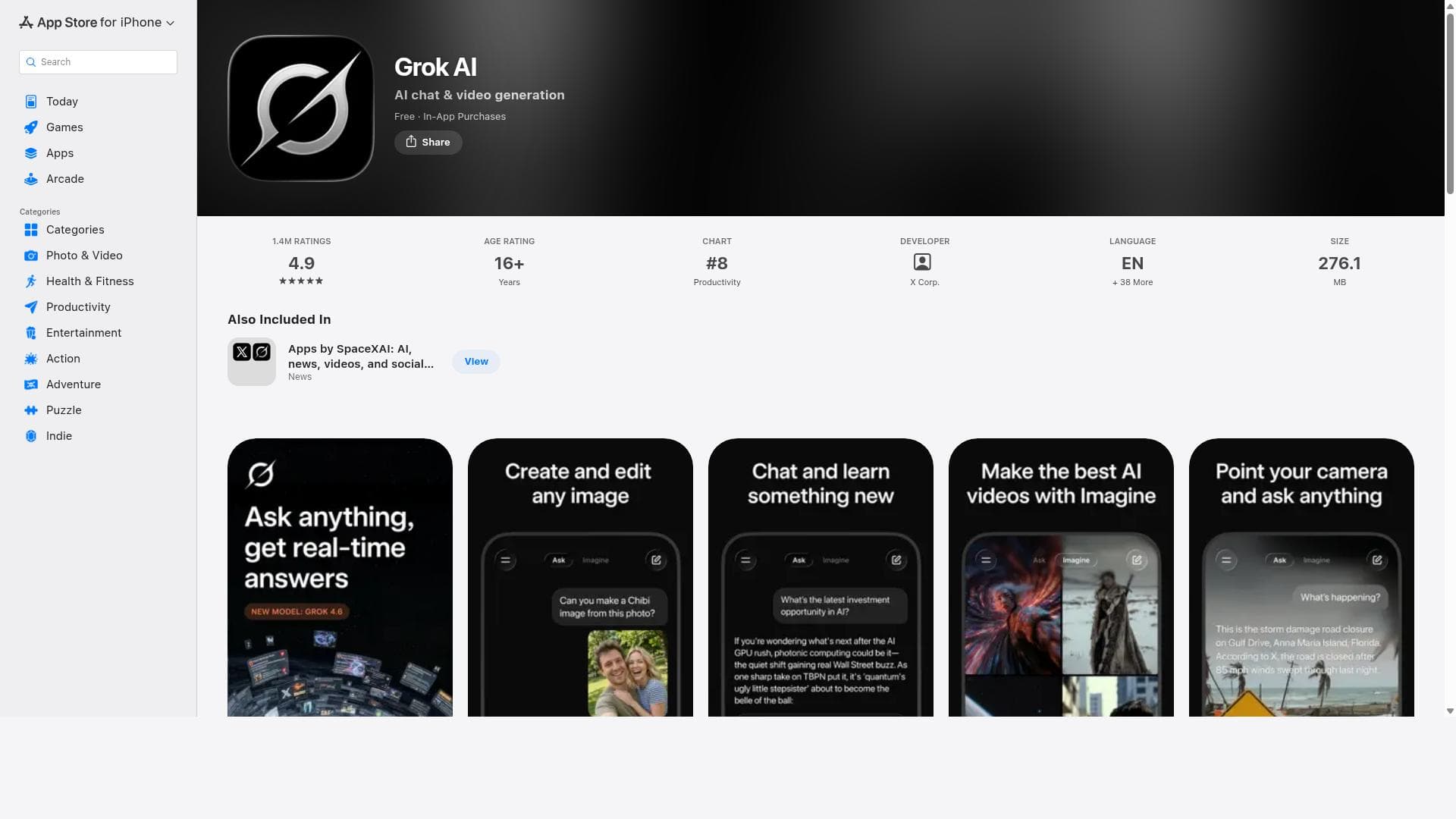
Grok is an Al-powered assistant, developed by xAl, designed to be maximally truthful, useful, and curious. Get answers to any question, generate striking images, and upload pictures to gain a deeper understanding of your world.
Detailed Description
Grok AI App is a versatile intelligent assistant designed to enhance productivity and streamline daily tasks across Apple devices including iPhone, iPad, and Mac. By leveraging advanced artificial intelligence technology, Grok AI App offers users a personalized assistant experience that adapts to their needs, helping them manage schedules, answer questions, and perform a variety of tasks efficiently. Its core purpose is to serve as a smart companion that integrates seamlessly into the Apple ecosystem, providing consistent assistance regardless of the device being used. The app’s key features include intelligent assistant capabilities that go beyond simple voice commands or reminders. Grok AI App uses AI to understand context, anticipate user needs, and provide relevant suggestions or actions. It supports multitasking by allowing users to interact with it on multiple devices, ensuring continuity and convenience. Whether it’s setting up meetings, retrieving information, managing emails, or generating content, Grok AI App enhances productivity by automating routine tasks and reducing the cognitive load on users. Grok AI App is particularly beneficial for professionals, students, and anyone who relies heavily on Apple devices for work or personal organization. Use cases range from managing complex schedules and reminders to assisting with research and content creation. Its cross-device functionality makes it ideal for users who switch between iPhone, iPad, and Mac throughout their day, ensuring they have a consistent assistant experience wherever they are. Additionally, the app’s AI-driven personalization means it learns user preferences over time, tailoring its responses and suggestions to individual workflows. Regarding pricing, Grok AI App is available through the Apple App Store. While the app itself may be free to download, advanced features or premium tiers may require in-app purchases or subscriptions, typical of intelligent assistant apps. Users should check the App Store listing for the most current pricing details and available plans. The app’s integration within the Apple ecosystem means it benefits from regular updates and support aligned with Apple’s platform enhancements. Compared to alternatives, Grok AI App stands out due to its exclusive focus on Apple devices, offering a more integrated and optimized experience for iPhone, iPad, and Mac users. Unlike generic AI assistants that operate across multiple platforms, Grok AI App leverages Apple-specific features and system-level integrations to provide smoother interactions and better performance. However, this exclusivity means it may not be suitable for users who operate outside the Apple ecosystem or require cross-platform compatibility. Some limitations to consider include the dependency on Apple devices, which restricts usage to users within that ecosystem. Additionally, as with many AI assistants, the quality of assistance depends on the AI’s ability to understand context and user input accurately, which may vary based on the complexity of requests. Privacy and data security are also important considerations, and users should review the app’s privacy policies to understand how their data is handled. Overall, Grok AI App offers a powerful, AI-driven assistant experience tailored for Apple users seeking to boost productivity and simplify their digital lives.
Tool Features
- Available on iPhone, iPad, and Mac
- Provides intelligent assistant capabilities
- Enhances productivity with AI-powered assistance
Description
Grok AI App is a smart assistant tailored exclusively for Apple users, delivering personalized AI-powered productivity enhancements across iPhone, iPad, and Mac. Ideal for professionals and multitaskers within the Apple ecosystem, it offers seamless cross-device assistance that adapts to your workflow and simplifies everyday tasks.
Grok is an Al-powered assistant, developed by xAl, designed to be maximally truthful, useful, and curious. Get answers to any question, generate striking images, and upload pictures to gain a deeper understanding of your world.
Detailed Description
Grok AI App is a versatile intelligent assistant designed to enhance productivity and streamline daily tasks across Apple devices including iPhone, iPad, and Mac. By leveraging advanced artificial intelligence technology, Grok AI App offers users a personalized assistant experience that adapts to their needs, helping them manage schedules, answer questions, and perform a variety of tasks efficiently. Its core purpose is to serve as a smart companion that integrates seamlessly into the Apple ecosystem, providing consistent assistance regardless of the device being used. The app’s key features include intelligent assistant capabilities that go beyond simple voice commands or reminders. Grok AI App uses AI to understand context, anticipate user needs, and provide relevant suggestions or actions. It supports multitasking by allowing users to interact with it on multiple devices, ensuring continuity and convenience. Whether it’s setting up meetings, retrieving information, managing emails, or generating content, Grok AI App enhances productivity by automating routine tasks and reducing the cognitive load on users. Grok AI App is particularly beneficial for professionals, students, and anyone who relies heavily on Apple devices for work or personal organization. Use cases range from managing complex schedules and reminders to assisting with research and content creation. Its cross-device functionality makes it ideal for users who switch between iPhone, iPad, and Mac throughout their day, ensuring they have a consistent assistant experience wherever they are. Additionally, the app’s AI-driven personalization means it learns user preferences over time, tailoring its responses and suggestions to individual workflows. Regarding pricing, Grok AI App is available through the Apple App Store. While the app itself may be free to download, advanced features or premium tiers may require in-app purchases or subscriptions, typical of intelligent assistant apps. Users should check the App Store listing for the most current pricing details and available plans. The app’s integration within the Apple ecosystem means it benefits from regular updates and support aligned with Apple’s platform enhancements. Compared to alternatives, Grok AI App stands out due to its exclusive focus on Apple devices, offering a more integrated and optimized experience for iPhone, iPad, and Mac users. Unlike generic AI assistants that operate across multiple platforms, Grok AI App leverages Apple-specific features and system-level integrations to provide smoother interactions and better performance. However, this exclusivity means it may not be suitable for users who operate outside the Apple ecosystem or require cross-platform compatibility. Some limitations to consider include the dependency on Apple devices, which restricts usage to users within that ecosystem. Additionally, as with many AI assistants, the quality of assistance depends on the AI’s ability to understand context and user input accurately, which may vary based on the complexity of requests. Privacy and data security are also important considerations, and users should review the app’s privacy policies to understand how their data is handled. Overall, Grok AI App offers a powerful, AI-driven assistant experience tailored for Apple users seeking to boost productivity and simplify their digital lives.
Frequently Asked Questions
What is Grok AI App?
Grok AI App is an intelligent assistant application designed for iPhone, iPad, and Mac that uses AI technology to provide personalized assistance, helping users manage tasks, schedules, and information efficiently across their Apple devices.
How much does Grok AI App cost?
Grok AI App is available for download on the Apple App Store, typically free to install. However, some advanced features or premium services may require in-app purchases or subscriptions. Pricing details can be found on the app’s App Store page.
Who is Grok AI App best for?
It is best suited for Apple device users such as professionals, students, and anyone who needs a smart assistant to enhance productivity and manage tasks seamlessly across iPhone, iPad, and Mac.
What are the main features of Grok AI App?
The main features include intelligent assistant capabilities powered by AI, cross-device support for iPhone, iPad, and Mac, personalized task management, productivity enhancement tools, and context-aware suggestions.
Does Grok AI App offer a free trial?
While the app is free to download, information about a free trial for premium features is not explicitly stated. Users should check the App Store listing or the app itself for any trial offers.
What integrations does Grok AI App support?
Grok AI App integrates deeply within the Apple ecosystem, supporting iPhone, iPad, and Mac devices. It leverages native Apple system features but does not specify third-party integrations publicly.
How does Grok AI App work?
Grok AI App uses artificial intelligence to understand user input and context, providing personalized assistance such as managing schedules, answering queries, and automating routine tasks across Apple devices to improve productivity.
Socials
Use ToolReviews
No reviews yet. Be the first to share your experience.
Sponsored Tools













































Recommended Tools
Stay updated on latest Ai tools
Get the latest insights, Join our newsletter
Read and trusted by 50,000+ readers
Join the biggest AI Community
Our community and staff are here to help!
Your feedback will help Alice AI improve in future versions.