🚀 Zaprep: Your Socials on Steroids. Start free — automate 1,000 DMs/month & turn engagement into leads. with 1,000 automated DMs/month.


Is this your AI tool? Claim it today.
Verify ownership, manage your profile, and unlock growth features.
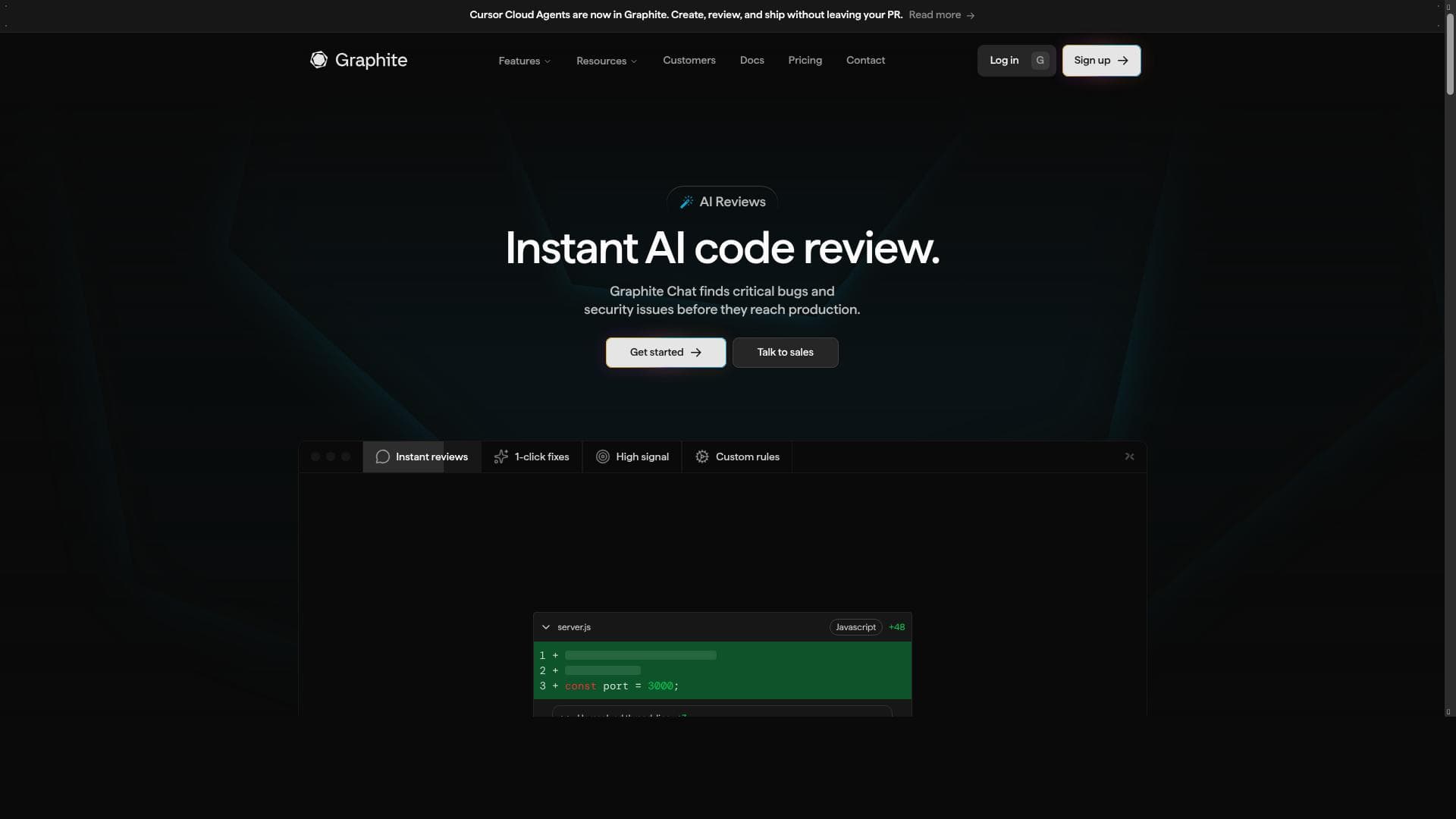
Graphite Reviewer is an AI-powered code review assistant that delivers fast, actionable feedback on every pull request, helping teams catch bugs and enforce consistency effortlessly. Ideal for GitHub-based development teams, it boosts code quality and productivity by automating tedious review tasks with intelligent, high-signal insights.

Description
An always-online AI teammate who gives you consistent, high-signal, and actionable feedback on every pull request in seconds. Graphite Reviewer catches bugs, enforces consistency, and gives you back time to build. Now available to teams on GitHub.
Detailed Description
Graphite Reviewer is an innovative AI-powered code review assistant designed to streamline the software development lifecycle by providing consistent, high-quality feedback on every pull request in seconds. Its core purpose is to act as an always-online teammate that helps developers catch bugs early, enforce coding standards, and maintain code consistency across projects. By automating the code review process, Graphite Reviewer frees up valuable developer time, allowing teams to focus more on building features and less on manual code inspections. This tool is seamlessly integrated with GitHub, making it accessible and easy to adopt for teams already using this popular platform for version control and collaboration. One of the standout features of Graphite Reviewer is its AI-powered code review automation. Unlike traditional static analysis tools, it leverages advanced machine learning models trained on vast codebases to provide actionable, context-aware feedback. This includes identifying potential bugs, suggesting improvements, and flagging inconsistencies in coding style or architecture. The feedback is not only fast but also high-signal, meaning it reduces noise and false positives, which are common pain points in automated code reviews. Additionally, its seamless GitHub integration means that it fits naturally into existing workflows, automatically reviewing pull requests as they are created or updated without requiring manual intervention. Graphite Reviewer significantly improves code quality and team productivity by ensuring that every piece of code meets a consistent standard before it is merged. This reduces the likelihood of defects making it into production and accelerates the review cycle, which can often be a bottleneck in development pipelines. The tool is particularly beneficial for engineering teams of all sizes, from startups to large enterprises, who want to maintain high code quality without dedicating excessive manual effort to code reviews. It is also ideal for remote or distributed teams that rely heavily on asynchronous collaboration and need reliable, automated support to maintain codebase health. In terms of pricing, Graphite Reviewer offers a freemium model, allowing teams to start using the tool at no cost with basic features and upgrade to paid plans for advanced capabilities and higher usage limits. This approach makes it accessible to individual developers and small teams while providing scalability for larger organizations. Specific pricing details and plan tiers can be found on their website, but the freemium tier ensures that users can evaluate the tool’s effectiveness before committing financially. Compared to alternative code review tools, Graphite Reviewer stands out due to its focus on actionable, high-signal feedback powered by AI, rather than just static analysis or rule-based checks. Many traditional tools generate a high volume of warnings, which can overwhelm developers and reduce productivity. Graphite Reviewer’s intelligent filtering and context-aware suggestions help teams prioritize meaningful issues and maintain momentum. Moreover, its tight integration with GitHub makes it more convenient than standalone tools that require separate setups or manual syncing. However, users should consider that while AI-driven code review tools like Graphite Reviewer can greatly enhance the review process, they are not a complete replacement for human judgment. Complex architectural decisions, nuanced code style preferences, and domain-specific knowledge may still require manual oversight. Additionally, as with any AI tool, there may be occasional false positives or missed issues, so teams should use Graphite Reviewer as a complementary aid rather than a sole gatekeeper. Finally, since it currently supports GitHub integration primarily, teams using other version control platforms might find limited compatibility. Overall, Graphite Reviewer is a powerful AI assistant that automates and elevates the code review process, helping development teams catch bugs faster, enforce coding standards, and save time. Its ease of use, intelligent feedback, and GitHub integration make it an excellent choice for teams looking to improve code quality and accelerate delivery without adding review overhead.
Tool Features
- AI-powered code review automation
- Seamless GitHub integration
- Improves code quality and team productivity
Description
Graphite Reviewer is an AI-powered code review assistant that delivers fast, actionable feedback on every pull request, helping teams catch bugs and enforce consistency effortlessly. Ideal for GitHub-based development teams, it boosts code quality and productivity by automating tedious review tasks with intelligent, high-signal insights.
An always-online AI teammate who gives you consistent, high-signal, and actionable feedback on every pull request in seconds. Graphite Reviewer catches bugs, enforces consistency, and gives you back time to build. Now available to teams on GitHub.
Detailed Description
Graphite Reviewer is an innovative AI-powered code review assistant designed to streamline the software development lifecycle by providing consistent, high-quality feedback on every pull request in seconds. Its core purpose is to act as an always-online teammate that helps developers catch bugs early, enforce coding standards, and maintain code consistency across projects. By automating the code review process, Graphite Reviewer frees up valuable developer time, allowing teams to focus more on building features and less on manual code inspections. This tool is seamlessly integrated with GitHub, making it accessible and easy to adopt for teams already using this popular platform for version control and collaboration. One of the standout features of Graphite Reviewer is its AI-powered code review automation. Unlike traditional static analysis tools, it leverages advanced machine learning models trained on vast codebases to provide actionable, context-aware feedback. This includes identifying potential bugs, suggesting improvements, and flagging inconsistencies in coding style or architecture. The feedback is not only fast but also high-signal, meaning it reduces noise and false positives, which are common pain points in automated code reviews. Additionally, its seamless GitHub integration means that it fits naturally into existing workflows, automatically reviewing pull requests as they are created or updated without requiring manual intervention. Graphite Reviewer significantly improves code quality and team productivity by ensuring that every piece of code meets a consistent standard before it is merged. This reduces the likelihood of defects making it into production and accelerates the review cycle, which can often be a bottleneck in development pipelines. The tool is particularly beneficial for engineering teams of all sizes, from startups to large enterprises, who want to maintain high code quality without dedicating excessive manual effort to code reviews. It is also ideal for remote or distributed teams that rely heavily on asynchronous collaboration and need reliable, automated support to maintain codebase health. In terms of pricing, Graphite Reviewer offers a freemium model, allowing teams to start using the tool at no cost with basic features and upgrade to paid plans for advanced capabilities and higher usage limits. This approach makes it accessible to individual developers and small teams while providing scalability for larger organizations. Specific pricing details and plan tiers can be found on their website, but the freemium tier ensures that users can evaluate the tool’s effectiveness before committing financially. Compared to alternative code review tools, Graphite Reviewer stands out due to its focus on actionable, high-signal feedback powered by AI, rather than just static analysis or rule-based checks. Many traditional tools generate a high volume of warnings, which can overwhelm developers and reduce productivity. Graphite Reviewer’s intelligent filtering and context-aware suggestions help teams prioritize meaningful issues and maintain momentum. Moreover, its tight integration with GitHub makes it more convenient than standalone tools that require separate setups or manual syncing. However, users should consider that while AI-driven code review tools like Graphite Reviewer can greatly enhance the review process, they are not a complete replacement for human judgment. Complex architectural decisions, nuanced code style preferences, and domain-specific knowledge may still require manual oversight. Additionally, as with any AI tool, there may be occasional false positives or missed issues, so teams should use Graphite Reviewer as a complementary aid rather than a sole gatekeeper. Finally, since it currently supports GitHub integration primarily, teams using other version control platforms might find limited compatibility. Overall, Graphite Reviewer is a powerful AI assistant that automates and elevates the code review process, helping development teams catch bugs faster, enforce coding standards, and save time. Its ease of use, intelligent feedback, and GitHub integration make it an excellent choice for teams looking to improve code quality and accelerate delivery without adding review overhead.
Frequently Asked Questions
What is Graphite Reviewer?
Graphite Reviewer is an AI-driven code review tool that provides consistent, actionable feedback on pull requests within seconds. It automates the code review process to help developers catch bugs, enforce coding standards, and improve overall code quality.
How much does Graphite Reviewer cost?
Graphite Reviewer offers a freemium pricing model, allowing users to access basic features for free with options to upgrade to paid plans for advanced capabilities and higher usage limits. Detailed pricing information is available on their website.
Who is Graphite Reviewer best for?
It is best suited for software development teams of all sizes, especially those using GitHub for version control. It benefits teams looking to improve code quality, accelerate code reviews, and save developer time by automating feedback on pull requests.
What are the main features of Graphite Reviewer?
Key features include AI-powered code review automation that provides high-signal, actionable feedback, seamless integration with GitHub, and tools to improve code consistency and team productivity.
Does Graphite Reviewer offer a free trial?
Yes, Graphite Reviewer offers a freemium plan that allows users to try out the tool with basic features at no cost, enabling teams to evaluate its effectiveness before upgrading.
What integrations does Graphite Reviewer support?
Graphite Reviewer currently supports seamless integration with GitHub, allowing it to automatically review pull requests within GitHub repositories.
How does Graphite Reviewer work?
Graphite Reviewer uses advanced AI models trained on extensive codebases to analyze pull requests in real-time. It provides developers with actionable feedback by identifying bugs, enforcing coding standards, and suggesting improvements directly within the GitHub interface.
Socials
Use ToolReviews
No reviews yet. Be the first to share your experience.
Sponsored Tools











































Recommended Tools
Stay updated on latest Ai tools
Get the latest insights, Join our newsletter
Read and trusted by 50,000+ readers
Join the biggest AI Community
Our community and staff are here to help!
Your feedback will help Alice AI improve in future versions.








Submit your Tool


PoweredByAI.app is an AI Tools Directory helping individuals, businesses, and creators discover the best AI tools for writing, coding, design, productivity, and more.
© 2026 , Product of011BQ. All rights reserved.