🚀 Zaprep: Your Socials on Steroids. Start free — automate 1,000 DMs/month & turn engagement into leads. with 1,000 automated DMs/month.


Is this your AI tool? Claim it today.
Verify ownership, manage your profile, and unlock growth features.
gptengineer.app is a cutting-edge AI-powered platform that transforms natural language prompts into fully functional web app prototypes in seconds, enabling real-time iteration and one-click deployment. Ideal for developers and non-coders alike, it accelerates digital product creation without sacrificing code ownership or flexibility.

Description
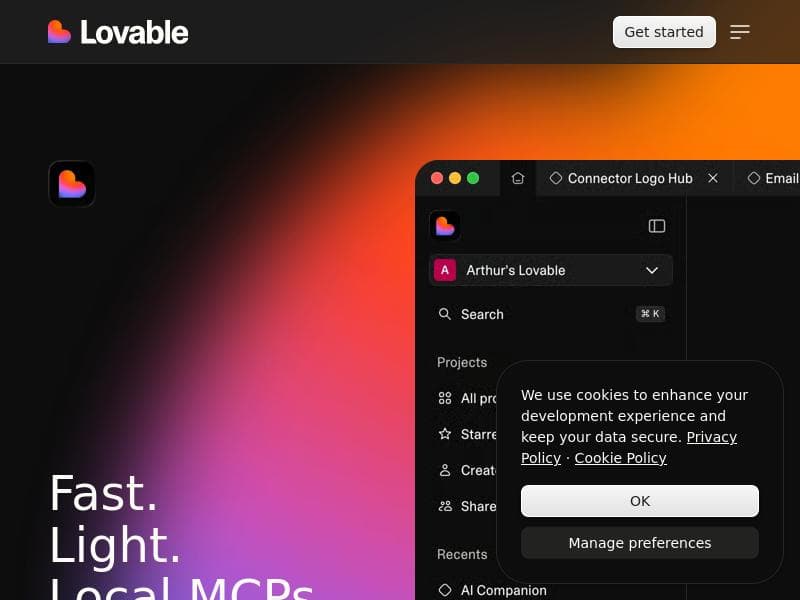
Chat with AI to build for the web, and ship faster. Go from prompt to prototypes in seconds. Iterate on a real app in real-time. Own your code, with no lock-in. Integrate with workflows developers love. One-click deploy to production.
Detailed Description
gptengineer.app is an innovative AI-powered platform designed to revolutionize the way developers and non-developers build web applications and digital products. Its core purpose is to streamline the entire development lifecycle by enabling users to go from a simple prompt to fully functional prototypes within seconds. By leveraging advanced AI chat capabilities, gptengineer.app allows users to iterate on real applications in real-time, significantly accelerating the development process and reducing the time to market. Unlike traditional development environments, this platform emphasizes code ownership with no vendor lock-in, empowering users to maintain full control over their projects. Moreover, it integrates seamlessly with popular developer workflows and offers one-click deployment to production, making it a comprehensive solution for modern web app creation. One of the standout features of gptengineer.app is its no-code app and website building capability. This feature is particularly valuable for users who lack deep coding skills but want to create sophisticated digital products. The platform’s AI-driven engine interprets user prompts and automatically generates the underlying code, enabling rapid prototyping and iteration without manual programming. Additionally, the platform supports real-time interaction with the app, allowing users to test, modify, and enhance their projects dynamically. Integration with existing developer tools and workflows ensures that teams can incorporate gptengineer.app into their current processes without disruption. The one-click deploy functionality further simplifies the transition from development to production, reducing operational overhead and deployment complexities. gptengineer.app is best suited for a diverse range of users including solo developers, startups, product managers, and even non-technical entrepreneurs who want to bring their ideas to life quickly. For developers, it serves as a powerful assistant that accelerates coding tasks and prototyping. For non-coders, it opens the door to building functional web applications without the steep learning curve traditionally associated with software development. Specific use cases include rapid MVP creation, iterative product design, internal tool development, and educational purposes where users can learn coding concepts through AI-assisted development. Its flexibility and ease of use make it ideal for teams aiming to enhance productivity and reduce reliance on large development resources. The platform operates on a freemium pricing model, allowing users to access core features at no cost while offering premium plans for advanced capabilities and higher usage limits. This approach makes it accessible to individuals and small teams who want to explore AI-assisted development without upfront investment. The freemium tier typically includes basic no-code app building, AI chat interactions, and limited deployment options. Paid plans may unlock additional integrations, enhanced AI performance, priority support, and expanded deployment environments. This tiered pricing strategy ensures that gptengineer.app can scale with user needs, from casual experimentation to professional-grade application development. When compared to alternative no-code or low-code platforms, gptengineer.app distinguishes itself through its deep AI integration and real-time iterative capabilities. While many platforms offer drag-and-drop interfaces or template-based solutions, gptengineer.app uses natural language prompts to generate and modify code dynamically, providing a more flexible and intuitive development experience. Its focus on code ownership and lack of vendor lock-in contrasts with some competitors that restrict export or customization options. However, unlike some specialized coding assistants or IDE plugins, gptengineer.app is a full-fledged platform designed to handle the entire app lifecycle from prompt to production deployment. Despite its many strengths, users should consider certain limitations. As an AI-driven tool, the quality and accuracy of generated code depend heavily on the clarity and detail of user prompts. Complex or highly customized applications may require manual adjustments or additional development outside the platform. Additionally, while the no-code approach lowers barriers, some familiarity with web development concepts can enhance the user experience and final product quality. Integration options, while robust, may not cover every niche tool or service, so teams with highly specialized workflows should verify compatibility. Finally, as a relatively new platform, ongoing updates and community support will be critical to addressing emerging needs and expanding features. gptengineer.app represents a significant step forward in democratizing web app development by combining AI-driven automation with user-friendly interfaces and powerful deployment capabilities. It empowers a broad spectrum of users to innovate faster, iterate more effectively, and maintain full control over their code, making it a compelling choice for anyone looking to build digital products with speed and flexibility.
Tool Features
- No-code app and website building
- AI-powered platform for faster development
- Supports building digital products without deep coding skills
Description
gptengineer.app is a cutting-edge AI-powered platform that transforms natural language prompts into fully functional web app prototypes in seconds, enabling real-time iteration and one-click deployment. Ideal for developers and non-coders alike, it accelerates digital product creation without sacrificing code ownership or flexibility.
Chat with AI to build for the web, and ship faster. Go from prompt to prototypes in seconds. Iterate on a real app in real-time. Own your code, with no lock-in. Integrate with workflows developers love. One-click deploy to production.
Detailed Description
gptengineer.app is an innovative AI-powered platform designed to revolutionize the way developers and non-developers build web applications and digital products. Its core purpose is to streamline the entire development lifecycle by enabling users to go from a simple prompt to fully functional prototypes within seconds. By leveraging advanced AI chat capabilities, gptengineer.app allows users to iterate on real applications in real-time, significantly accelerating the development process and reducing the time to market. Unlike traditional development environments, this platform emphasizes code ownership with no vendor lock-in, empowering users to maintain full control over their projects. Moreover, it integrates seamlessly with popular developer workflows and offers one-click deployment to production, making it a comprehensive solution for modern web app creation. One of the standout features of gptengineer.app is its no-code app and website building capability. This feature is particularly valuable for users who lack deep coding skills but want to create sophisticated digital products. The platform’s AI-driven engine interprets user prompts and automatically generates the underlying code, enabling rapid prototyping and iteration without manual programming. Additionally, the platform supports real-time interaction with the app, allowing users to test, modify, and enhance their projects dynamically. Integration with existing developer tools and workflows ensures that teams can incorporate gptengineer.app into their current processes without disruption. The one-click deploy functionality further simplifies the transition from development to production, reducing operational overhead and deployment complexities. gptengineer.app is best suited for a diverse range of users including solo developers, startups, product managers, and even non-technical entrepreneurs who want to bring their ideas to life quickly. For developers, it serves as a powerful assistant that accelerates coding tasks and prototyping. For non-coders, it opens the door to building functional web applications without the steep learning curve traditionally associated with software development. Specific use cases include rapid MVP creation, iterative product design, internal tool development, and educational purposes where users can learn coding concepts through AI-assisted development. Its flexibility and ease of use make it ideal for teams aiming to enhance productivity and reduce reliance on large development resources. The platform operates on a freemium pricing model, allowing users to access core features at no cost while offering premium plans for advanced capabilities and higher usage limits. This approach makes it accessible to individuals and small teams who want to explore AI-assisted development without upfront investment. The freemium tier typically includes basic no-code app building, AI chat interactions, and limited deployment options. Paid plans may unlock additional integrations, enhanced AI performance, priority support, and expanded deployment environments. This tiered pricing strategy ensures that gptengineer.app can scale with user needs, from casual experimentation to professional-grade application development. When compared to alternative no-code or low-code platforms, gptengineer.app distinguishes itself through its deep AI integration and real-time iterative capabilities. While many platforms offer drag-and-drop interfaces or template-based solutions, gptengineer.app uses natural language prompts to generate and modify code dynamically, providing a more flexible and intuitive development experience. Its focus on code ownership and lack of vendor lock-in contrasts with some competitors that restrict export or customization options. However, unlike some specialized coding assistants or IDE plugins, gptengineer.app is a full-fledged platform designed to handle the entire app lifecycle from prompt to production deployment. Despite its many strengths, users should consider certain limitations. As an AI-driven tool, the quality and accuracy of generated code depend heavily on the clarity and detail of user prompts. Complex or highly customized applications may require manual adjustments or additional development outside the platform. Additionally, while the no-code approach lowers barriers, some familiarity with web development concepts can enhance the user experience and final product quality. Integration options, while robust, may not cover every niche tool or service, so teams with highly specialized workflows should verify compatibility. Finally, as a relatively new platform, ongoing updates and community support will be critical to addressing emerging needs and expanding features. gptengineer.app represents a significant step forward in democratizing web app development by combining AI-driven automation with user-friendly interfaces and powerful deployment capabilities. It empowers a broad spectrum of users to innovate faster, iterate more effectively, and maintain full control over their code, making it a compelling choice for anyone looking to build digital products with speed and flexibility.
Frequently Asked Questions
What is gptengineer.app?
gptengineer.app is an AI-powered platform that enables users to build web applications and digital products quickly by converting natural language prompts into working prototypes. It supports no-code app and website creation, real-time iteration, and one-click deployment to production.
How much does gptengineer.app cost?
gptengineer.app offers a freemium pricing model, providing access to core features for free with limitations. Paid plans are available for advanced features, higher usage limits, enhanced AI capabilities, and additional deployment options.
Who is gptengineer.app best for?
The platform is ideal for solo developers, startups, product managers, and non-technical users who want to build digital products quickly without deep coding knowledge. It suits anyone looking to accelerate prototyping, iterate in real-time, and deploy apps with ease.
What are the main features of gptengineer.app?
Key features include no-code app and website building, AI-powered prompt-to-prototype conversion, real-time app iteration, code ownership with no vendor lock-in, integration with popular developer workflows, and one-click deployment to production.
Does gptengineer.app offer a free trial?
Yes, gptengineer.app operates on a freemium model which allows users to access basic features for free without a time-limited trial, enabling ongoing use with optional upgrades to premium plans.
What integrations does gptengineer.app support?
gptengineer.app integrates with workflows and tools commonly used by developers, though specific integrations depend on the plan and user needs. It is designed to fit seamlessly into existing development environments to enhance productivity.
How does gptengineer.app work?
Users interact with gptengineer.app by providing natural language prompts describing the desired app or website. The AI engine interprets these prompts to generate code and prototypes instantly, allowing users to test, iterate, and deploy their applications in real-time.
Socials
Use ToolReviews
No reviews yet. Be the first to share your experience.
Sponsored Tools











































Recommended Tools
Stay updated on latest Ai tools
Get the latest insights, Join our newsletter
Read and trusted by 50,000+ readers
Join the biggest AI Community
Our community and staff are here to help!
Your feedback will help Alice AI improve in future versions.








Submit your Tool


PoweredByAI.app is an AI Tools Directory helping individuals, businesses, and creators discover the best AI tools for writing, coding, design, productivity, and more.
© 2026 , Product of011BQ. All rights reserved.