Google NotebookLM Plus


Is this your AI tool? Claim it today.
Verify ownership, manage your profile, and unlock growth features.
Google NotebookLM Plus revolutionizes productivity with AI-powered note-taking enhanced by 5x more audio overviews, custom responses, and enterprise-grade security. Ideal for power users and teams, it combines advanced collaboration tools with an intuitive interface to supercharge research and creativity.

Description
NotebookLM Plus redefines productivity with 5x more Audio Overviews, notebooks, and sources. Enjoy custom responses, team collaboration tools, and enterprise-grade security. Perfect for power users and organizations—boost your research and creativity today!
Detailed Description
Google NotebookLM Plus is an advanced AI-powered note-taking and productivity tool designed to transform how individuals and organizations manage information, research, and collaboration. At its core, NotebookLM Plus serves as an intelligent assistant that integrates seamlessly with users' workflows, offering a robust platform to capture, organize, and interact with notes in a highly dynamic and engaging manner. The tool leverages cutting-edge AI to provide custom responses, enhanced audio interactivity, and a streamlined user interface, making it an indispensable resource for power users, researchers, and teams seeking to boost creativity and productivity. One of the standout features of Google NotebookLM Plus is its significantly expanded Audio Overviews capability, offering five times more audio summaries and interactive content than previous versions. This feature allows users to engage with their notes through spoken summaries, making it easier to absorb information on the go or during multitasking scenarios. The enhanced audio interactivity fosters deeper engagement and retention, setting NotebookLM Plus apart from traditional text-based note-taking apps. Additionally, the tool introduces a refreshed, modernized user interface that improves navigation and usability, ensuring that users can quickly access their notebooks, sources, and AI-generated insights without friction. NotebookLM Plus also emphasizes collaboration and security, catering to the needs of teams and enterprises. It includes tools that facilitate seamless team collaboration, allowing multiple users to contribute, comment, and refine notes collectively. This collaborative environment is supported by enterprise-grade security measures, ensuring that sensitive information remains protected and compliant with organizational policies. The integration of AI assistance extends beyond note-taking; it helps users generate custom responses, synthesize information from diverse sources, and automate routine tasks, thereby accelerating research and creative processes. This tool is ideally suited for knowledge workers, researchers, educators, and organizational teams who require a powerful and flexible note-taking solution that goes beyond simple text entry. For example, academic researchers can use NotebookLM Plus to compile and analyze literature with AI-generated summaries and audio reviews, while corporate teams can leverage its collaboration features to manage project documentation and brainstorming sessions efficiently. Creative professionals benefit from the AI’s ability to generate ideas and organize complex information, making it easier to develop content and strategies. Google NotebookLM Plus operates on a freemium pricing model, offering a basic free tier with essential features and a premium subscription that unlocks the full suite of capabilities, including the expanded Audio Overviews, advanced collaboration tools, and enterprise-grade security. This flexible pricing approach allows users to evaluate the tool’s core benefits before committing to the premium experience, making it accessible to a broad audience from individual users to large organizations. Compared to alternative AI note-taking tools, Google NotebookLM Plus distinguishes itself through its deep integration with Google’s ecosystem, superior audio interactivity, and robust security features tailored for enterprise use. While many competitors focus solely on text-based notes or basic AI summarization, NotebookLM Plus offers a richer multimedia experience and collaborative environment. However, potential users should consider that the tool’s advanced features may require a learning curve and that full functionality is gated behind the premium subscription. Additionally, as a relatively new offering, it may not yet support all third-party integrations that some users require. In summary, Google NotebookLM Plus is a comprehensive, AI-enhanced note-taking platform that redefines productivity by combining powerful audio features, intelligent assistance, and secure collaboration. It is particularly valuable for professionals and organizations looking to streamline research, enhance creativity, and maintain rigorous data security. While it may not replace every specialized tool in a user’s tech stack, its unique blend of capabilities makes it a compelling choice for those seeking a next-generation productivity assistant.
Tool Features
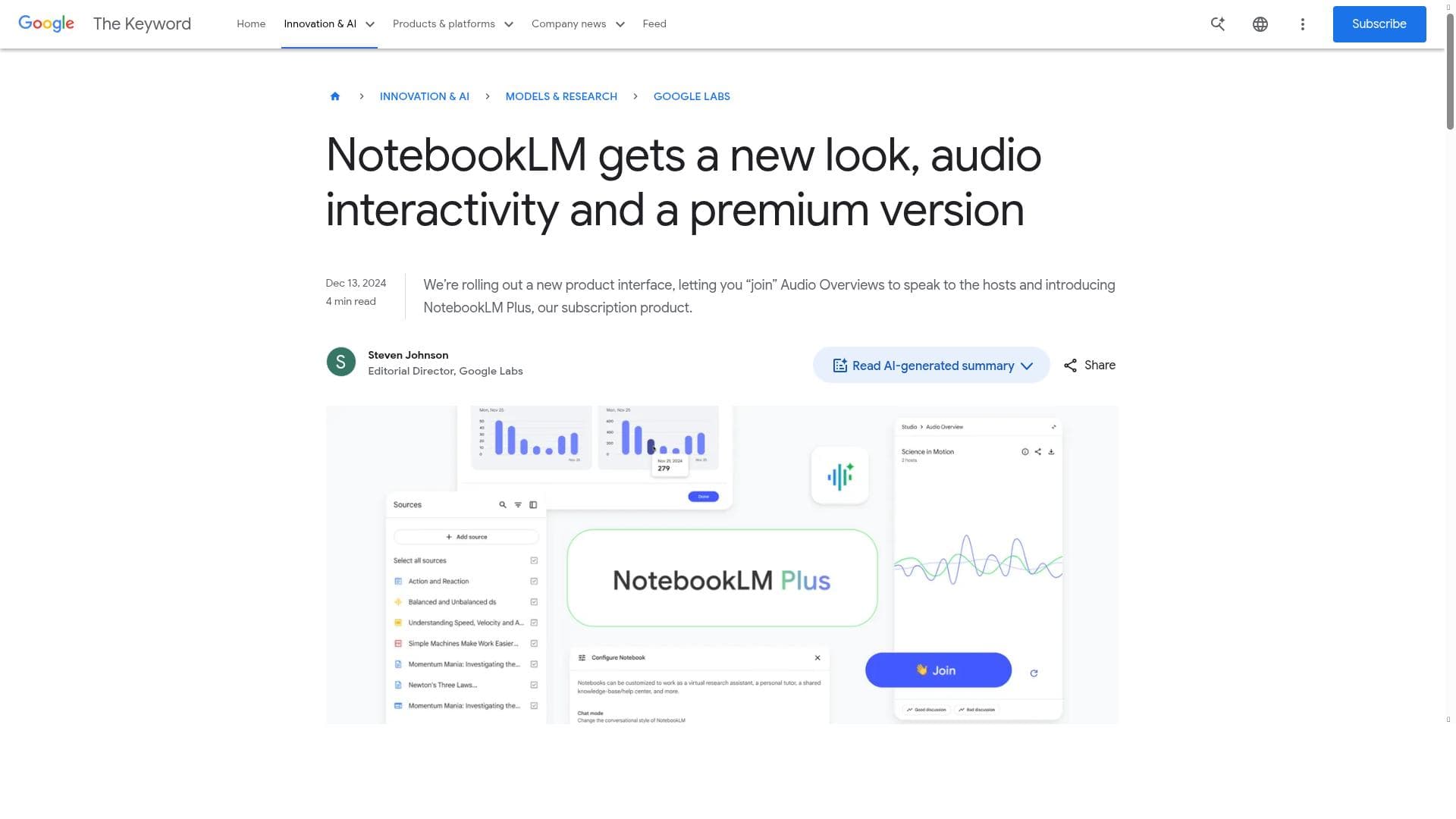
- New look for improved user interface
- Audio interactivity for enhanced engagement
- Premium version called NotebookLM Plus
- Integration with AI to assist note-taking
Description
Google NotebookLM Plus revolutionizes productivity with AI-powered note-taking enhanced by 5x more audio overviews, custom responses, and enterprise-grade security. Ideal for power users and teams, it combines advanced collaboration tools with an intuitive interface to supercharge research and creativity.
NotebookLM Plus redefines productivity with 5x more Audio Overviews, notebooks, and sources. Enjoy custom responses, team collaboration tools, and enterprise-grade security. Perfect for power users and organizations—boost your research and creativity today!
Detailed Description
Google NotebookLM Plus is an advanced AI-powered note-taking and productivity tool designed to transform how individuals and organizations manage information, research, and collaboration. At its core, NotebookLM Plus serves as an intelligent assistant that integrates seamlessly with users' workflows, offering a robust platform to capture, organize, and interact with notes in a highly dynamic and engaging manner. The tool leverages cutting-edge AI to provide custom responses, enhanced audio interactivity, and a streamlined user interface, making it an indispensable resource for power users, researchers, and teams seeking to boost creativity and productivity. One of the standout features of Google NotebookLM Plus is its significantly expanded Audio Overviews capability, offering five times more audio summaries and interactive content than previous versions. This feature allows users to engage with their notes through spoken summaries, making it easier to absorb information on the go or during multitasking scenarios. The enhanced audio interactivity fosters deeper engagement and retention, setting NotebookLM Plus apart from traditional text-based note-taking apps. Additionally, the tool introduces a refreshed, modernized user interface that improves navigation and usability, ensuring that users can quickly access their notebooks, sources, and AI-generated insights without friction. NotebookLM Plus also emphasizes collaboration and security, catering to the needs of teams and enterprises. It includes tools that facilitate seamless team collaboration, allowing multiple users to contribute, comment, and refine notes collectively. This collaborative environment is supported by enterprise-grade security measures, ensuring that sensitive information remains protected and compliant with organizational policies. The integration of AI assistance extends beyond note-taking; it helps users generate custom responses, synthesize information from diverse sources, and automate routine tasks, thereby accelerating research and creative processes. This tool is ideally suited for knowledge workers, researchers, educators, and organizational teams who require a powerful and flexible note-taking solution that goes beyond simple text entry. For example, academic researchers can use NotebookLM Plus to compile and analyze literature with AI-generated summaries and audio reviews, while corporate teams can leverage its collaboration features to manage project documentation and brainstorming sessions efficiently. Creative professionals benefit from the AI’s ability to generate ideas and organize complex information, making it easier to develop content and strategies. Google NotebookLM Plus operates on a freemium pricing model, offering a basic free tier with essential features and a premium subscription that unlocks the full suite of capabilities, including the expanded Audio Overviews, advanced collaboration tools, and enterprise-grade security. This flexible pricing approach allows users to evaluate the tool’s core benefits before committing to the premium experience, making it accessible to a broad audience from individual users to large organizations. Compared to alternative AI note-taking tools, Google NotebookLM Plus distinguishes itself through its deep integration with Google’s ecosystem, superior audio interactivity, and robust security features tailored for enterprise use. While many competitors focus solely on text-based notes or basic AI summarization, NotebookLM Plus offers a richer multimedia experience and collaborative environment. However, potential users should consider that the tool’s advanced features may require a learning curve and that full functionality is gated behind the premium subscription. Additionally, as a relatively new offering, it may not yet support all third-party integrations that some users require. In summary, Google NotebookLM Plus is a comprehensive, AI-enhanced note-taking platform that redefines productivity by combining powerful audio features, intelligent assistance, and secure collaboration. It is particularly valuable for professionals and organizations looking to streamline research, enhance creativity, and maintain rigorous data security. While it may not replace every specialized tool in a user’s tech stack, its unique blend of capabilities makes it a compelling choice for those seeking a next-generation productivity assistant.
Frequently Asked Questions
What is Google NotebookLM Plus?
Google NotebookLM Plus is an AI-driven note-taking and productivity tool that offers enhanced audio overviews, custom AI responses, team collaboration features, and enterprise-grade security to help users organize and interact with their notes more effectively.
How much does Google NotebookLM Plus cost?
Google NotebookLM Plus uses a freemium pricing model, providing a free tier with basic features and a premium subscription that unlocks advanced capabilities such as expanded audio overviews, enhanced collaboration tools, and enterprise-level security.
Who is Google NotebookLM Plus best for?
It is best suited for power users, researchers, educators, creative professionals, and organizational teams who need a powerful, AI-enhanced note-taking solution that supports collaboration and secure management of information.
What are the main features of Google NotebookLM Plus?
Key features include a new, improved user interface, 5x more audio overviews for interactive engagement, AI integration for custom responses and note assistance, team collaboration tools, and enterprise-grade security measures.
Does Google NotebookLM Plus offer a free trial?
Yes, Google NotebookLM Plus offers a free tier that allows users to access essential features, enabling them to try the tool before opting for the premium subscription.
What integrations does Google NotebookLM Plus support?
While primarily integrated within Google's ecosystem, NotebookLM Plus supports AI-driven note-taking and collaboration features; however, specific third-party integrations may be limited as the tool continues to evolve.
How does Google NotebookLM Plus work?
NotebookLM Plus uses AI to assist users in capturing, organizing, and interacting with notes. It generates custom responses, provides audio summaries, and facilitates team collaboration, all within a secure and user-friendly interface.
Socials
Use ToolReviews
No reviews yet. Be the first to share your experience.




















































